鸿蒙flutter第三方库适配 - 多账号管理
运行效果图多账号管理是一款安全便捷的账号管理应用,支持管理多个账号、账号切换、账号信息展示,以及安全设置。应用以高贵的紫色为主色调,象征安全与信任。涵盖账号管理、分类浏览、设置中心三大模块。用户可以安全存储各类账号信息、快速切换账号、保护隐私安全,让账号管理更加轻松便捷。序号类型名称图标颜色1GoogleG蓝色 #4285F42Apple🍎黑色 #0000003Microsoft🪟蓝色 #00
多账号管理应用
欢迎加入开源鸿蒙跨平台社区:
https://openharmonycrossplatform.csdn.net
适配的第三方库地址:
- google_sign_in: https://pub.dev/packages/google_sign_in
- local_auth: https://pub.dev/packages/local_auth
- shared_preferences: https://pub.dev/packages/shared_preferences
- encrypt: https://pub.dev/packages/encrypt
一、项目概述
运行效果图
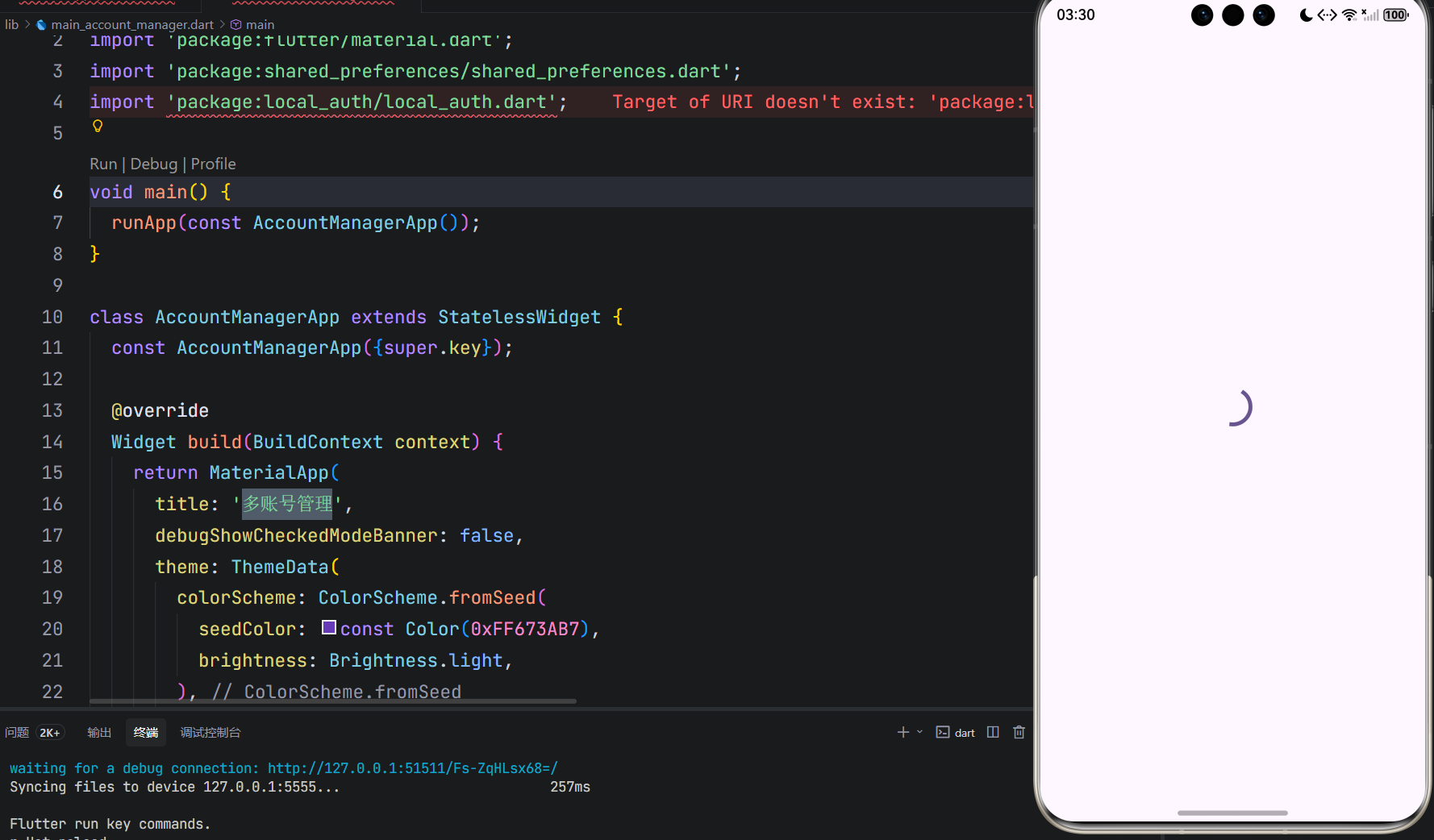
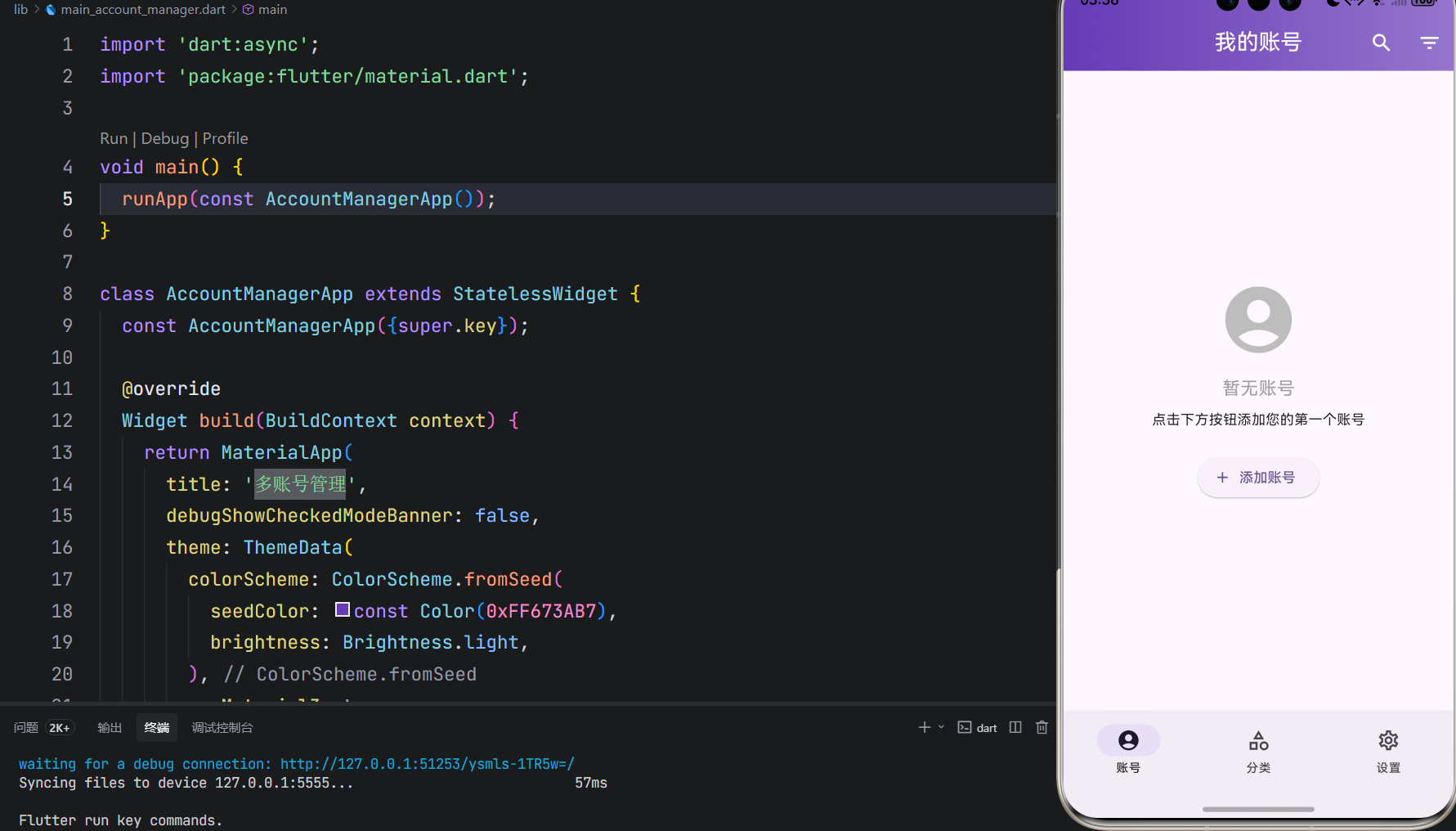
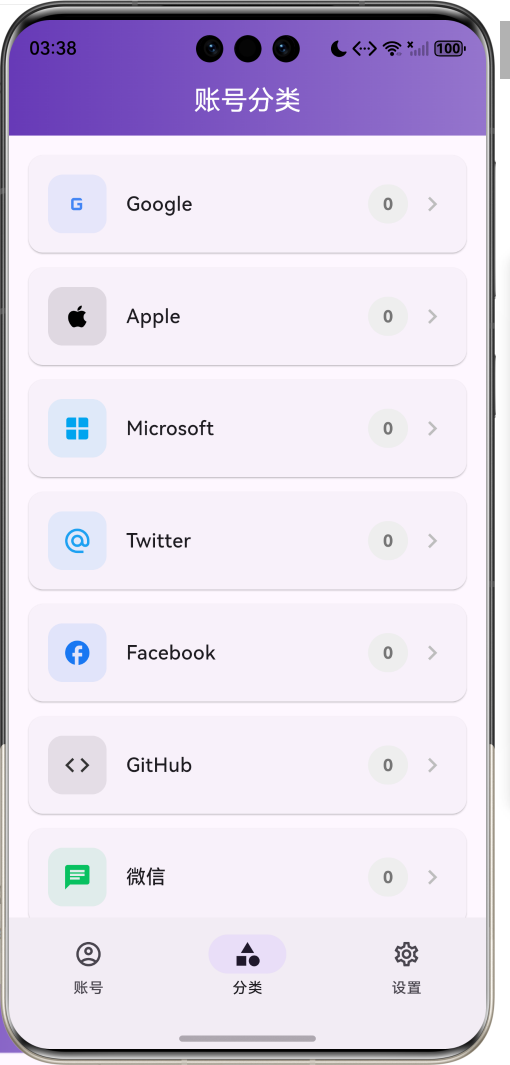
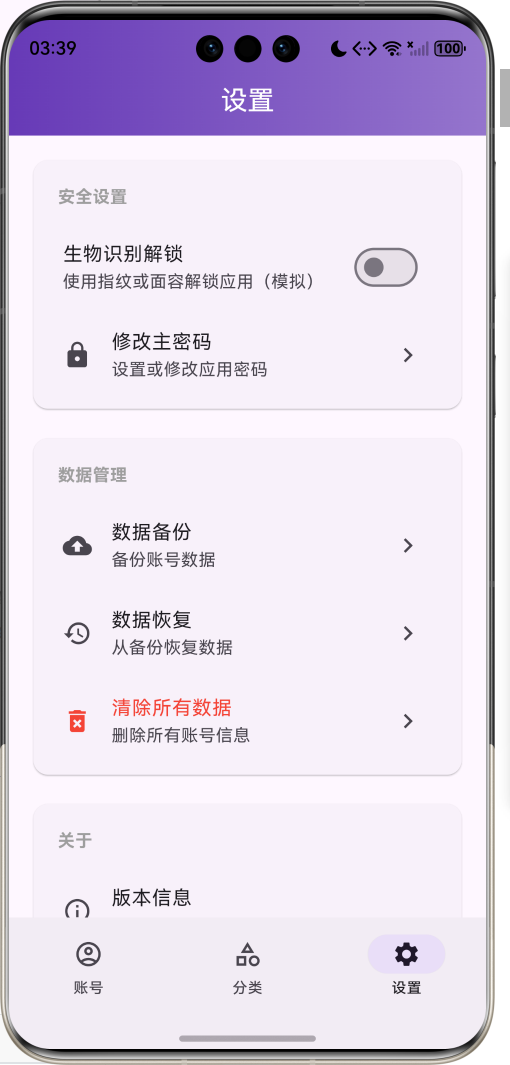
1.1 应用简介
多账号管理是一款安全便捷的账号管理应用,支持管理多个账号、账号切换、账号信息展示,以及安全设置。应用以高贵的紫色为主色调,象征安全与信任。涵盖账号管理、分类浏览、设置中心三大模块。用户可以安全存储各类账号信息、快速切换账号、保护隐私安全,让账号管理更加轻松便捷。
1.2 核心功能
| 功能模块 | 功能描述 | 实现方式 |
|---|---|---|
| 账号管理 | 添加、编辑、删除账号 | 本地存储 |
| 账号切换 | 快速切换不同账号 | 状态管理 |
| 信息展示 | 展示账号详细信息 | 详情页面 |
| 安全设置 | 生物识别保护隐私 | local_auth |
| 数据加密 | 密码加密存储 | encrypt |
| 分类管理 | 按类型分类账号 | 分类筛选 |
| 收藏功能 | 收藏常用账号 | 收藏标记 |
| 搜索功能 | 快速搜索账号 | 关键词匹配 |
1.3 账号类型定义
| 序号 | 类型名称 | 图标 | 颜色 |
|---|---|---|---|
| 1 | G | 蓝色 #4285F4 | |
| 2 | Apple | 🍎 | 黑色 #000000 |
| 3 | Microsoft | 🪟 | 蓝色 #00A4EF |
| 4 | 🐦 | 蓝色 #1DA1F2 | |
| 5 | f | 蓝色 #1877F2 | |
| 6 | GitHub | 猫 | 黑色 #333333 |
| 7 | 微信 | 💬 | 绿色 #07C160 |
| 8 | 企鹅 | 蓝色 #12B7F5 | |
| 9 | 邮箱 | ✉️ | 红色 #EA4335 |
| 10 | 其他 | 👤 | 灰色 #9E9E9E |
1.4 技术栈
| 技术领域 | 技术选型 | 版本要求 |
|---|---|---|
| 开发框架 | Flutter | >= 3.0.0 |
| 编程语言 | Dart | >= 2.17.0 |
| 设计规范 | Material Design 3 | - |
| 生物认证 | local_auth | >= 2.2.0 |
| 数据加密 | encrypt | >= 5.0.0 |
| 数据存储 | shared_preferences | >= 2.0.0 |
| 目标平台 | 鸿蒙OS / Web / Android | API 21+ |
1.5 项目结构
lib/
└── main_account_manager.dart
    ├── AccountManagerApp              # 应用入口
    ├── AuthWrapper                    # 身份验证包装器
    ├── AccountType                    # 账号类型枚举
    ├── Account                        # 账号模型
    ├── EncryptionHelper               # 加密帮助类
    ├── AccountStorage                 # 账号存储类
    ├── HomePage                       # 主页面(底部导航)
    ├── _buildAccountsPage             # 账号列表
    ├── _buildCategoriesPage           # 分类页面
    ├── _buildSettingsPage             # 设置页面
    ├── _AddAccountForm                # 添加账号表单
    └── _AccountDetailSheet            # 账号详情
二、系统架构
2.1 整体架构图
2.2 类图设计
2.3 页面导航流程
2.4 数据流程
三、核心模块设计
3.1 数据模型设计
3.1.1 账号类型枚举 (AccountType)
enum AccountType {
  google(label: 'Google', icon: Icons.g_mobiledata, color: Color(0xFF4285F4)),
  apple(label: 'Apple', icon: Icons.apple, color: Color(0xFF000000)),
  microsoft(label: 'Microsoft', icon: Icons.window, color: Color(0xFF00A4EF)),
  twitter(label: 'Twitter', icon: Icons.alternate_email, color: Color(0xFF1DA1F2)),
  facebook(label: 'Facebook', icon: Icons.facebook, color: Color(0xFF1877F2)),
  github(label: 'GitHub', icon: Icons.code, color: Color(0xFF333333)),
  wechat(label: '微信', icon: Icons.chat, color: Color(0xFF07C160)),
  qq(label: 'QQ', icon: Icons.message, color: Color(0xFF12B7F5)),
  email(label: '邮箱', icon: Icons.email, color: Color(0xFFEA4335)),
  other(label: '其他', icon: Icons.account_circle, color: Color(0xFF9E9E9E));

  final String label;
  final IconData icon;
  final Color color;
}
3.1.2 账号模型 (Account)
class Account {
  final String id;
  final String name;
  final String username;
  final String? email;
  final String? password;
  final AccountType type;
  final DateTime createdAt;
  final DateTime? lastUsed;
  final String? notes;
  final bool isFavorite;

  Map<String, dynamic> toMap() {
    return {
      'id': id,
      'name': name,
      'username': username,
      'email': email,
      'password': password,
      'type': type.index,
      'createdAt': createdAt.toIso8601String(),
      // ...
    };
  }

  factory Account.fromMap(Map<String, dynamic> map) {
    return Account(
      id: map['id'] as String,
      name: map['name'] as String,
      // ...
    );
  }
}
3.1.3 账号类型分布示例
3.2 加密模块设计
3.2.1 加密帮助类
class EncryptionHelper {
  static final _key = Key.fromLength(32);
  static final _iv = IV.fromLength(16);
  static final _encrypter = Encrypter(AES(_key));

  static String encrypt(String plainText) {
    return _encrypter.encrypt(plainText, iv: _iv).base64;
  }

  static String decrypt(String encryptedText) {
    return _encrypter.decrypt64(encryptedText, iv: _iv);
  }
}
3.2.2 加密流程
3.3 生物认证模块设计
3.3.1 认证流程
3.3.2 认证实现
Future<void> _authenticate() async {
  final canCheckBiometrics = await _localAuth.canCheckBiometrics;
  if (!canCheckBiometrics) {
    _showAuthResult(false, '设备不支持生物识别');
    return;
  }

  final authenticated = await _localAuth.authenticate(
    localizedReason: '请验证身份以访问账号管理',
    options: const AuthenticationOptions(
      stickyAuth: true,
      biometricOnly: false,
    ),
  );

  if (authenticated) {
    setState(() {
      _isAuthenticated = true;
    });
  }
}
3.4 页面结构设计
3.4.1 主页面布局
3.4.2 账号列表结构
四、UI设计规范
4.1 配色方案
应用以高贵的紫色为主色调,象征安全与信任:
| 颜色类型 | 色值 | 用途 |
|---|---|---|
| 主色 | #673AB7 (Purple) | 导航、主题元素 |
| 辅助色 | #9575CD | 次要按钮 |
| Google色 | #4285F4 | Google账号 |
| Apple色 | #000000 | Apple账号 |
| 微信色 | #07C160 | 微信账号 |
| QQ色 | #12B7F5 | QQ账号 |
| 背景色 | #FAFAFA | 页面背景 |
| 卡片背景 | #FFFFFF | 信息卡片 |
4.2 账号类型配色
| 类型 | 色值 | 图标 |
|---|---|---|
| #4285F4 | G | |
| Apple | #000000 | 🍎 |
| Microsoft | #00A4EF | 🪟 |
| #1DA1F2 | 🐦 | |
| #1877F2 | f | |
| GitHub | #333333 | 猫 |
| 微信 | #07C160 | 💬 |
| #12B7F5 | 企鹅 | |
| 邮箱 | #EA4335 | ✉️ |
| 其他 | #9E9E9E | 👤 |
4.3 字体规范
| 元素 | 字号 | 字重 | 颜色 |
|---|---|---|---|
| 页面标题 | 24px | Bold | 主色 |
| 账号名称 | 16px | Bold | #000000 |
| 用户名 | 14px | Regular | #666666 |
| 邮箱 | 12px | Regular | #888888 |
| 提示文字 | 14px | Regular | #999999 |
4.4 组件规范
4.4.1 账号卡片
┌─────────────────────────────────────┐
│  ┌──────┐                           │
│  │  G   │  Google账号        ★     │
│  │      │  username@gmail.com      │
│  └──────┘                           │
└─────────────────────────────────────┘
4.4.2 添加账号表单
┌─────────────────────────────────────┐
│  添加账号                            │
│                                     │
│  账号名称 *                          │
│  ┌─────────────────────────────┐   │
│  │                             │   │
│  └─────────────────────────────┘   │
│                                     │
│  用户名                              │
│  ┌─────────────────────────────┐   │
│  │                             │   │
│  └─────────────────────────────┘   │
│                                     │
│  邮箱                                │
│  ┌─────────────────────────────┐   │
│  │                             │   │
│  └─────────────────────────────┘   │
│                                     │
│  密码                           👁️  │
│  ┌─────────────────────────────┐   │
│  │ ••••••••                    │   │
│  └─────────────────────────────┘   │
│                                     │
│  账号类型                            │
│  [G Google] [🍎 Apple] [🪟 Microsoft]│
│                                     │
│  [        保 存        ]            │
└─────────────────────────────────────┘
4.4.3 账号详情
┌─────────────────────────────────────┐
│  ┌──────┐                      ★    │
│  │  G   │  Google账号              │
│  │      │  Google                  │
│  └──────┘                           │
│                                     │
│  👤 用户名: username                 │
│  ✉️ 邮箱: username@gmail.com        │
│  🔒 密码: ••••••••      👁️  📋     │
│  📝 备注: 工作账号                   │
│  🕐 创建时间: 2024-01-15             │
│                                     │
│  [🗑️ 删除]        [✏️ 编辑]        │
└─────────────────────────────────────┘
五、核心功能实现
5.1 生物认证实现
Future<void> _authenticate() async {
  if (_isAuthenticating) return;

  setState(() {
    _isAuthenticating = true;
  });

  try {
    final canCheckBiometrics = await _localAuth.canCheckBiometrics;
    if (!canCheckBiometrics) {
      _showAuthResult(false, '设备不支持生物识别');
      return;
    }

    final authenticated = await _localAuth.authenticate(
      localizedReason: '请验证身份以访问账号管理',
      options: const AuthenticationOptions(
        stickyAuth: true,
        biometricOnly: false,
      ),
    );

    if (authenticated) {
      setState(() {
        _isAuthenticated = true;
      });
    }
  } catch (e) {
    _showAuthResult(false, '验证出错: $e');
  } finally {
    setState(() {
      _isAuthenticating = false;
    });
  }
}
5.2 数据加密实现
class EncryptionHelper {
  static final _key = Key.fromLength(32);
  static final _iv = IV.fromLength(16);
  static final _encrypter = Encrypter(AES(_key));

  static String encrypt(String plainText) {
    return _encrypter.encrypt(plainText, iv: _iv).base64;
  }

  static String decrypt(String encryptedText) {
    return _encrypter.decrypt64(encryptedText, iv: _iv);
  }
}
5.3 账号存储实现
class AccountStorage {
  static const String _accountsKey = 'accounts';

  static Future<void> saveAccounts(List<Account> accounts) async {
    final prefs = await SharedPreferences.getInstance();
    final encryptedData = accounts.map((a) {
      final map = a.toMap();
      if (map['password'] != null) {
        map['password'] = EncryptionHelper.encrypt(map['password'] as String);
      }
      return map;
    }).toList();

    // 保存到SharedPreferences
    await prefs.setString(_accountsKey, jsonString);
  }

  static Future<List<Account>> loadAccounts() async {
    final prefs = await SharedPreferences.getInstance();
    final jsonString = prefs.getString(_accountsKey);
    if (jsonString == null) return [];

    // 解密并返回账号列表
    return decoded.map((map) {
      if (map['password'] != null) {
        map['password'] = EncryptionHelper.decrypt(map['password'] as String);
      }
      return Account.fromMap(Map<String, dynamic>.from(map));
    }).toList();
  }
}
5.4 收藏功能实现
void _toggleFavorite(String id) {
  final index = _accounts.indexWhere((a) => a.id == id);
  if (index != -1) {
    final account = _accounts[index];
    _accounts[index] = account.copyWith(isFavorite: !account.isFavorite);
    _applyFilter();
    _saveAccounts();
  }
}
六、交互设计
6.1 添加账号流程
6.2 生物认证流程
6.3 账号筛选流程
七、扩展功能规划
7.1 后续版本规划
7.2 功能扩展建议
7.2.1 高级安全功能
安全功能:
- 双重认证支持
- 自动锁定机制
- 安全审计日志
- 密码强度检测
7.2.2 便捷功能
便捷功能:
- 密码自动生成
- 一键复制账号密码
- 快速登录集成
- 账号导入导出
7.2.3 云端功能
云端功能:
- 多设备同步
- 云端备份
- 团队账号共享
- 版本历史记录
八、注意事项
8.1 开发注意事项
-
数据安全:密码必须加密存储
-
权限处理:正确申请生物识别权限
-
错误处理:处理认证失败和数据损坏
-
性能优化:大量账号时使用分页加载
-
隐私保护:敏感信息不可明文显示
8.2 常见问题
| 问题 | 原因 | 解决方案 |
|---|---|---|
| 生物识别失败 | 设备不支持 | 提供跳过选项 |
| 数据解密失败 | 密钥不匹配 | 检查加密配置 |
| 账号丢失 | 数据未保存 | 确保正确保存 |
| 认证超时 | 用户无响应 | 设置合理超时 |
| 密码显示错误 | 解密失败 | 检查加密算法 |
8.3 使用技巧
🔐 多账号管理使用技巧 🔐
账号管理技巧
- 为账号设置有意义的名称
- 选择正确的账号类型
- 及时更新账号信息
- 定期清理无用账号
安全设置技巧
- 开启生物识别保护
- 使用强密码
- 定期更换密码
- 启用自动锁定
效率提升技巧
- 收藏常用账号
- 使用搜索快速定位
- 按类型分类管理
- 定期备份数据
九、运行说明
9.1 环境要求
| 环境 | 版本要求 |
|---|---|
| Flutter SDK | >= 3.0.0 |
| Dart SDK | >= 2.17.0 |
| 鸿蒙OS | API 21+ |
| Android | API 21+ |
| Web浏览器 | Chrome 90+ |
9.2 依赖配置
在 pubspec.yaml 中添加以下依赖:
dependencies:
  flutter:
    sdk: flutter
  shared_preferences: ^2.5.3
  local_auth: ^2.3.0
  encrypt: ^5.0.3
9.3 运行命令
# 查看可用设备
flutter devices

# 运行到Web服务器
flutter run -d web-server -t lib/main_account_manager.dart --web-port 8203

# 运行到鸿蒙设备
flutter run -d 127.0.0.1:5555 lib/main_account_manager.dart

# 代码分析
flutter analyze lib/main_account_manager.dart
十、总结
多账号管理应用是一款安全便捷的账号管理工具,支持管理多个账号、账号切换、账号信息展示,以及安全设置。应用采用 Material Design 3 设计规范,以高贵的紫色为主色调,象征安全与信任。
核心功能涵盖账号管理、账号切换、信息展示、安全设置、数据加密、分类管理、收藏功能、搜索功能八大模块。用户可以安全存储各类账号信息、快速切换账号、保护隐私安全,让账号管理更加轻松便捷。
应用支持10种账号类型(Google、Apple、Microsoft、Twitter、Facebook、GitHub、微信、QQ、邮箱、其他),使用AES加密保护密码安全,支持生物识别验证。通过本应用,希望能够帮助用户安全高效地管理各类账号信息。
多账号管理——安全便捷,尽在掌握

腾讯云面向开发者汇聚海量精品云计算使用和开发经验,营造开放的云计算技术生态圈。
更多推荐
 9
9 0
0- 0



 已为社区贡献13条内容

所有评论(0)