分享一款高颜值强大的uniapp组件库-图鸟组件库
图鸟UI为开发者提供了一站式Uniapp开发解决方案,包含丰富的UI组件库、模板市场和开发资源。项目开源地址包括插件市场、模板市场和社区文档,支持Vue2/Vue3版本,提供企业官网、游戏社区、壁纸、资讯等多种模板。特色功能包含按需引入组件、集成z-paging等流行库,配套视频教程和图标资源。开发者可通过DCloud插件市场或GitHub获取相关资源,所有模板均支持微信小程序、APP和H5多端适
图鸟UI是一套基于uni-app的组件库,提供了丰富的UI组件和完整的页面模板,可以帮你快速搭建小程序、H5或App。下面整理了官方模板和社区资源的入口,方便你直接选用。
🎨 官方模板系列
图鸟官方提供了多种场景的完整模板,基本都是纯前端实现,拿来就能用:
圈子商圈:功能超全的社区模板。包含自定义tabbar、全局搜索、热点资讯、圈子发布、商家中心、积分商城、地图打卡等 。
社区博客:适合内容社区的模板。侧重于资讯和社交互动,界面风格统一 。
企业官网:快速搭建品牌官网。包含资讯、用户中心、商品管理等模块,支持多平台适配 。
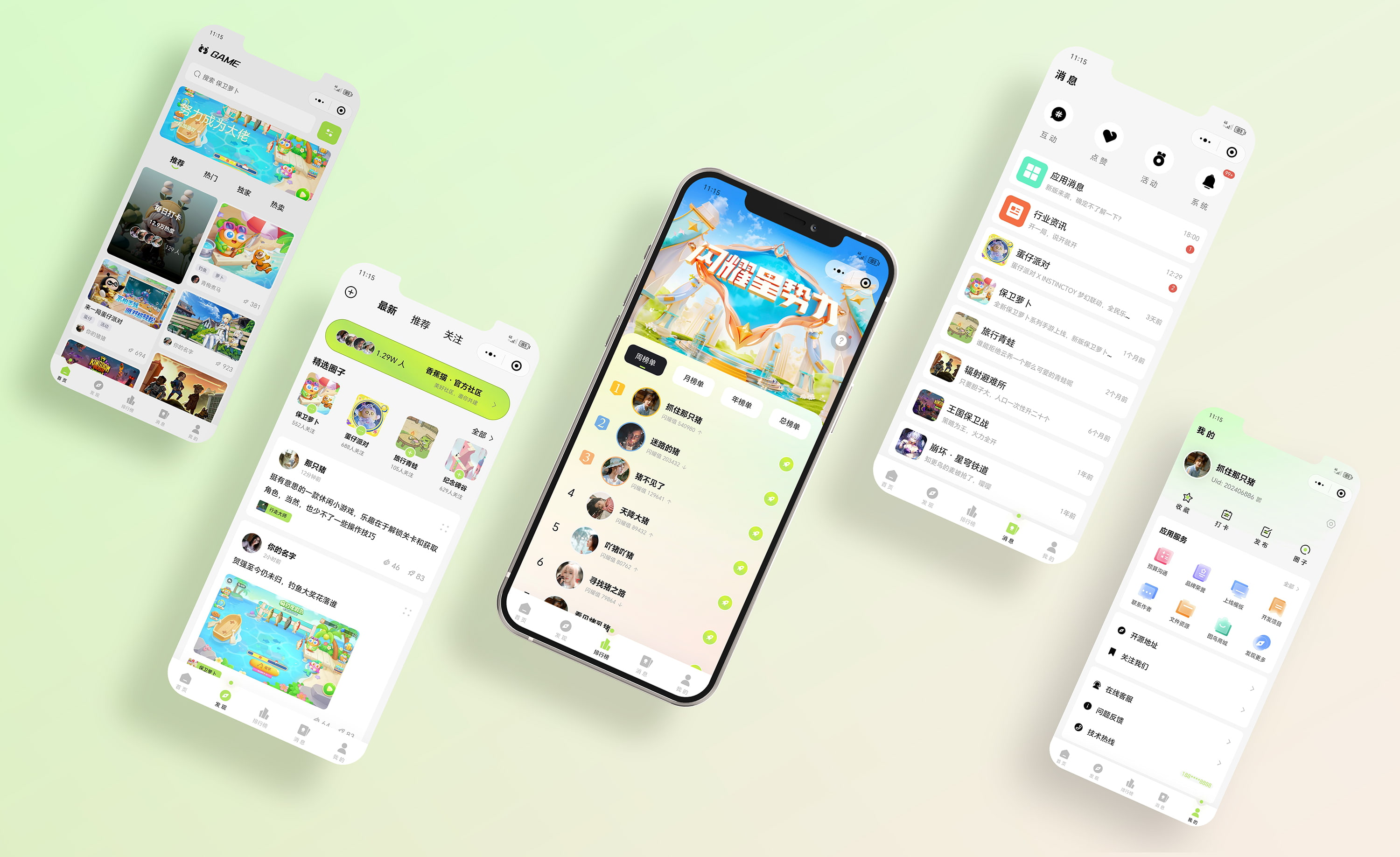
游戏社区:带社交属性的游戏类模板。界面风格更活泼 。
AI数字人:基于Vue3的智能交互模板。集成了AI数字人对话功能,比较有科技感 。
大部分官方模板基于 Vue2,部分新模板(如AI数字人)基于 Vue3。下载前记得确认一下自己的技术栈是否匹配
开源项目地址-插件市场[庆祝][庆祝]:
https://ext.dcloud.net.cn/publisher?id=356088
图鸟模板市场:
https://templatemarket.tuniaokj.com/
图鸟社区(pc打开才有显示图片素材资源):
https://www.yuque.com/tuniao
使用文档:
https://vue2.tuniaokj.com/
使用文档(备份):
https://docs.ahuaaa.cn/
图鸟UI快速搭建uniapp项目、组件按需引入视频教程(4分钟):
https://www.bilibili.com/video/BV1Se411F7du/
图鸟UI-开源项目截图:https://lanhuapp.com/link/#/invite?sid=lX0tGl4t
图鸟icon(插件市场下载):
https://tnicon.tuniaokj.com/
https://icon.ahuaaa.cn/
兔兔找图(前后端项目):
https://ext.dcloud.net.cn/plugin?id=12006
快速开发框架:集成图鸟UI、z-paging、animate.css、lodash.js https://ext.dcloud.net.cn/plugin?id=10298
图鸟轮播uni_modules组件:
https://ext.dcloud.net.cn/publisher?id=1174931
💦💦
图鸟vue3线上正式版
vue3 uni_modules 插件市场:
https://ext.dcloud.net.cn/plugin?name=tuniaoui-vue3
vue3感恩star:
https://github.com/tuniaoTech/tuniaoui-rc-vue3-uniapp
vue3演示代码
https://github.com/tuniaoTech/tuniaoui-uniapp-v3-demo
使用文档:
https://vue3.tuniaokj.com/
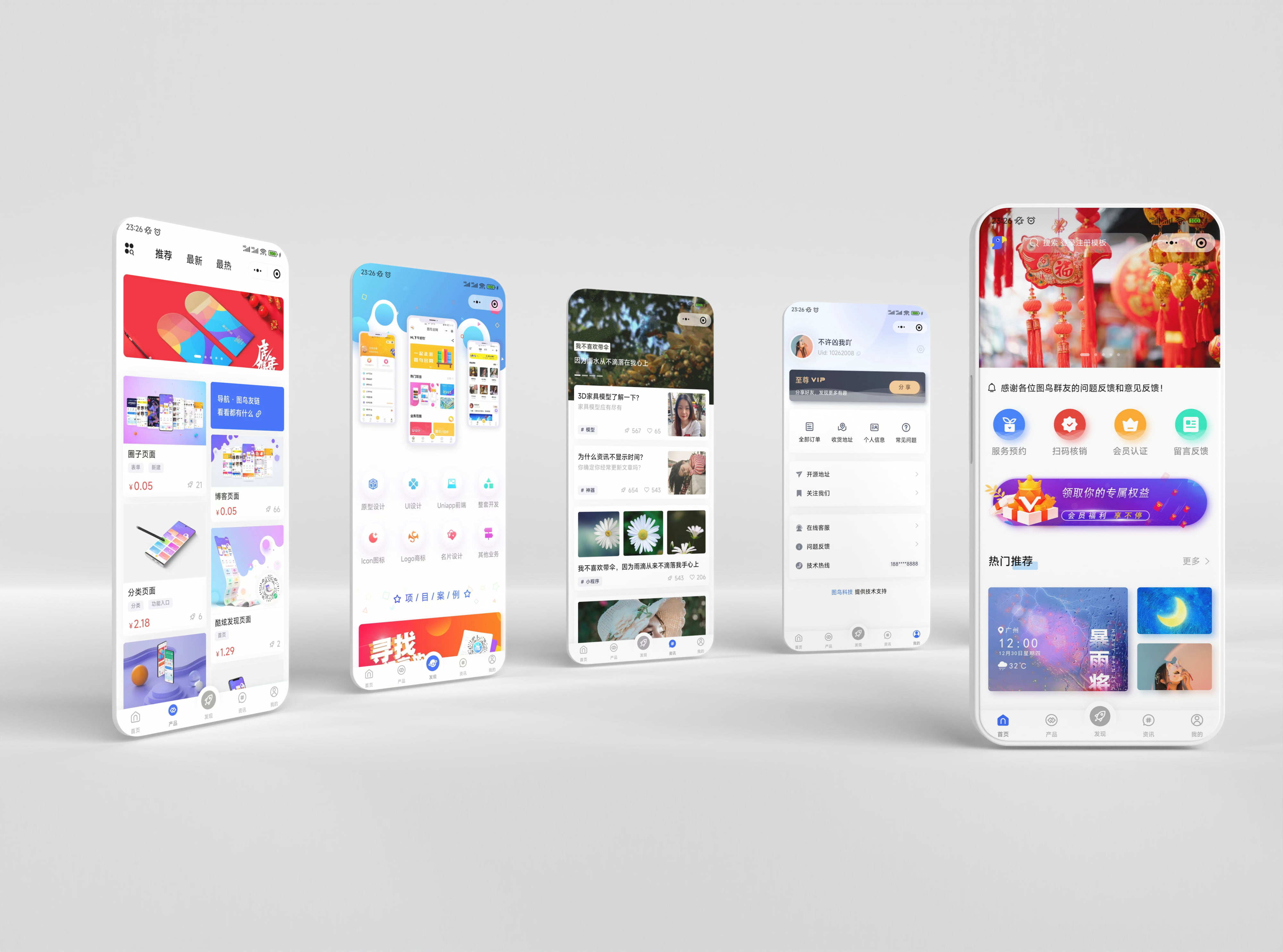
图鸟模板-官网
企业官网,是基于 图鸟UI 进行开发的纯前端模板,支持微信小程序、APP和H5。
游戏社区-UI组件库
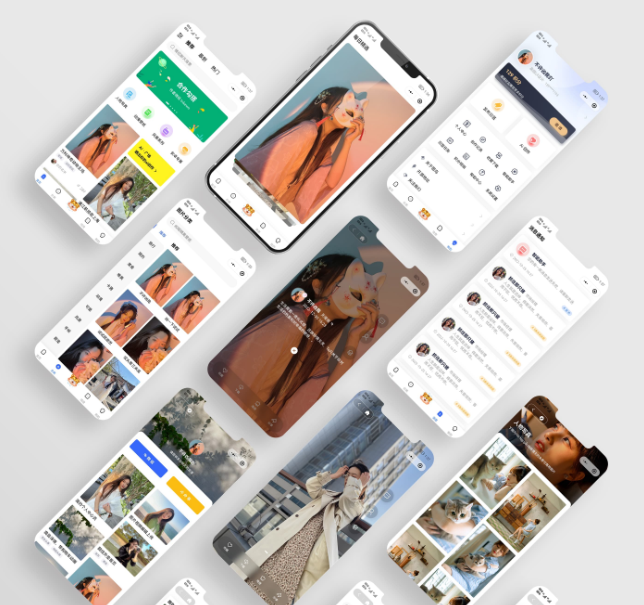
图鸟模板-壁纸
壁纸,是基于 图鸟UI 进行开发的纯前端模板,支持微信小程序、APP和H5。
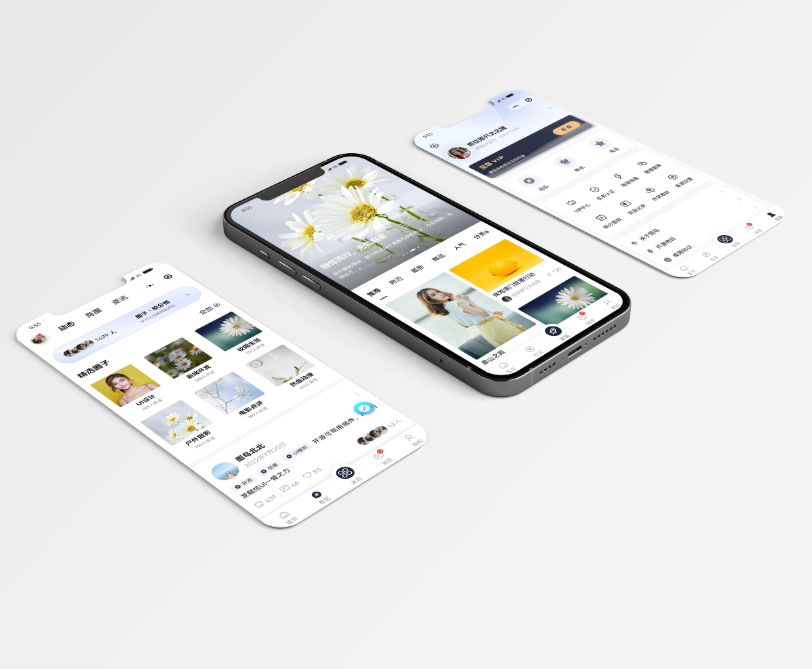
图鸟模板-社区
社区博客,是基于 图鸟UI 进行开发的纯前端模板,支持微信小程序、APP和H5。
图鸟模板-资讯
资讯名片,是基于 图鸟UI 进行开发的纯前端模板,支持微信小程序、APP和H5。
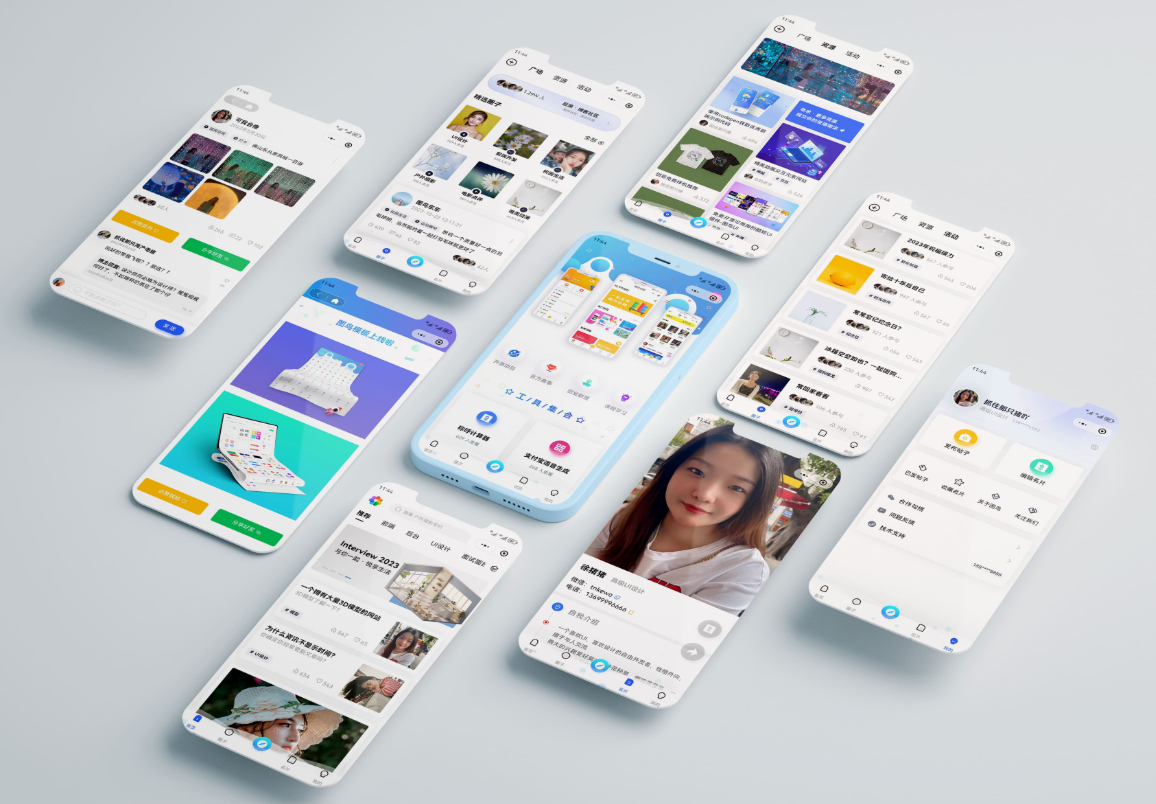
作者开源了相当多优秀的模板,喜欢的赶紧下载吧。
https://ext.dcloud.net.cn/publisher?id=356088
简单例子参照
<template>
  <view class="container">
    <!-- 使用图鸟UI的卡片组件 tn-card -->
    <tn-card title="用户登录" :shadow="true">

      <!-- 使用图鸟UI的输入框组件 tn-input -->
      <tn-input v-model="username" placeholder="请输入用户名" :clearable="true">
        <!-- 插槽:在输入框左侧放置一个图标 -->
        <view slot="left">
          <tn-icon name="account" size="40"></tn-icon>
        </view>
      </tn-input>

      <tn-input v-model="password" placeholder="请输入密码" :password="true" :clearable="true">
        <view slot="left">
          <tn-icon name="lock" size="40"></tn-icon>
        </view>
      </tn-input>

      <!-- 使用图鸟UI的按钮组件 tn-button -->
      <tn-button type="success" :block="true" @click="handleLogin">登 录</tn-button>

      <!-- 使用图鸟UI的布局组件(tn-row/tn-col)实现文字链接 -->
      <tn-row justify-content="space-between" style="margin-top: 20rpx;">
        <tn-col span="12">
          <tn-button type="text" size="sm" @click="handleRegister">注册账号</tn-button>
        </tn-col>
        <tn-col span="12" style="text-align: right;">
          <tn-button type="text" size="sm" @click="handleForgot">忘记密码?</tn-button>
        </tn-col>
      </tn-row>

    </tn-card>
  </view>
</template>

<script>
export default {
  data() {
    return {
      username: '',
      password: ''
    }
  },
  methods: {
    handleLogin() {
      console.log('登录', this.username, this.password)
      uni.showToast({
        title: '登录成功',
        icon: 'success'
      })
    },
    handleRegister() {
      console.log('跳转到注册页面')
    },
    handleForgot() {
      console.log('跳转到找回密码页面')
    }
  }
}
</script>

<style scoped>
.container {
  padding: 30rpx;
  background-color: #f5f5f5;
  min-height: 100vh;
}
</style>
腾讯云面向开发者汇聚海量精品云计算使用和开发经验,营造开放的云计算技术生态圈。
更多推荐
 12
12 0
0- 0


 已为社区贡献3条内容

所有评论(0)