Flutter本地数据持久化存储三方库shared_preferences已完成鸿蒙化适配,快来体验一把
本文介绍了在Flutter开发鸿蒙应用时引入和使用鸿蒙适配版shared_preferences库的方法。主要内容包括: 通过Git方式引入鸿蒙适配的shared_preferences库,修改pubspec.yaml文件并运行flutter pub get命令完成安装。 对shared_preferences进行二次封装,创建PreferencesHelper工具类,统一管理键值存储操作,提供类
目录
概述
本章节主要详细介绍在使用跨平台框架 Flutter 开发鸿蒙应用程序时,如何引入和使用鸿蒙化适配的 shared_preferences 库进行本地数据持久化存储。shared_preferences 是 Flutter 提供的本地键值存储工具,已经完成鸿蒙化适配工作,可在flutter_packages查看适配情况。
🎯 本教程目标
通过本教程,你将学会:
- ✅ 如何在 Flutter 项目中引入鸿蒙化适配的
shared_preferences库(使用 Git 方式) - ✅ 如何对
shared_preferences进行二次封装,提高代码复用性和可维护性 - ✅ 如何在项目中使用
shared_preferences实现数据持久化存储 - ✅ 如何处理常见错误和异常情况
- ✅ 最终在鸿蒙设备上实现稳定的本地数据存储功能
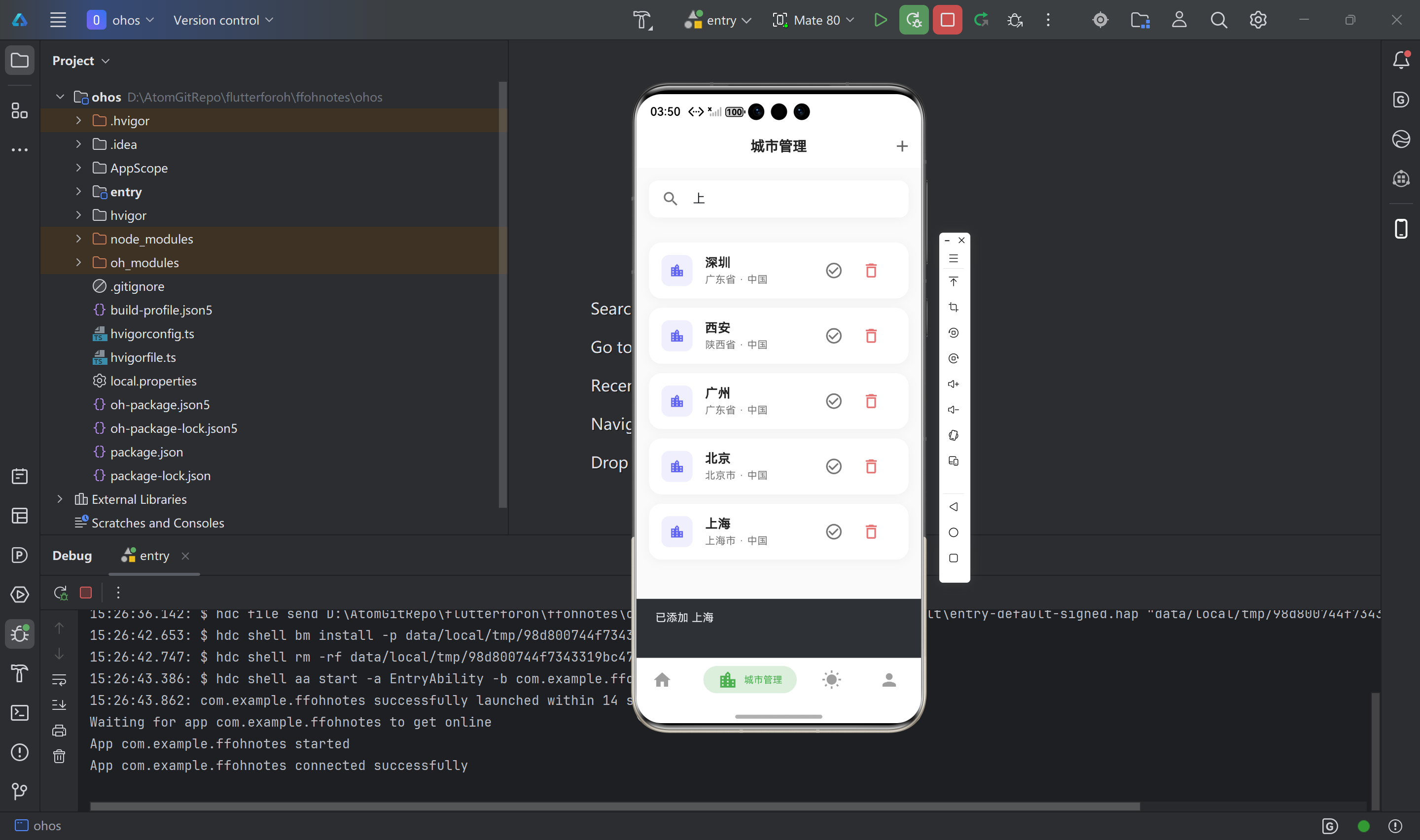
📁 项目文件结构
在开始之前,让我们先了解一下项目结构:
lib/
├── utils/                          # 工具类目录
│   └── preferences_helper.dart     # 🔧 SharedPreferences 二次封装工具类
└── screens/                        # 页面文件目录
    ├── home_page.dart             # 🏠 首页(使用 SharedPreferences 保存当前城市)
    └── city_manage_page.dart      # 🏙️ 城市管理页(使用 SharedPreferences 保存城市列表)
🎯 本教程将创建的文件(按顺序)
严格按照以下顺序创建文件,每个文件创建后立即验证:
pubspec.yaml- 📝 配置鸿蒙化适配的shared_preferences依赖lib/utils/preferences_helper.dart- 🔧 SharedPreferences 二次封装工具类lib/screens/home_page.dart- 🏠 首页示例(使用 SharedPreferences)lib/screens/city_manage_page.dart- 🏙️ 城市管理页示例(使用 SharedPreferences)
🛠️ 技术栈
- SharedPreferences: Flutter 本地键值存储工具
- 鸿蒙适配版本: 从 OpenHarmony TPC 仓库引入的适配版本
- 错误处理: MissingPluginException 异常处理
💡 SharedPreferences 简介
shared_preferences 是 Flutter 提供的本地键值存储工具,具有以下特点:
- 📦 轻量级: 适合存储简单的配置信息
- 💾 持久化: 数据会持久化保存在设备上,应用重启后仍然存在
- 🔒 类型安全: 支持多种数据类型(String、int、bool、double、List)
- ⚡ 异步操作: 所有操作都是异步的,不会阻塞 UI 线程
- 🌐 跨平台: 支持 Android、iOS、Web、Windows、macOS、Linux 和 HarmonyOS
引入三方库步骤
📋 流程图概览
📝 步骤 1:打开 pubspec.yaml 文件
文件路径: pubspec.yaml(项目根目录)
操作说明:
- 📂 在 IDE 中打开项目根目录
- 📄 找到并打开
pubspec.yaml文件 - 👀 确认文件内容,找到
dependencies:部分
📝 步骤 2:添加 Git 依赖配置
位置: pubspec.yaml 文件的 dependencies: 部分
操作步骤:
- 📍 找到
dependencies:部分 - 📝 在
dependencies:下添加以下内容:
dependencies:
  flutter:
    sdk: flutter

  # SharedPreferences 鸿蒙适配版本(使用 Git 方式引入)
  shared_preferences:
    git:
      url: "https://gitcode.com/openharmony-tpc/flutter_packages.git"
      path: "packages/shared_preferences/shared_preferences"
📝 代码解读:
shared_preferences:: 依赖包名称git:: 指定使用 Git 方式引入依赖url:: Git 仓库地址(OpenHarmony TPC 官方仓库)path:: 包在仓库中的路径
⚠️ 注意事项:
- ✅ 必须使用 Git 方式引入,不能使用
pub.dev版本 - ✅ 确保网络连接正常,能够访问
gitcode.com - ✅ 缩进必须正确(使用2个空格)
验证:
- ✅ 确认缩进正确(使用2个空格)
- ✅ 确认 URL 和 path 正确
- ✅ 确认没有语法错误(冒号、引号等)
📝 步骤 3:保存文件
操作说明:
- 💾 保存
pubspec.yaml文件 - ✅ 确认文件已保存成功
📝 步骤 4:运行 flutter pub get
操作步骤:
- 💻 打开终端(Terminal)
- 📂 切换到项目根目录
- ⬇️ 运行以下命令:
flutter pub get
预期输出:
Resolving dependencies...
Downloading packages...
+ shared_preferences (from git)
Got dependencies!
✅ 成功标志:
- 看到
Got dependencies!提示 - 没有错误信息
.dart_tool/package_config.json文件中包含shared_preferences
📝 步骤 5:验证安装
操作步骤:
- 🔍 检查
.dart_tool/package_config.json文件 - 🔍 搜索
shared_preferences,确认已正确安装 - 📝 在代码中尝试导入:
import 'package:shared_preferences/shared_preferences.dart';
✅ 验证成功标志:
- IDE 没有报错
- 可以正常导入包
- 代码提示正常工作
二次封装实现
📋 封装流程图
🎯 为什么需要二次封装?
直接使用 SharedPreferences 存在以下问题:
- ❌ 代码重复: 每次使用都需要获取实例、处理异常
- ❌ 错误处理分散: 错误处理逻辑分散在各个地方
- ❌ 类型不安全: 容易出现键名拼写错误
- ❌ 难以维护: 键名管理困难,修改时容易遗漏
二次封装的优点:
- ✅ 统一管理: 所有键名集中管理,避免拼写错误
- ✅ 错误处理: 统一的错误处理逻辑
- ✅ 类型安全: 提供类型安全的方法
- ✅ 易于维护: 修改时只需修改一处
- ✅ 代码复用: 减少重复代码
📝 步骤 1:创建 PreferencesHelper 工具类
文件路径: lib/utils/preferences_helper.dart
操作步骤:
- 📂 在
lib/utils/目录下创建preferences_helper.dart文件 - 📝 添加以下代码:
// 导入 Flutter 基础库,用于 debugPrint
import 'package:flutter/foundation.dart';
// 导入 Flutter 服务,用于 MissingPluginException
import 'package:flutter/services.dart';
// 导入 shared_preferences 三方库,用于本地数据存储
import 'package:shared_preferences/shared_preferences.dart';

/// 首选项管理工具类
/// 用于管理应用的本地存储数据,如首次使用标志等
class PreferencesHelper {
  /// 首次使用标志的键名
  /// 用于在 SharedPreferences 中存储和读取是否首次使用应用的标志
  static const String _keyIsFirstLaunch = 'is_first_launch';

  /// 检查是否首次启动应用
  ///
  /// 返回值:
  /// - true: 首次启动,需要显示引导页
  /// - false: 非首次启动,直接进入主页面
  ///
  /// 使用示例:
  /// ```dart
  /// bool isFirstLaunch = await PreferencesHelper.isFirstLaunch();
  /// if (isFirstLaunch) {
  ///   // 显示引导页
  /// } else {
  ///   // 直接进入主页面
  /// }
  /// ```
  static Future<bool> isFirstLaunch() async {
    try {
      // 获取 SharedPreferences 实例
      // SharedPreferences 是 Flutter 提供的本地键值存储工具
      // 数据会持久化保存在设备上,应用重启后仍然存在
      final prefs = await SharedPreferences.getInstance();

      // 读取首次启动标志
      // getBool: 获取布尔值,如果键不存在则返回 null
      // ?? true: 如果返回 null(即键不存在),则默认为 true(首次启动)
      final isFirst = prefs.getBool(_keyIsFirstLaunch) ?? true;

      return isFirst;
    } on MissingPluginException catch (e) {
      // 处理插件未注册错误
      // 这通常发生在热重载后,需要完全重启应用
      debugPrint('SharedPreferences 插件未注册: $e');
      debugPrint('提示:请完全停止应用后重新运行(不要使用热重载)');
      // 默认返回 true,显示引导页
      return true;
    } catch (e) {
      // 如果读取失败(例如权限问题、存储空间不足等),默认返回 true
      // 这样即使出错,用户也能看到引导页
      // 可以在这里添加日志记录错误信息(可选)
      debugPrint('读取首次启动标志失败: $e');
      return true;
    }
  }

  /// 设置已非首次启动
  ///
  /// 当用户完成引导页或点击跳过时调用此方法
  /// 将首次启动标志设置为 false,下次启动时不再显示引导页
  ///
  /// 使用示例:
  /// ```dart
  /// await PreferencesHelper.setNotFirstLaunch();
  /// ```
  static Future<void> setNotFirstLaunch() async {
    try {
      // 获取 SharedPreferences 实例
      final prefs = await SharedPreferences.getInstance();

      // 设置首次启动标志为 false
      // setBool: 保存布尔值到本地存储
      // await: 等待保存操作完成,确保数据已写入
      await prefs.setBool(_keyIsFirstLaunch, false);
    } on MissingPluginException catch (e) {
      // 处理插件未注册错误
      debugPrint('SharedPreferences 插件未注册,无法保存: $e');
      debugPrint('提示:请完全停止应用后重新运行(不要使用热重载)');
      // 静默失败,不影响应用运行
    } catch (e) {
      // 如果保存失败,记录错误信息
      // 这里不抛出异常,避免影响应用正常运行
      debugPrint('保存首次启动标志失败: $e');
    }
  }

  /// 重置首次启动标志(用于测试或重新显示引导页)
  ///
  /// 将首次启动标志重置为 true,下次启动时会再次显示引导页
  ///
  /// 使用示例:
  /// ```dart
  /// await PreferencesHelper.resetFirstLaunch();
  /// ```
  static Future<void> resetFirstLaunch() async {
    try {
      final prefs = await SharedPreferences.getInstance();
      // 删除首次启动标志,或设置为 true
      await prefs.setBool(_keyIsFirstLaunch, true);
      // 或者删除键:await prefs.remove(_keyIsFirstLaunch);
    } on MissingPluginException catch (e) {
      // 处理插件未注册错误
      debugPrint('SharedPreferences 插件未注册,无法重置: $e');
      debugPrint('提示:请完全停止应用后重新运行(不要使用热重载)');
    } catch (e) {
      debugPrint('重置首次启动标志失败: $e');
    }
  }
}
📝 代码解读:
1. 导入必要的库:
package:flutter/foundation.dart: 提供debugPrint用于调试输出package:flutter/services.dart: 提供MissingPluginException异常类型package:shared_preferences/shared_preferences.dart: SharedPreferences 库
2. 常量键名管理:
_keyIsFirstLaunch: 使用私有常量管理键名,避免拼写错误
3. 错误处理策略:
MissingPluginException: 专门处理插件未注册错误(热重载常见问题)catch (e): 处理其他未知错误- 默认值策略:读取失败时返回安全默认值
4. 方法设计:
static: 使用静态方法,无需实例化Future: 异步操作,不阻塞 UI- 返回值:提供明确的返回值类型
📝 步骤 2:扩展 PreferencesHelper(可选)
如果需要存储更多类型的数据,可以扩展 PreferencesHelper:
/// 扩展 PreferencesHelper,添加更多通用方法
extension PreferencesHelperExtension on PreferencesHelper {
  /// 保存字符串
  static Future<bool> saveString(String key, String value) async {
    try {
      final prefs = await SharedPreferences.getInstance();
      return await prefs.setString(key, value);
    } on MissingPluginException catch (e) {
      debugPrint('SharedPreferences 插件未注册: $e');
      return false;
    } catch (e) {
      debugPrint('保存字符串失败: $e');
      return false;
    }
  }

  /// 读取字符串
  static Future<String?> getString(String key) async {
    try {
      final prefs = await SharedPreferences.getInstance();
      return prefs.getString(key);
    } on MissingPluginException catch (e) {
      debugPrint('SharedPreferences 插件未注册: $e');
      return null;
    } catch (e) {
      debugPrint('读取字符串失败: $e');
      return null;
    }
  }

  /// 保存整数
  static Future<bool> saveInt(String key, int value) async {
    try {
      final prefs = await SharedPreferences.getInstance();
      return await prefs.setInt(key, value);
    } on MissingPluginException catch (e) {
      debugPrint('SharedPreferences 插件未注册: $e');
      return false;
    } catch (e) {
      debugPrint('保存整数失败: $e');
      return false;
    }
  }

  /// 读取整数
  static Future<int?> getInt(String key) async {
    try {
      final prefs = await SharedPreferences.getInstance();
      return prefs.getInt(key);
    } on MissingPluginException catch (e) {
      debugPrint('SharedPreferences 插件未注册: $e');
      return null;
    } catch (e) {
      debugPrint('读取整数失败: $e');
      return null;
    }
  }

  /// 删除键
  static Future<bool> remove(String key) async {
    try {
      final prefs = await SharedPreferences.getInstance();
      return await prefs.remove(key);
    } on MissingPluginException catch (e) {
      debugPrint('SharedPreferences 插件未注册: $e');
      return false;
    } catch (e) {
      debugPrint('删除键失败: $e');
      return false;
    }
  }

  /// 清空所有数据
  static Future<bool> clear() async {
    try {
      final prefs = await SharedPreferences.getInstance();
      return await prefs.clear();
    } on MissingPluginException catch (e) {
      debugPrint('SharedPreferences 插件未注册: $e');
      return false;
    } catch (e) {
      debugPrint('清空数据失败: $e');
      return false;
    }
  }
}
使用方法
📋 使用流程图
🎯 方法 1:直接使用 SharedPreferences
📝 示例 1:保存和读取字符串
文件路径: lib/screens/home_page.dart
import 'package:flutter/material.dart';
import 'package:flutter/services.dart';
import 'package:shared_preferences/shared_preferences.dart';
class HomePage extends StatefulWidget {
const HomePage({super.key});
State<HomePage> createState() => _HomePageState();
}
class _HomePageState extends State<HomePage> {
String _currentCity = '北京';
String _currentLocationId = '101010100';
void initState() {
super.initState();
_loadCurrentCity();
}
/// 📥 从 SharedPreferences 加载当前城市
Future<void> _loadCurrentCity() async {
try {
final prefs = await SharedPreferences.getInstance();
final cityName = prefs.getString('current_city_name');
final locationId = prefs.getString('current_location_id');
if (cityName != null && locationId != null) {
setState(() {
_currentCity = cityName;
_currentLocationId = locationId;
});
}
} on MissingPluginException catch (e) {
debugPrint('SharedPreferences 插件未注册: $e');
debugPrint('提示:请完全停止应用后重新运行(不要使用热重载)');
} catch (e) {
debugPrint('加载当前城市失败: $e');
}
}
/// 💾 保存当前城市到 SharedPreferences
Future<void> _saveCurrentCity(String cityName, String locationId) async {
try {
final prefs = await SharedPreferences.getInstance();
await prefs.setString('current_city_name', cityName);
await prefs.setString('current_location_id', locationId);
} on MissingPluginException catch (e) {
debugPrint('SharedPreferences 插件未注册: $e');
debugPrint('提示:请完全停止应用后重新运行(不要使用热重载)');
} catch (e) {
debugPrint('保存当前城市失败: $e');
}
}
/// 🔄 切换城市
Future<void> _switchCity(String cityName, String locationId) async {
setState(() {
_currentCity = cityName;
_currentLocationId = locationId;
});
await _saveCurrentCity(cityName, locationId);
}
Widget build(BuildContext context) {
return Scaffold(
appBar: AppBar(
title: Text(_currentCity),
),
body: Center(
child: Column(
mainAxisAlignment: MainAxisAlignment.center,
children: [
Text('当前城市: $_currentCity'),
const SizedBox(height: 20),
ElevatedButton(
onPressed: () => _switchCity('上海', '101020100'),
child: const Text('切换到上海'),
),
],
),
),
);
}
}
📝 代码解读:
-
导入库:
package:shared_preferences/shared_preferences.dart: SharedPreferences 库package:flutter/services.dart: MissingPluginException 异常
-
读取数据:
SharedPreferences.getInstance(): 获取实例getString(key): 读取字符串值- 使用
null检查判断键是否存在
-
保存数据:
setString(key, value): 保存字符串值- 使用
await等待操作完成
-
错误处理:
MissingPluginException: 处理插件未注册错误catch (e): 处理其他错误
📝 示例 2:保存和读取复杂数据(JSON)
文件路径: lib/screens/city_manage_page.dart
import 'package:flutter/material.dart';
import 'package:flutter/services.dart';
import 'package:shared_preferences/shared_preferences.dart';
import 'dart:convert';
import '../models/weather_models.dart';
class CityManagePage extends StatefulWidget {
const CityManagePage({super.key});
State<CityManagePage> createState() => _CityManagePageState();
}
class _CityManagePageState extends State<CityManagePage> {
List<Location> _cities = [];
void initState() {
super.initState();
_loadCities();
}
/// 📥 从 SharedPreferences 加载城市列表
Future<void> _loadCities() async {
try {
final prefs = await SharedPreferences.getInstance();
final citiesJson = prefs.getString('saved_cities');
if (citiesJson != null && citiesJson.isNotEmpty) {
final List<dynamic> citiesList = jsonDecode(citiesJson);
final cities = citiesList
.map((json) => Location.fromJson(json as Map<String, dynamic>))
.toList();
setState(() {
_cities = cities;
});
}
} on MissingPluginException catch (e) {
debugPrint('SharedPreferences 插件未注册: $e');
debugPrint('提示:请完全停止应用后重新运行(不要使用热重载)');
} catch (e) {
debugPrint('加载城市列表失败: $e');
}
}
/// 💾 保存城市列表到 SharedPreferences
Future<void> _saveCities() async {
try {
final prefs = await SharedPreferences.getInstance();
final citiesJson = jsonEncode(
_cities.map((city) => city.toJson()).toList(),
);
await prefs.setString('saved_cities', citiesJson);
} on MissingPluginException catch (e) {
debugPrint('SharedPreferences 插件未注册: $e');
debugPrint('提示:请完全停止应用后重新运行(不要使用热重载)');
} catch (e) {
debugPrint('保存城市列表失败: $e');
}
}
/// ➕ 添加城市
Future<void> _addCity(Location city) async {
setState(() {
_cities.add(city);
});
await _saveCities();
}
/// ➖ 删除城市
Future<void> _removeCity(String cityId) async {
setState(() {
_cities.removeWhere((c) => c.id == cityId);
});
await _saveCities();
}
Widget build(BuildContext context) {
return Scaffold(
appBar: AppBar(
title: const Text('城市管理'),
),
body: ListView.builder(
itemCount: _cities.length,
itemBuilder: (context, index) {
final city = _cities[index];
return ListTile(
title: Text(city.name),
trailing: IconButton(
icon: const Icon(Icons.delete),
onPressed: () => _removeCity(city.id),
),
);
},
),
);
}
}
📝 代码解读:
-
JSON 序列化:
jsonEncode(): 将对象转换为 JSON 字符串jsonDecode(): 将 JSON 字符串转换为对象
-
复杂数据存储:
- 使用 JSON 格式存储复杂对象
- 需要实现
toJson()和fromJson()方法
🎯 方法 2:使用 PreferencesHelper 封装
📝 示例:使用 PreferencesHelper
文件路径: lib/screens/intro_screen.dart
import 'package:flutter/material.dart';
import '../utils/preferences_helper.dart';
class IntroScreen extends StatefulWidget {
const IntroScreen({super.key});
State<IntroScreen> createState() => _IntroScreenState();
}
class _IntroScreenState extends State<IntroScreen> {
void initState() {
super.initState();
_checkFirstLaunch();
}
/// 🔍 检查是否首次启动
Future<void> _checkFirstLaunch() async {
final isFirst = await PreferencesHelper.isFirstLaunch();
if (!isFirst) {
// 如果不是首次启动,直接跳转到主页面
Navigator.pushReplacementNamed(context, '/home');
}
}
/// ✅ 完成引导页
Future<void> _onDone() async {
// 标记已非首次启动
await PreferencesHelper.setNotFirstLaunch();
// 跳转到主页面
Navigator.pushReplacementNamed(context, '/home');
}
Widget build(BuildContext context) {
return Scaffold(
body: Center(
child: Column(
mainAxisAlignment: MainAxisAlignment.center,
children: [
const Text('欢迎使用应用'),
const SizedBox(height: 20),
ElevatedButton(
onPressed: _onDone,
child: const Text('开始使用'),
),
],
),
),
);
}
}
📝 代码解读:
-
使用封装方法:
PreferencesHelper.isFirstLaunch(): 检查是否首次启动PreferencesHelper.setNotFirstLaunch(): 标记已非首次启动
-
优势:
- 代码更简洁
- 错误处理已内置
- 类型安全
📋 SharedPreferences 支持的数据类型
数据类型对照表:
| 数据类型 | 保存方法 | 读取方法 | 返回值类型 |
|---|---|---|---|
| String | setString() |
getString() |
String? |
| int | setInt() |
getInt() |
int? |
| bool | setBool() |
getBool() |
bool? |
| double | setDouble() |
getDouble() |
double? |
| List | setStringList() |
getStringList() |
List<String>? |
⚠️ 注意事项:
- 所有读取方法都可能返回
null(键不存在时) - 复杂对象需要使用 JSON 序列化后存储为 String
- List 只支持
List<String>,不支持其他类型
常见错误及解决方案
📋 错误处理流程图
❌ 错误 1:MissingPluginException
错误信息:
MissingPluginException(No implementation found for method getAll on channel plugins.flutter.io/shared_preferences)
原因分析:
- 🔥 最常见的原因:热重载后插件未重新注册
- 🔧 插件未正确初始化
- 📦 依赖未正确安装
解决方案:
-
完全重启应用(推荐):
# 停止应用 # 重新运行 flutter run -
检查依赖安装:
flutter pub get flutter clean flutter pub get -
添加错误处理:
try {
  final prefs = await SharedPreferences.getInstance();
  // 使用 prefs
} on MissingPluginException catch (e) {
  debugPrint('SharedPreferences 插件未注册: $e');
  debugPrint('提示:请完全停止应用后重新运行(不要使用热重载)');
  // 返回默认值或显示错误提示
}
预防措施:
- ✅ 始终使用完全重启,避免热重载
- ✅ 添加
MissingPluginException异常处理 - ✅ 提供默认值,确保应用不会崩溃
❌ 错误 2:Git 依赖下载失败
错误信息:
Git error. Command: git fetch
fatal: unable to access 'https://gitcode.com/...': Failed to connect
原因分析:
- 🌐 网络连接问题
- 🔒 Git 代理配置问题
- 🔑 仓库访问权限问题
解决方案:
-
检查网络连接:
ping gitcode.com -
配置 Git 代理(如果需要):
git config --global http.proxy http://proxy.example.com:8080 git config --global https.proxy https://proxy.example.com:8080 -
手动下载依赖:
# 克隆仓库到本地
git clone https://gitcode.com/openharmony-tpc/flutter_packages.git
# 使用本地路径
预防措施:
- ✅ 确保网络连接正常
- ✅ 配置 Git 代理(如果需要)
- ✅ 使用稳定的网络环境
❌ 错误 3:数据类型不匹配
错误信息:
TypeError: type 'String' is not a subtype of type 'int' in type cast
原因分析:
- 🔢 使用错误的数据类型方法
- 📝 键名拼写错误
- 🔄 数据类型转换错误
解决方案:
-
检查数据类型:
// ❌ 错误示例 final value = prefs.getInt('key'); // 但实际存储的是 String // ✅ 正确示例 final value = prefs.getString('key'); -
使用类型安全的方法:
// ✅ 使用封装方法,类型安全 final value = await PreferencesHelper.getString('key'); -
添加类型检查:
final value = prefs.get('key');
if (value is String) {
  // 处理 String 类型
} else if (value is int) {
  // 处理 int 类型
}
预防措施:
- ✅ 使用常量管理键名
- ✅ 使用封装方法,类型安全
- ✅ 添加类型检查
❌ 错误 4:存储权限不足
错误信息:
Permission denied: /data/data/com.example.app/shared_prefs
原因分析:
- 🔒 应用没有存储权限
- 📱 鸿蒙系统权限配置问题
- 🛡️ 安全策略限制
解决方案:
-
检查权限配置:
<!-- ohos/module.json5 --> { "requestPermissions": [ { "name": "ohos.permission.WRITE_USER_STORAGE", "reason": "需要存储权限以保存用户数据" }, { "name": "ohos.permission.READ_USER_STORAGE", "reason": "需要读取权限以加载用户数据" } ] } -
运行时请求权限:
import 'package:permission_handler/permission_handler.dart'; Future<bool> requestStoragePermission() async { final status = await Permission.storage.request(); return status.isGranted; } -
添加错误处理:
try {
  final prefs = await SharedPreferences.getInstance();
  await prefs.setString('key', 'value');
} catch (e) {
  if (e.toString().contains('Permission denied')) {
    // 请求权限
    await requestStoragePermission();
  }
}
预防措施:
- ✅ 在配置文件中声明权限
- ✅ 运行时请求权限
- ✅ 添加权限检查
❌ 错误 5:数据丢失
错误信息:
数据读取为 null,但之前已保存
原因分析:
- 🗑️ 应用被卸载重装
- 🔄 应用数据被清除
- 💾 存储空间不足
解决方案:
-
添加数据验证:
Future<String?> getStringSafe(String key) async { try { final prefs = await SharedPreferences.getInstance(); final value = prefs.getString(key); if (value == null) { // 返回默认值 return 'default_value'; } return value; } catch (e) { // 返回默认值 return 'default_value'; } } -
使用备份机制:
// 保存到多个位置 await prefs.setString('key', 'value'); await prefs.setString('key_backup', 'value'); -
添加数据迁移:
Future<void> migrateData() async {
  final prefs = await SharedPreferences.getInstance();
  final oldValue = prefs.getString('old_key');
  if (oldValue != null) {
    await prefs.setString('new_key', oldValue);
    await prefs.remove('old_key');
  }
}
预防措施:
- ✅ 提供默认值
- ✅ 添加数据验证
- ✅ 实现数据迁移机制
📋 错误排查检查清单
检查清单:
- ✅ 是否完全重启了应用(不是热重载)?
- ✅ 是否添加了
MissingPluginException异常处理? - ✅ 网络连接是否正常?
- ✅ Git 依赖是否正确安装?
- ✅ 数据类型是否匹配?
- ✅ 权限是否已配置?
- ✅ 键名是否正确?
总结
📋 本教程完成的内容
本教程详细介绍了如何在 Flutter 鸿蒙项目中使用鸿蒙化适配的 shared_preferences 库进行本地数据持久化存储。主要内容包括:
- ✅ 📦 引入三方库:使用 Git 方式引入鸿蒙适配版本的
shared_preferences - ✅ 🔧 二次封装:创建
PreferencesHelper工具类,提高代码复用性和可维护性 - ✅ 💡 使用方法:提供了直接使用和封装使用两种方式的完整示例
- ✅ ⚠️ 错误处理:详细介绍了常见错误及解决方案,帮助新手快速解决问题
💡 关键要点
- ⚙️ Git 依赖引入:必须使用 Git 方式引入鸿蒙适配版本,不能使用
pub.dev版本 - 📝 二次封装:推荐使用封装类统一管理键名和错误处理
- 🔒 错误处理:必须处理
MissingPluginException异常,避免热重载问题 - 💾 数据类型:只支持基本数据类型,复杂对象需要使用 JSON 序列化
- 🛡️ 权限配置:确保在配置文件中声明存储权限
📚 相关资源
- SharedPreferences 官方文档: https://pub.dev/packages/shared_preferences
- OpenHarmony TPC 仓库: https://atomgit.com/openharmony-tpc/flutter_packages
- Flutter 官方文档: https://flutter.dev/docs
🎉 祝你开发顺利! 🚀
欢迎加入开源鸿蒙跨平台社区

腾讯云面向开发者汇聚海量精品云计算使用和开发经验,营造开放的云计算技术生态圈。
更多推荐
 26
26 0
0- 0


 已为社区贡献15条内容

所有评论(0)