Wazuh-ModSecurity-仪表盘
·
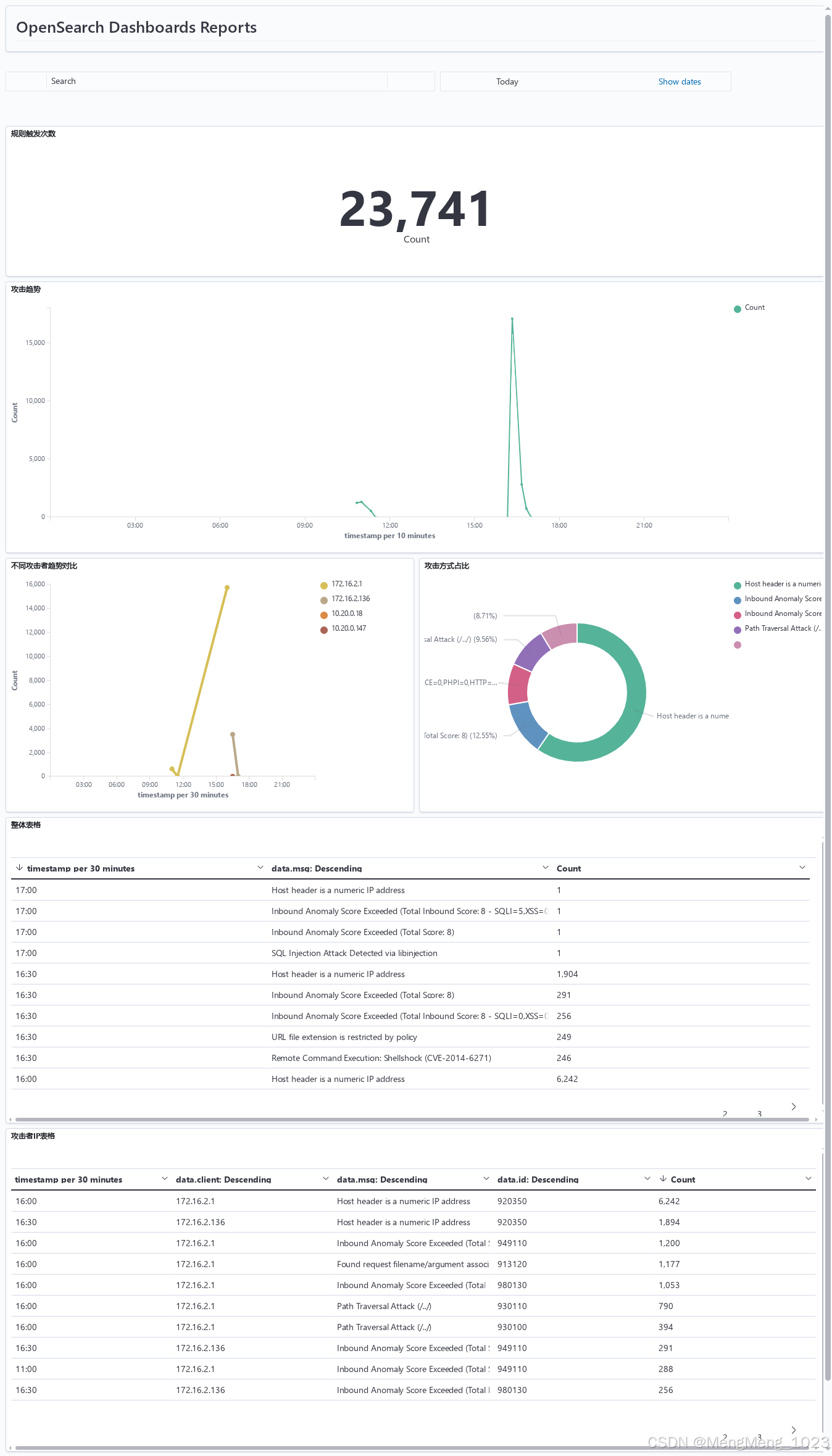
仪表盘预览
modsecurity日志接入
采用/var/log/httpd/error_log 类型apache
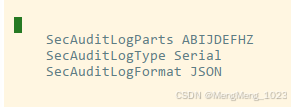
修改modsec配置
vi /etc/httpd/conf.d/mod_security.conf
SecAuditLogFormat JSON # json格式
SecAuditLogType Serial # 一行输出
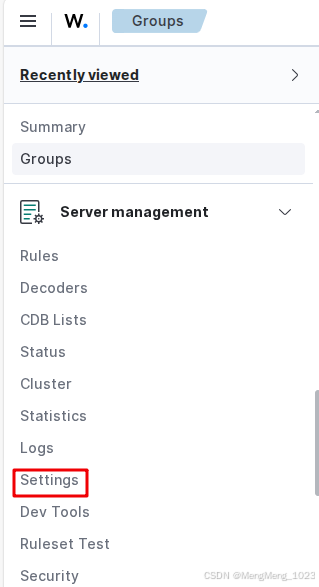
wazuh配置
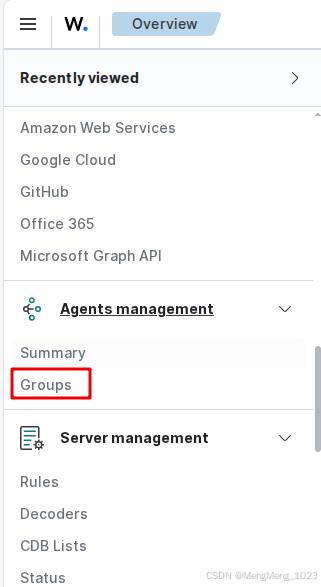
新建组,添加客户端,并将agent.conf设置如下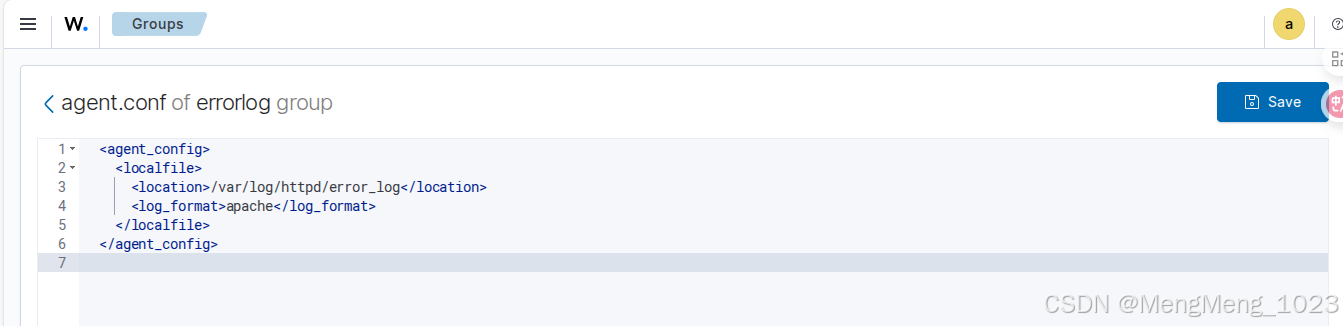
<agent_config >
    <localfile>
        <location>/var/log/httpd/access_log</location>
        <log_format>apache</log_format>
    </localfile>
</agent_config>
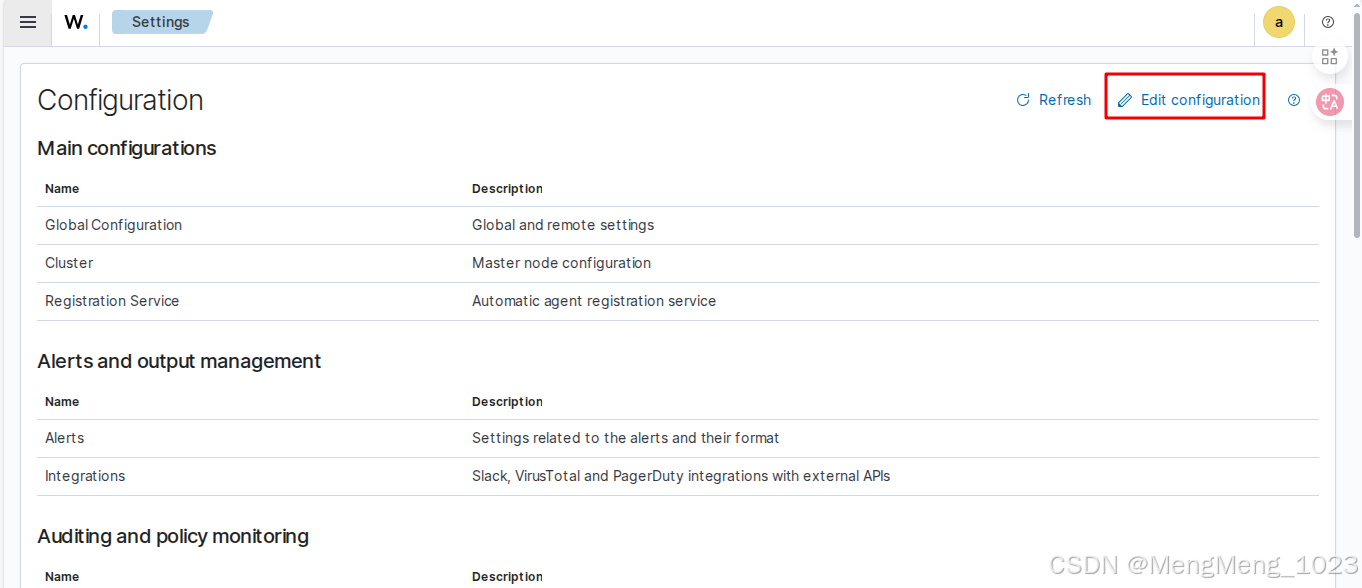
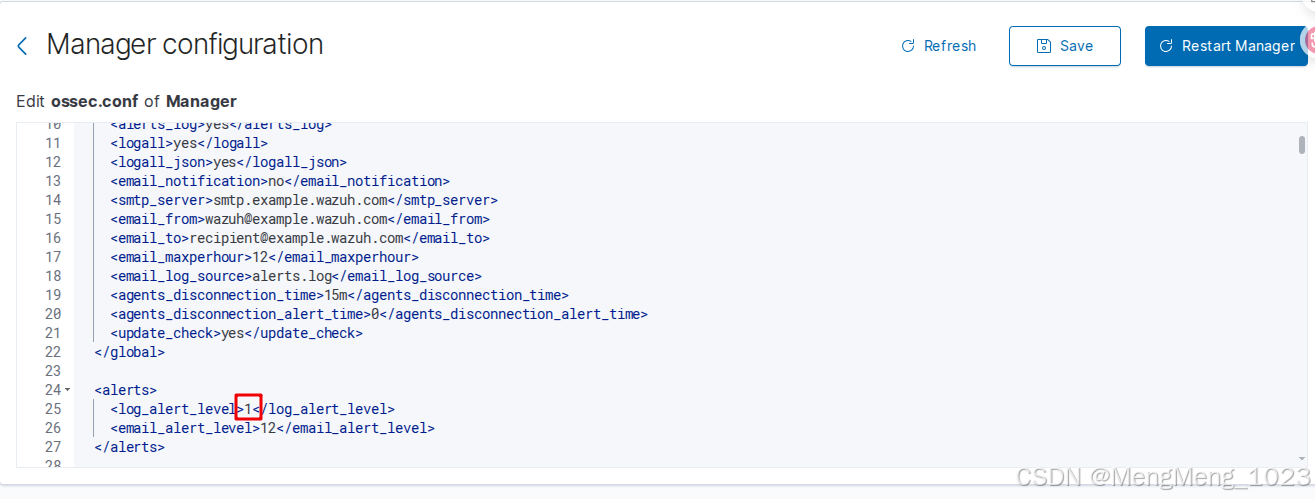
discover 设置level大于1显示
modsecurity日志字段提取
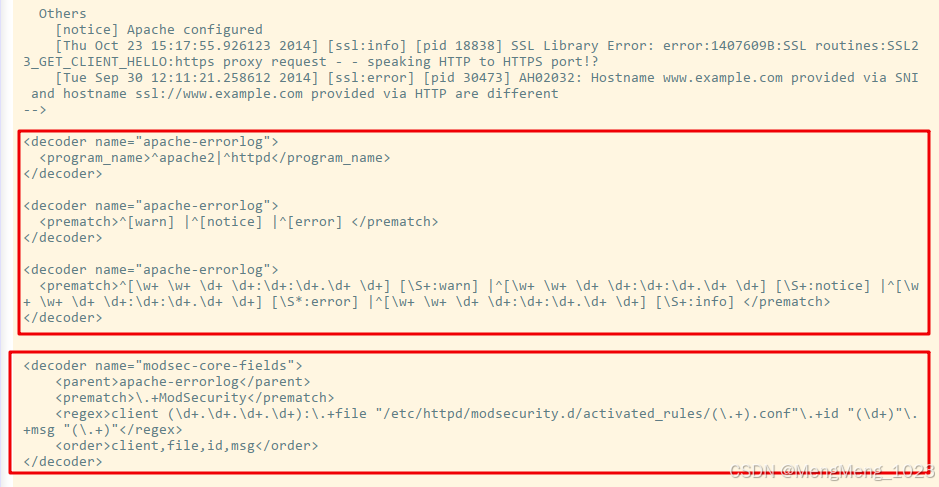
注意位置需要放在前三个规则的后面
vi /var/ossec/ruleset/decoders/0025-apache_decoders.xml
client 访问者IP
file 对应规则文件名
id 对应规则ID
msg 对应描述
<decoder name="modsec-core-fields">
    <parent>apache-errorlog</parent>
    <prematch>\.+ModSecurity</prematch>
    <regex>client (\d+.\d+.\d+.\d+):\.+file "/etc/httpd/modsecurity.d/activated_rules/(\.+).conf"\.+id "(\d+)"\.+msg "(\.+)"</regex>
    <order>client,file,id,msg</order>
修改modsecurity日志level为0的规则
vi /var/ossec/ruleset/rules/0250-apache_rules.xml
id为30401 的level改为1
仪表盘设置
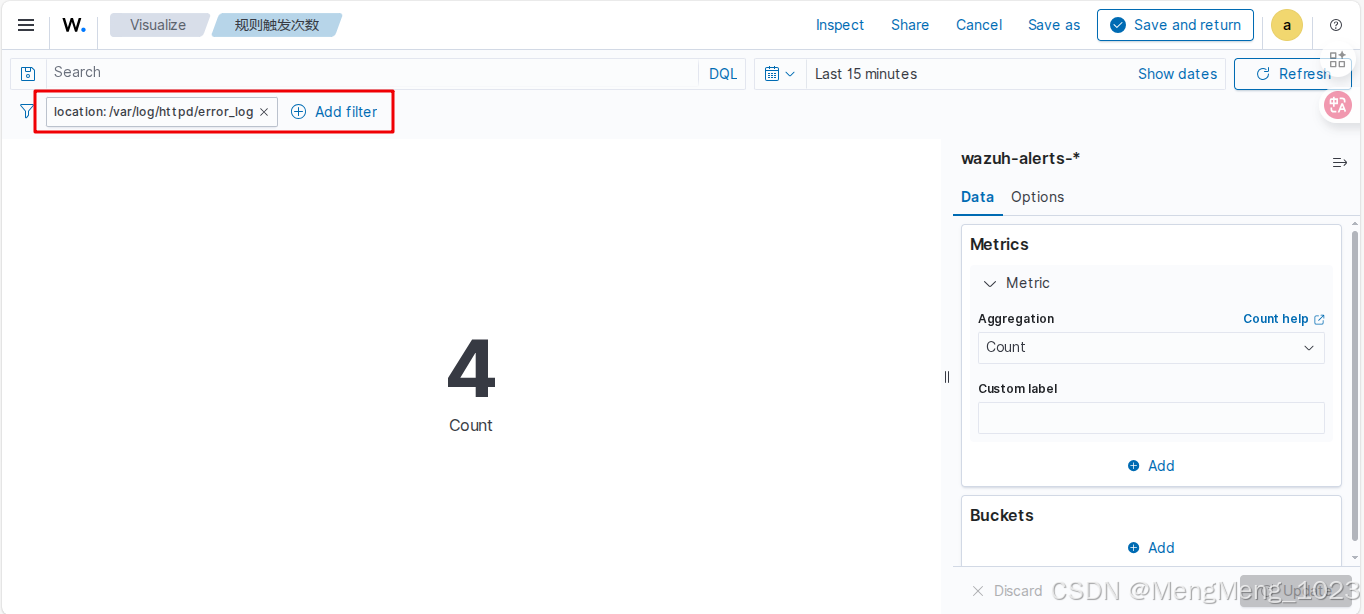
统计数量
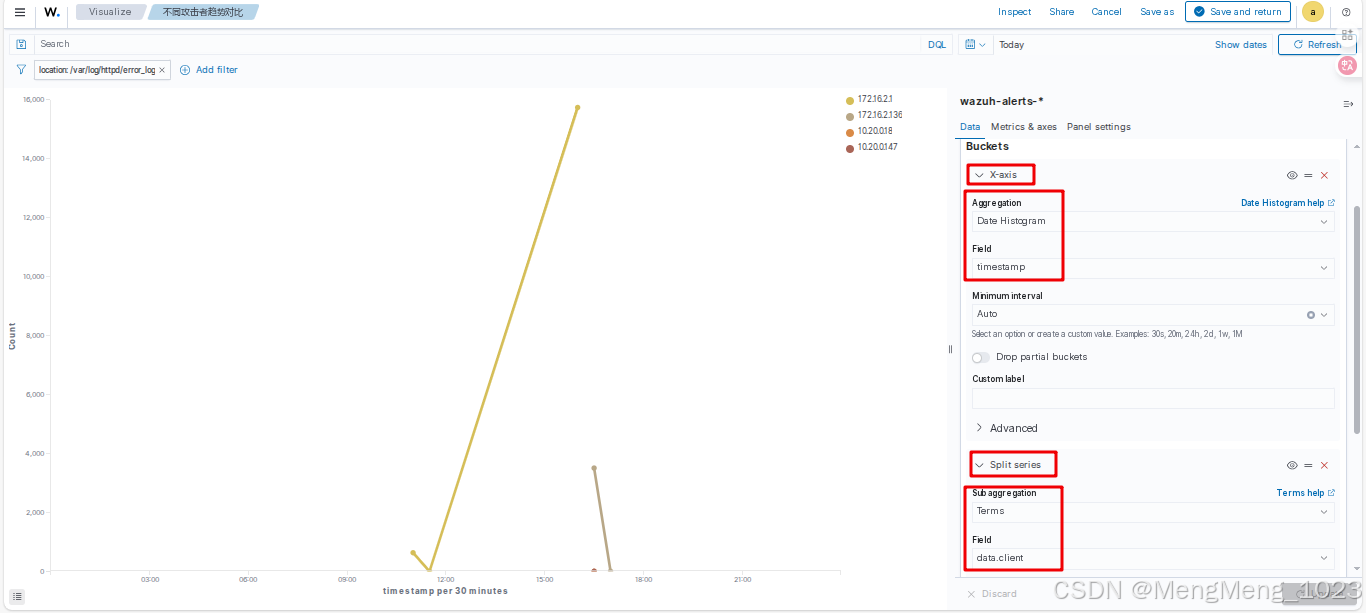
不同IP对比
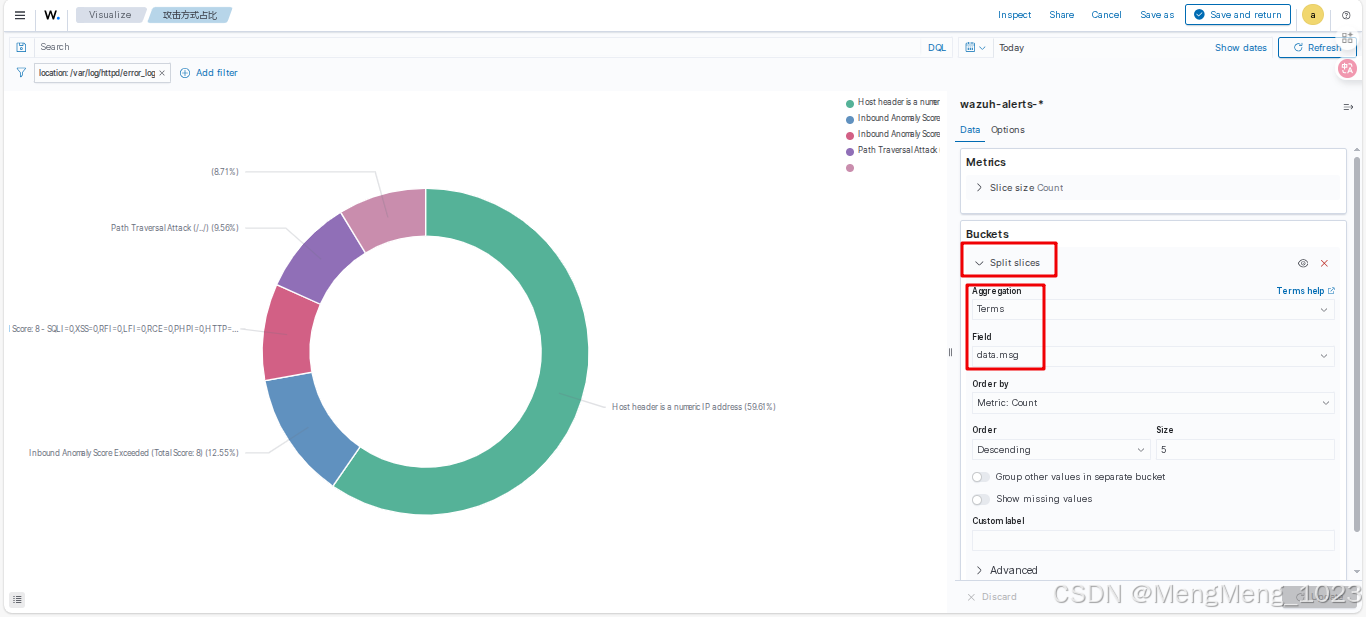
饼图占比
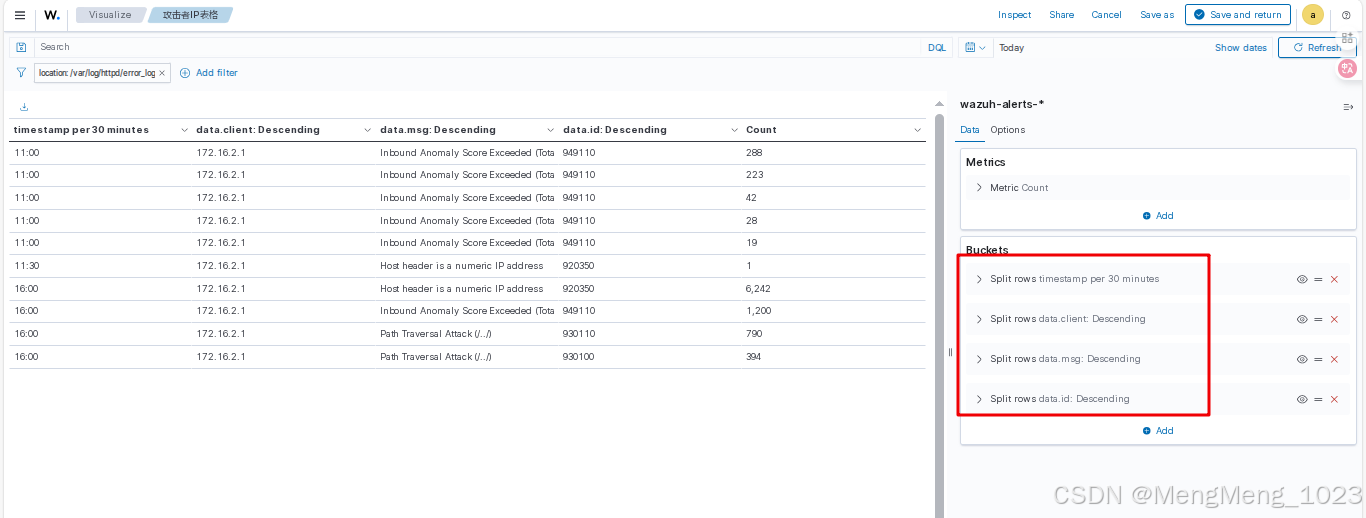
整体表格

腾讯云面向开发者汇聚海量精品云计算使用和开发经验,营造开放的云计算技术生态圈。
更多推荐
 4
4 0
0- 0


 已为社区贡献1条内容

所有评论(0)