基于 Electron + FastAPI 的目标检测系统前端说明文档(一)
本文介绍了一个基于Electron和原生JavaScript构建的桌面应用,用于目标检测系统的前端交互界面。项目采用Material Design 3设计语言,包含高度层级系统、色彩方案和无障碍设计。技术栈包括Electron框架、原生JavaScript和CSS3,后端通过Fetch API与FastAPI服务通信。文章详细说明了UI设计准则(包括Elevation系统、色彩系统和动效系统)、无
1. 项目概述
1.1 技术栈
本项目是一个基于 Electron + 原生 JavaScript 构建的桌面应用程序,用于目标检测系统的前端交互界面。
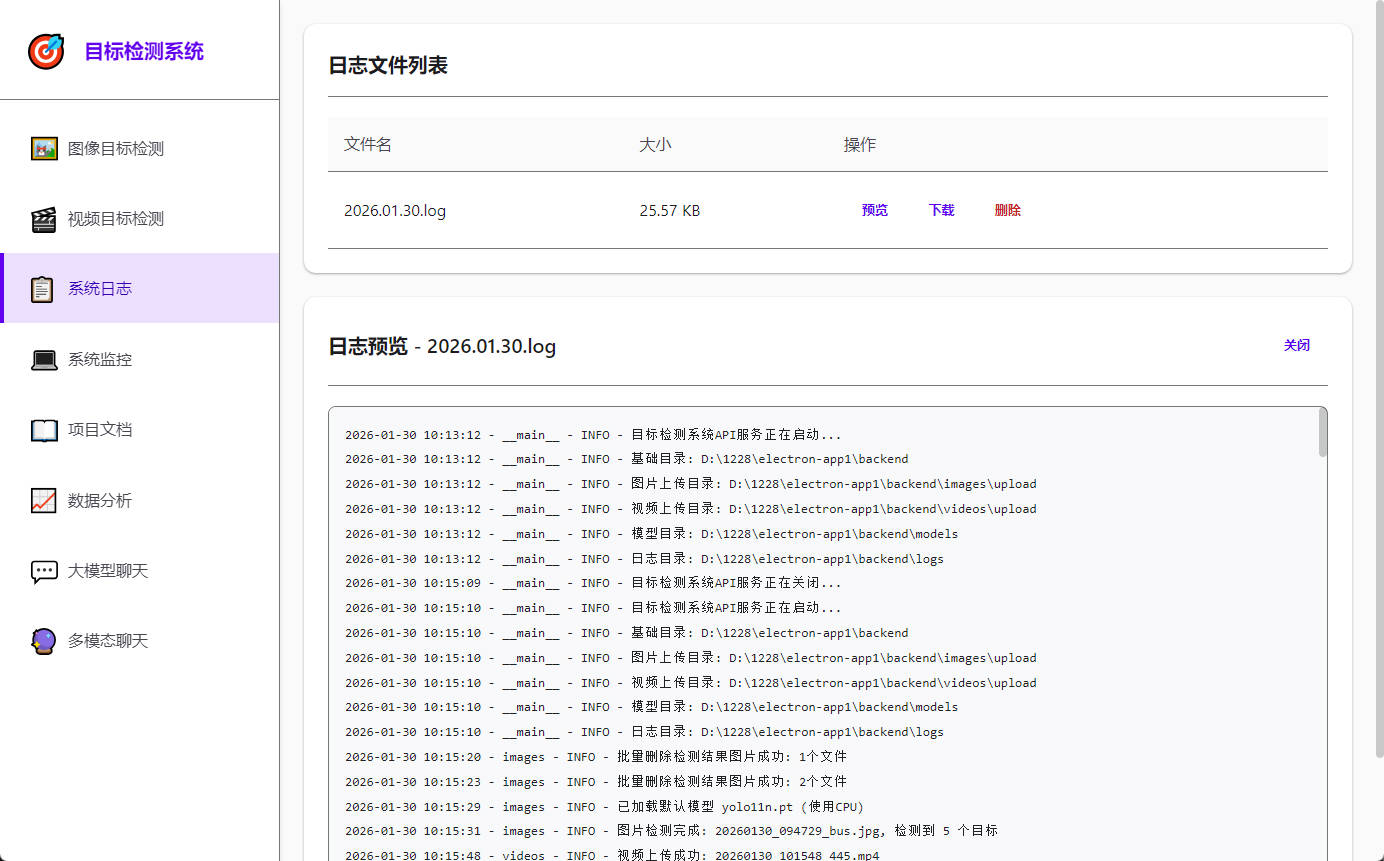
核心技术组成:
-
桌面框架: Electron v33.0.0
-
前端语言: 原生 JavaScript (ES6+)
-
样式方案: 原生 CSS3 (无预处理器)
-
UI 设计规范: Google Material Design 3
-
后端通信: Fetch API / HTTP
1.2 设计理念
本项目遵循 Material Design 3 设计语言,核心设计理念包括:
-
纸张隐喻 (Paper Metaphor): 界面元素通过不同的 Elevation(高度)层级呈现空间感
-
层次阴影 (Layered Shadows): 使用精确的阴影系统区分组件层级
-
响应式交互: 所有交互元素提供即时视觉反馈(涟漪效果、状态变化)
-
无障碍优先: 完整的键盘导航、屏幕阅读器支持、高对比度模式
2. 项目目录结构
electron-app1/
├── main.js                 # Electron 主进程入口
├── preload.js              # 预加载脚本(安全沙箱)
├── index.html              # 应用主页面
├── renderer.js             # 渲染进程逻辑(前端核心代码)
├── styles.css              # 全局样式表
├── package.json            # 项目配置文件
├── backend/                # 后端 API 服务(FastAPI)
│   ├── app.py
│   ├── images.py
│   ├── videos.py
│   ├── llm.py
│   ├── vllm.py
│   ├── systems.py
│   ├── logs.py
│   └── models_api.py
3. UI 设计准则
3.1 Material Design 核心原则
3.1.1 Elevation 系统(高度层级)
系统中的所有组件都遵循严格的高度层级定义:
| 组件类型 | Elevation (dp) | 阴影变量 | 使用场景 |
|---|---|---|---|
| 背景层 | 0dp | 无阴影 | 页面背景 |
| 卡片 | 1dp | --shadow-1 |
内容卡片、列表项 |
| 浮动按钮 | 2dp | --shadow-2 |
侧边栏、导航栏 |
| 悬浮卡片 | 3dp | --shadow-3 |
Hover 状态的卡片 |
| 对话框/模态框 | 4dp | --shadow-4 |
Modal、弹窗 |
代码实现:
:root {
  --shadow-1: 0 1px 3px 0 rgba(0, 0, 0, 0.12), 0 1px 2px 0 rgba(0, 0, 0, 0.24);
  --shadow-2: 0 4px 6px -1px rgba(0, 0, 0, 0.1), 0 2px 4px -1px rgba(0, 0, 0, 0.06);
  --shadow-3: 0 10px 15px -3px rgba(0, 0, 0, 0.1), 0 4px 6px -2px rgba(0, 0, 0, 0.05);
  --shadow-4: 0 20px 25px -5px rgba(0, 0, 0, 0.1), 0 10px 10px -5px rgba(0, 0, 0, 0.04);
}
3.1.2 色彩系统(Color System)
系统采用高对比度的色彩方案,确保符合 WCAG 2.1 AA 标准:
主色调(Primary):
-
--primary-color: #6200EE(对比度 7.7:1) -
--primary-light: #BB86FC -
--primary-dark: #3700B3
功能色(Semantic Colors):
-
成功:
--success-color: #2E7D32 -
错误:
--error-color: #C62828 -
警告:
--warning-color: #EF6C00
文本色(Text Colors):
-
主文本:
--on-surface: #1C1B1F(对比度 ~15:1) -
次要文本:
--on-surface-medium: #49454F(对比度 ~7:1) -
辅助文本:
--on-surface-light: #444746(对比度 ~8:1)
3.1.3 动效系统(Motion)
所有动画遵循 Material Design 的缓动曲线:
:root {
  --transition-fast: 150ms cubic-bezier(0.4, 0, 0.2, 1);    /* 快速交互 */
  --transition-normal: 250ms cubic-bezier(0.4, 0, 0.2, 1);  /* 标准过渡 */
  --transition-slow: 350ms cubic-bezier(0.4, 0, 0.2, 1);    /* 复杂动画 */
}
减少动画模式(Reduced Motion):
@media (prefers-reduced-motion: reduce) {
  * {
    animation-duration: 0.01ms !important;
    transition-duration: 0.01ms !important;
  }
}
3.2 无障碍设计(Accessibility)
3.2.1 键盘导航
所有交互元素均支持完整的键盘操作:
-
Tab/Shift+Tab: 焦点切换
-
Enter/Space: 激活按钮/链接
-
Escape: 关闭模态框
-
方向键: 列表/菜单导航
焦点样式:
*:focus-visible {
  outline: 3px solid var(--primary-color);
  outline-offset: 4px;
  border-radius: 2px;
}
3.2.2 屏幕阅读器支持
-
所有交互元素使用语义化 HTML
-
关键区域添加 ARIA 属性:
-
role="dialog"- 模态框 -
role="alert"- Toast 通知 -
aria-label- 图标按钮 -
aria-current="page"- 当前激活页面
-
跳转链接(Skip Link):
<a href="#page-container" class="skip-link">跳转到主要内容</a>
3.2.3 触摸目标尺寸
所有可点击元素最小尺寸为 48x48px:
.btn {
  min-height: 48px;
  padding: 12px 28px;
}
4. API 接口调用规范
4.1 后端服务地址
const API_BASE = 'http://localhost:10077';
4.2 统一请求封装
所有 API 请求通过 Utils.request 方法统一处理:
const Utils = {
async request(url, options = {}) {
try {
const response = await fetch(`${API_BASE}${url}`, {
...options,
headers: {
...options.headers,
}
});
if (options.responseType === 'blob') {
return response.blob();
}
const data = await response.json();
return data;
} catch (error) {
console.error('API Error:', error);
throw error;
}
}
};
4.3 核心接口调用示例
4.3.1 图像上传
async uploadFiles(files) {
for (const file of files) {
const formData = new FormData();
formData.append('file', file);
const result = await fetch(`${API_BASE}/api/images/upload/${file.name}`, {
method: 'POST',
body: formData
}).then(r => r.json());
if (result.code === 200) {
Utils.toast(`${file.name} 上传成功`, 'success');
}
}
}
4.3.2 图像检测
async detect(filename) {
  Utils.toast('正在检测...', 'info');
  const result = await Utils.request(`/api/images/detect/${filename}`, {
    method: 'POST'
  });

  if (result.code === 200) {
    this.showDetectionResult(filename, result.data);
  }
}
4.3.3 系统监控
async fetchSystemStatus() {
const response = await fetch(`${API_BASE}/api/systems/status`);
const { data } = await response.json();
// 更新 UI
document.querySelector('#cpu-usage').textContent = `${data.cpu.percent}%`;
document.querySelector('#mem-usage').textContent = `${data.memory.percent}%`;
}
// 每 2 秒轮询一次
setInterval(() => this.fetchSystemStatus(), 2000);
4.3.4 大模型对话(流式输出)
async sendMessage(message) {
const response = await fetch(`${API_BASE}/api/llm/chat/completions`, {
method: 'POST',
headers: { 'Content-Type': 'application/json' },
body: JSON.stringify({
model: 'Qwen/Qwen2.5-Coder-32B-Instruct',
messages: [{ role: 'user', content: message }],
stream: true
})
});
const reader = response.body.getReader();
const decoder = new TextDecoder();
while (true) {
const { done, value } = await reader.read();
if (done) break;
const chunk = decoder.decode(value);
// 处理流式数据
this.appendStreamingText(chunk);
}
}
4.4 错误处理规范
所有 API 调用必须包含错误处理:
try {
  const result = await Utils.request('/api/images/list');
  if (result.code === 200) {
    // 处理成功响应
  } else {
    Utils.toast('操作失败: ' + result.message, 'error');
  }
} catch (error) {
  Utils.toast('网络错误,请检查后端服务', 'error');
  console.error('API Error:', error);
}

腾讯云面向开发者汇聚海量精品云计算使用和开发经验,营造开放的云计算技术生态圈。
更多推荐
 12
12 0
0- 0


 已为社区贡献12条内容

所有评论(0)