VsCode远程Copilot无法使用Claude Agent问题,Openrouter断联
·
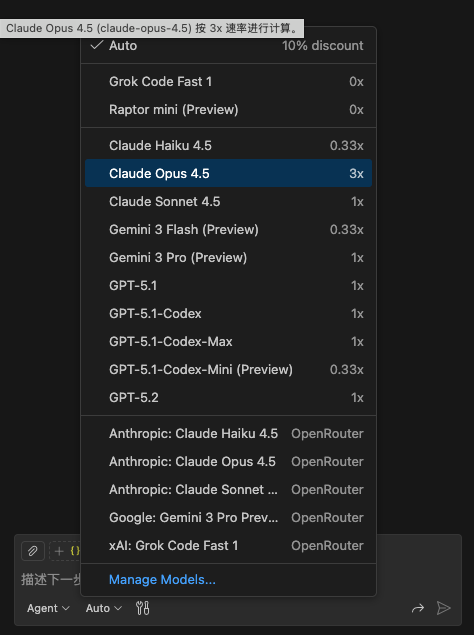
笔者在使用服务器写代码,意外发现现vscode Copilot中Claude模型突然没了,如果不采用任何代理,虽然vscode Copilot中Claude模型回来了,但是openrouter的Claude又频繁断联,非常折腾,采用以下操作解决了所有问题。
所有操作在:https://blog.csdn.net/qq_40620465/article/details/152000104 的基础上进行改善。
本地端口代理转发
首先,删除服务器上 ~/.bashrc 和 ~/.zshrc 与代理相关的所有内容。
在本地的~/.ssh/config中进行ssh配置
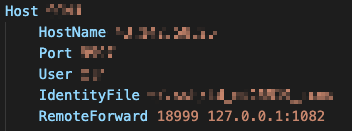
注意这里的RemotedForward,前面是服务器上的端口,后面是本地的代理端口,建议使用http
服务器代理端口配置
打开服务器上的~/.bashrc 和 ~/.zshrc,添加代理端口
zsh
export PROXY_PORT="18999"

proxy_on() {
    export http_proxy="http://127.0.0.1:$PROXY_PORT"
    export https_proxy="http://127.0.0.1:$PROXY_PORT"
    export all_proxy="socks5://127.0.0.1:$PROXY_PORT"
    export no_proxy="localhost,127.0.0.1,::1,192.168.0.0/16,10.0.0.0/8,172.16.0.0/12,*.local,*.lan,*.cn"

    if [[ "$1" != "silent" ]]; then
        echo "Terminal Proxy [ON]: Tunneling to Local 1082 via 18999"
    fi
}

proxy_off() {
    unset http_proxy https_proxy all_proxy
    echo "Terminal Proxy [OFF]"
}

proxy_on silent
bash
export http_proxy="http://127.0.0.1:18999"
export https_proxy="http://127.0.0.1:18999"
export all_proxy="socks5://127.0.0.1:18999"
export no_proxy="localhost,127.0.0.1,::1,192.168.0.0/16,10.0.0.0/8,172.16.0.0/12"
配置vscode使用代理
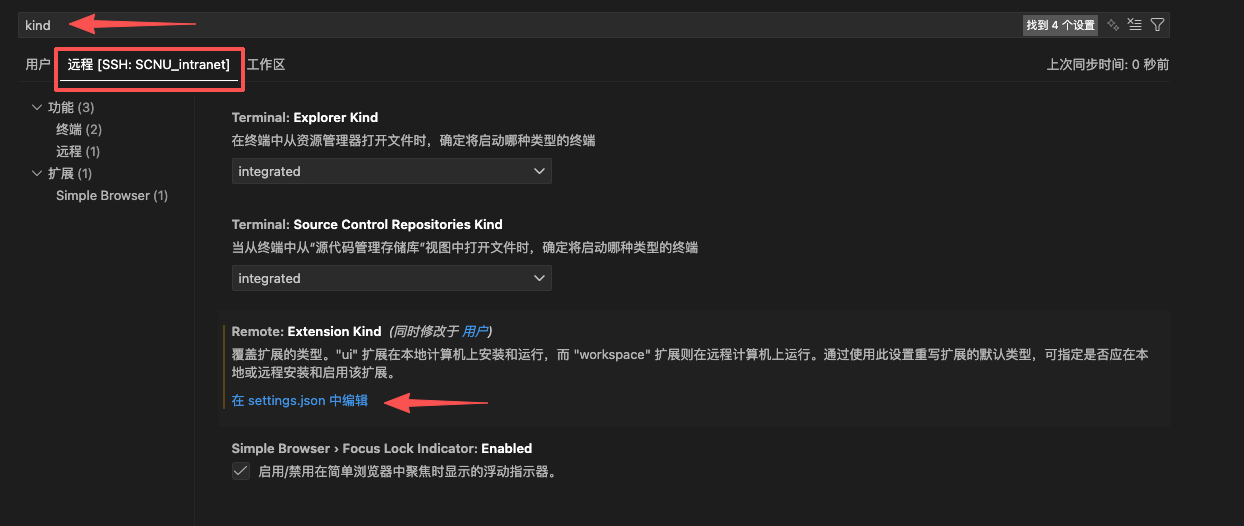
输入
{
    "http.proxy": "http://127.0.0.1:18999",
    "http.proxyStrictSSL": false,
    "remote.extensionKind": {

        "pub.name": [
            "ui"
        ]
    }
}
重启vscode,问题解决!

腾讯云面向开发者汇聚海量精品云计算使用和开发经验,营造开放的云计算技术生态圈。
更多推荐
 7
7 0
0- 0


 已为社区贡献2条内容

所有评论(0)