Flutter 框架跨平台鸿蒙开发 - 社交星系
运行效果图社交星系是一款创新的社交关系可视化应用,将用户的社交网络映射为一个独特的星系。在这个星系中,用户是中心的恒星,而朋友则是围绕恒星运行的行星。行星与恒星的距离代表亲密程度,行星的大小代表互动频率,颜色代表关系类型。应用以宇宙星空为主题,营造神秘而浪漫的氛围。用户可以直观地看到自己的社交星系,了解与不同朋友的关系亲密度,发现那些渐行渐远或日益亲密的关系,并可以添加新朋友、调整关系距离、记录互
社交星系应用
欢迎加入开源鸿蒙跨平台社区:
https://openharmonycrossplatform.csdn.net
一、项目概述
运行效果图
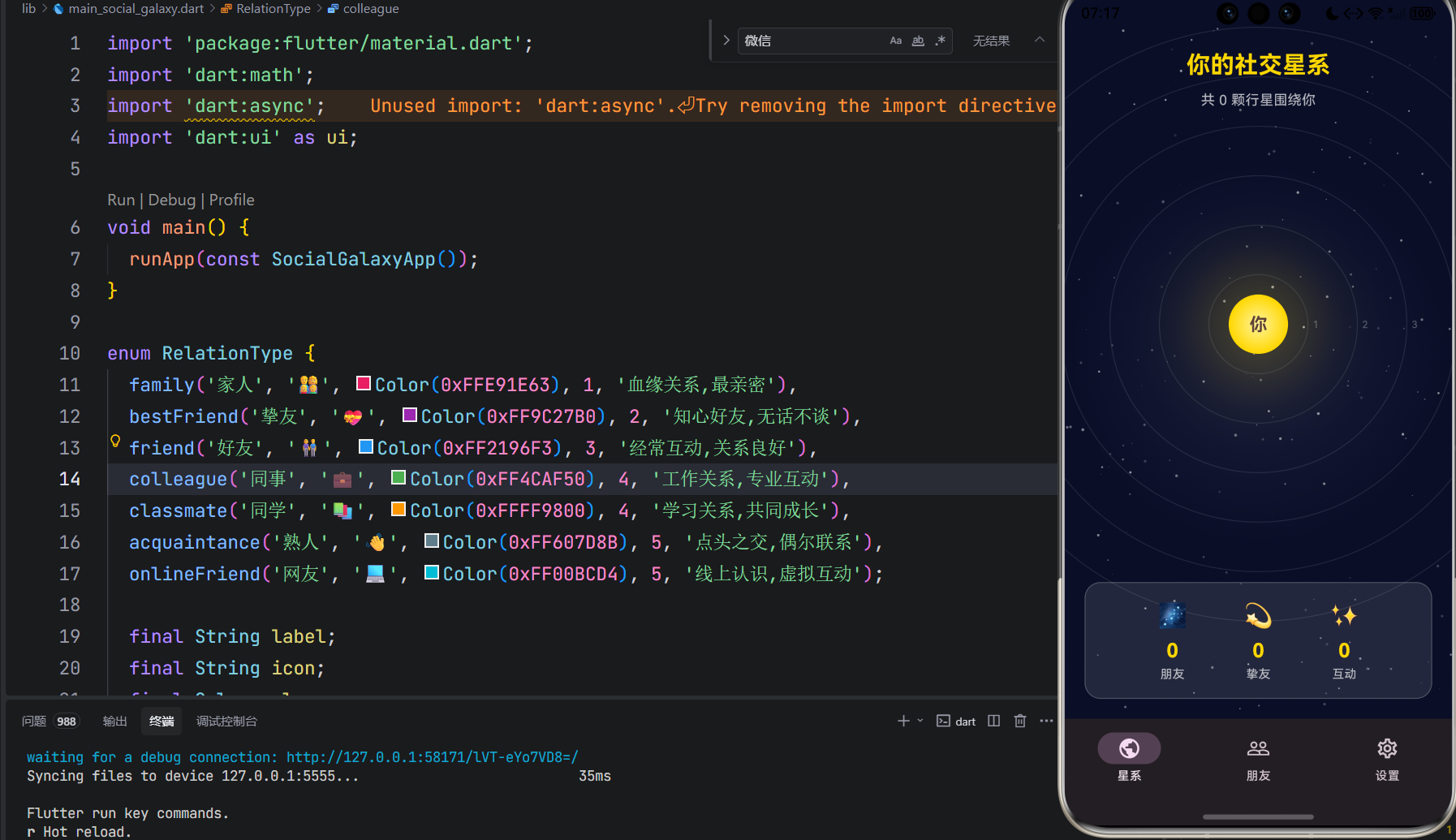
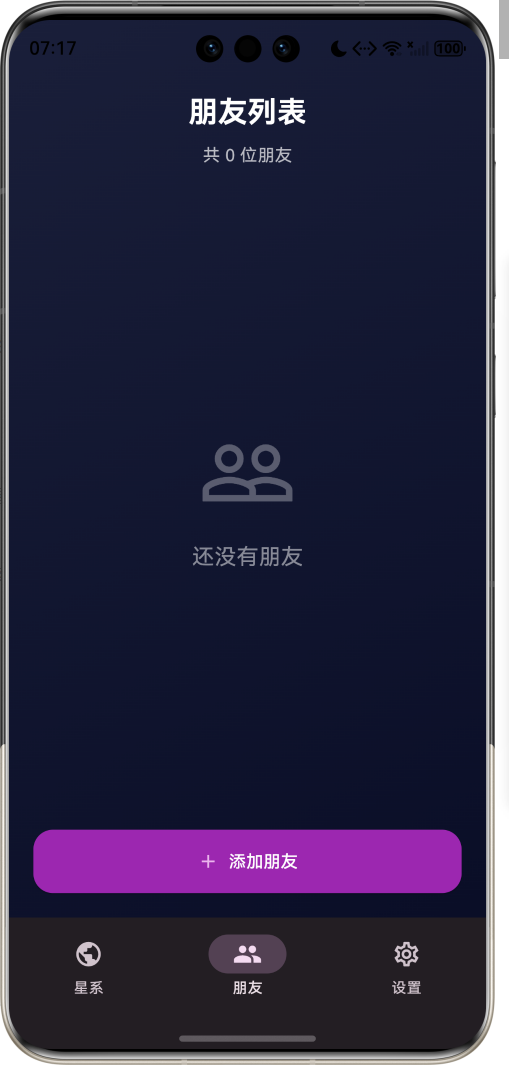
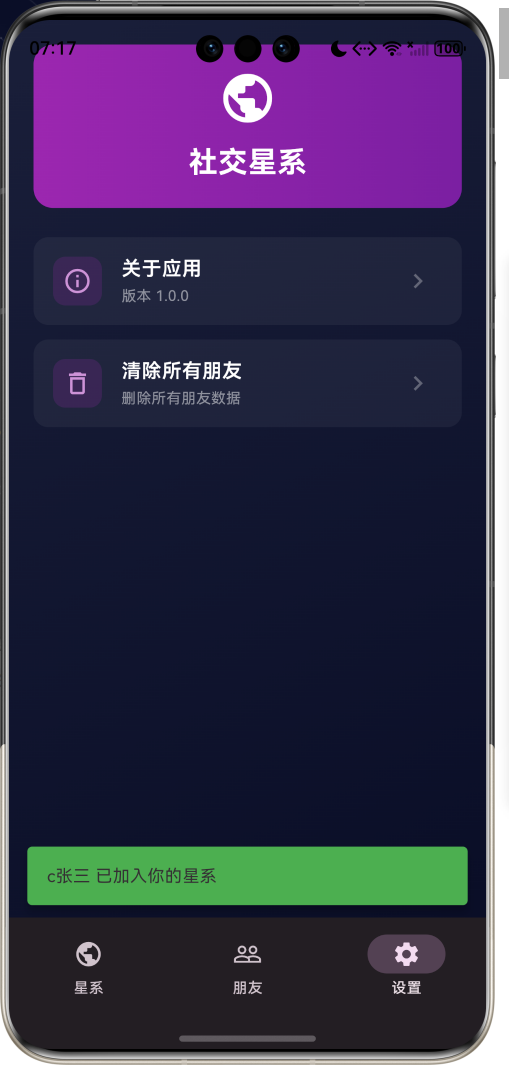
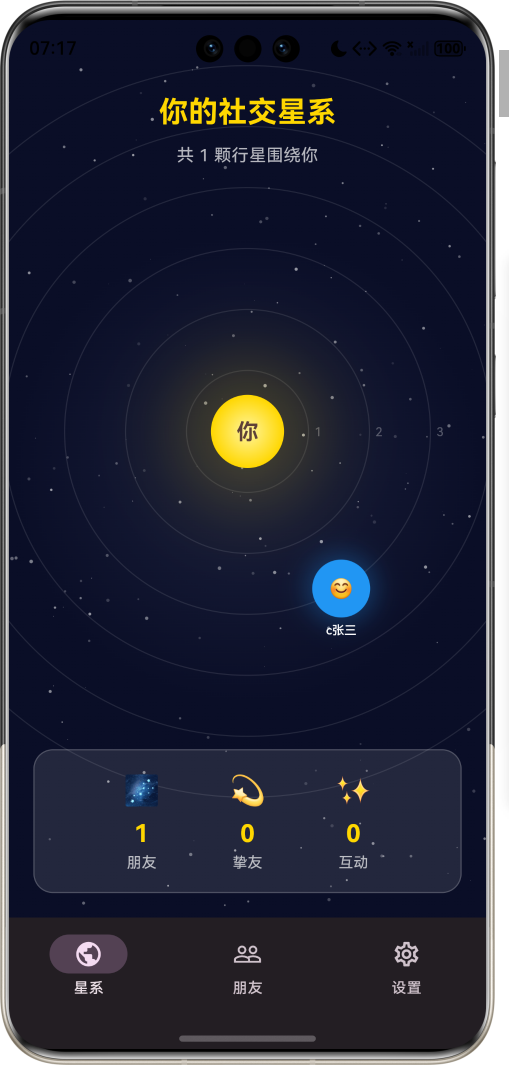
1.1 应用简介
社交星系是一款创新的社交关系可视化应用,将用户的社交网络映射为一个独特的星系。在这个星系中,用户是中心的恒星,而朋友则是围绕恒星运行的行星。行星与恒星的距离代表亲密程度,行星的大小代表互动频率,颜色代表关系类型。
应用以宇宙星空为主题,营造神秘而浪漫的氛围。用户可以直观地看到自己的社交星系,了解与不同朋友的关系亲密度,发现那些渐行渐远或日益亲密的关系,并可以添加新朋友、调整关系距离、记录互动历史。
1.2 核心理念
人际关系如同宇宙星系,每个人都是自己世界的中心。社交星系的设计理念基于以下原则:
| 设计原则 | 理论基础 | 应用体现 |
|---|---|---|
| 关系可视化 | 社会网络分析 | 将社交关系映射为星系 |
| 距离隐喻 | 人际距离理论 | 距离代表亲密程度 |
| 动态演化 | 关系动力学 | 关系随时间变化 |
| 情感映射 | 情感心理学 | 颜色代表关系类型 |
1.3 核心功能
1.4 关系类型分类
应用支持多种关系类型:
| 类型 | 图标 | 颜色 | 描述 | 典型距离 |
|---|---|---|---|---|
| 家人 | 👨👩👧👦 | #E91E63 | 血缘关系,最亲密 | 1-2轨道 |
| 挚友 | 💝 | #9C27B0 | 知心好友,无话不谈 | 2-3轨道 |
| 好友 | 👫 | #2196F3 | 经常互动,关系良好 | 3-4轨道 |
| 同事 | 💼 | #4CAF50 | 工作关系,专业互动 | 4-5轨道 |
| 同学 | 📚 | #FF9800 | 学习关系,共同成长 | 4-5轨道 |
| 熟人 | 👋 | #607D8B | 点头之交,偶尔联系 | 5-6轨道 |
| 网友 | 💻 | #00BCD4 | 线上认识,虚拟互动 | 5-6轨道 |
1.5 技术栈
| 技术领域 | 技术选型 | 版本要求 |
|---|---|---|
| 开发框架 | Flutter | >= 3.0.0 |
| 编程语言 | Dart | >= 2.17.0 |
| 设计规范 | Material Design 3 | - |
| 动画控制 | AnimationController | - |
| 状态管理 | setState | - |
| 目标平台 | 鸿蒙OS / Web | API 21+ |
1.6 项目结构
lib/
└── main_social_galaxy.dart
    ├── SocialGalaxyApp         # 应用入口
    ├── RelationType            # 关系类型枚举
    ├── Friend                  # 朋友模型
    ├── Interaction             # 互动模型
    ├── SocialGalaxyPage        # 主页面
    ├── _buildGalaxyView        # 星系视图
    ├── _buildFriendList        # 朋友列表
    └── _buildSettingsPage      # 设置页面
二、系统架构
2.1 整体架构图
2.2 类图设计
2.3 星系生成流程
2.4 关系距离映射
三、核心模块设计
3.1 数据模型设计
3.1.1 关系类型枚举 (RelationType)
enum RelationType {
family('家人', '👨👩👧👦', Color(0xFFE91E63), 1),
bestFriend('挚友', '💝', Color(0xFF9C27B0), 2),
friend('好友', '👫', Color(0xFF2196F3), 3),
colleague('同事', '💼', Color(0xFF4CAF50), 4),
classmate('同学', '📚', Color(0xFFFF9800), 4),
acquaintance('熟人', '👋', Color(0xFF607D8B), 5),
onlineFriend('网友', '💻', Color(0xFF00BCD4), 5);
final String label;
final String icon;
final Color color;
final int defaultOrbit;
}
3.1.2 朋友模型 (Friend)
class Friend {
  final String id;              // 唯一标识
  final String name;            // 姓名
  final String avatar;          // 头像(emoji)
  final RelationType relationType; // 关系类型
  int orbit;                    // 轨道(1-6)
  double size;                  // 行星大小
  final List<Interaction> interactions; // 互动列表
  final DateTime addedAt;       // 添加时间
  final String notes;           // 备注
}
3.1.3 互动模型 (Interaction)
class Interaction {
  final String id;              // 唯一标识
  final String friendId;        // 朋友ID
  final String type;            // 互动类型
  final String description;     // 描述
  final DateTime timestamp;     // 时间
  final int impact;             // 影响值(-2到+2)
}
3.1.4 关系分布统计
3.2 页面结构设计
3.2.1 主页面布局
3.2.2 星系视图结构
3.3 轨道计算算法
3.4 行星动画实现
class PlanetAnimation extends StatefulWidget {
final Friend friend;
final double orbitRadius;
State<PlanetAnimation> createState() => _PlanetAnimationState();
}
class _PlanetAnimationState extends State<PlanetAnimation>
with SingleTickerProviderStateMixin {
late AnimationController _controller;
void initState() {
super.initState();
_controller = AnimationController(
duration: Duration(seconds: 10 + widget.orbit * 5),
vsync: this,
)..repeat();
}
Widget build(BuildContext context) {
return AnimatedBuilder(
animation: _controller,
builder: (context, child) {
final angle = _controller.value * 2 * pi;
final x = widget.orbitRadius * cos(angle);
final y = widget.orbitRadius * sin(angle);
return Transform.translate(
offset: Offset(x, y),
child: child,
);
},
child: _buildPlanet(),
);
}
}
四、UI设计规范
4.1 配色方案
应用采用宇宙星空主题配色:
| 颜色类型 | 色值 | 用途 |
|---|---|---|
| 背景 | #0A0E27 (深蓝) | 星空背景 |
| 恒星 | #FFD700 (金色) | 用户恒星 |
| 家人 | #E91E63 | 粉红色行星 |
| 挚友 | #9C27B0 | 紫色行星 |
| 好友 | #2196F3 | 蓝色行星 |
| 同事 | #4CAF50 | 绿色行星 |
| 同学 | #FF9800 | 橙色行星 |
| 熟人 | #607D8B | 灰色行星 |
| 网友 | #00BCD4 | 青色行星 |
4.2 字体规范
| 元素 | 字号 | 字重 | 颜色 |
|---|---|---|---|
| 恒星名称 | 24px | Bold | #FFD700 |
| 行星名称 | 14px | Medium | #FFFFFF |
| 轨道标签 | 12px | Regular | #B0BEC5 |
| 关系类型 | 12px | Medium | 主题色 |
| 统计数字 | 32px | Bold | #FFD700 |
4.3 组件规范
4.3.1 星系视图
┌─────────────────────────────────────────────────┐
│                                                 │
│                    ·  ·  ·                      │
│              ·                ·                 │
│           ·    ┌─────────┐    ·                │
│          ·     │   ☀️    │     ·               │
│          ·     │  你     │     ·               │
│           ·    └─────────┘    ·                │
│              ·      💜      ·                  │
│                 ·   💙  ·                     │
│                    ·  ·                        │
│                                                 │
│         你的社交星系                            │
│                                                 │
└─────────────────────────────────────────────────┘
4.3.2 朋友卡片
┌─────────────────────────────────────────────────┐
│  💜 小明 · 挚友                                │
│                                                 │
│  📍 第2轨道 · 距离很近                          │
│                                                 │
│  ━━━━━━━━━━━━━━━━━━━━━━━━━━━━━━━━━━━━━━━━━━  │
│                                                 │
│  📊 互动: 15次    📅 添加: 2024-01-15          │
│                                                 │
│         [查看详情]    [调整距离]                │
│                                                 │
└─────────────────────────────────────────────────┘
4.3.3 统计面板
┌─────────────────────────────────────────────────┐
│                                                 │
│  🌌 你的星系统计                               │
│                                                 │
│  ┌─────┐  ┌─────┐  ┌─────┐                    │
│  │  42 │  │  8  │  │ 156 │                    │
│  │朋友 │  │挚友 │  │互动 │                    │
│  └─────┘  └─────┘  └─────┘                    │
│                                                 │
└─────────────────────────────────────────────────┘
五、核心功能实现
5.1 星系绘制
class GalaxyPainter extends CustomPainter {
final List<Friend> friends;
final double centerX;
final double centerY;
void paint(Canvas canvas, Size size) {
// 绘制星空背景
_drawStarfield(canvas, size);
// 绘制轨道
for (int i = 1; i <= 6; i++) {
_drawOrbit(canvas, i);
}
// 绘制恒星(用户)
_drawSun(canvas, centerX, centerY);
// 绘制行星(朋友)
for (var friend in friends) {
_drawPlanet(canvas, friend);
}
}
void _drawOrbit(Canvas canvas, int orbit) {
final radius = orbit * 60.0;
final paint = Paint()
..color = Colors.white.withOpacity(0.1)
..style = PaintingStyle.stroke
..strokeWidth = 1;
canvas.drawCircle(Offset(centerX, centerY), radius, paint);
}
void _drawSun(Canvas canvas, double x, double y) {
final paint = Paint()
..color = const Color(0xFFFFD700)
..style = PaintingStyle.fill;
canvas.drawCircle(Offset(x, y), 30, paint);
// 绘制光芒
final glowPaint = Paint()
..color = const Color(0xFFFFD700).withOpacity(0.3)
..maskFilter = const MaskFilter.blur(BlurStyle.normal, 20);
canvas.drawCircle(Offset(x, y), 50, glowPaint);
}
}
5.2 添加朋友
void _addFriend({
  required String name,
  required RelationType relationType,
  String notes = '',
}) {
  final friend = Friend(
    id: DateTime.now().millisecondsSinceEpoch.toString(),
    name: name,
    avatar: _getRandomAvatar(),
    relationType: relationType,
    orbit: relationType.defaultOrbit,
    size: 20.0,
    interactions: [],
    addedAt: DateTime.now(),
    notes: notes,
  );

  setState(() {
    _friends.add(friend);
  });

  ScaffoldMessenger.of(context).showSnackBar(
    SnackBar(
      content: Text('$name 已加入你的星系'),
      backgroundColor: Colors.green,
    ),
  );
}
5.3 调整轨道
void _updateOrbit(String friendId, int newOrbit) {
  setState(() {
    final index = _friends.indexWhere((f) => f.id == friendId);
    if (index != -1) {
      _friends[index].orbit = newOrbit.clamp(1, 6);
    }
  });

  final friend = _friends.firstWhere((f) => f.id == friendId);
  final distance = _getDistanceDescription(newOrbit);

  ScaffoldMessenger.of(context).showSnackBar(
    SnackBar(
      content: Text('${friend.name} 已移至第$newOrbit轨道($distance)'),
      backgroundColor: Colors.blue,
    ),
  );
}

String _getDistanceDescription(int orbit) {
  if (orbit <= 2) return '非常亲密';
  if (orbit <= 3) return '关系良好';
  if (orbit <= 4) return '一般关系';
  return '逐渐疏远';
}
5.4 添加互动
void _addInteraction({
  required String friendId,
  required String type,
  required String description,
  required int impact,
}) {
  final interaction = Interaction(
    id: DateTime.now().millisecondsSinceEpoch.toString(),
    friendId: friendId,
    type: type,
    description: description,
    timestamp: DateTime.now(),
    impact: impact,
  );

  setState(() {
    final index = _friends.indexWhere((f) => f.id == friendId);
    if (index != -1) {
      _friends[index].interactions.add(interaction);

      // 根据互动影响调整轨道
      if (impact > 0) {
        _friends[index].orbit = max(1, _friends[index].orbit - 1);
      } else if (impact < 0) {
        _friends[index].orbit = min(6, _friends[index].orbit + 1);
      }
    }
  });
}
六、交互设计
6.1 星系浏览交互
6.2 关系管理流程
七、运行说明
7.1 环境要求
| 环境 | 版本要求 |
|---|---|
| Flutter SDK | >= 3.0.0 |
| Dart SDK | >= 2.17.0 |
| 鸿蒙OS | API 21+ |
7.2 运行命令
# 查看可用设备
flutter devices

# 运行到Web服务器
flutter run -d web-server -t lib/main_social_galaxy.dart --web-port 8136

# 运行到鸿蒙设备
flutter run -d 127.0.0.1:5555 lib/main_social_galaxy.dart

# 运行到Windows
flutter run -d windows -t lib/main_social_galaxy.dart

# 代码分析
flutter analyze lib/main_social_galaxy.dart
八、总结
社交星系应用将用户的社交网络映射为一个独特的星系,用户是中心的恒星,朋友是围绕运行的行星。行星与恒星的距离代表亲密程度,行星的大小代表互动频率,颜色代表关系类型。
核心功能涵盖星系展示、关系管理、互动记录三大模块。星系展示以可视化方式呈现社交网络;关系管理支持添加朋友和调整轨道;互动记录帮助用户追踪与朋友的互动历史。
应用采用Material Design 3设计规范,以宇宙星空为主题,营造神秘而浪漫的氛围。通过本应用,希望能够帮助用户直观地了解自己的社交网络,发现关系的变化趋势,珍惜身边的人。
你是宇宙的中心,朋友是围绕你的星辰

腾讯云面向开发者汇聚海量精品云计算使用和开发经验,营造开放的云计算技术生态圈。
更多推荐
 11
11 0
0- 0


 已为社区贡献11条内容

所有评论(0)