局域网部署时实现基于https的业务系统访问
·
局域网部署时实现基于https的业务系统访问
最近在做项目集成时,门户的系统因为客户安全要求,启动了https的访问,导致我们的系统无法正常访问。简单测试了一下如何在企业内网,如何将自己的Web应用部署为https的访问。
证书管理
安装mkcert
sudo apt install libnss3-tools -y
curl -L https://github.com/FiloSottile/mkcert/releases/download/v1.4.4/mkcert-v1.4.4-linux-amd64 -o mkcert
chmod +x mkcert
sudo mv mkcert /usr/local/bin/
mkcert -install
制作证书
mkcert localhost 127.0.0.1 192.168.2.62
演示如下
(base) jihui@rz-62-exchange:~$ mkcert localhost 127.0.0.1 192.168.2.62

Created a new certificate valid for the following names 📜
 - "localhost"
 - "127.0.0.1"
 - "192.168.2.62"

The certificate is at "./localhost+2.pem" and the key at "./localhost+2-key.pem" ✅

It will expire on 27 April 2028 🗓

(base) jihui@rz-62-exchange:~$
制作好的证书,在当前目录下。
至此,证书准备完成。
网站部署
演示网站的结构如下:
(base) jihui@rz-62-exchange:~/deploy$ tree
.
├── conf
│   ├── cert
│   │   ├── localhost+2-key.pem
│   │   └── localhost+2.pem
│   └── nginx
│       └── default.conf
├── data
│   └── web
│       └── index.html
└── docker-compose.yaml

6 directories, 5 files
(base) jihui@rz-62-exchange:~/deploy$
配置网站文件
为了演示,网站只有一个文件index.html,内容如下:
$ cat index.html

Hello world.
准备nginx配置文件
- 使用https,需要监听
443端口,server_name使用生成证书时的服务器地址。 - 需要配置
ssl_certificate和ssl_certificate_key,两个参数的值为上面证书的文件地址。这个地址是容器内容的地址。
(base) jihui@rz-62-exchange:~/deploy/conf/nginx$ cat default.conf
map $http_upgrade $connection_upgrade {
  default upgrade;
  '' close;
}

server {
    # listen     80;
    listen       443 ssl;
    server_name  localhost 127.0.0.1 192.168.2.62;

    ssl_certificate /etc/nginx/cert/localhost+2.pem;
    ssl_certificate_key /etc/nginx/cert/localhost+2-key.pem;

    error_page 500 502 503 504  /50x.html;

    location = /50x.html {
        root   /usr/share/nginx/html;
    }

    location / {
        root /web;
        index index.html;
        try_files $uri $uri/ =404;
    }
}
(base) jihui@rz-62-exchange:~/deploy/conf/nginx$
配置docker-compose.yaml
在这个文件中,需要配置如下:
- 监听端口为
443,这个端口和default.conf中的端口要对应。 - 需要将宿主机上的证书目录,映射到容器的
/etc/nginx/cert/目录。 - 将宿主机上的网站文件,映射到容器的/web。
(base) jihui@rz-62-exchange:~/deploy$ cat docker-compose.yaml
services:

  web:
    image: nginx:1.28
    container_name: web
    restart: unless-stopped
    ports:
      # - 8989:80
      - 8989:443
    volumes:
      - ./conf/nginx/:/etc/nginx/conf.d/
      - ./conf/cert/:/etc/nginx/cert/
      - ./data/web:/web
(base) jihui@rz-62-exchange:~/deploy$
测试
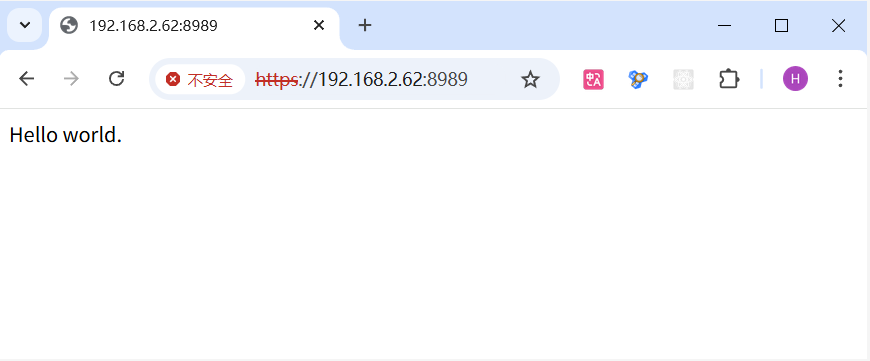
使用浏览器测试
使用curl命令测试
(base) user@rz-61-exchange:~$ curl https://192.168.2.62:8989/
curl: (60) SSL certificate problem: unable to get local issuer certificate
More details here: https://curl.se/docs/sslcerts.html

curl failed to verify the legitimacy of the server and therefore could not
establish a secure connection to it. To learn more about this situation and
how to fix it, please visit the web page mentioned above.
(base) user@rz-61-exchange:~$
直接访问会失败。
(base) user@rz-61-exchange:~$ curl -k https://192.168.2.62:8989/
Hello world.
(base) user@rz-61-exchange:~$
或
(base) user@rz-61-exchange:~$ curl --insecure https://192.168.2.62:8989/
Hello world.
(base) user@rz-61-exchange:~$

腾讯云面向开发者汇聚海量精品云计算使用和开发经验,营造开放的云计算技术生态圈。
更多推荐
 5
5 0
0- 0


 已为社区贡献2条内容

所有评论(0)