[root@localhost Python-3.9.1]# python3.9 -m pip install --upgrade pipWARNING: pip is configured wi
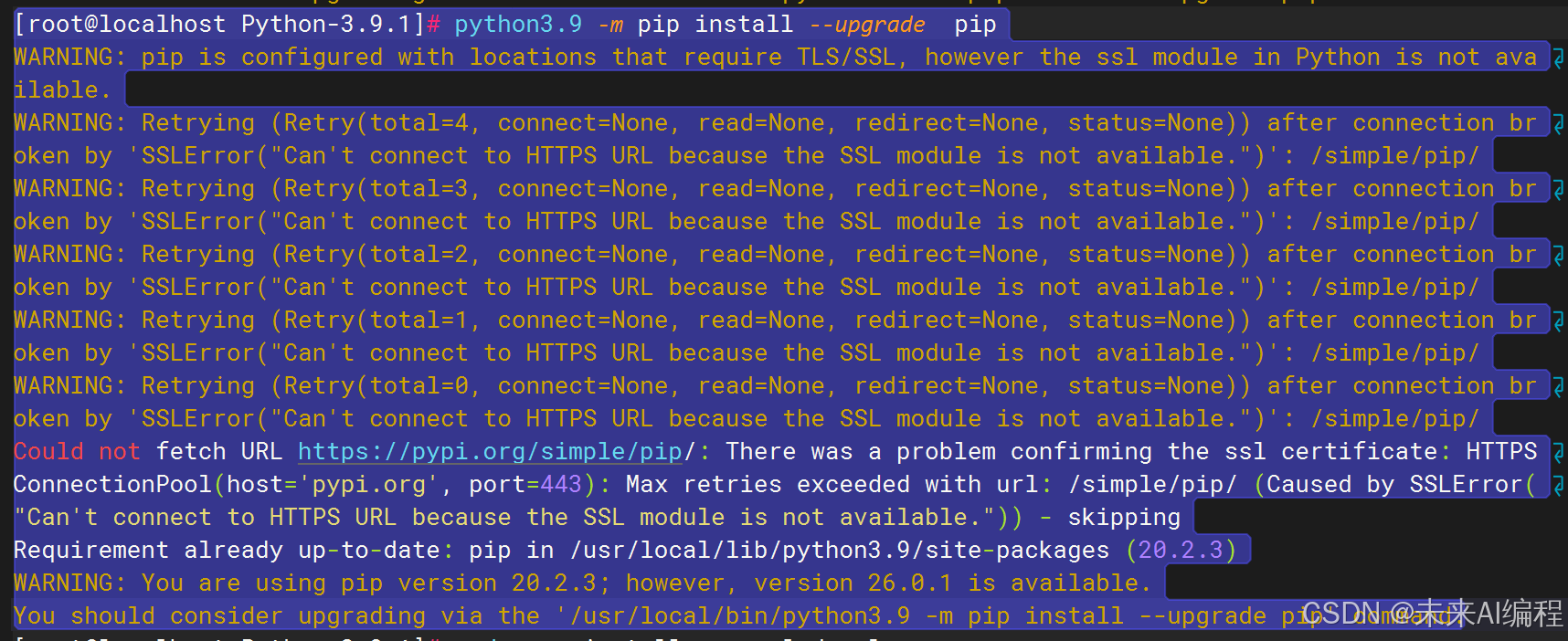
[root@localhost Python-3.9.1]# python3.9 -m pip install --upgrade pip
WARNING: pip is configured with locations that require TLS/SSL, however the ssl module in Python is not available.
WARNING: Retrying (Retry(total=4, connect=None, read=None, redirect=None, status=None)) after connection broken by 'SSLError("Can't connect to HTTPS URL because the SSL module is not available.")': /simple/pip/
WARNING: Retrying (Retry(total=3, connect=None, read=None, redirect=None, status=None)) after connection broken by 'SSLError("Can't connect to HTTPS URL because the SSL module is not available.")': /simple/pip/
WARNING: Retrying (Retry(total=2, connect=None, read=None, redirect=None, status=None)) after connection broken by 'SSLError("Can't connect to HTTPS URL because the SSL module is not available.")': /simple/pip/
WARNING: Retrying (Retry(total=1, connect=None, read=None, redirect=None, status=None)) after connection broken by 'SSLError("Can't connect to HTTPS URL because the SSL module is not available.")': /simple/pip/
WARNING: Retrying (Retry(total=0, connect=None, read=None, redirect=None, status=None)) after connection broken by 'SSLError("Can't connect to HTTPS URL because the SSL module is not available.")': /simple/pip/
Could not fetch URL https://pypi.org/simple/pip/: There was a problem confirming the ssl certificate: HTTPSConnectionPool(host='pypi.org', port=443): Max retries exceeded with url: /simple/pip/ (Caused by SSLError("Can't connect to HTTPS URL because the SSL module is not available.")) - skipping
Requirement already up-to-date: pip in /usr/local/lib/python3.9/site-packages (20.2.3)
WARNING: You are using pip version 20.2.3; however, version 26.0.1 is available.
You should consider upgrading via the '/usr/local/bin/python3.9 -m pip install --upgrade pip' command.
可以通过配置 pip 使用 HTTP 镜像源来绕过 HTTPS 限制。
创建 pip 配置文件:
在用户主目录下创建 .pip 目录和 pip.conf 文件:
mkdir -p ~/.pip
vim ~/.pip/pip.conf
AI生成项目
配置 HTTP 镜像源:
在 pip.conf 文件中添加以下内容:
[global]
index-url = http://mirrors.aliyun.com/pypi/simple/
[install]
trusted-host = mirrors.aliyun.com
这里使用了阿里云的 PyPI 镜像源,您也可以选择其他镜像源(如清华源)。
使用 pip 安装包:
现在可以正常使用 pip 安装包了:
pip install <package-name>

腾讯云面向开发者汇聚海量精品云计算使用和开发经验,营造开放的云计算技术生态圈。
更多推荐
 6
6 0
0- 0


 已为社区贡献6条内容

所有评论(0)