opencv4.10及contrib模块编译使用
本文详细介绍了OpenCV 4.10.0及contrib模块的编译安装过程。主要内容包括:1)下载OpenCV主模块和contrib扩展模块;2)使用CMake配置编译环境,设置OPENCV_EXTRA_MODULES_PATH路径指向contrib模块;3)解决编译过程中出现的文件缺失问题(建议下载预编译缓存文件替换);4)在Visual Studio中生成Release版本;5)最后通过INS
因为需要用到contrib模块的ximgproc,但是发现平时使用的opencv中没有,问了ai才知道这是contrib模块中的,需要重新编译,过程略微烦人,这里给其他人做个参考
1. opencv4.10下载以及contrib下载
opencv下载地址:所有版本地址
opencv4.10.0下载,下面三个默认随意一个就行,我下载的是windows,会下载一个压缩包
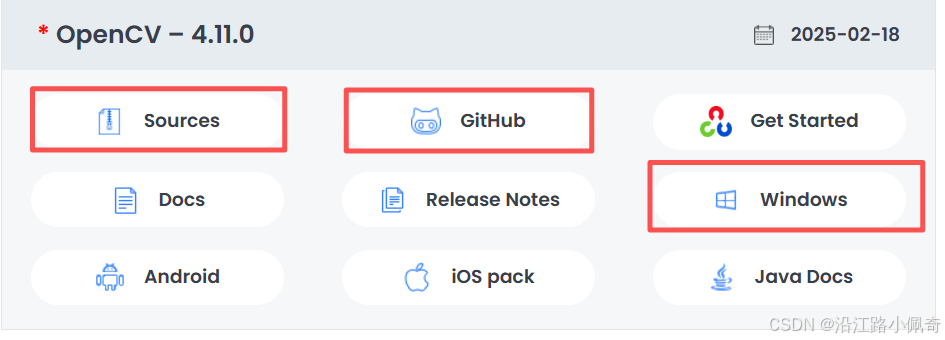
放到自己选定的位置后解压,会得到下面的东西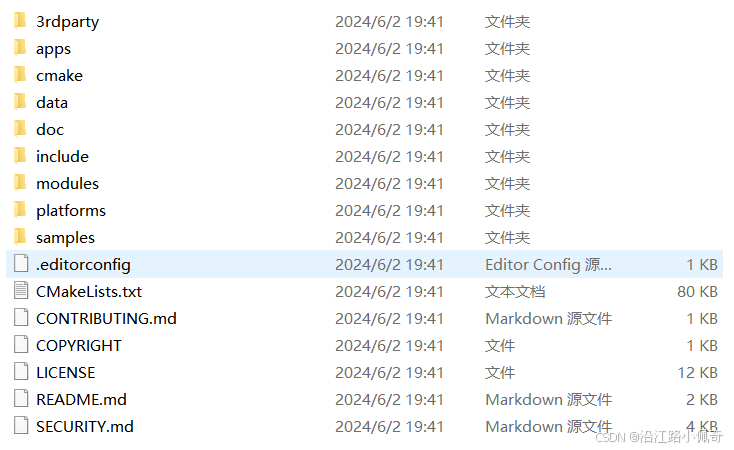
opencv_contrib下载地址:https://github.com/opencv/opencv_contrib,进入以后先确认是不是4.x版本,然后下载压缩包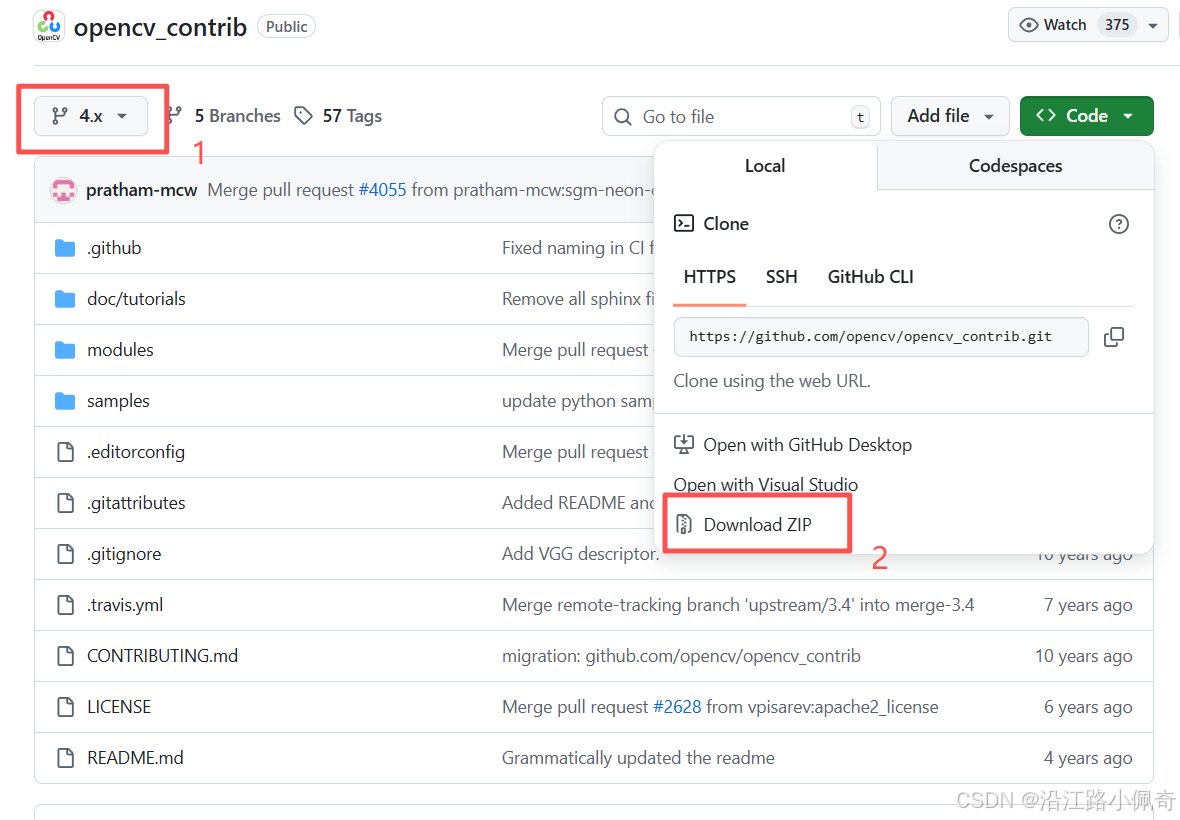
解压缩以后如下: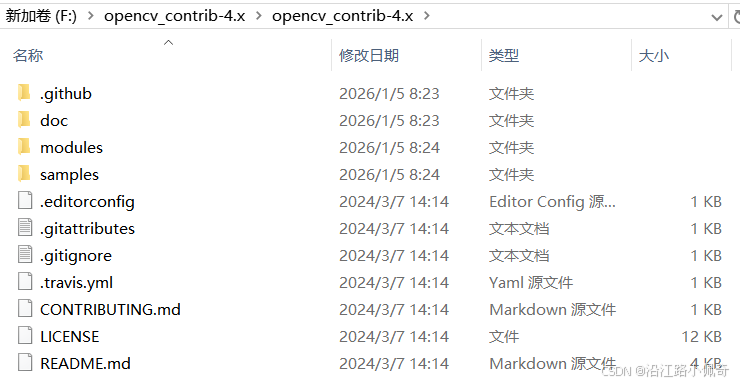
2. CMake下载
我们需要Cmake软件来编译,下载链接:https://cmake.org/download/
我下载的是4.2.1版本,选择Binary distributions的Windows x64 ZIP,下载完成后解压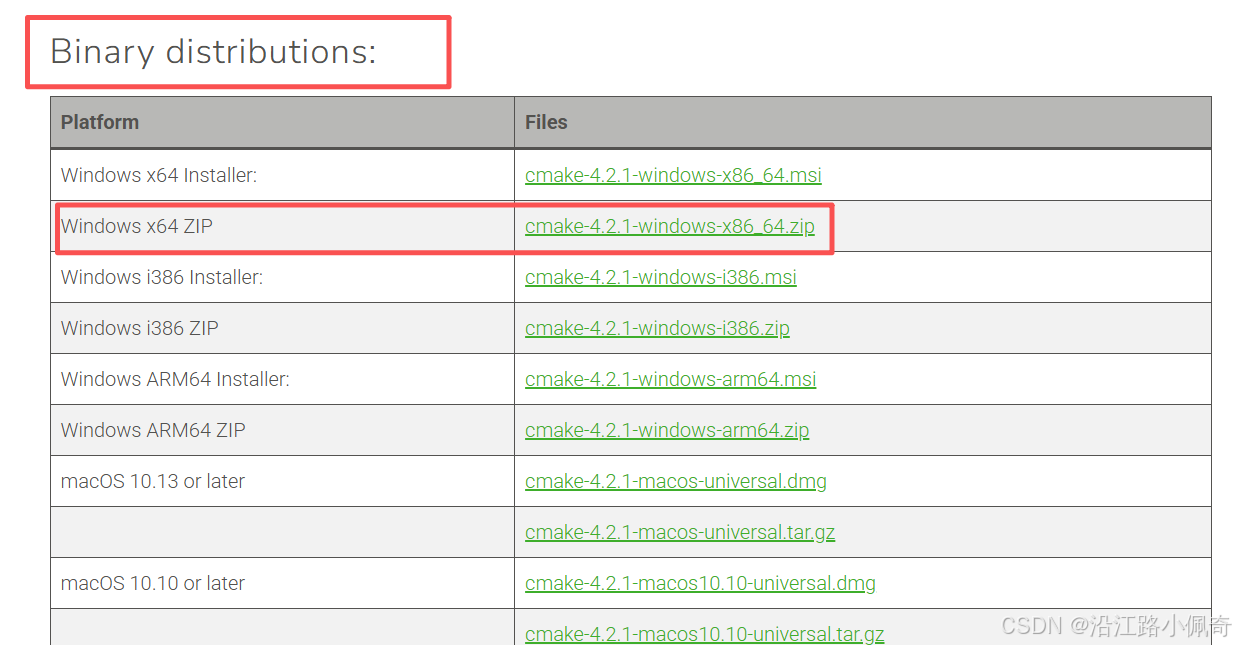
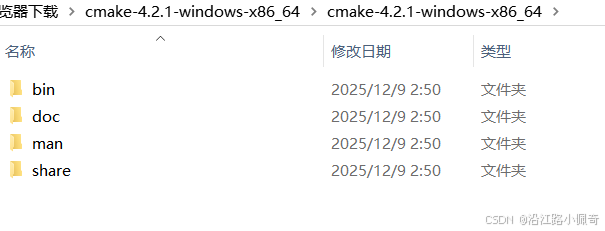
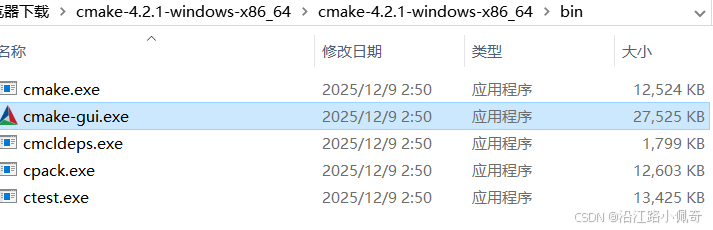
然后在bin目录下找到camke-gui.exe文件,双击打开
3.编译
我先把原来opencv4.10.0的所有内容都放在了新创建的source文件夹中,然后创建build,contrib两个文件夹,build为空,一会用来存放编译的文件,contrib文件夹里面放置的是刚才下载的contrib压缩包里面的东西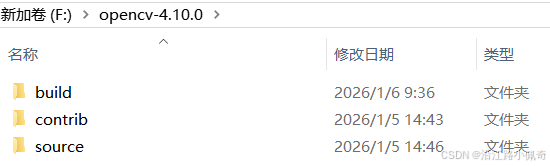
build为空文件夹
contrib里面内容如下,其实就是把前面下载的contrib压缩包内容复制过来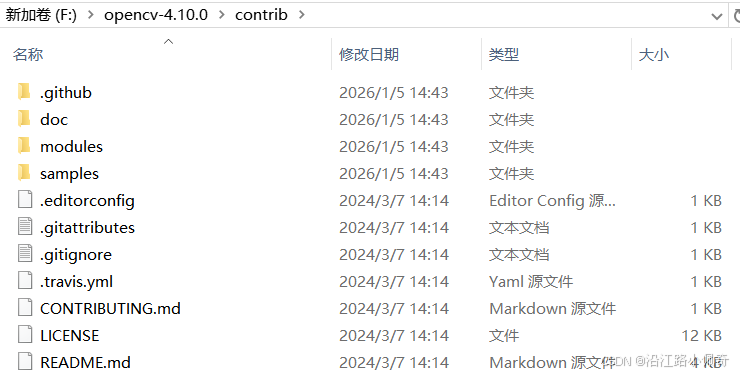
source文件夹内容如下,其实就是前面下载的opencv4.10.0的内容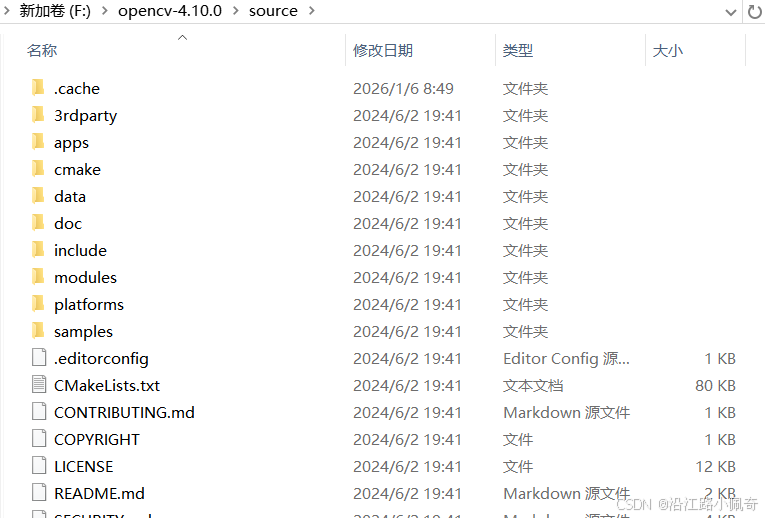
接下来打开cmake,选择源路径和输出路径,然后点击configure按钮,注意此处我已经编译好了,为了演示我重新创建了文件夹,要是前面有路径什么完全跟我一样的请注意此处文件夹变了,你们不用变,按照你们的来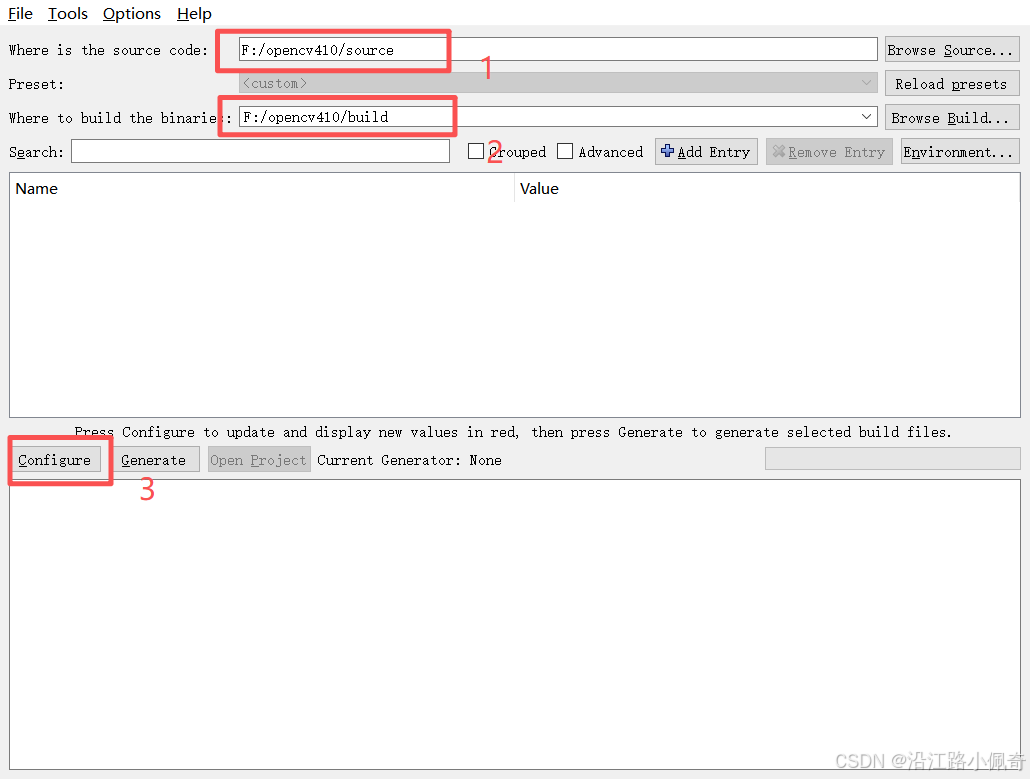
点击configure以后会弹出下面的窗口,需要你选择使用的VS版本和平台
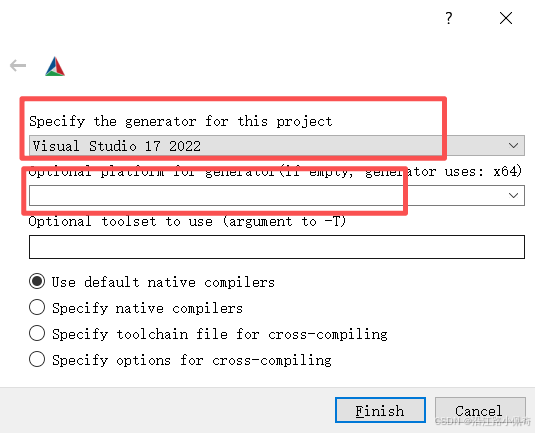
我选择的如下: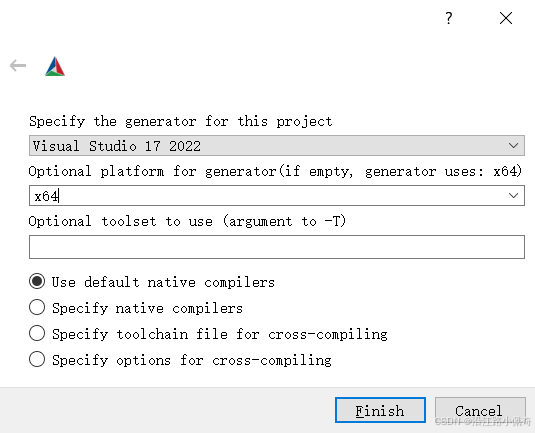
然后点击finish开始配置,配置完成后大概率看到满江红,红色的全是异常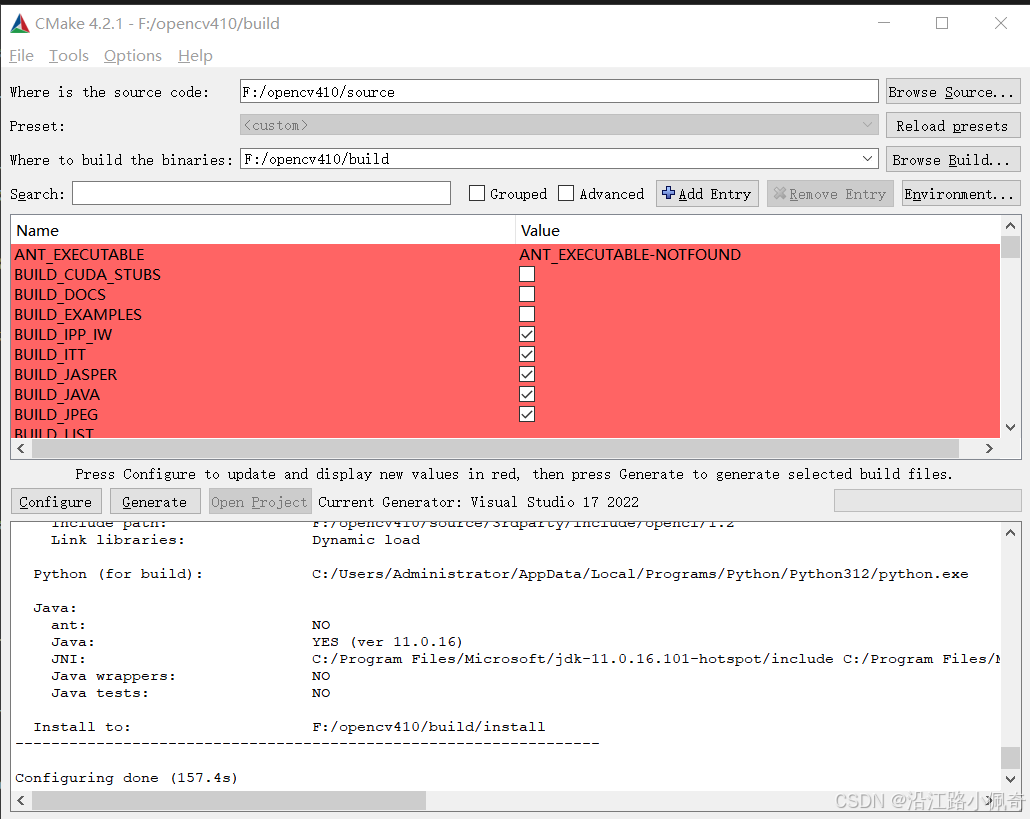
然后在Serach中搜索:OPENCV_EXTRA_MODULES_PATH 搜索的时候一定要注意有没有空格,只要有空格你就找不到了。将路径值改为你的contrib里面的modules路径;注意,必须点一下下面的modules文件夹图标,点完以后会帮你把"\"换成“/”,机器无法识别"\";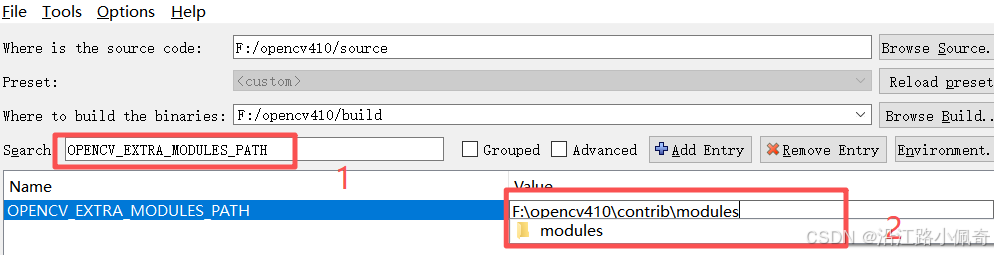
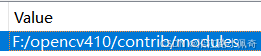
然后继续搜索:搜索的时候一定要注意有没有空格,只要有空格你就找不到了
OPENCV_ENABLE_NONFREE 选中(专利算法模块,SIFT和SURF等)
下面这个也建议勾选上,能生成一个整合的dll,不然你就得一个个添加到引用了

弄完以后再点一次configure按钮,这是第二次点了
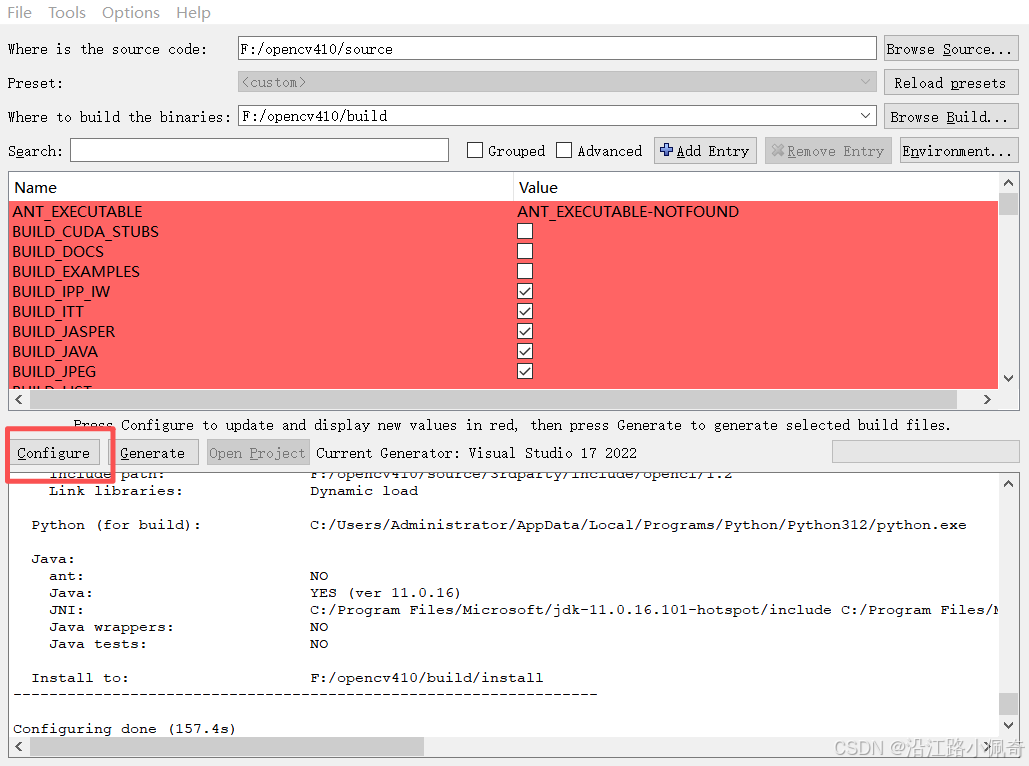
然后发现上面还是红的,但是之前是全红,现在有一半都白了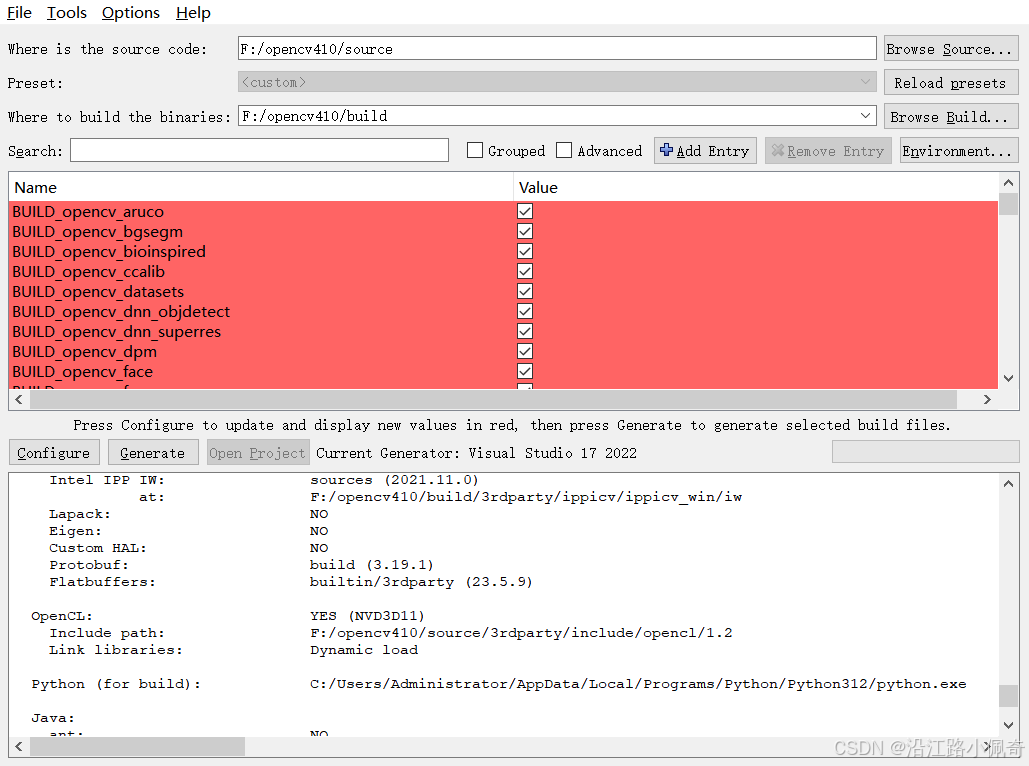
现在还有很多红的原因是缺少很多文件,报错内容大概是这些,基本都是文件缺失
1. CMake Warning at D:/360安全浏览器下载/cmake-4.2.1-windows-x86_64/cmake-4.2.1-windows-x86_64/share/cmake-4.2/Modules/FindBLAS.cmake:1381 (find_package): By not providing "Findnvpl.cmake" in CMAKE_MODULE_PATH this project has asked CMake to find a package configuration file provided by "nvpl", but CMake did not find one. Could not find a package configuration file provided by "nvpl" with any of the following names: nvplConfig.cmake nvpl-config.cmake Add the installation prefix of "nvpl" to CMAKE_PREFIX_PATH or set "nvpl_DIR" to a directory containing one of the above files. If "nvpl" provides a separate development package or SDK, be sure it has been installed. Call Stack (most recent call first): D:/360安全浏览器下载/cmake-4.2.1-windows-x86_64/cmake-4.2.1-windows-x86_64/share/cmake-4.2/Modules/FindLAPACK.cmake:275 (find_package) D:/360安全浏览器下载/cmake-4.2.1-windows-x86_64/cmake-4.2.1-windows-x86_64/share/cmake-4.2/Modules/FindLAPACK.cmake:321 (_lapack_find_dependency) cmake/OpenCVFindLAPACK.cmake:208 (find_package) CMakeLists.txt:831 (include) 2. CMake Warning at cmake/OpenCVDownload.cmake:248 (message): wechat_qrcode: Download failed: 35;"SSL connect error. If this is due to https certificate verification failure, one may set environment variable CMAKE_TLS_VERIFY=0 to suppress it." For details please refer to the download log file: F:/opencv-4.10.0/build/CMakeDownloadLog.txt Call Stack (most recent call first): F:/opencv-4.10.0/contrib/modules/wechat_qrcode/CMakeLists.txt:26 (ocv_download) CMake Warning at F:/opencv-4.10.0/contrib/modules/wechat_qrcode/CMakeLists.txt:37 (message): WeChatQRCode: Can't get detect caffemodel file for wechat qrcode. 3. CMake Warning at cmake/OpenCVDownload.cmake:248 (message): wechat_qrcode: Download failed: 35;"SSL connect error. If this is due to https certificate verification failure, one may set environment variable CMAKE_TLS_VERIFY=0 to suppress it." For details please refer to the download log file: F:/opencv-4.10.0/build/CMakeDownloadLog.txt Call Stack (most recent call first): F:/opencv-4.10.0/contrib/modules/wechat_qrcode/CMakeLists.txt:26 (ocv_download) CMake Warning at F:/opencv-4.10.0/contrib/modules/wechat_qrcode/CMakeLists.txt:37 (message): WeChatQRCode: Can't get detect prototxt file for wechat qrcode. 4. CMake Warning at cmake/OpenCVDownload.cmake:248 (message): wechat_qrcode: Download failed: 35;"SSL connect error. If this is due to https certificate verification failure, one may set environment variable CMAKE_TLS_VERIFY=0 to suppress it." For details please refer to the download log file: F:/opencv-4.10.0/build/CMakeDownloadLog.txt Call Stack (most recent call first): F:/opencv-4.10.0/contrib/modules/wechat_qrcode/CMakeLists.txt:26 (ocv_download) CMake Warning at F:/opencv-4.10.0/contrib/modules/wechat_qrcode/CMakeLists.txt:37 (message): WeChatQRCode: Can't get sr caffemodel file for wechat qrcode. 5. CMake Warning at cmake/OpenCVDownload.cmake:248 (message): wechat_qrcode: Download failed: 35;"SSL connect error. If this is due to https certificate verification failure, one may set environment variable CMAKE_TLS_VERIFY=0 to suppress it." For details please refer to the download log file: F:/opencv-4.10.0/build/CMakeDownloadLog.txt Call Stack (most recent call first): F:/opencv-4.10.0/contrib/modules/wechat_qrcode/CMakeLists.txt:26 (ocv_download) CMake Warning at F:/opencv-4.10.0/contrib/modules/wechat_qrcode/CMakeLists.txt:37 (message): WeChatQRCode: Can't get sr prototxt file for wechat qrcode. 6. CMake Warning at cmake/OpenCVDownload.cmake:248 (message): xfeatures2d/boostdesc: Download failed: 35;"SSL connect error. If this is due to https certificate verification failure, one may set environment variable CMAKE_TLS_VERIFY=0 to suppress it." For details please refer to the download log file: F:/opencv-4.10.0/build/CMakeDownloadLog.txt Call Stack (most recent call first): F:/opencv-4.10.0/contrib/modules/xfeatures2d/cmake/download_boostdesc.cmake:22 (ocv_download) F:/opencv-4.10.0/contrib/modules/xfeatures2d/CMakeLists.txt:12 (download_boost_descriptors) 7. CMake Warning at cmake/OpenCVDownload.cmake:248 (message): xfeatures2d/boostdesc: Download failed: 35;"SSL connect error. If this is due to https certificate verification failure, one may set environment variable CMAKE_TLS_VERIFY=0 to suppress it." For details please refer to the download log file: F:/opencv-4.10.0/build/CMakeDownloadLog.txt Call Stack (most recent call first): F:/opencv-4.10.0/contrib/modules/xfeatures2d/cmake/download_boostdesc.cmake:22 (ocv_download) F:/opencv-4.10.0/contrib/modules/xfeatures2d/CMakeLists.txt:12 (download_boost_descriptors) 8. CMake Warning at cmake/OpenCVDownload.cmake:248 (message): xfeatures2d/boostdesc: Download failed: 35;"SSL connect error. If this is due to https certificate verification failure, one may set environment variable CMAKE_TLS_VERIFY=0 to suppress it." For details please refer to the download log file: F:/opencv-4.10.0/build/CMakeDownloadLog.txt Call Stack (most recent call first): F:/opencv-4.10.0/contrib/modules/xfeatures2d/cmake/download_boostdesc.cmake:22 (ocv_download) F:/opencv-4.10.0/contrib/modules/xfeatures2d/CMakeLists.txt:12 (download_boost_descriptors) 9. CMake Warning at cmake/OpenCVDownload.cmake:248 (message): xfeatures2d/boostdesc: Download failed: 35;"SSL connect error. If this is due to https certificate verification failure, one may set environment variable CMAKE_TLS_VERIFY=0 to suppress it." For details please refer to the download log file: F:/opencv-4.10.0/build/CMakeDownloadLog.txt Call Stack (most recent call first): F:/opencv-4.10.0/contrib/modules/xfeatures2d/cmake/download_boostdesc.cmake:22 (ocv_download) F:/opencv-4.10.0/contrib/modules/xfeatures2d/CMakeLists.txt:12 (download_boost_descriptors) 10. CMake Warning at cmake/OpenCVDownload.cmake:248 (message): xfeatures2d/boostdesc: Download failed: 35;"SSL connect error. If this is due to https certificate verification failure, one may set environment variable CMAKE_TLS_VERIFY=0 to suppress it." For details please refer to the download log file: F:/opencv-4.10.0/build/CMakeDownloadLog.txt Call Stack (most recent call first): F:/opencv-4.10.0/contrib/modules/xfeatures2d/cmake/download_boostdesc.cmake:22 (ocv_download) F:/opencv-4.10.0/contrib/modules/xfeatures2d/CMakeLists.txt:12 (download_boost_descriptors) 11. CMake Warning at cmake/OpenCVDownload.cmake:248 (message): xfeatures2d/boostdesc: Download failed: 35;"SSL connect error. If this is due to https certificate verification failure, one may set environment variable CMAKE_TLS_VERIFY=0 to suppress it." For details please refer to the download log file: F:/opencv-4.10.0/build/CMakeDownloadLog.txt Call Stack (most recent call first): F:/opencv-4.10.0/contrib/modules/xfeatures2d/cmake/download_boostdesc.cmake:22 (ocv_download) F:/opencv-4.10.0/contrib/modules/xfeatures2d/CMakeLists.txt:12 (download_boost_descriptors) 12. CMake Warning at cmake/OpenCVDownload.cmake:248 (message): xfeatures2d/boostdesc: Download failed: 35;"SSL connect error. If this is due to https certificate verification failure, one may set environment variable CMAKE_TLS_VERIFY=0 to suppress it." For details please refer to the download log file: F:/opencv-4.10.0/build/CMakeDownloadLog.txt Call Stack (most recent call first): F:/opencv-4.10.0/contrib/modules/xfeatures2d/cmake/download_boostdesc.cmake:22 (ocv_download) F:/opencv-4.10.0/contrib/modules/xfeatures2d/CMakeLists.txt:12 (download_boost_descriptors) 13. CMake Warning at cmake/OpenCVDownload.cmake:248 (message): xfeatures2d/vgg: Download failed: 35;"SSL connect error. If this is due to https certificate verification failure, one may set environment variable CMAKE_TLS_VERIFY=0 to suppress it." For details please refer to the download log file: F:/opencv-4.10.0/build/CMakeDownloadLog.txt Call Stack (most recent call first): F:/opencv-4.10.0/contrib/modules/xfeatures2d/cmake/download_vgg.cmake:16 (ocv_download) F:/opencv-4.10.0/contrib/modules/xfeatures2d/CMakeLists.txt:13 (download_vgg_descriptors) 14. CMake Warning at cmake/OpenCVDownload.cmake:248 (message): xfeatures2d/vgg: Download failed: 35;"SSL connect error. If this is due to https certificate verification failure, one may set environment variable CMAKE_TLS_VERIFY=0 to suppress it." For details please refer to the download log file: F:/opencv-4.10.0/build/CMakeDownloadLog.txt Call Stack (most recent call first): F:/opencv-4.10.0/contrib/modules/xfeatures2d/cmake/download_vgg.cmake:16 (ocv_download) F:/opencv-4.10.0/contrib/modules/xfeatures2d/CMakeLists.txt:13 (download_vgg_descriptors) 15. CMake Warning at cmake/OpenCVDownload.cmake:248 (message): xfeatures2d/vgg: Download failed: 35;"SSL connect error. If this is due to https certificate verification failure, one may set environment variable CMAKE_TLS_VERIFY=0 to suppress it." For details please refer to the download log file: F:/opencv-4.10.0/build/CMakeDownloadLog.txt Call Stack (most recent call first): F:/opencv-4.10.0/contrib/modules/xfeatures2d/cmake/download_vgg.cmake:16 (ocv_download) F:/opencv-4.10.0/contrib/modules/xfeatures2d/CMakeLists.txt:13 (download_vgg_descriptors) 16. CMake Warning at cmake/OpenCVDownload.cmake:248 (message): xfeatures2d/vgg: Download failed: 35;"SSL connect error. If this is due to https certificate verification failure, one may set environment variable CMAKE_TLS_VERIFY=0 to suppress it." For details please refer to the download log file: F:/opencv-4.10.0/build/CMakeDownloadLog.txt Call Stack (most recent call first): F:/opencv-4.10.0/contrib/modules/xfeatures2d/cmake/download_vgg.cmake:16 (ocv_download) F:/opencv-4.10.0/contrib/modules/xfeatures2d/CMakeLists.txt:13 (download_vgg_descriptors) CMake Warning at F:/opencv-4.10.0/contrib/modules/xfeatures2d/CMakeLists.txt:17 (message): features2d: Boost descriptor implementation is not available due to missing data (download failed: https://github.com/opencv/opencv_contrib/issues/1301) CMake Warning at F:/opencv-4.10.0/contrib/modules/xfeatures2d/CMakeLists.txt:22 (message): features2d: VGG descriptor implementation is not available due to missing data (download failed: https://github.com/opencv/opencv_contrib/issues/1301) 17. CMake Warning at cmake/OpenCVDownload.cmake:248 (message): data: Download failed: 35;"SSL connect error. If this is due to https certificate verification failure, one may set environment variable CMAKE_TLS_VERIFY=0 to suppress it." For details please refer to the download log file: F:/opencv-4.10.0/build/CMakeDownloadLog.txt Call Stack (most recent call first): F:/opencv-4.10.0/contrib/modules/face/CMakeLists.txt:13 (ocv_download) CMake Warning at F:/opencv-4.10.0/contrib/modules/face/CMakeLists.txt:26 (message): Face: Can't get model file for face alignment. 18. CMake Warning (dev) at CMakeLists.txt:1155 (install): Policy CMP0177 is not set: install() DESTINATION paths are normalized. Run "cmake --help-policy CMP0177" for policy details. Use the cmake_policy command to set the policy and suppress this warning. This warning is for project developers. Use -Wno-dev to suppress it.
为了方便可以在这个大佬的博客地址https://blog.csdn.net/gitblog_06749/article/details/147173043下载.cache的压缩包来替换出问题的地方
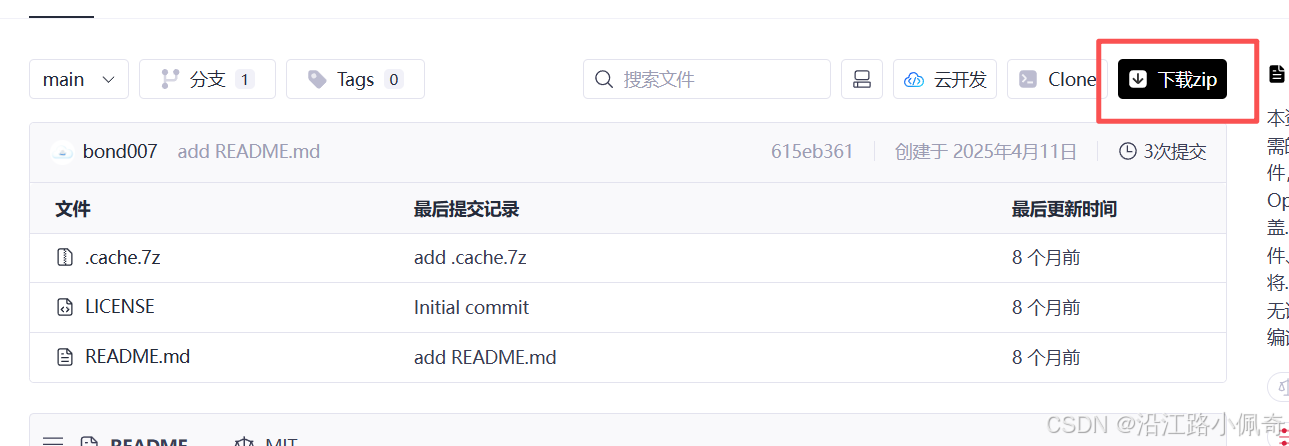
下载以后解压会看到下面的内容,然后解压缩.cache.7z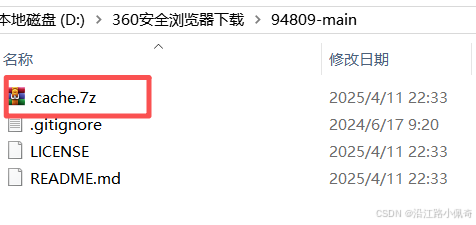
解压后得到: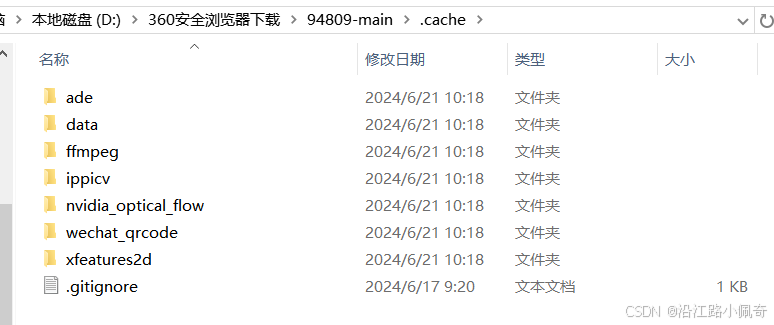
把这些东西全部复制到前面opencv4.10.0里面的source/.cache文件夹下,全部替换,然后查看.cache的ffmpeg、ippicv、xfeatures2d/boostdesc、xfeatures2d/vgg文件夹里面的文件大小是不是0kb,如果不是0kb就说明对了,是0kb那就有问题,再来一遍吧

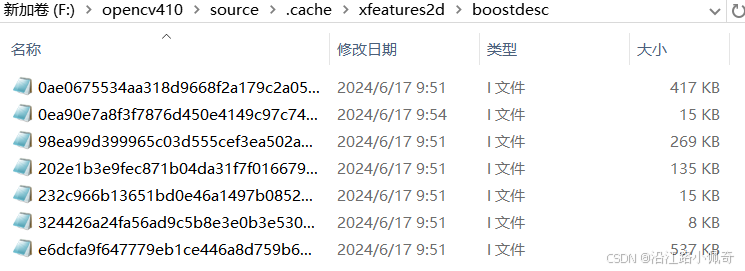
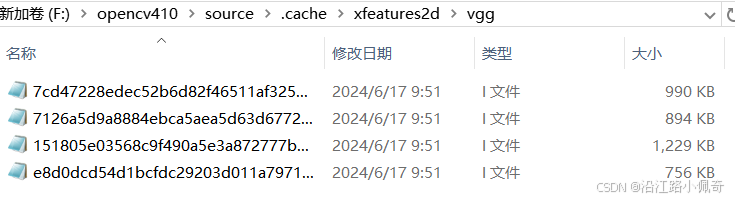
全部替换完成后,再次点击CMake的configure按钮,这是第三次点击了,不出意外的话上面就应该没有红色的了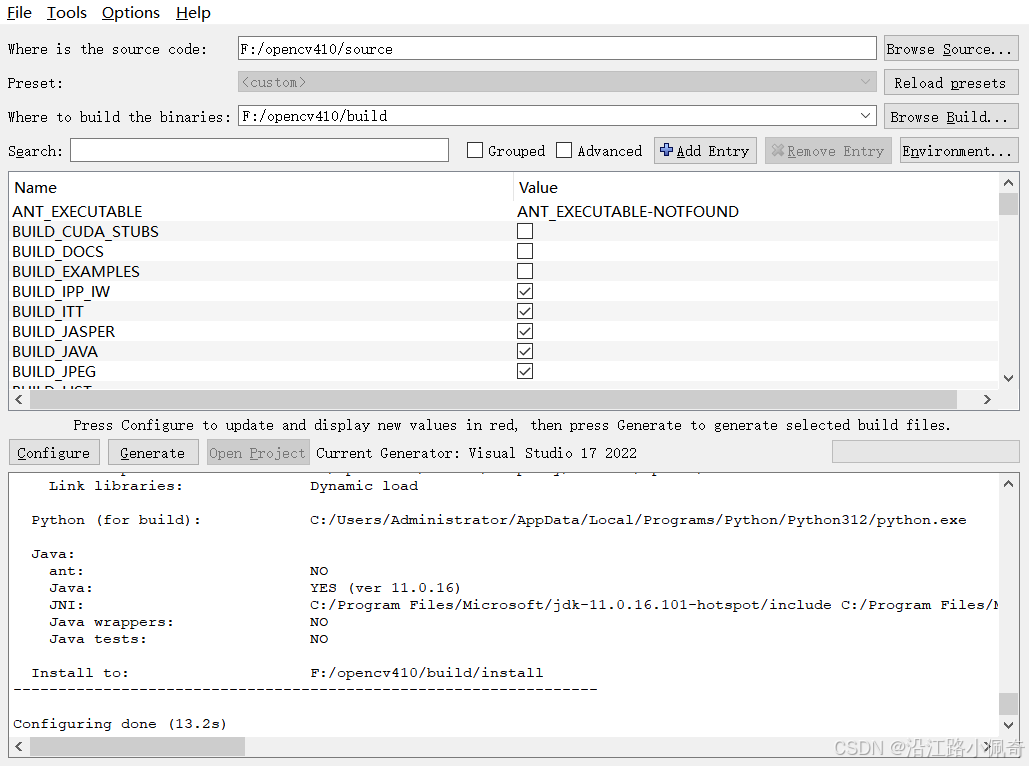
到这基本就完成了,然后点击Generate按钮生成VS项目,生成以后进入build文件夹,找到OpenCV.sln,打开它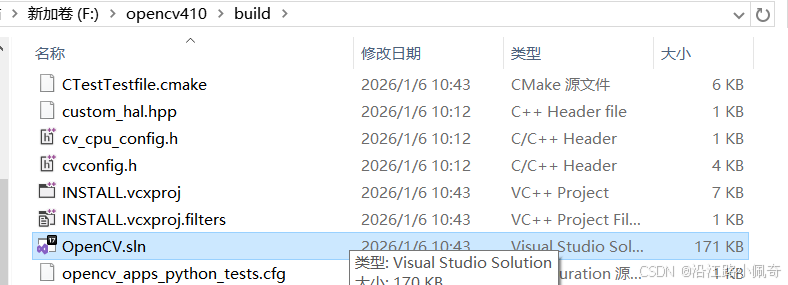
4. 生成
打开以后显示如下,首先将debug改成release,然后右键ALL BUILD项目点击生成,有需要可以把debug也生成一遍,反正我两个都生成了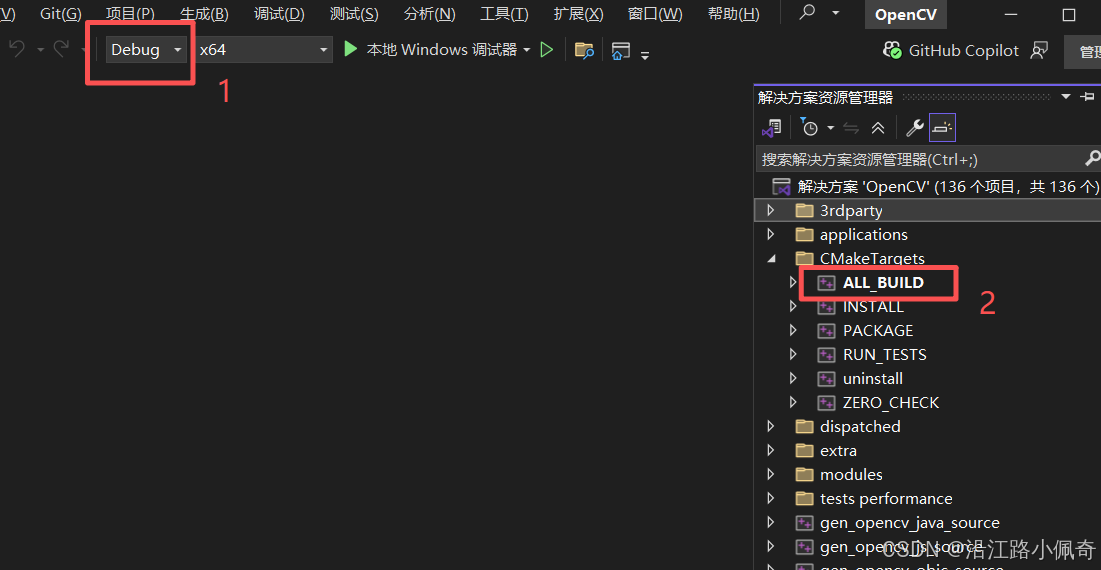
然后就可以去干别的了,这个过程比较久,大概十分钟
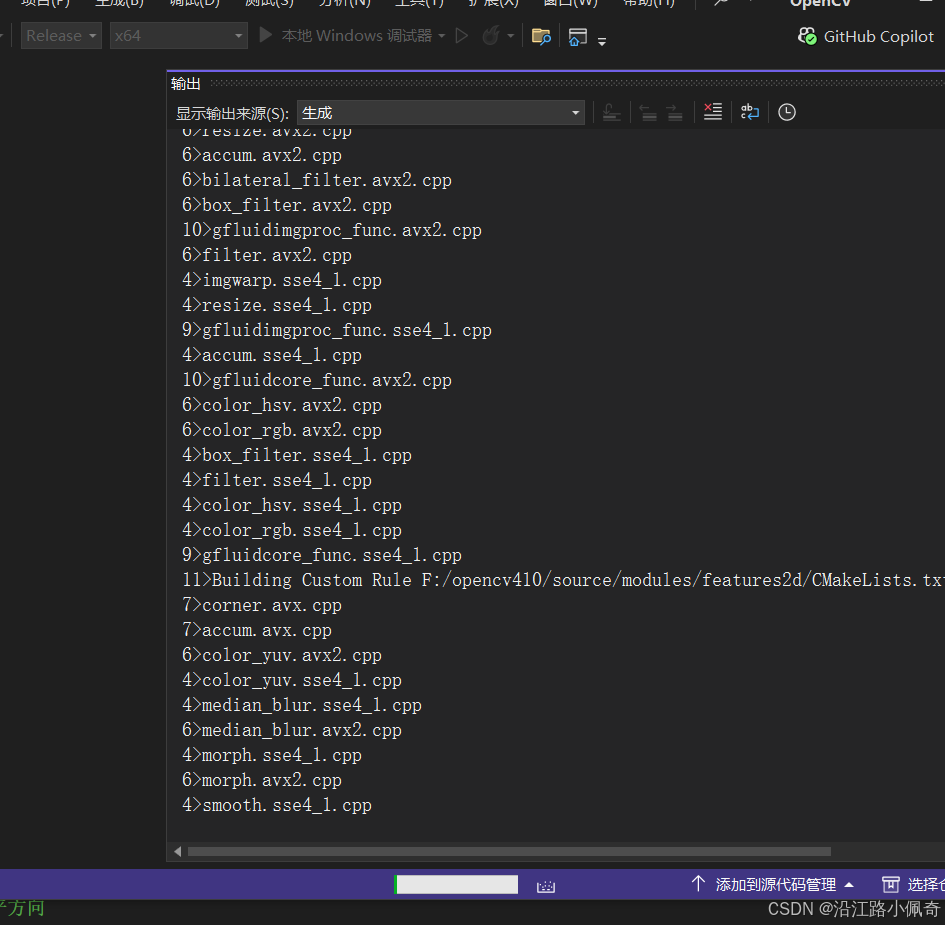
然后就有两个结果,一个是生成成功,皆大欢喜,另一个是一堆报错,这个时候肯定是前面camke出问题了,问ai找方法吧,我就是折腾了两天
这样就是生成成功了

最后一步生成INSTALL项目,这一步会将编译好的库文件、头文件复制到你 CMake 中CMAKE_INSTALL_PREFIX指定的目录(比如F:/opencv-4.10.0/build/install),是后续使用 OpenCV 的关键。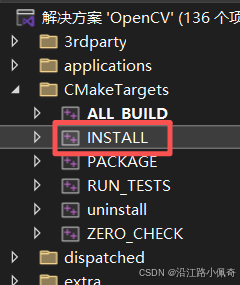
这个生成的就快了,嗖嗖的,生成后在build目录下就能看到install文件夹,里面内容如下,现在可以把这个install文件夹复制到你的项目中使用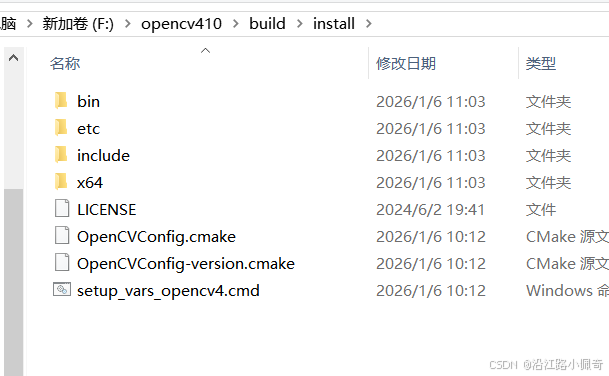
如果前面你没有勾选生成BUILD_opencv_world的话,你的lib目录下就会有一堆dll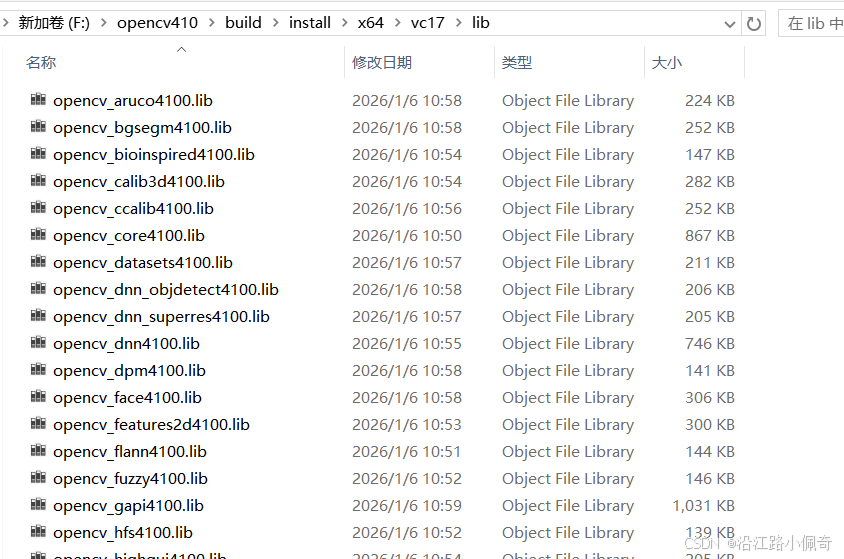
如果勾选的话最后就只有一个,直接引用就行
以上就全部完成了,仅供参考

腾讯云面向开发者汇聚海量精品云计算使用和开发经验,营造开放的云计算技术生态圈。
更多推荐
 30
30 0
0- 0


 已为社区贡献1条内容

所有评论(0)