Hudi工具-DeltaStreamer(流式摄取工具)
水善利万物而不争,处众人之所恶,故几于道💦
文章目录
简介
HoodieDeltaStreamer工具 (hudi-utilities-bundle中的一部分) 提供了从DFS或Kafka等不同来源进行摄取的方式,并具有以下功能:
- 精准一次从Kafka采集新数据,从Sqoop、HiveIncrementalPuller的输出或DFS文件夹下的文件增量导入。
- 导入的数据支持json、avro或自定义数据类型。
- 管理检查点,回滚和恢复。
- 利用 DFS 或 Confluent schema registry的 Avro Schema。
- 支持自定义转换操作。
1. 集成
直接把hudi-utilities-bundle_2.12-0.12.0.jar包放到spark的jars目录下就可以了
2. 命令说明
执行如下命令,查看帮助文档:
spark-submit --class org.apache.hudi.utilities.deltastreamer.HoodieDeltaStreamer /opt/software/hudi-0.12.0/packaging/hudi-utilities-bundle/target/hudi-utilities-bundle_2.12-0.12.0.jar --help
包路径要改成自己的。不用往spark里面放,就相当于一个第三方依赖的包
Schema Provider和Source配置项:官方文档
下面以File Based Schema Provider和JsonKafkaSource为例:
3. 模拟场景
从Kafka中把数据同步到hudi表
说明:
元数据用file schema,就是表信息是存储在一个文件里面的,用来映射一张表
JsonKafkaSource是指Kafka里面的数据是以json的格式存的
4. 案例实操
1)建topic用来测试
# 查看Kafka的topic
kafka-topics.sh --bootstrap-server hadoop101:9092 --list

# 建立一个topic,用来存数据,待会从这个topic读数据
kafka-topics.sh --bootstrap-server hadoop101:9092 --create --topic hudi_test --partitions 1 --replication-factor 1

监控消费者:
kafka-console-consumer.sh --bootstrap-server hadoop101:9092 --topic hudi_test --from-beginning --group hudi_test_group1
2)建生成数据的脚本
#!/bin/bash

# Kafka 配置
KAFKA_HOME="/opt/module/kafka_2.12-3.0.0"
BOOTSTRAP_SERVERS="hadoop101:9092,hadoop102:9092,hadoop103:9092"
TOPIC="hudi_test"
TOTAL=1000

echo " 开始生成并发送 $TOTAL 条测试数据到 Kafka Topic: $TOPIC ..."

# 使用 for 循环生成数据并通过管道发送给 kafka-console-producer
for ((i=0; i<TOTAL; i++)); do
  # 生成 0-99 的随机数(Bash 内置 RANDOM)
  partition=$((RANDOM%100))

  # 构造 JSON 字符串(注意转义引号)
  json="{\"userid\": $i,\"username\":\"name $i\",\"age\":18,\"partition\": $partition}"

  echo "$json"
done | $KAFKA_HOME/bin/kafka-console-producer.sh \
  --bootstrap-server $BOOTSTRAP_SERVERS \
  --topic $TOPIC

echo " 数据发送完成!"
执行:
消费者已经消费到了数据: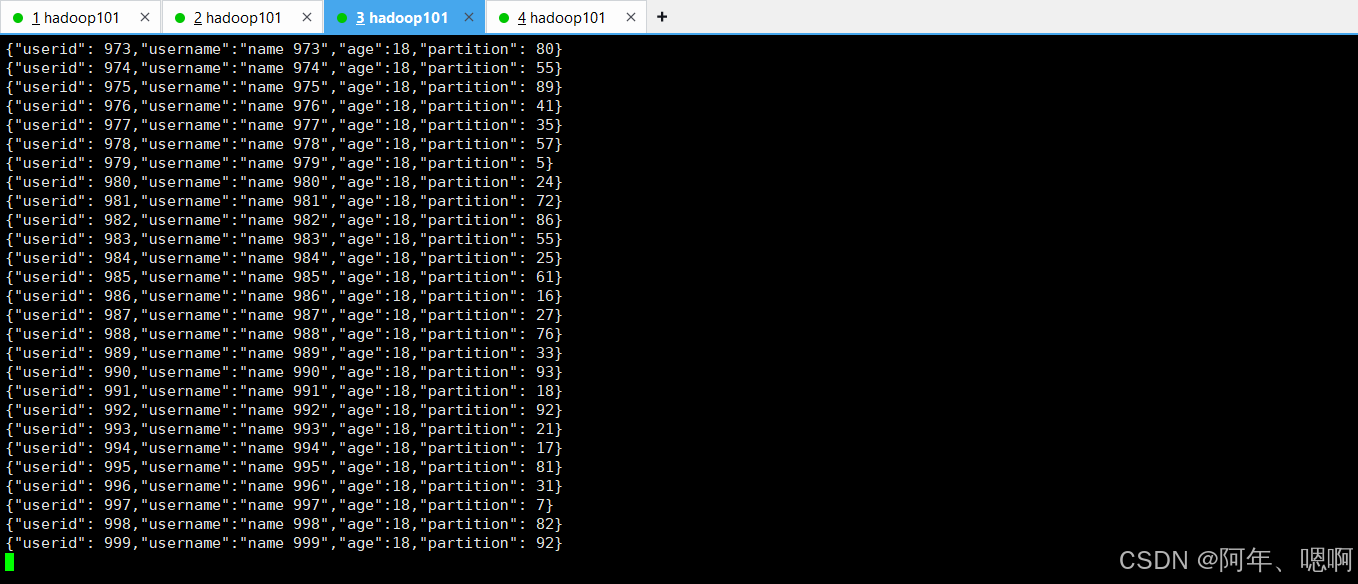
3)准备配置文件-schema文件
source-schema-json.avsctarget-schema-json.avsc
这两个文件的内容都是下面的这个,意思是从Kafka读的时候是以这种表的格式读取的,然后读到hudi中也还是这个格式,所以两个文件的内容一样。
{
  "type": "record",
  "name": "Profiles",
  "fields": [
    {
      "name": "userid",
      "type": [ "null", "string" ],
      "default": null
    },
    {
      "name": "username",
      "type": [ "null", "string" ],
      "default": null
    },
    {
      "name": "age",
      "type": [ "null", "string" ],
      "default": null
    },
    {
      "name": "partition",
      "type": [ "null", "string" ],
      "default": null
    }
  ]
}
4)准备读取的配置文件
去/opt/software/hudi-0.12.0/hudi-utilities/src/test/resources/delta-streamer-config这个路径下找一个配置文件模板,因为是要从Kafka读,所以找Kafka的kafka-source.properties
因为这个主要的配置文件还引用了一个base的配置文件所以这个base的配置文件也要,主要的配置文件还要修改一些配置才能用。

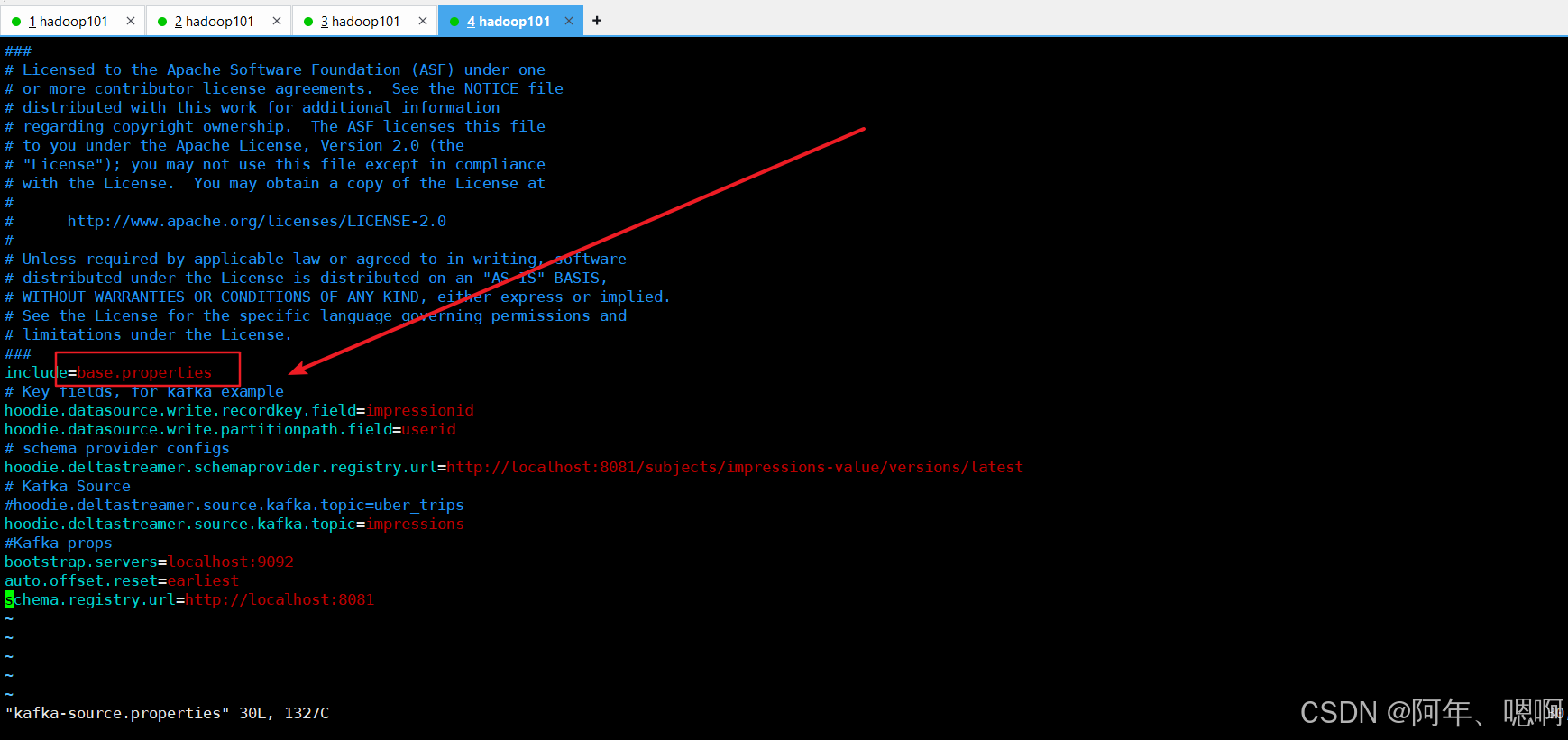
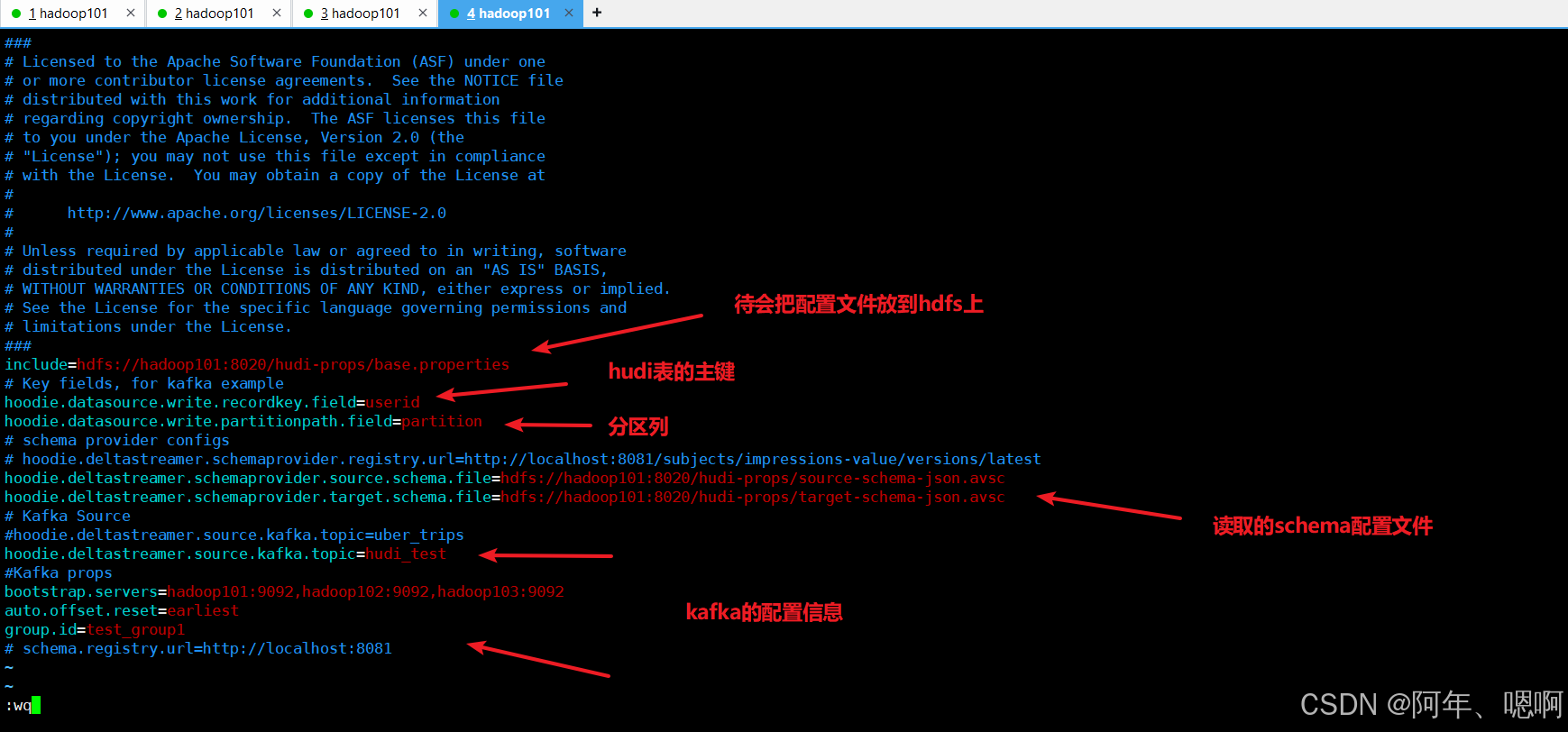
kafka-source.properties配置文件修改为如下内容:
include=hdfs://hadoop101:8020/hudi-props/base.properties
# Key fields, for kafka example
hoodie.datasource.write.recordkey.field=userid
hoodie.datasource.write.partitionpath.field=partition
# schema provider configs
# hoodie.deltastreamer.schemaprovider.registry.url=http://localhost:8081/subjects/impressions-value/versions/latest
hoodie.deltastreamer.schemaprovider.source.schema.file=hdfs://hadoop101:8020/hudi-props/source-schema-json.avsc
hoodie.deltastreamer.schemaprovider.target.schema.file=hdfs://hadoop101:8020/hudi-props/target-schema-json.avsc
# Kafka Source
#hoodie.deltastreamer.source.kafka.topic=uber_trips
hoodie.deltastreamer.source.kafka.topic=hudi_test
#Kafka props
bootstrap.servers=hadoop101:9092,hadoop102:9092,hadoop103:9092
auto.offset.reset=earliest
group.id=test_group1
# schema.registry.url=http://localhost:8081
base.properties文件的内容,原封不动就行,不用改东西:
###
# Licensed to the Apache Software Foundation (ASF) under one
# or more contributor license agreements.  See the NOTICE file
# distributed with this work for additional information
# regarding copyright ownership.  The ASF licenses this file
# to you under the Apache License, Version 2.0 (the
# "License"); you may not use this file except in compliance
# with the License.  You may obtain a copy of the License at
#
#      http://www.apache.org/licenses/LICENSE-2.0
#
# Unless required by applicable law or agreed to in writing, software
# distributed under the License is distributed on an "AS IS" BASIS,
# WITHOUT WARRANTIES OR CONDITIONS OF ANY KIND, either express or implied.
# See the License for the specific language governing permissions and
# limitations under the License.
###
hoodie.upsert.shuffle.parallelism=2
hoodie.insert.shuffle.parallelism=2
hoodie.delete.shuffle.parallelism=2
hoodie.bulkinsert.shuffle.parallelism=2
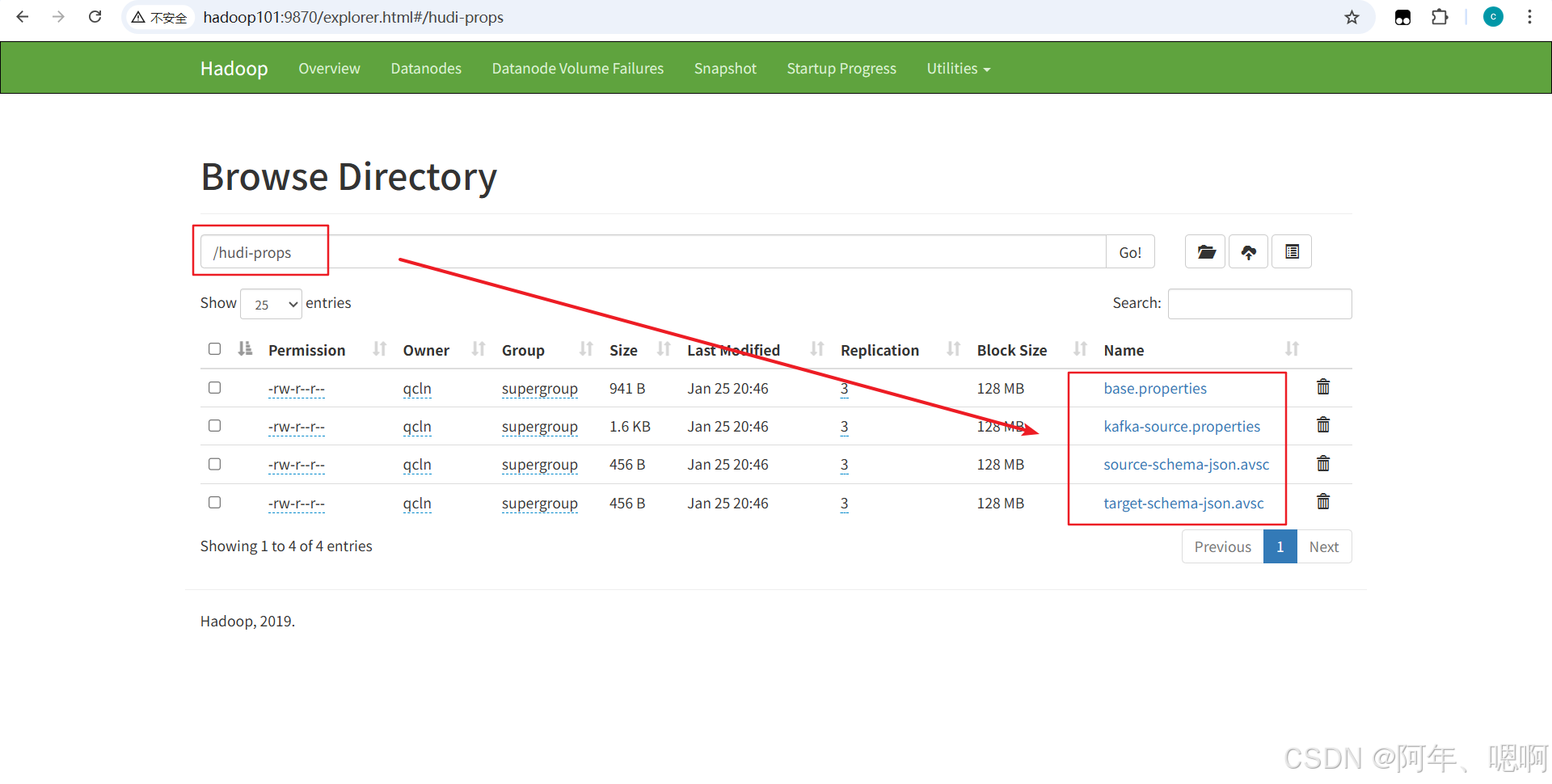
最后把这4个文件都传到hdfs的根目录下:
hadoop fs -put /opt/module/hudi-props/ /
5)运行导入命令
spark-submit \
--class org.apache.hudi.utilities.deltastreamer.HoodieDeltaStreamer  \
/opt/module/spark-3.2.2/jars/hudi-utilities-bundle_2.12-0.12.0.jar \
--props hdfs://hadoop101:8020/hudi-props/kafka-source.properties \
--schemaprovider-class org.apache.hudi.utilities.schema.FilebasedSchemaProvider  \
--source-class org.apache.hudi.utilities.sources.JsonKafkaSource  \
--source-ordering-field userid \
--target-base-path hdfs://hadoop101:8020/user/spark/spark-warehouse/hudi_test_kafka_source  \
--target-table hudi_test_kafka_source   \
--op BULK_INSERT \
--table-type MERGE_ON_READ
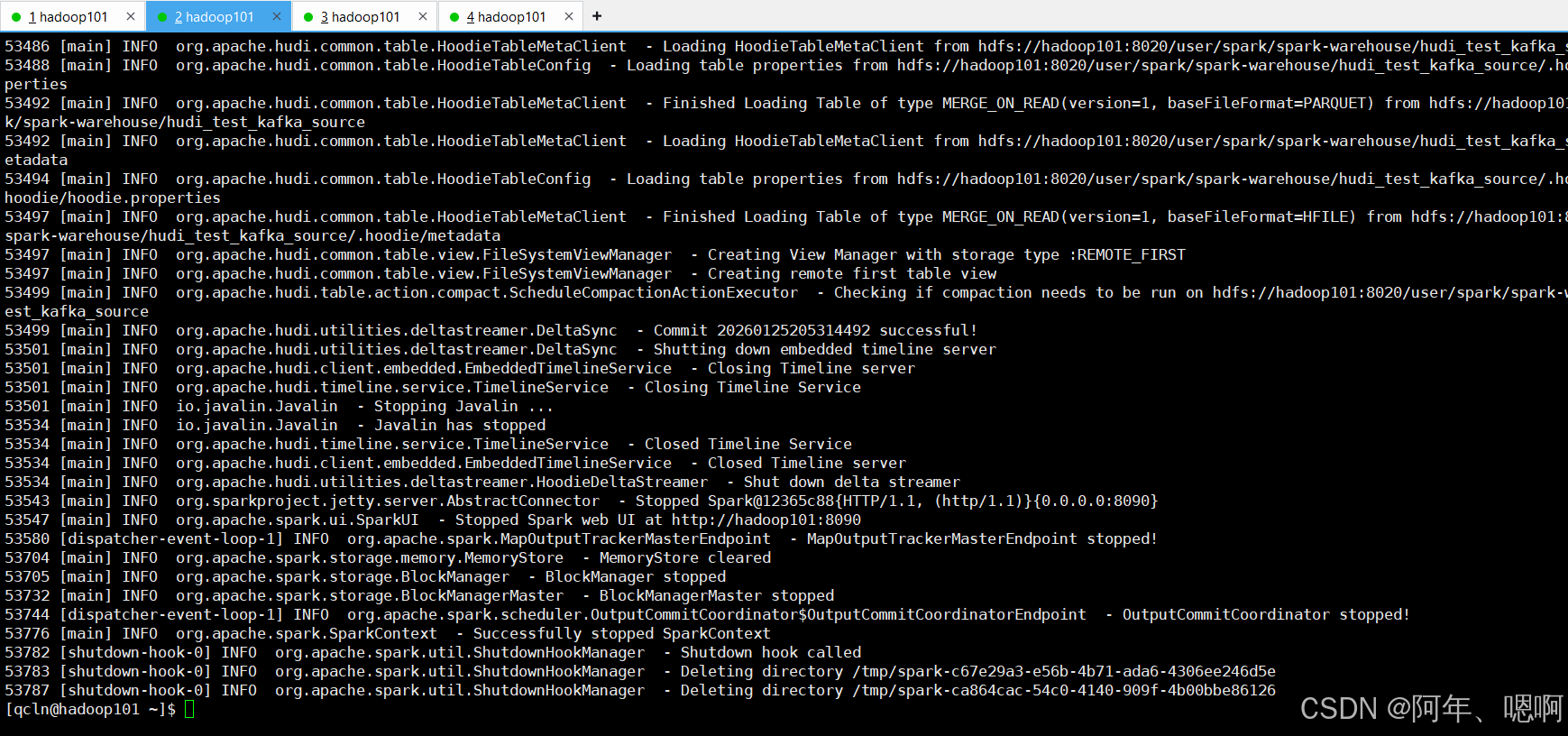
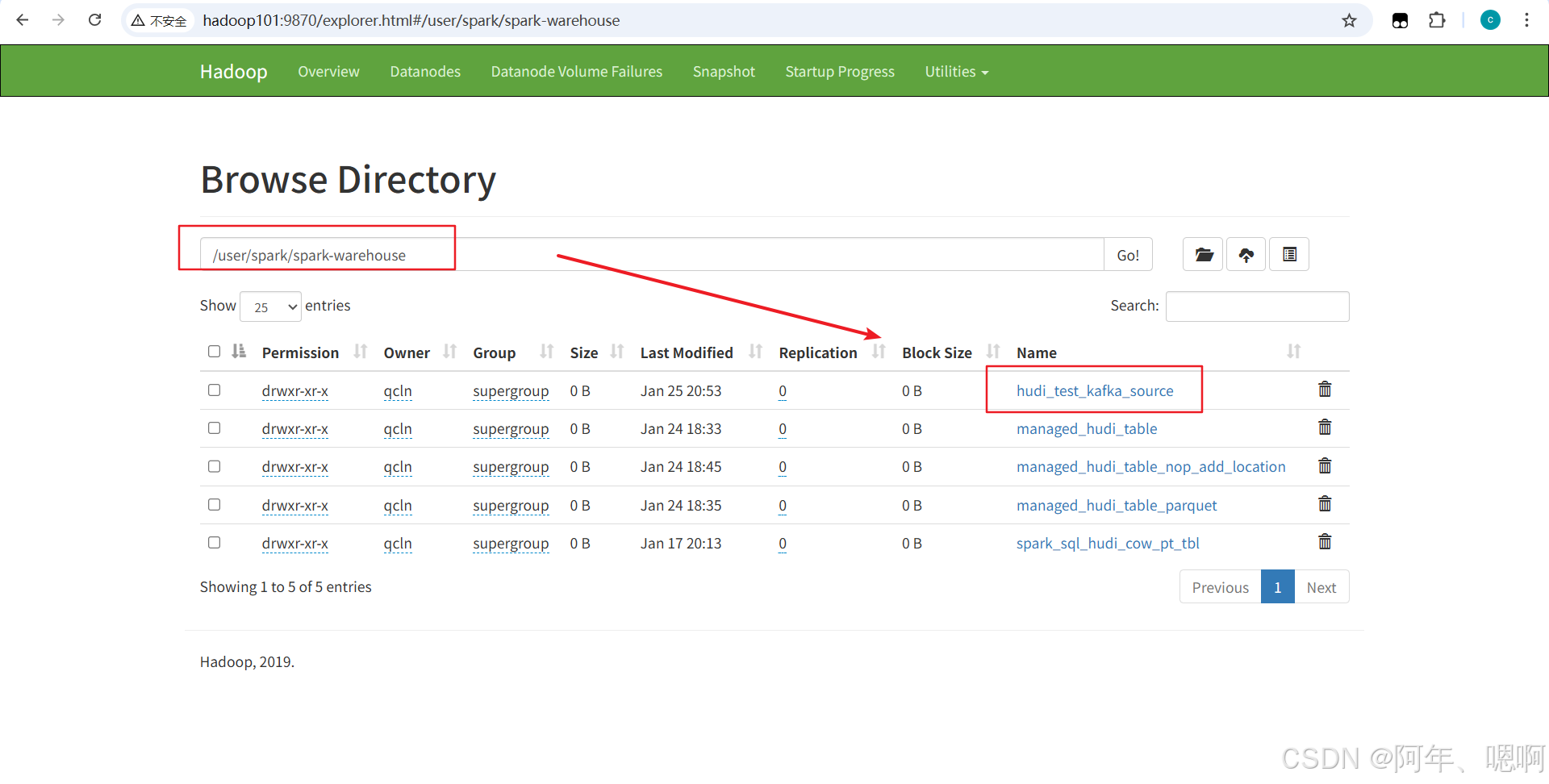
导入结束后,可以看到hdfs相应路径下的表已经生成了:
6)查看表数据导入结果
在spark-sql客户端中直接加载表:
spark-sql \
  --conf 'spark.serializer=org.apache.spark.serializer.KryoSerializer' \
  --conf 'spark.sql.catalog.spark_catalog=org.apache.spark.sql.hudi.catalog.HoodieCatalog' \
  --conf 'spark.sql.extensions=org.apache.spark.sql.hudi.HoodieSparkSessionExtension'
查看表数据:
create table hudi_test_kafka_source using hudi
location 'hdfs://hadoop101:8020/user/spark/spark-warehouse/hudi_test_kafka_source';

-- 查看数据
select * from hudi_test_kafka_source

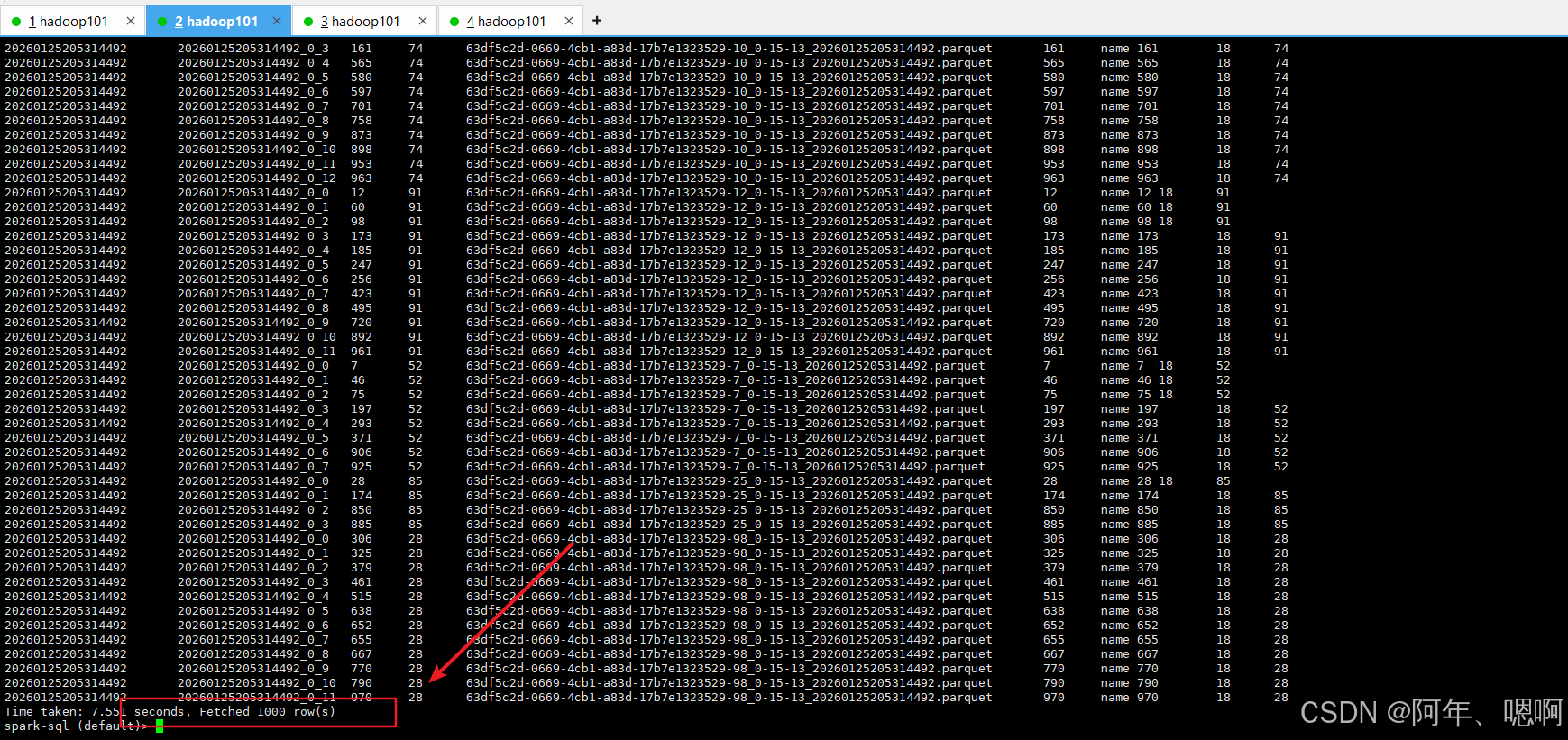
可以看到,已经将Kafka中的1000条测试数据导入到了hudi表中。

腾讯云面向开发者汇聚海量精品云计算使用和开发经验,营造开放的云计算技术生态圈。
更多推荐
 35
35 0
0- 0


 已为社区贡献9条内容

所有评论(0)