flutter组件库
0、前置知识
路由
基础跳转
FilledButton(
  onPressed: () {
    Navigator.of(context).push(
      MaterialPageRoute(
        builder: (_) => const _RouteDetailPage(
          title: '基础 push 示例',
        ),
      ),
    );
  },
  child: const Text('1) Navigator.push 基础跳转'),
)
也可以直接替换
FilledButton(
  onPressed: () async {
    await Navigator.of(context).pushReplacement(
      MaterialPageRoute(
        builder: (_) => const _RouteReplacePage(),
      ),
    );
  },
  child: const Text('3) pushReplacement 替换当前页'),
)
传参跳转
前面路由
final result = await Navigator.of(context).push<String>(
  MaterialPageRoute(
    builder: (_) => const _RouteDetailPage(
      title: '参数 + 返回值 示例',
      extra: '从 RoutePage 传来的参数',
    ),
  ),
);
后面路由
FilledButton(
  onPressed: () => Navigator.of(context).pop('来自详情页的返回值'),
  child: const Text('返回并带值'),
)
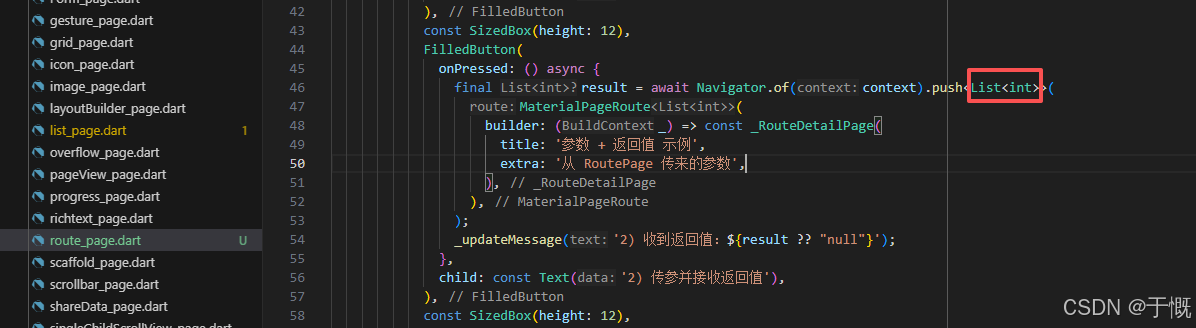
如何返回时返回List
这里控制响应数据类型
final result = await Navigator.of(context).push<List<int>>(
  MaterialPageRoute(builder: (_) => const _RouteDetailPage(...)),
);
// detail 页里:
Navigator.of(context).pop(<int>[1, 2, 3]);
web端会有问题:
Web 上
Navigator.pop触发navigator.dart断言在 Navigator 仍处理上一次导航(例如路由转场或手势回调栈未结束)时同步调用
pop会触发该断言,Web 上更常见。将pop推迟到当前帧之后执行可避免重入。// 页面构建完成后执行返回操作 WidgetsBinding.instance.addPostFrameCallback((_) { // 安全判断:上下文未挂载时直接返回,避免内存泄漏/崩溃 if (!context.mounted) return; // 携带结果关闭当前页面 Navigator.of(context).pop(result); });
命名路由
每个路由文件里面放一个静态属性routeName
在main.dart里面配置
MaterialApp(
  title: 'Example App',
  debugShowCheckedModeBanner: false,
  theme: ThemeData(
    colorScheme: ColorScheme.fromSeed(seedColor: Colors.blue),
    useMaterial3: true,
  ),
  routes: {
    RoutePage.routeName: (_) => const RoutePage(),
    RouteNamedDetailPage.routeName: (context) {
      final args = ModalRoute.of(context)!.settings.arguments as RouteDetailArgs?;
      return RouteNamedDetailPage(args: args);
    },
  },
  home: Scaffold(
    body: Center(
      child: Text('主页面'),
    ),
  ),
)
在页面执行跳转操作
final result = await Navigator.of(context).pushNamed(
  RouteNamedDetailPage.routeName,
  arguments: const RouteDetailArgs(
    title: '命名路由详情页',
    extra: '通过 settings.arguments 传参',
  ),
);
如何获取传给下一个路由的参数
方式一:在
main.dart的routes里取RouteNamedDetailPage.routeName: (context) { final args = ModalRoute.of(context)!.settings.arguments as RouteDetailArgs?; return RouteNamedDetailPage(args: args); },方式二:在路由组件里面
final args = ModalRoute.of(context)!.settings.arguments as RouteDetailArgs?;
路由钩子
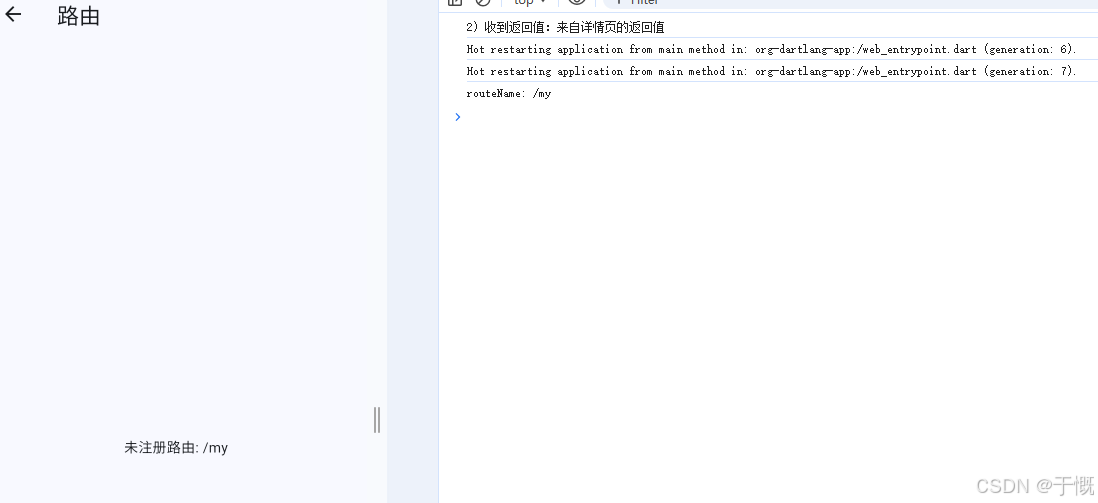
onGenerateRoute:打开一个未在routes里面定义的命名路由时会调用。
作用:路由拦截
MaterialApp(
onGenerateRoute: (settings) {
  // 只会在需要按「路由名字符串」向 Navigator 要一条 Route 时参与
  return MaterialPageRoute(
    settings: settings,
    builder: (context) {
      final routeName = settings.name ?? '';
      debugPrint('routeName: $routeName');

      // 未在 `routes` 注册的名称会走到这里;登录拦截等可在此分支
      return Scaffold(
        appBar: AppBar(
          title: const Text('路由'),
        ),
        body: Center(
          child: Text('未注册路由: $routeName'),
        ),
      );
    },
  );
},
);
1、边界样式
颜色
#8bc4f8 = rgb(139,196,248)
#8bc4f8 → 设计稿常用
rgb(139,196,248) → CSS / 网页常用
Color(0xFF8BC4F8) → Flutter 专用 # 0xFF表示不透明,8BC4F8颜色值 0xFF8BC4F8不区分大小写
rgb(139,196,248) # 设计稿颜色值 Color.fromRGBO(139, 196, 248, 1.0) # flutter中写法Color color = Color(0xFFE3F2FD); color.computeLuminance() // 计算颜色亮度0-1

边距
EdgeInsets提供的便捷方法:
fromLTRB(double left, double top, double right, double bottom):分别指定四个方向的填充。all(double value): 所有方向均使用相同数值的填充。only({left, top, right ,bottom }):可以设置具体某个方向的填充(可以同时指定多个方向)。symmetric({ vertical, horizontal }):用于设置对称方向的填充,vertical指top和bottom,horizontal指left和right。
// 只给 顶部 加边距 padding: EdgeInsets.only(top: 20), // 只给 左边 padding: EdgeInsets.only(left: 15), // 只给 底部 padding: EdgeInsets.only(bottom: 10), // 只给 右边 padding: EdgeInsets.only(right: 5), padding: EdgeInsets.only( top: 10, // 上 left: 20, // 左 bottom: 5, // 下 right: 0, // 右 ), padding: EdgeInsets.fromLTRB(20, 0, 20, 20), // 上下:10,左右:20 padding: EdgeInsets.symmetric( vertical: 10, // 上下 horizontal: 20, // 左右 ), // 上下左右都是 15 padding: EdgeInsets.all(15), // 上下8 padding: EdgeInsets.symmetric(vertical: 8),
圆角
// 单独指定圆角
borderRadius: BorderRadius.only(
              topLeft: Radius.circular(10),
              bottomRight: Radius.circular(10),
              topRight: Radius.circular(12),
              bottomRight: Radius.circular(12),
)

// 全部指定
BorderRadius.circular(12)

// 没有圆角
borderRadius: BorderRadius.zero

// 只有顶部两个角圆角
BorderRadius.vertical(top: Radius.circular(15))

// 只有底部两个角圆角
BorderRadius.vertical(bottom: Radius.circular(20))

// 左侧两个角圆角
BorderRadius.horizontal(left: Radius.circular(10))

// 右侧两个角圆角
BorderRadius.horizontal(right: Radius.circular(10))

// 统一设置圆角
BorderRadius.all(Radius.circular(10))
BorderRadius.all(Radius.elliptical(20, 10))
边框
// 统一设置
border: Border.all(
     color: Colors.black, // 边框颜色
     width: 2, // 边框宽度
     style: BorderStyle.solid, // 边框样式(默认就是实线)
)

// 单独设置
border: Border(
  top: BorderSide(color: Colors.red, width: 2),    // 上边框
  bottom: BorderSide(color: Colors.blue, width: 3), // 下边框
  left: BorderSide(color: Colors.green, width: 1),  // 左边框
  right: BorderSide.none, // 右边框:无边框
)

// 对称边框 左右一样 + 上下一样
border: Border.symmetric(
  horizontal: BorderSide(color: Colors.purple, width: 2), // 左、右
  vertical: BorderSide(color: Colors.orange, width: 1),   // 上、下
)

// 无边框
border: Border.none
2、文本及样式(Text)
基本样式
child: const Text(
            "Text",
            textAlign: TextAlign.left, // 文字居中
            style: TextStyle(
              fontSize: 20,
              color: Colors.red,
              fontWeight: FontWeight.bold,
              fontStyle: FontStyle.italic,
              letterSpacing: 10, // 字距
            ),
          ),
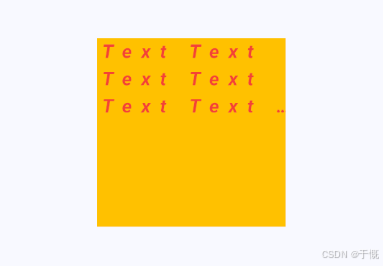
文字方向
Text(
  // 1. 生成 1000 个 "Text" 单词,用空格连接成一长串文字
  List.filled(1000, 'Text').join(' '),

  textAlign: TextAlign.start, // 文字对齐:默认靠左(start=开始位置)
  // textDirection: TextDirection.rtl, // 文字方向:从右向左(仅排版,不反转文字)

  maxLines: 3, // 最大显示 3 行
  overflow: TextOverflow.ellipsis, // 超出 3 行 → 末尾显示 ...

  style: TextStyle(
    fontSize: 20,        // 字体大小
    color: Colors.red,   // 颜色:红色
    fontWeight: FontWeight.bold, // 加粗
    fontStyle: FontStyle.italic, // 斜体
    letterSpacing: 10,  // 字间距(非常大,10逻辑像素)
  ),
),
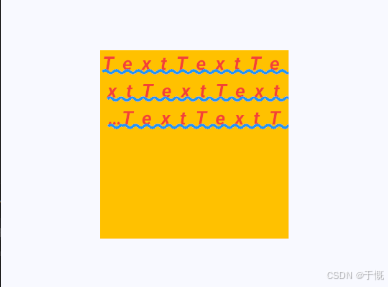
装饰线
TextStyle(
  decoration: TextDecoration.underline,    // 下划线
  decorationThickness: 3,                  // 线粗 3
  decorationStyle: TextDecorationStyle.wavy, // 波浪线
  decorationColor: Colors.blue,            // 线颜色:蓝色
),
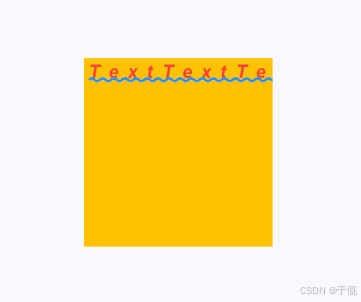
文字溢出
softWrap: false, // 是否换行 设置了maxLines后,会自动换行
overflow: TextOverflow.clip, // 超出部分 ellipsis 省略号 clip 裁剪 visible 显示
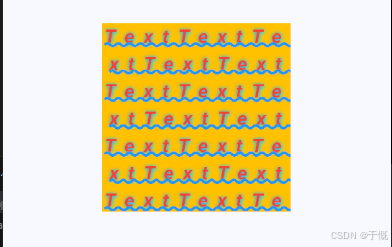
文字阴影
shadows: [
  Shadow(
    color: Colors.cyanAccent,  // 阴影颜色:青色
    offset: Offset(1, 1),      // 阴影偏移:向右 1,向下 1
    blurRadius: 10,            // 模糊半径:10(越大约模糊)
  ),
  Shadow(
    color: Colors.blue,        // 阴影颜色:蓝色
    offset: Offset(-0.1, 0.1),// 阴影偏移:向左 0.1,向下 0.1
    blurRadius: 10,            // 模糊半径:10
  ),
],
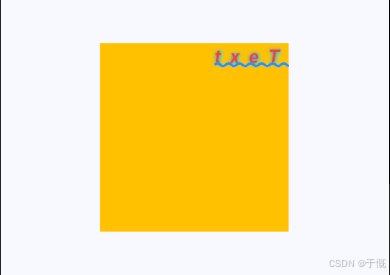
文字反转
List.filled(1, 'Text').join('').split('').reversed.join(),
textDirection: TextDirection.rtl, // 文字方向: 从右向左 只是定位,并不是文字反转显示
文本拆分
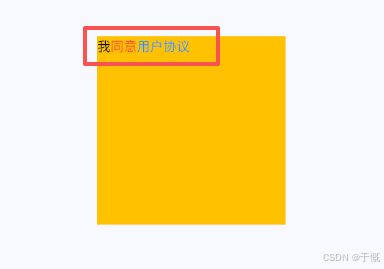
import 'package:flutter/material.dart';

class RichTextPage extends StatelessWidget {
  const RichTextPage({super.key});

  @override
  Widget build(BuildContext context) {
    return Scaffold(
      appBar: AppBar(title: const Text('Container')),
      body: Center(
        // 垂直水平居中
        child: Container(
          //容器
          height: 200,
          width: 200,
          color: Colors.amber,
          // alignment: Alignment.centerLeft, // 对子组件对齐定位
          child: RichText(
            text: TextSpan(
              children: [
                TextSpan(
                  text: "我",
                  style: TextStyle(color: Colors.black),
                ),
                TextSpan(
                  text: "同意",
                  style: TextStyle(color: Colors.red),
                ),
                TextSpan(
                  text: "用户协议",
                  style: TextStyle(color: Colors.blue),
                ),
              ],
            ),
          ),
        ),
      ),
    );
  }
}
默认样式
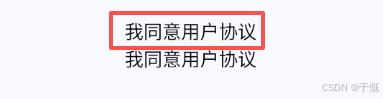
RichText里的TextSpan默认不会自动继承DefaultTextStyle,只有普通的Text组件才会继承import 'package:flutter/material.dart'; class RichTextPage extends StatelessWidget { const RichTextPage({super.key}); @override Widget build(BuildContext context) { return Scaffold( appBar: AppBar(title: const Text('Container')), body: Center( // 垂直水平居中 child: DefaultTextStyle( style: TextStyle(fontSize: 20, color: Colors.black), child: Column( // alignment: Alignment.centerLeft, // 对子组件对齐定位 children: [ RichText( text: TextSpan( children: [ TextSpan( text: "我", // style: TextStyle(color: Colors.black), ), TextSpan( text: "同意", // style: TextStyle(color: Colors.red), ), TextSpan( text: "用户协议", // style: TextStyle(color: Colors.blue), ), ], ), ), Text('我同意用户协议'), ], ), ), ), ); } }
RichText(
  text: TextSpan(
    // 统一默认样式
    style: const TextStyle(
      fontSize: 20,
      color: Colors.black,
    ),
    children: const [
      TextSpan(text: "我"),
      TextSpan(text: "同意"),
      TextSpan(
        text: "用户协议",
        style: TextStyle(
          color: Colors.blue,
          // 可加下划线
          decoration: TextDecoration.underline,
        ),
      ),
    ],
  ),
)

3、按钮
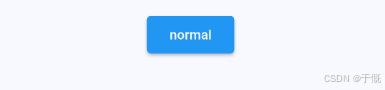
ElevatedButton
即"漂浮"按钮,它默认带有阴影和白色背景。按下后,阴影会变大,
import 'package:flutter/material.dart';

class ButtonPage extends StatelessWidget {
  const ButtonPage({super.key});

  @override
  Widget build(BuildContext context) {
    return Scaffold(
      appBar: AppBar(title: const Text('Container')),
      body: Center(
        // 垂直水平居中
        child: DefaultTextStyle(
          style: TextStyle(fontSize: 20, color: Colors.black),
          child: Column(
            // alignment: Alignment.centerLeft, // 对子组件对齐定位
            children: [
              ElevatedButton(
                onPressed: () {},
                style: ElevatedButton.styleFrom(
                  // 👇 正确设置圆角的方式
                  shape: RoundedRectangleBorder(
                    borderRadius: BorderRadius.circular(4),
                  ),
                  backgroundColor: Colors.blue, // 背景色设为蓝色
                  foregroundColor: Colors.white, // 文字设为白色
                  elevation: 2, // 增加阴影强度
                ),
                child: Text("normal"),
              ),
            ],
          ),
        ),
      ),
    );
  }
}
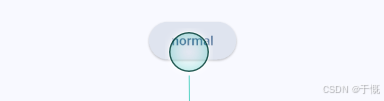
注意:默认风格如下
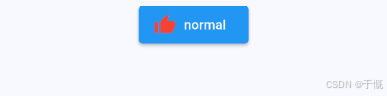
带上图标
ElevatedButton.icon(
  onPressed: () {},
  style: ElevatedButton.styleFrom(
    shape: RoundedRectangleBorder(
      borderRadius: BorderRadius.circular(4),
    ),
    backgroundColor: Colors.blue,
    foregroundColor: Colors.white,
    elevation: 2,
  ),
  label: const Text("normal"),
  icon: Icon(
    Icons.thumb_up,
    color: _liked ? Colors.red : Colors.blue,
    size: 24,
  ),
  iconAlignment: IconAlignment.end, // end/start
),

TextButton
TextButton(
  onPressed: () {},
  // style: TextButton.styleFrom(
  //   backgroundColor: Colors.blue,
  //   foregroundColor: Colors.white,
  //   shape: RoundedRectangleBorder(
  //     borderRadius: BorderRadius.circular(4),
  //   ),
  //   side: BorderSide(color: Colors.red),
  // ),
  child: const Text("submit"),
),


OutlinedButton
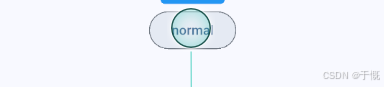
默认有一个边框,不带阴影且背景透明。按下后,边框颜色会变亮、同时出现背景和阴影(较弱)
OutlinedButton(
  onPressed: () {},
  // style: OutlinedButton.styleFrom(
  //   side: BorderSide(color: Colors.red),
  //   foregroundColor: Colors.blue,
  //   shape: RoundedRectangleBorder(
  //     borderRadius: BorderRadius.circular(4),
  //   ),
  // ),
  child: const Text("normal"),
),

IconButton
一个可点击的Icon,不包括文字,默认没有背景,点击后会出现背景
import 'package:flutter/material.dart';

class ButtonPage extends StatefulWidget {
  const ButtonPage({super.key});

  @override
  State<ButtonPage> createState() => _ButtonPageState();
}

class _ButtonPageState extends State<ButtonPage> {
  bool _liked = false;

  @override
  Widget build(BuildContext context) {
    return Scaffold(
      appBar: AppBar(title: const Text('Container')),
      body: Center(
        // 垂直水平居中
        child: DefaultTextStyle(
          style: TextStyle(fontSize: 20, color: Colors.black),
          child: Column(
            // alignment: Alignment.centerLeft, // 对子组件对齐定位
            children: [
              IconButton(
                icon: Icon(
                  Icons.thumb_up,
                  color: _liked ? Colors.red : Colors.blue,
                  size: 24, // 图标大小默认24
                ),
                onPressed: () {
                  setState(() {
                    _liked = !_liked;
                  });
                },
              ),
            ],
          ),
        ),
      ),
    );
  }
}

FloatingActionButton
FloatingActionButton(
  onPressed: () {},
  child: const Icon(Icons.add),
),

4、图片
import 'package:flutter/material.dart';

class ImagePage extends StatefulWidget {
  const ImagePage({super.key});

  @override
  State<ImagePage> createState() => _ImagePageState();
}

class _ImagePageState extends State<ImagePage> {
  @override
  Widget build(BuildContext context) {
    return Scaffold(
      appBar: AppBar(title: const Text('Container')),
      body: Center(
        // 垂直水平居中
        child: DefaultTextStyle(
          style: TextStyle(fontSize: 20, color: Colors.black),
          child: Column(
            // alignment: Alignment.centerLeft, // 对子组件对齐定位
            children: [
              SizedBox(child: Text("本地图片")),
              Image(
                image: AssetImage("assets/img/favicon.png"),
                height: 50.0,
                width: 50.0,
                fit: BoxFit.fill,
              ),
              SizedBox(child: Text("网络图片")),
              Image.network(
                "https://www.baidu.com/img/PCtm_d9c8750bed0b3c7d089fa7d55720d6cf.png",
                height: 50.0,
                width: 50.0,
                fit: BoxFit.fill,
              ),
              SizedBox(child: Text("背景图片")),
              Container(
                width: 220,
                height: 120,
                alignment: Alignment.center,
                decoration: const BoxDecoration(
                  image: DecorationImage(
                    image: AssetImage("assets/img/favicon.png"),
                    fit: BoxFit.cover,
                  ),
                  borderRadius: BorderRadius.all(Radius.circular(8)),
                ),
                child: Container(
                  padding: const EdgeInsets.symmetric(horizontal: 10, vertical: 6),
                  color: Colors.black45,
                  child: const Text(
                    "这是背景图片示例",
                    style: TextStyle(color: Colors.white, fontSize: 14),
                  ),
                ),
              ),
            ],
          ),
        ),
      ),
    );
  }
}
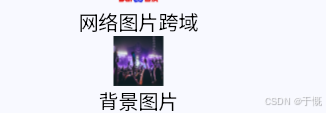
网络图片跨域
Image.network(
  "https://jysimg.oss-cn-hongkong.aliyuncs.com/oss/dt/2026-04/22/edbc349ec5687aaf5b8c9d69b8311adb942cb2c4.jpeg",
  width: 50.0,
  height: 50.0,
  fit: BoxFit.fill,
  // Web跨域配置
  // never: 永远不用img
  // prefer: 优先使用html img标签,强制绕过跨域(最稳)
  // fallback: 优先canvaskit,失败降级img
  webHtmlElementStrategy: WebHtmlElementStrategy.fallback,
),
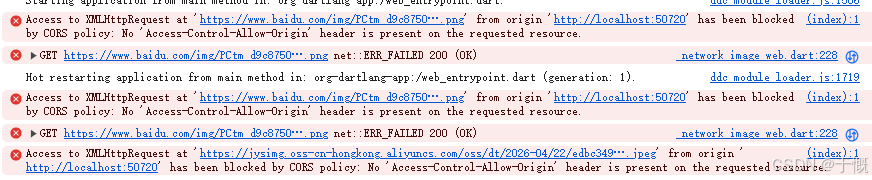
图片加载失败
默认显示成上图所示


5、图标
name: example_app
description: "示例子项目(Monorepo)"
publish_to: none
version: 1.0.0+1

environment:
  sdk: ^3.11.1

dependencies:
  flutter:
    sdk: flutter

dev_dependencies:
  flutter_test:
    sdk: flutter
  flutter_lints: ^6.0.0

flutter:
  uses-material-design: true
  assets:
    - assets/img/
  fonts:
    - family: iconfont #指定一个字体名
      fonts:
        - asset: assets/icon/iconfont.ttf
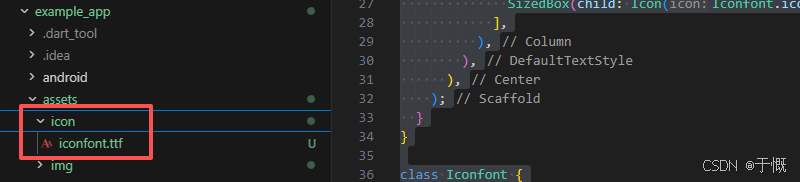
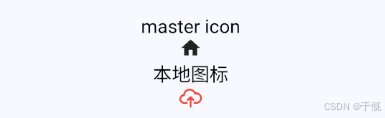
import 'package:flutter/material.dart'; class IconPage extends StatefulWidget { const IconPage({super.key}); @override State<IconPage> createState() => _IconPageState(); } class _IconPageState extends State<IconPage> { @override Widget build(BuildContext context) { return Scaffold( appBar: AppBar(title: const Text('Container')), body: Center( // 垂直水平居中 child: DefaultTextStyle( style: TextStyle(fontSize: 20, color: Colors.black), child: Column( // alignment: Alignment.centerLeft, // 对子组件对齐定位 children: [ SizedBox(child: Text("master icon")), SizedBox(child: Icon(Icons.home)), SizedBox(child: Text("本地图标")), SizedBox(child: Icon(Iconfont.iconShangchuan1, color: Colors.red)), ], ), ), ), ); } } class Iconfont { // book 图标 static const IconData iconShangchuan1 = IconData( 0xe68d, // 对应 fontFamily: 'iconfont', matchTextDirection: true, // 是否匹配文本方向 ); // 微信图标 static const IconData iconZijinjilu = IconData( 0xe689, fontFamily: 'iconfont', matchTextDirection: true, ); }
6、选中组件
复选框
import 'package:flutter/material.dart';

class CheckedPage extends StatefulWidget {
  const CheckedPage({super.key});

  @override
  State<CheckedPage> createState() => _CheckedPageState();
}

class _CheckedPageState extends State<CheckedPage> {
  bool _checkboxSelected = false;
  @override
  Widget build(BuildContext context) {
    return Scaffold(
      appBar: AppBar(title: const Text('Container')),
      body: Center(
        // 垂直水平居中
        child: DefaultTextStyle(
          style: TextStyle(fontSize: 20, color: Colors.black),
          child: Column(
            // alignment: Alignment.centerLeft, // 对子组件对齐定位
            children: [
              Checkbox(
                value: _checkboxSelected,
                // checkColor: Colors.pink, // 选中时勾号的颜色
                // activeColor: Colors.blue, //选中时的背景色
                onChanged: (value) {
                  setState(() {
                    _checkboxSelected = value ?? false;
                  });
                },
              ),
            ],
          ),
        ),
      ),
    );
  }
}
圆形
Checkbox(
  value: _checkboxSelected,
  // checkColor: Colors.pink, // 选中时勾号的颜色
  // activeColor: Colors.blue, // 选中时的背景色
  onChanged: (value) {
    setState(() {
      _checkboxSelected = value ?? false;
    });
  },
  shape: const CircleBorder(),
),

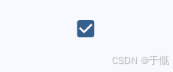
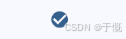
Switch
import 'package:flutter/material.dart';

class CheckedPage extends StatefulWidget {
  const CheckedPage({super.key});

  @override
  State<CheckedPage> createState() => _CheckedPageState();
}

class _CheckedPageState extends State<CheckedPage> {
  bool _checkboxSelected = false;
  bool _switchSelected = false;
  @override
  Widget build(BuildContext context) {
    return Scaffold(
      appBar: AppBar(title: const Text('Container')),
      body: Center(
        // 垂直水平居中
        child: DefaultTextStyle(
          style: TextStyle(fontSize: 20, color: Colors.black),
          child: Column(
            // alignment: Alignment.centerLeft, // 对子组件对齐定位
            children: [
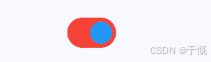
              Switch(
                value: _switchSelected, //当前状态
                activeThumbColor: Colors.blue, //选中时的背景色
                activeTrackColor: Colors.red, //选中时的轨道色
                trackOutlineColor: WidgetStateProperty.resolveWith((states) {
                  // 轨道边框颜色
                  if (states.contains(WidgetState.selected)) {
                    return Colors.red;
                  }
                  return Colors.blue;
                }),
                onChanged: (value) {
                  //重新构建页面
                  setState(() {
                    _switchSelected = value;
                  });
                },
              ),
            ],
          ),
        ),
      ),
    );
  }
}
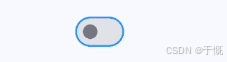
默认样式如下
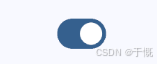
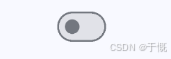
RadioGroup
import 'package:flutter/material.dart';

class CheckedPage extends StatefulWidget {
  const CheckedPage({super.key});

  @override
  State<CheckedPage> createState() => _CheckedPageState();
}

class _CheckedPageState extends State<CheckedPage> {
  bool _checkboxSelected = false;
  bool _switchSelected = false;

  int? _selectedValue;
  @override
  Widget build(BuildContext context) {
    return Scaffold(
      appBar: AppBar(title: const Text('Container')),
      body: Center(
        // 垂直水平居中
        child: DefaultTextStyle(
          style: TextStyle(fontSize: 20, color: Colors.black),
          child: Column(
            // alignment: Alignment.centerLeft, // 对子组件对齐定位
            children: [
              const Text('请选择一个水果:'),
              RadioGroup<int>(
                groupValue: _selectedValue,
                onChanged: (value) {
                  setState(() {
                    _selectedValue = value;
                  });
                },
                child: Row(
                  children: [
                    // RadioListTile<int>(title: Text('苹果'), value: 1),
                    // RadioListTile<int>(title: Text('香蕉'), value: 2),
                    // RadioListTile<int>(title: Text('橙子'), value: 3),
                    // 或者
                    Row(
                      children: [
                        Radio<int>(
                          value: 1,
                          activeColor: Colors.red,
                          fillColor: WidgetStateProperty.resolveWith((states) {
                            // 处理颜色,可覆盖activeColor
                            if (states.contains(WidgetState.selected)) {
                              return Colors.red;
                            }
                            return Colors.blue;
                          }),
                        ),
                        Text('苹果'),
                      ],
                    ),
                    Row(
                      children: [
                        Radio<int>(value: 2, enabled: false),
                        Text('香蕉'),
                      ],
                    ),
                    Row(children: [Radio<int>(value: 3), Text('橙子')]),
                  ],
                ),
              ),
            ],
          ),
        ),
      ),
    );
  }
}

7、输入框及表单
输入框
import 'package:flutter/material.dart';

class TextFieldPage extends StatefulWidget {
  const TextFieldPage({super.key});

  @override
  State<TextFieldPage> createState() => _TextFieldPageState();
}

class _TextFieldPageState extends State<TextFieldPage> {
  String text = 'tom';
  bool _obscurePwd = true;

  @override
  Widget build(BuildContext context) {
    return Scaffold(
      appBar: AppBar(title: const Text('Container')),
      body: Center(
        // 垂直水平居中
        child: DefaultTextStyle(
          style: TextStyle(fontSize: 20, color: Colors.black),
          child: Column(
            children: [
              SizedBox(child: Text("基本用法")),
              TextFormField(
                initialValue: text,
                // controller: TextEditingController(text: text),
                // autofocus: true,
                decoration: InputDecoration(
                  labelText: "用户名",
                  hintText: "用户名或邮箱", // 提示文本
                  icon: const Icon(Icons.person), // 图标(会显示在输入框的左侧)
                  suffixIcon: IconButton(
                    tooltip: "清除用户名",
                    icon: const Icon(Icons.clear),
                    onPressed: () {
                      setState(() {
                        text = 'XXXX';
                      });
                    },
                  ),
                  prefixIcon: const Icon(Icons.person), // 图标(会显示在输入框的左侧)
                  border: OutlineInputBorder(),
                  enabledBorder: OutlineInputBorder(
                    borderSide: BorderSide(color: Colors.grey),
                  ),
                  focusedBorder: OutlineInputBorder(
                    borderSide: BorderSide(color: Colors.blue),
                  ),
                ),
                style: TextStyle(color: Colors.red),
                textAlign: TextAlign.center,
                textAlignVertical: TextAlignVertical.center,
                keyboardType: TextInputType
                    .text, // 键盘类型: text: 文本 number:数字 emailAddress:邮箱 url:网址 phone:电话 datetime:日期时间 time:时间
                maxLength: 10, // 最大长度
                // maxLengthEnforcement: MaxLengthEnforcement.enforced, // 最大长度强制
                readOnly: false, // 是否只读
                enabled: true, // 是否启用
                textInputAction:
                    TextInputAction.next, // 键盘右下角显示下一步(点一下会跳到下一个输入框)
                // done:完成、go:前往、search:搜索、send:发送
                // onSubmitted: (value) {  // TextField里面用onSubmitted
                //   // 用户点下一步触发
                //   setState(() {
                //     text = value;
                //   });
                // },
                onFieldSubmitted: (value) {
                  setState(() {
                    text = value;
                  });
                },
                onEditingComplete: () {
                  // 输入完了,比onSubmitted 早一点触发
                  print('xxxxxxx');
                },
                onChanged: (value) {
                  setState(() {
                    text = value;
                  });
                },
              ),

              SizedBox(child: Text("密码输入框")),
              TextField(
                controller: TextEditingController(text: text),
                // autofocus: true,
                decoration: InputDecoration(
                  labelText: "密码",
                  hintText: "请输入密码", // 提示文本
                  icon: const Icon(Icons.lock), // 图标
                  suffixIcon: IconButton(
                    tooltip: _obscurePwd ? "显示密码" : "隐藏密码",
                    icon: Icon(
                      _obscurePwd
                          ? Icons.visibility_outlined
                          : Icons.visibility_off_outlined,
                    ),
                    onPressed: () {
                      setState(() {
                        _obscurePwd = !_obscurePwd;
                      });
                    },
                  ),
                  border: OutlineInputBorder(),
                  enabledBorder: OutlineInputBorder(
                    borderSide: BorderSide(color: Colors.grey),
                  ),
                  focusedBorder: OutlineInputBorder(
                    borderSide: BorderSide(color: Colors.blue),
                  ),
                ),
                obscureText: _obscurePwd, // 密码输入框设置为密文
                onChanged: (value) {
                  setState(() {
                    text = value;
                  });
                },
              ),
              SizedBox(child: Text("textarea")),
              Padding(
                padding: const EdgeInsets.only(top: 8),
                child: TextField(
                  minLines: 1, // 最小显示行数
                  maxLines: 2, // 最大显示行数
                  keyboardType: TextInputType.multiline,
                  decoration: const InputDecoration(
                    hintText: "请输入多行内容...",
                    border: OutlineInputBorder(),
                    enabledBorder: OutlineInputBorder(
                      borderSide: BorderSide(color: Colors.grey),
                    ),
                    focusedBorder: OutlineInputBorder(
                      borderSide: BorderSide(color: Colors.blue),
                    ),
                    contentPadding: EdgeInsets.symmetric(
                      horizontal: 12,
                      vertical: 12,
                    ),
                  ),
                ),
              ),
            ],
          ),
        ),
      ),
    );
  }
}
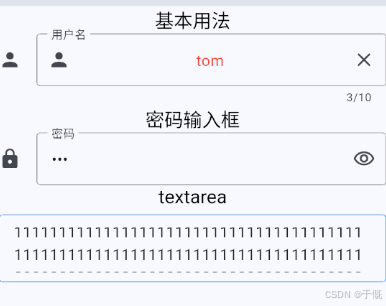
表单
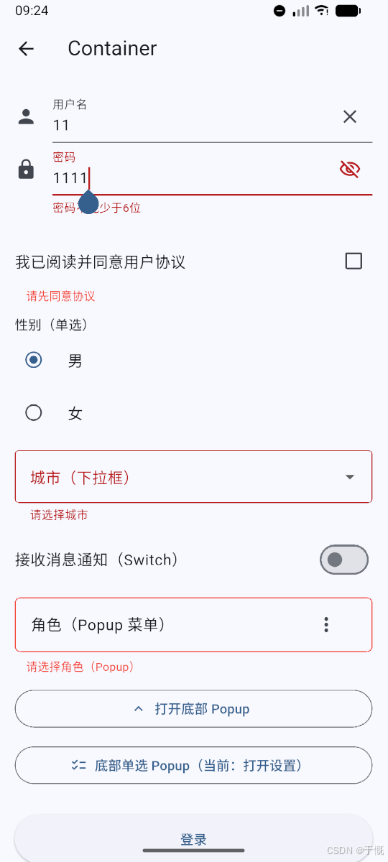
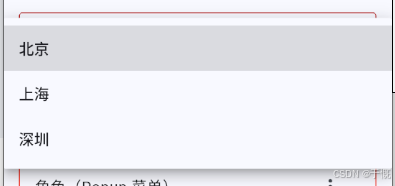
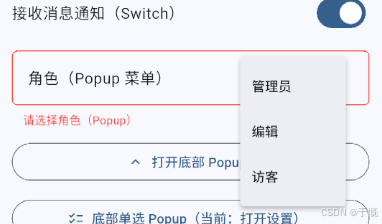
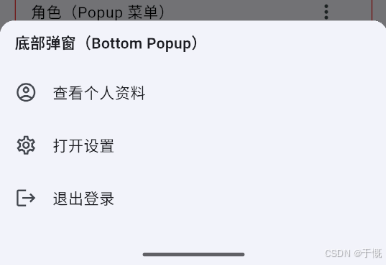
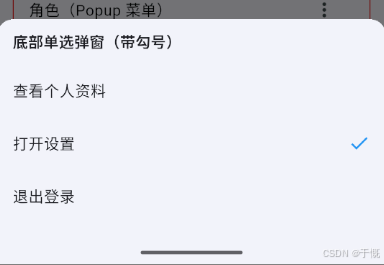
import 'package:flutter/material.dart'; class FormPage extends StatefulWidget { const FormPage({super.key}); @override State<FormPage> createState() => _FormPageState(); } class _FormPageState extends State<FormPage> { final TextEditingController _unameController = TextEditingController(); final TextEditingController _pwdController = TextEditingController(); final GlobalKey<FormState> _formKey = GlobalKey<FormState>(); bool _agreeProtocol = false; String? _gender = '男'; String? _city; bool _notifyEnabled = false; String? _role; String _selectedBottomAction = "打开设置"; bool _obscurePwd = true; @override void dispose() { _unameController.dispose(); _pwdController.dispose(); super.dispose(); } @override Widget build(BuildContext context) { return Scaffold( appBar: AppBar(title: const Text('Container')), body: SingleChildScrollView( padding: const EdgeInsets.all(16), child: Form( key: _formKey, // 设置globalKey,用于后面获取FormState autovalidateMode: AutovalidateMode.onUserInteraction, child: Column( children: <Widget>[ TextFormField( autofocus: true, controller: _unameController, onChanged: (_) => setState(() {}), decoration: InputDecoration( labelText: "用户名", hintText: "用户名或邮箱", icon: const Icon(Icons.person), suffixIcon: _unameController.text.isEmpty ? null : IconButton( tooltip: "清除用户名", icon: const Icon(Icons.clear), onPressed: () { setState(() { _unameController.clear(); }); }, ), ), // 校验用户名 validator: (v) { return v!.trim().isNotEmpty ? null : "用户名不能为空"; }, ), TextFormField( controller: _pwdController, decoration: InputDecoration( labelText: "密码", hintText: "您的登录密码", icon: const Icon(Icons.lock), suffixIcon: IconButton( tooltip: _obscurePwd ? "显示密码" : "隐藏密码", icon: Icon( _obscurePwd ? Icons.visibility_outlined : Icons.visibility_off_outlined, ), onPressed: () { setState(() { _obscurePwd = !_obscurePwd; }); }, ), ), obscureText: _obscurePwd, // 密码输入框设置为密文 // 校验密码 validator: (v) { return v!.trim().length > 5 ? null : "密码不能少于6位"; }, ), const SizedBox(height: 20), FormField<bool>( initialValue: _agreeProtocol, validator: (v) => (v ?? false) ? null : "请先同意协议", builder: (state) { return Column( crossAxisAlignment: CrossAxisAlignment.start, children: [ CheckboxListTile( contentPadding: EdgeInsets.zero, title: const Text("我已阅读并同意用户协议"), value: _agreeProtocol, onChanged: (value) { setState(() { _agreeProtocol = value ?? false; state.didChange(_agreeProtocol); }); }, ), if (state.hasError) Padding( padding: const EdgeInsets.only(left: 12), child: Text( state.errorText!, style: const TextStyle( color: Colors.red, fontSize: 12, ), ), ), ], ); }, ), const SizedBox(height: 12), FormField<String>( initialValue: _gender, validator: (v) => v == null ? "请选择性别" : null, builder: (state) { return Column( crossAxisAlignment: CrossAxisAlignment.start, children: [ const Align( alignment: Alignment.centerLeft, child: Text("性别(单选)"), ), RadioGroup<String>( groupValue: _gender, onChanged: (value) { setState(() { _gender = value; state.didChange(value); }); }, child: const Column( children: [ RadioListTile<String>( contentPadding: EdgeInsets.zero, title: Text("男"), value: "男", ), RadioListTile<String>( contentPadding: EdgeInsets.zero, title: Text("女"), value: "女", ), ], ), ), if (state.hasError) Padding( padding: const EdgeInsets.only(left: 12), child: Text( state.errorText!, style: const TextStyle( color: Colors.red, fontSize: 12, ), ), ), ], ); }, ), const SizedBox(height: 12), DropdownButtonFormField<String>( initialValue: _city, decoration: const InputDecoration( labelText: "城市(下拉框)", border: OutlineInputBorder(), ), items: const [ DropdownMenuItem(value: "北京", child: Text("北京")), DropdownMenuItem(value: "上海", child: Text("上海")), DropdownMenuItem(value: "深圳", child: Text("深圳")), ], onChanged: (value) { setState(() { _city = value; }); }, validator: (value) => value == null ? "请选择城市" : null, ), const SizedBox(height: 12), SwitchListTile( contentPadding: EdgeInsets.zero, title: const Text("接收消息通知(Switch)"), value: _notifyEnabled, onChanged: (value) { setState(() { _notifyEnabled = value; }); }, ), const SizedBox(height: 12), FormField<String>( initialValue: _role, validator: (v) => v == null ? "请选择角色(Popup)" : null, builder: (state) { return Column( crossAxisAlignment: CrossAxisAlignment.start, children: [ Container( decoration: BoxDecoration( border: Border.all( color: state.hasError ? Colors.red : Colors.grey.shade400, ), borderRadius: BorderRadius.circular(6), ), child: ListTile( title: Text(_role ?? "角色(Popup 菜单)"), trailing: PopupMenuButton<String>( onSelected: (value) { setState(() { _role = value; state.didChange(value); }); }, itemBuilder: (context) => const [ PopupMenuItem(value: "管理员", child: Text("管理员")), PopupMenuItem(value: "编辑", child: Text("编辑")), PopupMenuItem(value: "访客", child: Text("访客")), ], ), ), ), if (state.hasError) Padding( padding: const EdgeInsets.only(left: 12, top: 6), child: Text( state.errorText!, style: const TextStyle( color: Colors.red, fontSize: 12, ), ), ), ], ); }, ), const SizedBox(height: 12), SizedBox( width: double.infinity, child: OutlinedButton.icon( onPressed: () { showModalBottomSheet<void>( context: context, shape: const RoundedRectangleBorder( borderRadius: BorderRadius.vertical( top: Radius.circular(16), ), ), builder: (context) { return SafeArea( child: Padding( padding: const EdgeInsets.fromLTRB(16, 12, 16, 20), child: Column( mainAxisSize: MainAxisSize.min, crossAxisAlignment: CrossAxisAlignment.start, children: [ const Text( "底部弹窗(Bottom Popup)", style: TextStyle( fontSize: 16, fontWeight: FontWeight.w600, ), ), const SizedBox(height: 12), ListTile( contentPadding: EdgeInsets.zero, leading: const Icon( Icons.account_circle_outlined, ), title: const Text("查看个人资料"), onTap: () => Navigator.pop(context), ), ListTile( contentPadding: EdgeInsets.zero, leading: const Icon(Icons.settings_outlined), title: const Text("打开设置"), onTap: () => Navigator.pop(context), ), ListTile( contentPadding: EdgeInsets.zero, leading: const Icon(Icons.logout), title: const Text("退出登录"), onTap: () => Navigator.pop(context), ), ], ), ), ); }, ); }, icon: const Icon(Icons.keyboard_arrow_up), label: const Text("打开底部 Popup"), ), ), const SizedBox(height: 12), SizedBox( width: double.infinity, child: OutlinedButton.icon( onPressed: () { const actions = ["查看个人资料", "打开设置", "退出登录"]; showModalBottomSheet<void>( context: context, shape: const RoundedRectangleBorder( borderRadius: BorderRadius.vertical( top: Radius.circular(16), ), ), builder: (context) { return SafeArea( child: Padding( padding: const EdgeInsets.fromLTRB(16, 12, 16, 20), child: Column( mainAxisSize: MainAxisSize.min, crossAxisAlignment: CrossAxisAlignment.start, children: [ const Text( "底部单选弹窗(带勾号)", style: TextStyle( fontSize: 16, fontWeight: FontWeight.w600, ), ), const SizedBox(height: 12), ...actions.map((action) { final selected = action == _selectedBottomAction; return ListTile( contentPadding: EdgeInsets.zero, title: Text(action), trailing: selected ? const Icon( Icons.check, color: Colors.blue, ) : null, onTap: () { setState(() { _selectedBottomAction = action; }); Navigator.pop(context); }, ); }), ], ), ), ); }, ); }, icon: const Icon(Icons.checklist_rounded), label: Text("底部单选 Popup(当前:$_selectedBottomAction)"), ), ), Padding( padding: const EdgeInsets.only(top: 28.0), child: Row( children: <Widget>[ Expanded( child: ElevatedButton( child: const Padding( padding: EdgeInsets.all(16.0), child: Text("登录"), ), onPressed: () { if (_formKey.currentState!.validate()) { ScaffoldMessenger.of(context).showSnackBar( SnackBar( content: Text( "提交成功:用户名=${_unameController.text},性别=$_gender,城市=$_city,通知=${_notifyEnabled ? '开' : '关'},角色=$_role", ), ), ); } }, ), ), ], ), ), ], ), ), ), ); } }
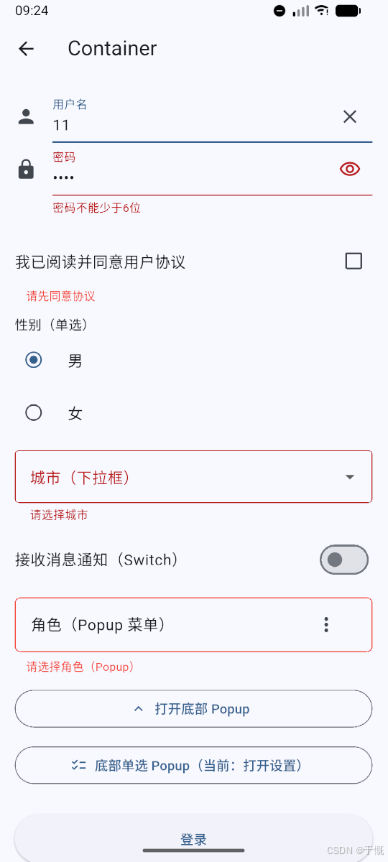
8、进度条
线性进度条
LinearProgressIndicator
import 'package:flutter/material.dart';

class ProgressPage extends StatefulWidget {
  const ProgressPage({super.key});

  @override
  State<ProgressPage> createState() => _ProgressPageState();
}

class _ProgressPageState extends State<ProgressPage> {
  @override
  Widget build(BuildContext context) {
    return Scaffold(
      appBar: AppBar(title: const Text('Container')),
      body: Center(
        // 垂直水平居中
        child: DefaultTextStyle(
          style: TextStyle(fontSize: 20, color: Colors.black),
          child: Column(
            // alignment: Alignment.centerLeft, // 对子组件对齐定位
            children: [
              LinearProgressIndicator(
                value: 0.5, // 50%进度 // 注意:未指定value时,会有50%进度条循环滚动
                backgroundColor: Colors.grey[300],
                valueColor: AlwaysStoppedAnimation<Color>(Colors.green),
                borderRadius: BorderRadius.circular(3),
                minHeight: 10,
              ),
            ],
          ),
        ),
      ),
    );
  }
}

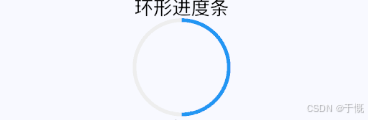
环形进度条
SizedBox(
  height: 100,
  width: 100,
  child: CircularProgressIndicator(
    // 环形进度条会继承父组件 SizedBox 的宽高
    backgroundColor: Colors.grey[200],
    valueColor: AlwaysStoppedAnimation(Colors.blue),
    value: 0.5, // 进度 50%
  ),
),
import 'package:flutter/material.dart';

class ProgressPage extends StatefulWidget {
  const ProgressPage({super.key});

  @override
  State<ProgressPage> createState() => _ProgressPageState();
}

class _ProgressPageState extends State<ProgressPage>
    with SingleTickerProviderStateMixin {
  // with SingleTickerProviderStateMixin给动画提供时间相关信号及刷新能力
  late AnimationController _animationController;

  @override
  void initState() {
    super.initState();

    //动画执行时间3秒
    _animationController = AnimationController(
      vsync: this, //注意State类需要混入SingleTickerProviderStateMixin(提供动画帧计时/触发器)
      duration: Duration(seconds: 3),
    );
    _animationController.forward(); // 开始动画
    _animationController.addListener(
      () => setState(() => {}),
    ); // 监听动画进度(setState刷新页面)
  }

  @override
  void dispose() {
    _animationController.dispose();
    super.dispose();
  }

  @override
  Widget build(BuildContext context) {
    return Scaffold(
      appBar: AppBar(title: const Text('Container')),
      body: Center(
        // 垂直水平居中
        child: DefaultTextStyle(
          style: TextStyle(fontSize: 20, color: Colors.black),
          child: Column(
            // alignment: Alignment.centerLeft, // 对子组件对齐定位
            children: [
              SizedBox(child: Text("线性进度条")),
              LinearProgressIndicator(
                value: 0.5, // 50%进度 // 注意:未指定value时,会有50%进度条循环滚动
                backgroundColor: Colors.grey[300],
                valueColor: AlwaysStoppedAnimation<Color>(Colors.green),
                borderRadius: BorderRadius.circular(3),
                minHeight: 10,
              ),
              SizedBox(child: Text("环形进度条")),
              SizedBox(
                height: 100,
                width: 100,
                child: CircularProgressIndicator(
                  // 继承父组件宽高
                  backgroundColor: Colors.grey[200],
                  valueColor: AlwaysStoppedAnimation(Colors.blue),
                  value: .5,
                ),
              ),
              SizedBox(child: Text("动画")),
              LinearProgressIndicator(
                backgroundColor: Colors.grey[200],
                valueColor: ColorTween(
                  // 颜色渐变动画, 必须配合animate使用
                  // 颜色渐变
                  begin: Colors.grey,
                  end: Colors.blue,
                ).animate(_animationController), // 从灰色变成蓝色
                value: _animationController.value,
              ),
            ],
          ),
        ),
      ),
    );
  }
}
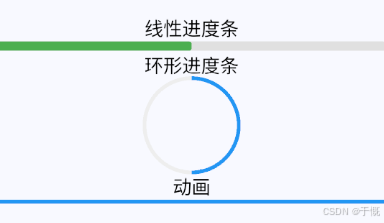
注意:如果CircularProgressIndicator不传value,默认就是无限转圈动画
Image.network(
  "https://www.baidu.com/img/PCtm_d9c8750bed0b3c7d089fa7d55720d6cf.png",
  height: 50.0,
  width: 50.0,
  fit: BoxFit.fill,
  // 加载中占位
  loadingBuilder: (context, child, loadingProgress) {
    if (loadingProgress == null) return child;
    return const CircularProgressIndicator();
  },
  // 加载失败自定义
  errorBuilder: (context, error, stackTrace) {
    return Container(
      width: 50,
      height: 50,
      color: Colors.grey[200],
      child: const Icon(
        Icons.broken_image,
        color: Colors.grey,
      ),
    );
  },
),
9、布局
约束
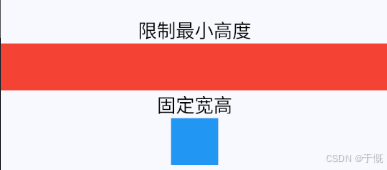
ConstrainedBox
import 'package:flutter/material.dart';

class ConstrainPage extends StatefulWidget {
  const ConstrainPage({super.key});

  @override
  State<ConstrainPage> createState() => _ConstrainPageState();
}

class _ConstrainPageState extends State<ConstrainPage> {
  @override
  Widget build(BuildContext context) {
    return Scaffold(
      appBar: AppBar(title: const Text('Container')),
      body: Center(
        // 垂直水平居中
        child: DefaultTextStyle(
          style: TextStyle(fontSize: 20, color: Colors.black),
          child: Column(
            // alignment: Alignment.centerLeft, // 对子组件对齐定位
            children: [
              SizedBox(child: Text("限制最小高度")),
              ConstrainedBox(
                constraints: BoxConstraints(
                  minWidth: double.infinity, //宽度尽可能大
                  minHeight: 50.0, //最小高度为50像素
                ),
                child: SizedBox(
                  height: 5.0, // 由于小于限制的50,故不起作用
                  child: DecoratedBox(
                    decoration: BoxDecoration(color: Colors.red),
                  ),
                ),
              ),
              SizedBox(child: Text("固定宽高")),
              ConstrainedBox(
                constraints: BoxConstraints.tightFor(width: 50, height: 50),
                child: SizedBox(
                  height: 5.0, // 由于小于限制的50,故不起作用
                  child: DecoratedBox(
                    decoration: BoxDecoration(color: Colors.blue),
                  ),
                ),
              ),
            ],
          ),
        ),
      ),
    );
  }
}
注意:有多重限制时,对于
minWidth和minHeight来说,是取父子中相应数值较大的去除限制
UnconstrainedBox
水平排列
Row: 水平排列,继承Flex
Row(
  textDirection: TextDirection.rtl, // 元素从右向左排列 ltr: 从左向右
  mainAxisSize: MainAxisSize
      .max, // 主轴长度 min: 最小(此时根据子元素宽度决定) max: 最大(此时根据父元素宽度决定)
  mainAxisAlignment: MainAxisAlignment
      .center, // 水平居中 start: 从左向右 end: 从右向左 center: 居中 spaceBetween: 均匀分布 spaceAround: 均匀分布 spaceEvenly: 均匀分布
  crossAxisAlignment: CrossAxisAlignment
      .center, // 垂直居中 start: 从上向下 end: 从下向上 center: 居中 stretch: 拉伸 baseline: 基线
  spacing: 10, // 元素间距
  // runSpacing: 10, // 行间距
  verticalDirection:
      VerticalDirection.down, // 垂直方向 down: 从上向下 up: 从下向上
  textBaseline: TextBaseline
      .alphabetic, // 文本基线 alphabetic: 字母基线 ideographic: 表意字基线
  children: [Text('hello'), Text('world')],
),

垂直排列
Column:垂直排列,继承Flex
Column(
  // 属性与Row相同
  children: [Text('hello'), Text('world')],
),
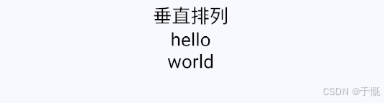
注意:Row里面嵌套Row,或者Column里面再嵌套Column,那么只有最外面的Row或Column会占用尽可能大的空间,里面Row或Column所占用的空间为实际大小
Flex
Flex
SizedBox(child: Text("flex布局")),
Flex(
  // 只能处理单行单列
  direction: Axis.horizontal,
  spacing: 10, // 元素间距
  // 不支持自动换行
  children: [
    Text('hello'),
    Text('world'),
    Text('hello'),
    Text('world'),
    Text('hello'),
    Text('world'),
    Text('hello'),
    Text('world'),
    Text('hello'),
    Text('world'),
    Text('hello'),
    Text('world'),
    Text('hello'),
    Text('world'),
    Text('hello'),
    Text('world'),
    Text('hello'),
    Text('world'),
    Text('hello'),
    Text('world'),
  ],
),
SizedBox(child: Text("自动换行(Wrap,Flex风格)")),
Wrap(
  spacing: 10, // 元素间距(主轴)
  runSpacing: 8, // 行间距(换行后)
  alignment: WrapAlignment.start, // 主轴居中
  children: const [
    Text('hello'),
    Text('world'),
    Text('hello'),
    Text('world'),
    Text('hello'),
    Text('world'),
    Text('hello'),
    Text('world'),
    Text('hello'),
    Text('world'),
    Text('hello'),
    Text('world'),
    Text('hello'),
    Text('world'),
    Text('hello'),
    Text('world'),
    Text('hello'),
    Text('world'),
    Text('hello'),
    Text('world'),
  ],
),
处理Flex的溢出
SingleChildScrollView(
  scrollDirection: Axis.horizontal,
  child: Flex(
    // 只能处理单行单列
    direction: Axis.horizontal,
    spacing: 10, // 元素间距
    // 不支持自动换行
    children: [
      Text('hello'),
      Text('world'),
      Text('hello'),
      Text('world'),
      Text('hello'),
      Text('world'),
      Text('hello'),
      Text('world'),
      Text('hello'),
      Text('world'),
      Text('hello'),
      Text('world'),
      Text('hello'),
      Text('world'),
      Text('hello'),
      Text('world'),
      Text('hello'),
      Text('world'),
      Text('hello'),
      Text('world'),
    ],
  ),
),
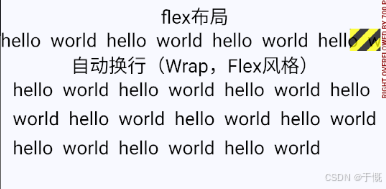

Expanded
只能在Flex/Column/Row里面使用
Flex(
  direction: Axis.horizontal,
  children: <Widget>[
    Expanded(
      flex: 1,
      child: Container(height: 30.0, color: Colors.red),
    ),
    Spacer(flex: 1),
    Expanded(
      flex: 2,
      child: Container(height: 30.0, color: Colors.green),
    ),
  ],
),

Wrap
SizedBox(child: Text("Wrap")),
Wrap(
  spacing: 8.0, // 主轴(水平)方向间距
  runSpacing: 4.0, // 纵轴(垂直)方向间距
  alignment: WrapAlignment.center, //沿主轴方向居中
  children: <Widget>[
    Chip(
      avatar: CircleAvatar(
        backgroundColor: Colors.blue,
        child: Text('A'),
      ),
      label: Text('Hamilton'),
    ),
    Chip(
      avatar: CircleAvatar(
        backgroundColor: Colors.blue,
        child: Text('M'),
      ),
      label: Text('Lafayette'),
    ),
    Chip(
      avatar: CircleAvatar(
        backgroundColor: Colors.blue,
        child: Text('H'),
      ),
      label: Text('Mulligan'),
    ),
    Chip(
      avatar: CircleAvatar(
        backgroundColor: Colors.blue,
        child: Text('J'),
      ),
      label: Text('Laurens'),
    ),
  ],
),
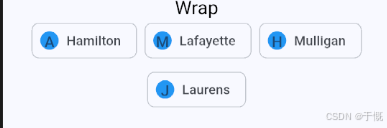
Stack
Stack(
  // alignment: Alignment.center,
  textDirection: TextDirection.rtl, // 配置了alignment则无用
  fit: StackFit.expand, // 是否填充父容器 expand: 填充父容器 passthrough: 不填充父容器 loose: 宽松约束 tighten: 紧约束
  children: [
    Container(width: 100, height: 100, color: Colors.red),
    Container(width: 50, height: 50, color: Colors.blue),
  ],
),
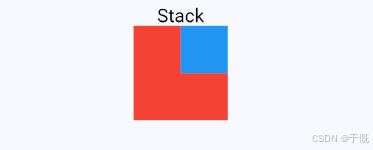
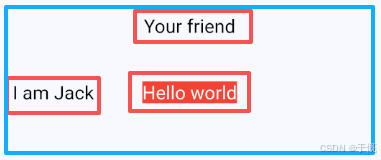
Positioned
定位:只有在Stack里面才起作用
ConstrainedBox(
  constraints: BoxConstraints.expand(height: 200),
  child: Stack(
    alignment: Alignment.center,
    children: [
      Container(
        color: Colors.red,
        child: Text(
          "Hello world",
          style: TextStyle(color: Colors.white),
        ),
      ),
      Positioned(left: 18.0, child: Text("I am Jack")),
      Positioned(top: 18.0, child: Text("Your friend")),
    ],
  ),
),
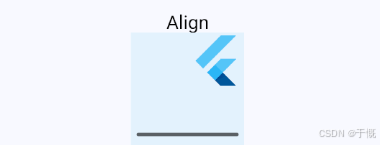
Align
Container(
  height: 120.0,
  width: 120.0,
  color: Colors.blue.shade50,
  child: Align(
    alignment: Alignment.topRight,
    child: FlutterLogo(size: 60),
  ),
),
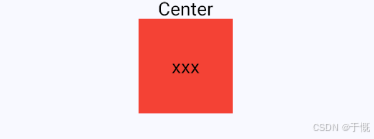
Center
Center: 水平垂直居中,继承Align
Container(
  color: Colors.red,
  width: 100,
  height: 100,
  child: Center(
    widthFactor: 1, // 宽度因子(即是子组件的宽度多少倍)
    heightFactor: 1, // 高度因子(即是子组件的高度多少倍)
    child: Text("xxx"),
  ),
),
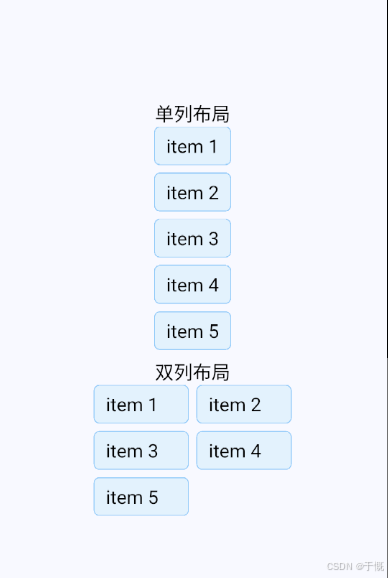
LayoutBuilder
布局过程中拿到父组件传递的约束信息,然后我们可以根据约束信息动态的构建不同的布局
import 'package:flutter/material.dart';

class LayoutBuilderPage extends StatefulWidget {
  const LayoutBuilderPage({super.key});

  @override
  State<LayoutBuilderPage> createState() => _LayoutBuilderPageState();
}

class _LayoutBuilderPageState extends State<LayoutBuilderPage> {
  List<Widget> _buildItems() {
    return List.generate(
      5,
      (index) => Container(
        padding: const EdgeInsets.symmetric(vertical: 8, horizontal: 12),
        decoration: BoxDecoration(
          color: Colors.blue.shade50,
          border: Border.all(color: Colors.blue.shade200),
          borderRadius: BorderRadius.circular(6),
        ),
        child: Text('item ${index + 1}'),
      ),
    );
  }

  Widget _buildLayoutBuilder() {
    final items = _buildItems();
    return LayoutBuilder(
      builder: (BuildContext context, BoxConstraints constraints) {
        if (constraints.maxWidth < 200) {
          // 最大宽度小于200,显示单列
          return Column(
            mainAxisSize: MainAxisSize.min,
            children: items
                .map(
                  (item) => Padding(
                    padding: const EdgeInsets.only(bottom: 8),
                    child: item,
                  ),
                )
                .toList(),
          );
        } else {
          // 大于200,显示双列
          final rowChildren = <Widget>[];
          for (var i = 0; i < items.length; i += 2) {
            if (i + 1 < items.length) {
              rowChildren.add(
                Row(
                  children: [
                    Expanded(child: items[i]),
                    const SizedBox(width: 8),
                    Expanded(child: items[i + 1]),
                  ],
                ),
              );
            } else {
              rowChildren.add(
                Row(
                  children: [
                    Expanded(child: items[i]),
                    const SizedBox(width: 8),
                    const Expanded(child: SizedBox.shrink()),
                  ],
                ),
              );
            }
          }
          return Column(
            mainAxisSize: MainAxisSize.min,
            children: rowChildren
                .map(
                  (row) => Padding(
                    padding: const EdgeInsets.only(bottom: 8),
                    child: row,
                  ),
                )
                .toList(),
          );
        }
      },
    );
  }

  @override
  Widget build(BuildContext context) {
    return Scaffold(
      appBar: AppBar(title: const Text('Container')),
      body: Center(
        // 垂直水平居中
        child: DefaultTextStyle(
          style: TextStyle(fontSize: 20, color: Colors.black),
          child: SingleChildScrollView(
            child: Column(
              children: [
                SizedBox(child: Text("单列布局")),
                ConstrainedBox(
                  constraints: const BoxConstraints(maxWidth: 190),
                  child: _buildLayoutBuilder(),
                ),
                SizedBox(child: Text("双列布局")),
                ConstrainedBox(
                  constraints: const BoxConstraints(maxWidth: 210),
                  child: _buildLayoutBuilder(),
                ),
              ],
            ),
          ),
        ),
      ),
    );
  }
}
AfterLayout
flutter3已经没了,使用会报错,得使用第三方包
import 'package:after_layout/after_layout.dart';用官方原生代替
@override
void initState() {
  super.initState();
  WidgetsBinding.instance.addPostFrameCallback((_) {
    // 布局完成后执行一次
  });
}
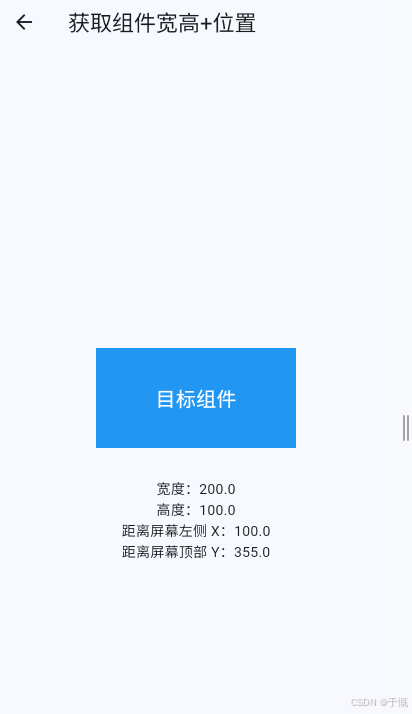
完整案例
import 'package:flutter/material.dart';

class GetWidgetSizePage extends StatefulWidget {
  const GetWidgetSizePage({super.key});

  @override
  State<GetWidgetSizePage> createState() => _GetWidgetSizePageState();
}

class _GetWidgetSizePageState extends State<GetWidgetSizePage> {
  // 1. 创建 GlobalKey,绑定要获取尺寸的组件
  final GlobalKey _widgetKey = GlobalKey();

  // 用于展示获取到的数据
  double? width;
  double? height;
  double? x;
  double? y;

  @override
  void initState() {
    super.initState();

    // 2. 页面渲染完成后获取尺寸
    WidgetsBinding.instance.addPostFrameCallback((_) {
      getWidgetSize();
    });
  }

  // 获取组件尺寸和位置
  void getWidgetSize() {
    // 获取渲染对象
    final RenderBox? renderBox =
        _widgetKey.currentContext?.findRenderObject() as RenderBox?;

    if (renderBox != null) {
      setState(() {
        // 获取宽高
        width = renderBox.size.width;
        height = renderBox.size.height;

        // 获取相对于屏幕的坐标
        Offset offset = renderBox.localToGlobal(Offset.zero);
        x = offset.dx;
        y = offset.dy;
      });
    }
  }

  @override
  Widget build(BuildContext context) {
    return Scaffold(
      appBar: AppBar(title: const Text("获取组件宽高+位置")),
      body: Center(
        child: Column(
          mainAxisAlignment: MainAxisAlignment.center,
          children: [
            // 3. 给目标组件设置 key
            Container(
              key: _widgetKey,
              width: 200,
              height: 100,
              color: Colors.blue,
              child: const Center(
                child: Text(
                  "目标组件",
                  style: TextStyle(color: Colors.white, fontSize: 20),
                ),
              ),
            ),

            const SizedBox(height: 30),

            // 展示获取到的数据
            Text("宽度:${width?.toStringAsFixed(1) ?? "加载中"}"),
            Text("高度:${height?.toStringAsFixed(1) ?? "加载中"}"),
            Text("距离屏幕左侧 X:${x?.toStringAsFixed(1) ?? "加载中"}"),
            Text("距离屏幕顶部 Y:${y?.toStringAsFixed(1) ?? "加载中"}"),
          ],
        ),
      ),
    );
  }
}
10、容器
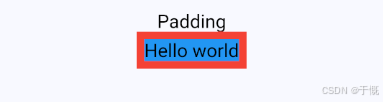
Padding
Container(
  color: Colors.red,
  child: Padding(
    padding: const EdgeInsets.all(8),
    child: Container(
      color: Colors.blue,
      child: const Text("Hello world"),
    ),
  ),
)
BoxDecoration
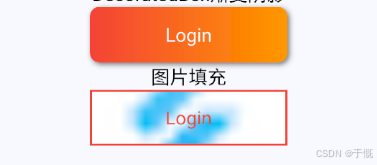
作用:给盒子(Container)做背景、边框、圆角、阴影、渐变等样式美化
SizedBox(
  child: const Text("DecoratedBox渐变阴影"),
),
DecoratedBox(
  decoration: BoxDecoration(
    gradient: LinearGradient(
      colors: [Colors.red, Colors.orange],
    ),
    borderRadius: BorderRadius.circular(10),
    boxShadow: [
      BoxShadow(
        color: Colors.black54,
        offset: Offset(2.0, 2.0),
        blurRadius: 4.0,
      ),
    ],
  ),
  child: Padding(
    padding: EdgeInsets.symmetric(
      horizontal: 80.0,
      vertical: 18.0,
    ),
    child: const Text(
      "Login",
      style: TextStyle(color: Colors.white),
    ),
  ),
),
SizedBox(
  child: const Text("图片填充"),
),
DecoratedBox(
  decoration: BoxDecoration(
    border: Border.all(
      color: Colors.red,
      width: 2,
    ),
    shape: BoxShape.rectangle,
    image: DecorationImage(
      image: AssetImage('assets/img/favicon.png'),
      fit: BoxFit.cover,
    ),
  ),
  child: Padding(
    padding: EdgeInsets.symmetric(
      horizontal: 80.0,
      vertical: 18.0,
    ),
    child: const Text(
      "Login",
      style: TextStyle(color: Colors.red),
    ),
  ),
),
Transform
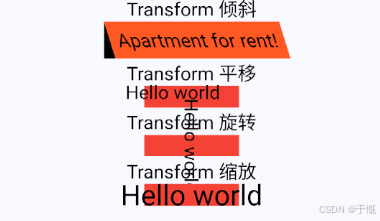
flutter先布局后渲染,transform在渲染阶段执行
SizedBox(
  child: const Text("Transform 倾斜"),
),
Container(
  color: Colors.black,
  child: Transform(
    alignment: Alignment.topRight,
    transform: Matrix4.skewX(0.3),
    child: Container(
      padding: const EdgeInsets.all(8.0),
      color: Colors.deepOrange,
      child: const Text('Apartment for rent!'),
    ),
  ),
),
SizedBox(
  child: const Text("Transform 平移"),
),
DecoratedBox(
  decoration: const BoxDecoration(color: Colors.red),
  child: Transform.translate(
    offset: const Offset(-20.0, -5.0),
    child: const Text("Hello world"),
  ),
),
SizedBox(
  child: const Text("Transform 旋转"),
),
DecoratedBox(
  decoration: const BoxDecoration(color: Colors.red),
  child: Transform.rotate(
    angle: math.pi / 2,
    child: const Text("Hello world"),
  ),
),
SizedBox(
  child: const Text("Transform 缩放"),
),
DecoratedBox(
  decoration: const BoxDecoration(color: Colors.red),
  child: Transform.scale(
    scale: 1.5,
    child: const Text("Hello world"),
  ),
),
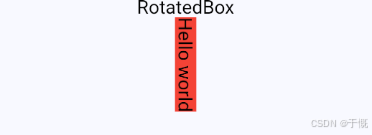
RotatedBox
作用:旋转(顺时针)
DecoratedBox(
  decoration: const BoxDecoration(color: Colors.red),
  child: RotatedBox(
    quarterTurns: 1, // 旋转90度(1/4圈)
    child: const Text("Hello world"),
  ),
),
Container
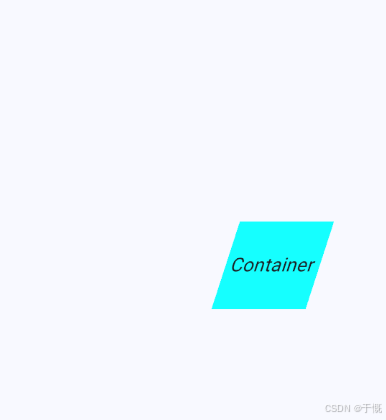
用于容纳单个子组件的容器组件。集成了若干个单子组件的功能,如内外边距、形变、装饰、约束等...
变换性+约束性
import 'dart:math';

import 'package:flutter/material.dart';

class ContainerPage extends StatelessWidget {
  const ContainerPage({super.key});

  @override
  Widget build(BuildContext context) {
    return Scaffold(
      appBar: AppBar(title: const Text('Container')),
      body: Center(
        // 垂直水平居中
        child: Container(
          //容器
          alignment: Alignment.center, // 水平垂直居中
          color: Colors.cyanAccent,
          width: 150,
          height: 150 * 0.618,
          transform: Matrix4.skew(-pi / 10, 0)
            ..translateByDouble(100.0, 0.0, 0.0, 1.0),
          constraints: BoxConstraints(
            // 约束性
            minWidth: 100,
            maxWidth: 100,
            minHeight: 20,
            maxHeight: 100,
          ),
          child: const Text("Container", style: TextStyle(fontSize: 20)),
        ),
      ),
    );
  }
}
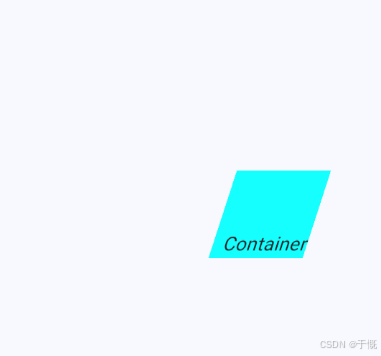
对子组件对齐定位
import 'dart:math';

import 'package:flutter/material.dart';

class ContainerPage extends StatelessWidget {
  const ContainerPage({super.key});

  @override
  Widget build(BuildContext context) {
    return Scaffold(
      appBar: AppBar(title: const Text('Container')),
      body: Center(
        // 垂直水平居中
        child: Container(
          //容器
          alignment: Alignment.bottomRight, // 对子组件对齐定位
          color: Colors.cyanAccent,
          width: 150,
          height: 150 * 0.618,
          transform: Matrix4.skew(-pi / 10, 0)
            ..translateByDouble(100.0, 0.0, 0.0, 1.0),
          constraints: BoxConstraints(
            // 约束性
            minWidth: 100,
            maxWidth: 100,
            minHeight: 20,
            maxHeight: 100,
          ),
          child: const Text("Container", style: TextStyle(fontSize: 20)),
        ),
      ),
    );
  }
}
控制宽高内外间距(默认border-box)
 Container(
          //容器
          alignment: Alignment.bottomRight, // 对子组件对齐定位
          color: Colors.cyanAccent,
          width: 150,
          height: 150 * 0.618,
          padding: EdgeInsets.all(10), // 内边距
          margin: EdgeInsets.all(10), // 外边距
          transform: Matrix4.skew(-pi / 10, 0)
            ..translateByDouble(100.0, 0.0, 0.0, 1.0),
          constraints: BoxConstraints(
            // 约束性
            minWidth: 100,
            maxWidth: 100,
            minHeight: 20,
            maxHeight: 100,
          ),
          child: const Text("Container", style: TextStyle(fontSize: 20)),
        ),
边距的用法
// 只给 顶部 加边距
padding: EdgeInsets.only(top: 20),

// 只给 左边
padding: EdgeInsets.only(left: 15),

// 只给 底部
padding: EdgeInsets.only(bottom: 10),

// 只给 右边
padding: EdgeInsets.only(right: 5),

padding: EdgeInsets.only(
  top: 10,    // 上
  left: 20,   // 左
  bottom: 5,  // 下
  right: 0,   // 右
),

// 上下:10,左右:20
padding: EdgeInsets.symmetric(
  vertical: 10, // 上下
  horizontal: 20, // 左右
),

// 上下左右都是 15
padding: EdgeInsets.all(15),
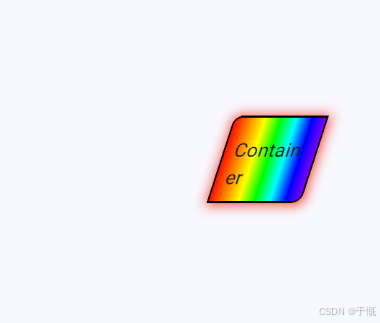
装饰(渐变色、圆角、阴影)
import 'dart:math';

import 'package:flutter/material.dart';

class ContainerPage extends StatelessWidget {
  const ContainerPage({super.key});

  @override
  Widget build(BuildContext context) {
    return Scaffold(
      appBar: AppBar(title: const Text('Container')),
      body: Center(
        // 垂直水平居中
        child: Container(
          //容器
          alignment: Alignment.bottomRight, // 对子组件对齐定位
          // color: Colors.cyanAccent,
          width: 150,
          height: 150 * 0.618,
          padding: EdgeInsets.all(10), // 内边距
          margin: EdgeInsets.all(10), // 外边距
          transform: Matrix4.skew(-pi / 10, 0)
            ..translateByDouble(100.0, 0.0, 0.0, 1.0),
          constraints: BoxConstraints(
            // 约束性
            minWidth: 100,
            maxWidth: 100,
            minHeight: 20,
            maxHeight: 100,
          ),
          decoration: BoxDecoration(
            gradient: LinearGradient(
              stops: [0.0, 1 / 6, 2 / 6, 3 / 6, 4 / 6, 5 / 6, 1.0],
              colors: [
                0xffff0000,
                0xffFF7F00,
                0xffFFFF00,
                0xff00FF00,
                0xff00FFFF,
                0xff0000FF,
                0xff8B00FF,
              ].map((e) => Color(e)).toList(),
            ),
            borderRadius: BorderRadius.only(
              topLeft: Radius.circular(10),
              bottomRight: Radius.circular(10),
            ),
            boxShadow: [
              BoxShadow(
                color: Colors.red,
                offset: Offset(1, 1),
                blurRadius: 10,
                spreadRadius: 1,
              ),
            ],
            border: Border.all(
              color: Colors.black, // 边框颜色
              width: 2, // 边框宽度
              style: BorderStyle.solid, // 边框样式(默认就是实线)
            ),
          ),
          child: const Text("Container", style: TextStyle(fontSize: 20)),
        ),
      ),
    );
  }
}
11、溢出
FittedBox
先 “放开” 对子组件的约束,让子组件自由测量自身原始大小;然后在绘制阶段,按指定的
BoxFit规则对子组件进行缩放,使其刚好装进父容器的边界内1. 布局阶段:解除约束,自由测量
- 父容器给 FittedBox 一个严格的宽高约束(如固定 200x100)。
- FittedBox 无视父容器的紧约束,转而给子组件传递无限宽松约束(
0~无限大)。- 子组件在无约束下,测出自己的原始固有尺寸(如文本 500x80、图片 800x600)。
- FittedBox 记录:父容器大小(200x100)、子组件原始大小(500x80)。
2. 绘制阶段:按比例缩放,适配容器
- FittedBox 根据
fit属性(默认BoxFit.contain),计算缩放比例。
contain:保持宽高比,缩放到完全装进容器(长边贴边,短边留空)。fill:拉伸填满容器(会变形)。cover:保持比例,缩放到完全覆盖容器(可能裁切)。fitWidth/fitHeight:仅保证宽 / 高适配。- 按比例缩放子组件,并在容器内按
alignment对齐。- 结果:子组件被缩放到刚好适配父容器,不再溢出。
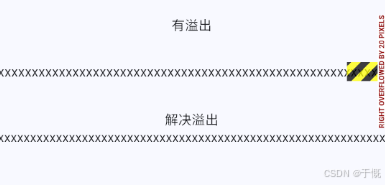
SizedBox(
  child: const Text("有溢出"),
),
Padding(
  padding: const EdgeInsets.symmetric(vertical: 30.0),
  child: Row(
    children: [
      Text('xx' * 30),
    ],
  ),
),
SizedBox(
  child: const Text("解决溢出"),
),
FittedBox(
  fit: BoxFit.contain,
  child: Row(
    children: [
      Text('xx' * 30),
    ],
  ),
),
裁剪文本
SizedBox(
  child: const Text("裁剪"),
),
Container(
  width: 100,
  color: Colors.pink,
  child: Row(
    children: [
      Expanded(
        child: const Text(
          'xx' * 30,
          overflow: TextOverflow.clip,
          softWrap: false,
        ),
      ),
    ],
  ),
),
Container(
  width: 100,
  color: Colors.pink,
  child: Row(
    children: [
      Expanded(
        child: Text(
          'xx' * 30,
          overflow: TextOverflow.ellipsis,
          softWrap: false,
        ),
      ),
    ],
  ),
),


12、页面骨架Scaffold
骨架
一个路由页的骨架,包含导航栏、抽屉菜单(Drawer)以及底部 Tab 导航菜单等。
import 'package:flutter/material.dart';

class ScaffoldPage extends StatefulWidget {
  const ScaffoldPage({super.key});

  @override
  State<ScaffoldPage> createState() => _ScaffoldPageState();
}

class _ScaffoldPageState extends State<ScaffoldPage> {
  int _selectedIndex = 1;
  bool _showBottomSheet = false;
  final GlobalKey<ScaffoldState> _scaffoldKey =
      GlobalKey<ScaffoldState>(); // 全局Key

  final List<Widget> _tabPages = const [
    Center(child: Text('Home 页面')),
    Center(child: Text('Settings 页面')),
  ];
  @override
  Widget build(BuildContext context) {
    return SafeArea(
      child: Scaffold(
        key: _scaffoldKey,
        appBar: AppBar(
          // 默认包含状态栏(需要放SafeArea中)
          title: const Text('Scaffold'),
          centerTitle: true,
          // leading: IconButton(
          //   // 自定义返回图标
          //   // icon: const Icon(Icons.arrow_back_ios_new),
          //   // onPressed: () => Navigator.of(context).pop(),
          //   icon: Icon(Icons.menu),
          //   onPressed: () {
          //     // 打开抽屉菜单(通过全局Key)
          //     _scaffoldKey.currentState?.openDrawer();
          //   },
          // ),
          leading: Builder(
            builder: (context) {
              return IconButton(
                icon: Icon(Icons.menu),
                onPressed: () {
                  Scaffold.of(context).openDrawer();
                },
              );
            },
          ),
          actions: <Widget>[
            IconButton(
              icon: const Icon(Icons.keyboard_arrow_down),
              tooltip: '打开 bottomSheet',
              onPressed: () {
                setState(() {
                  _showBottomSheet = true;
                });
              },
            ),
            //导航栏右侧菜单
            IconButton(
              icon: const Icon(Icons.menu_open),
              tooltip: '打开 endDrawer',
              onPressed: () {
                _scaffoldKey.currentState?.openEndDrawer();
              },
            ),
            IconButton(icon: Icon(Icons.share), onPressed: () {}),
          ],
          elevation: 0, // 阴影
          backgroundColor: Colors.red, // 背景颜色
          foregroundColor: Colors.white, // 前景颜色
          iconTheme: IconThemeData(color: Colors.white), // 图标颜色
          titleTextStyle: TextStyle(color: Colors.blue), // 标题颜色
          bottom: PreferredSize(
            // 底部弹窗 AppBar底部
            preferredSize: Size.fromHeight(40), // AppBar底部高度
            child: SafeArea(
              top: true, // 自动避开状态栏
              child: Container(
                height: 40,
                color: Colors.blue,
                child: Center(child: Text("真正高度40")),
              ),
            ),
          ),
        ),
        drawer: Drawer(
          backgroundColor: Colors.cyan,
          shape: const RoundedRectangleBorder(
            borderRadius: BorderRadius.only(
              topRight: Radius.circular(4),
              bottomRight: Radius.circular(4),
            ),
          ),
          child: Container(
            // width: 200,
            color: Colors.transparent,
            width: MediaQuery.of(context).size.width * 0.9,
            child: Column(
              children: [
                Text('Drawer'),
                IconButton(
                  onPressed: () => _scaffoldKey.currentState?.closeDrawer(),
                  icon: Icon(Icons.close),
                ),
              ],
            ),
          ),
        ),
        endDrawer: Drawer(
          // 右侧抽屉
          child: SafeArea(
            child: Column(
              children: [
                const ListTile(
                  title: Text('End Drawer'),
                  subtitle: Text('右侧抽屉'),
                ),
                const SizedBox(height: 8),
                ElevatedButton.icon(
                  onPressed: () => _scaffoldKey.currentState?.closeEndDrawer(),
                  icon: const Icon(Icons.close),
                  label: const Text('关闭 endDrawer'),
                ),
              ],
            ),
          ),
        ),
        body: IndexedStack(index: _selectedIndex, children: _tabPages),
        bottomNavigationBar: BottomNavigationBar(
          items: [
            BottomNavigationBarItem(icon: Icon(Icons.home), label: 'Home'),
            BottomNavigationBarItem(
              icon: Icon(Icons.settings),
              label: 'Settings',
            ),
          ],
          currentIndex: _selectedIndex, // 当前选中索引
          fixedColor: Colors.blue, // 选中颜色
          onTap: _onItemTapped,
        ),
        bottomSheet:
            _showBottomSheet // 底部弹窗 bottomSheet默认常驻
            ? BottomSheet(
                onClosing: () {},
                builder: (context) {
                  return Container(
                    width: double.infinity,
                    padding: const EdgeInsets.all(12),
                    color: Colors.amber.shade100,
                    child: Row(
                      children: [
                        const Expanded(child: Text('BottomSheet 内容')),
                        IconButton(
                          onPressed: () {
                            setState(() {
                              _showBottomSheet = false;
                            });
                          },
                          icon: const Icon(Icons.close),
                        ),
                      ],
                    ),
                  );
                },
              )
            : null,
      ),
    );
  }

  void _onItemTapped(int index) {
    setState(() {
      _selectedIndex = index;
    });
  }
}
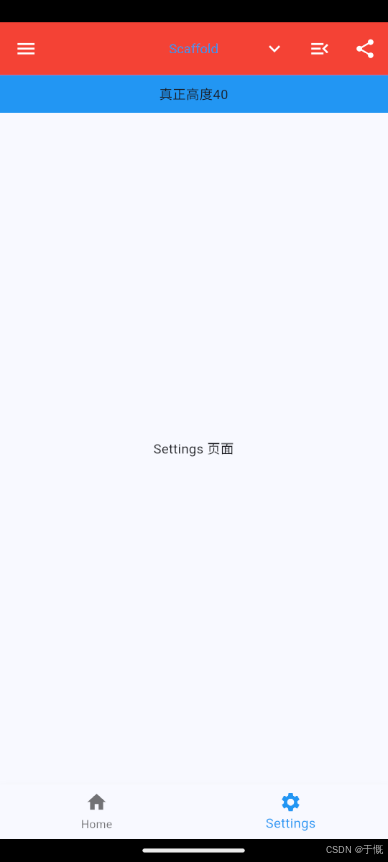
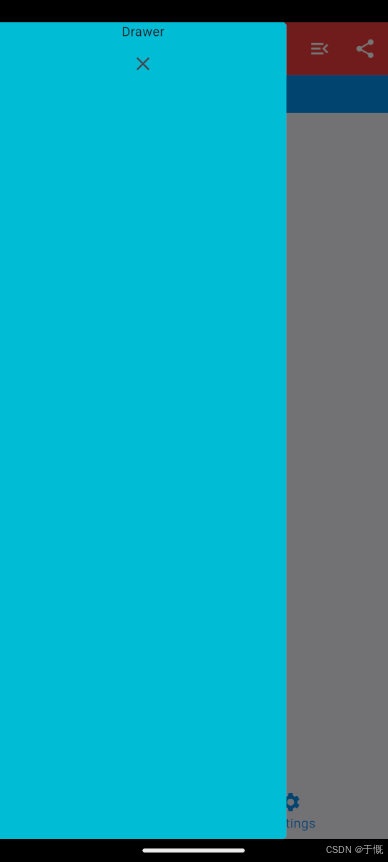
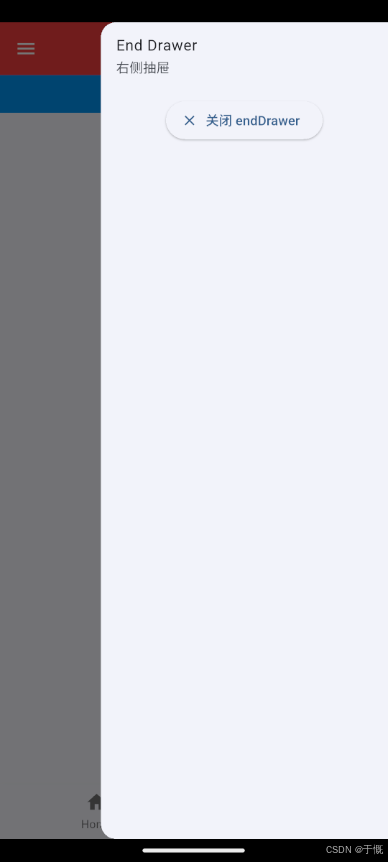
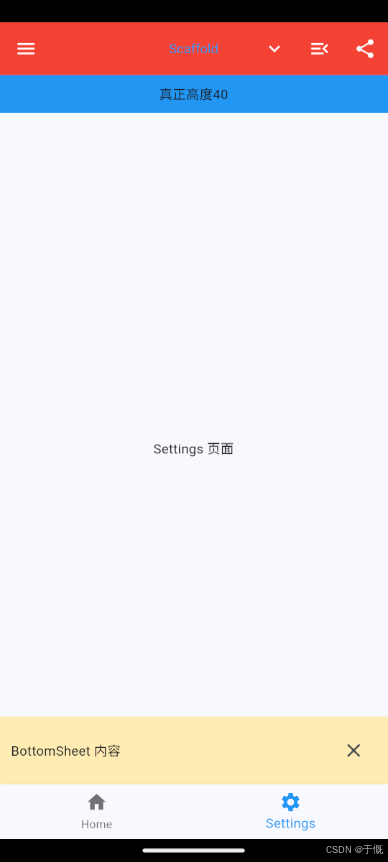
底部弹窗
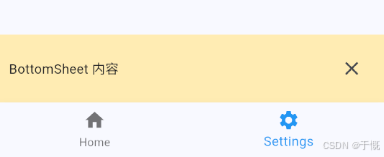
Scaffold设置的bottomSheet不会遮住bottomNavigationBar,导致效果不佳
import 'package:flutter/material.dart';

class ScaffoldPage extends StatefulWidget {
  const ScaffoldPage({super.key});

  @override
  State<ScaffoldPage> createState() => _ScaffoldPageState();
}

class _ScaffoldPageState extends State<ScaffoldPage> {
  int _selectedIndex = 1;
  PersistentBottomSheetController? _bottomSheetController;
  final GlobalKey<ScaffoldState> _scaffoldKey =
      GlobalKey<ScaffoldState>(); // 全局Key

  final List<Widget> _tabPages = const [
    Center(child: Text('Home 页面')),
    Center(child: Text('Settings 页面')),
  ];
  @override
  Widget build(BuildContext context) {
    return SafeArea(
      child: Scaffold(
        key: _scaffoldKey,
        appBar: AppBar(
          // 默认包含状态栏(需要放SafeArea中)
          title: const Text('Scaffold'),
          centerTitle: true,
          leading: Builder(
            builder: (context) {
              return IconButton(
                icon: Icon(Icons.menu),
                onPressed: () {
                  Scaffold.of(context).openDrawer();
                },
              );
            },
          ),
          actions: <Widget>[
            IconButton(
              icon: const Icon(Icons.keyboard_arrow_down),
              tooltip: '打开 bottomSheet',
              onPressed: () {
                // 已经打开就不重复创建
                if (_bottomSheetController != null) {
                  return;
                }
                _bottomSheetController = _scaffoldKey.currentState
                    ?.showBottomSheet((context) {
                      return Container(
                        width: double.infinity,
                        padding: const EdgeInsets.all(12),
                        color: Colors.amber.shade100,
                        child: Row(
                          children: [
                            const Expanded(child: Text('BottomSheet 内容')),
                            IconButton(
                              onPressed: () {
                                _bottomSheetController?.close();
                              },
                              icon: Icon(Icons.close),
                            ),
                          ],
                        ),
                      );
                    });
                _bottomSheetController?.closed.whenComplete(() {
                  // 关闭后清空控制器
                  _bottomSheetController = null;
                });
              },
            ),
          ],
        ),
        bottomNavigationBar: BottomNavigationBar(
          items: [
            BottomNavigationBarItem(icon: Icon(Icons.home), label: 'Home'),
            BottomNavigationBarItem(
              icon: Icon(Icons.settings),
              label: 'Settings',
            ),
          ],
          currentIndex: _selectedIndex, // 当前选中索引
          fixedColor: Colors.blue, // 选中颜色
          onTap: _onItemTapped,
        ),
      ),
    );
  }

  void _onItemTapped(int index) {
    setState(() {
      _selectedIndex = index;
    });
  }
}
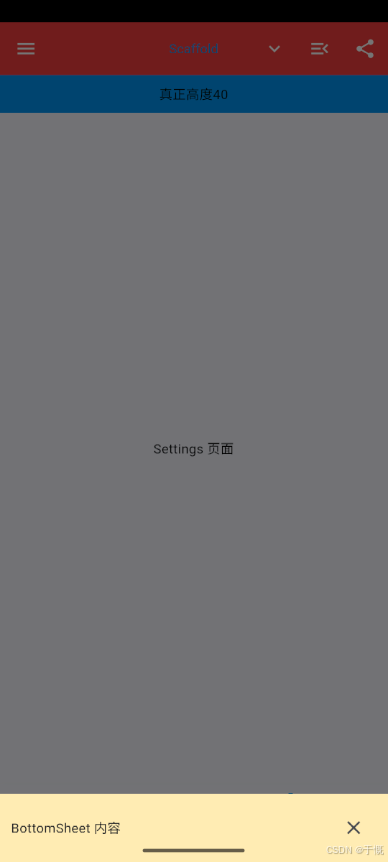
上面方式一样遮不住
actions: <Widget>[
  IconButton(
    icon: const Icon(Icons.keyboard_arrow_down),
    tooltip: '打开 bottomSheet',
    onPressed: () async {
      await showModalBottomSheet<void>(
        context: context,
        isScrollControlled: true,
        useSafeArea: true,
        builder: (sheetContext) {
          return Container(
            width: double.infinity,
            padding: const EdgeInsets.all(12),
            color: Colors.amber.shade100,
            child: Row(
              children: [
                const Expanded(child: Text('BottomSheet 内容')),
                IconButton(
                  onPressed: () => Navigator.of(sheetContext).pop(),
                  icon: const Icon(Icons.close),
                ),
              ],
            ),
          );
        },
      );
    },
  ),
],
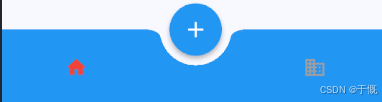
tabbar
bottomNavigationBar: BottomAppBar(
  color: Colors.blue,
  shape: const CircularNotchedRectangle(),
  notchMargin: 10,
  child: SizedBox(
    height: 56,
    child: Row(
      mainAxisAlignment: MainAxisAlignment.spaceAround,
      children: [
        IconButton(
          icon: Icon(
            Icons.home,
            color: _selectedIndex == 0 ? Colors.red : Colors.grey,
          ),
          onPressed: () => _onItemTapped(0),
        ),
        const SizedBox(width: 48),
        IconButton(
          icon: Icon(
            Icons.business,
            color: _selectedIndex == 1 ? Colors.red : Colors.grey,
          ),
          onPressed: () => _onItemTapped(1),
        ),
      ],
    ),
  ),
),
floatingActionButton: FloatingActionButton(
  onPressed: () {},
  backgroundColor: Colors.blue,
  foregroundColor: Colors.white,
  elevation: 3,
  shape: RoundedRectangleBorder(
    borderRadius: BorderRadius.circular(50),
  ),
  child: const Icon(Icons.add, size: 28),
),
floatingActionButtonLocation: FloatingActionButtonLocation.centerDocked,
13、滚动组件
基于
RenderBox的盒模型布局父组件给子组件传约束(宽高范围),子组件计算自己的大小,再由父组件确定位置。一次布局、一次性构建。
基于
Sliver(RenderSliver)的按需加载列表布局只对 ** 当前屏幕内(和预加载区域)** 的组件进行布局和渲染,屏幕外的不构建。按需布局、滚动时动态构建
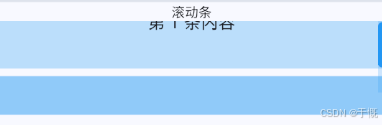
滚动条Scrollbar
import 'package:flutter/material.dart';

// 有状态组件
class ScrollbarPage extends StatefulWidget {
  const ScrollbarPage({super.key});

  @override
  State<ScrollbarPage> createState() => _ScrollbarPageState();
}

class _ScrollbarPageState extends State<ScrollbarPage> {
  // 可以在这里写状态、控制器等
  final ScrollController _scrollController = ScrollController();

  @override
  void dispose() {
    // 页面销毁时释放控制器
    _scrollController.dispose();
    super.dispose();
  }

  @override
  Widget build(BuildContext context) {
    return Scaffold(
      appBar: AppBar(title: const Text("Scrollbar + 有状态组件")),
      body: Column(
        children: [
          SizedBox(height: 100, child: Text('滚动条')),
          SizedBox(
            height: 100,
            child: ScrollbarTheme(
              data: ScrollbarThemeData(
                thumbColor: WidgetStateProperty.all(Colors.blue), // 滑块颜色
                trackColor: WidgetStateProperty.all(
                  Colors.blue.withValues(alpha: 0.2),
                ), // 轨道颜色
                trackBorderColor: WidgetStateProperty.all(
                  Colors.transparent,
                ), // 轨道边框色
              ),
              child: Scrollbar(
                // 滚动条(绑定控制器,更稳定)
                controller: _scrollController,
                thumbVisibility: true, // 始终显示滚动条(可选)
                trackVisibility: true, // 始终显示滚动条轨道(可选)
                thickness: 8, // 滚动条宽度
                radius: const Radius.circular(4), // 圆角
                scrollbarOrientation: ScrollbarOrientation.right, // 滚动条位置
                child: SingleChildScrollView(
                  controller: _scrollController,
                  child: Column(
                    children: List.generate(30, (index) {
                      return Container(
                        height: 100,
                        margin: const EdgeInsets.only(bottom: 8),
                        color: Colors.blue[100 * (index % 9)],
                        child: Center(
                          child: Text(
                            "第 $index 条内容",
                            style: const TextStyle(fontSize: 18),
                          ),
                        ),
                      );
                    }),
                  ),
                ),
              ),
            ),
          ),
        ],
      ),
    );
  }
}
ViewPort
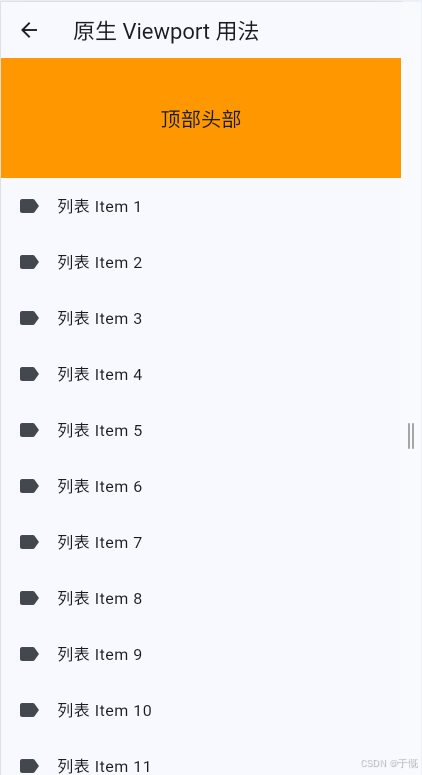
作用:渲染当前视口中需要显示 Sliver。
import 'package:flutter/material.dart';
import 'package:flutter/rendering.dart' show ViewportOffset;

class ViewportDemoPage extends StatelessWidget {
  const ViewportDemoPage({super.key});

  @override
  Widget build(BuildContext context) {
    return Scaffold(
      appBar: AppBar(title: const Text("原生 Viewport 用法")),
      // Scrollable + Viewport 底层滚动组合
      body: Scrollable(
        // 滚动方向:垂直向下
        axisDirection: AxisDirection.down,
        // 构建 Viewport 视口
        viewportBuilder: (BuildContext context, ViewportOffset offset) {
          return Viewport(
            // 滚动偏移量(Scrollable 提供)
            offset: offset,
            // 视口外预加载区域,优化滑动空白
            cacheExtent: 200,
            // 内部只能放 Sliver 组件
            slivers: [
              // 顶部
              // 普通Box组件必须包裹 SliverToBoxAdapter
              SliverToBoxAdapter(
                child: Container(
                  height: 120,
                  color: Colors.orange,
                  child: const Center(
                    child: Text("顶部头部", style: TextStyle(fontSize: 20)),
                  ),
                ),
              ),
              // 列表 Sliver
              SliverList(
                delegate: SliverChildBuilderDelegate((context, index) {
                  // 列表项构建函数
                  return ListTile(
                    leading: const Icon(Icons.label),
                    title: Text("列表 Item ${index + 1}"),
                  );
                }, childCount: 30),
              ),
              // 底部
              SliverToBoxAdapter(
                child: Container(
                  height: 80,
                  color: Colors.green[200],
                  child: const Center(child: Text("底部尾部")),
                ),
              ),
            ],
          );
        },
      ),
    );
  }
}
SingleChildScrollView
使一个组件具有滑动的效果
基本使用
import 'package:flutter/material.dart';

class SingleChildScrollViewPage extends StatelessWidget {
  SingleChildScrollViewPage({super.key});

  final data = List.generate(128, (i) => Color(0xFF00FFFF - 2 * i));

  @override
  Widget build(BuildContext context) {
    return Scaffold(
      appBar: AppBar(title: const Text('Container')),
      body: Column(
        children: [
          SizedBox(height: 20, child: Text('基本使用')),
          SizedBox(
            height: 200,
            child: Column(
              children: data
                  .map(
                    (color) => Container(
                      alignment: Alignment.center,
                      height: 50,
                      color: color,
                      child: Text(
                        "#${color.toARGB32().toRadixString(16).padLeft(8, '0').toUpperCase()}",
                        style: const TextStyle(
                          color: Colors.white,
                          shadows: [
                            Shadow(
                              color: Colors.black,
                              offset: Offset(.5, .5),
                              blurRadius: 2,
                            ),
                          ],
                        ),
                      ),
                    ),
                  )
                  .toList(),
            ),
          ),
        ],
      ),
    );
  }
}
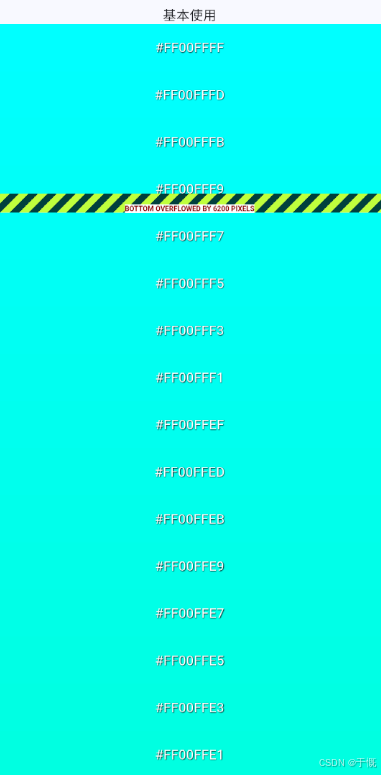
会产生溢出,且不会滚动
import 'package:flutter/material.dart';

class SingleChildScrollViewPage extends StatelessWidget {
  SingleChildScrollViewPage({super.key});

  final data = List.generate(128, (i) => Color(0xFF00FFFF - 2 * i));

  @override
  Widget build(BuildContext context) {
    return Scaffold(
      appBar: AppBar(title: const Text('Container')),
      body: Column(
        children: [
          SizedBox(height: 20, child: Text('基本使用')),
          SizedBox(
            height: 200,
            child: SingleChildScrollView(
              child: Column(
                children: data
                    .map(
                      (color) => Container(
                        alignment: Alignment.center,
                        height: 50,
                        color: color,
                        child: Text(
                          "#${color.toARGB32().toRadixString(16).padLeft(8, '0').toUpperCase()}",
                          style: const TextStyle(
                            color: Colors.white,
                            shadows: [
                              Shadow(
                                color: Colors.black,
                                offset: Offset(.5, .5),
                                blurRadius: 2,
                              ),
                            ],
                          ),
                        ),
                      ),
                    )
                    .toList(),
              ),
            ),
          ),
        ],
      ),
    );
  }
}
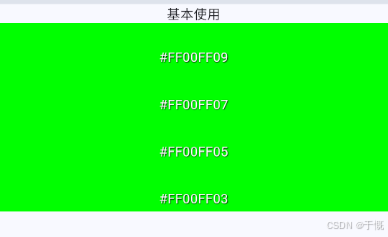
现在不溢出且可以滚动了
ListView
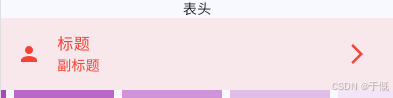
表头
ListTile(
  title: const Text('标题'),
  subtitle: const Text('副标题'),
  leading: const Icon(Icons.person),
  trailing: const Icon(Icons.arrow_forward_ios),
  selected: true,
  selectedTileColor: Colors.red.withOpacity(0.1),
  selectedColor: Colors.red,
  tileColor: Colors.blue.withOpacity(0.1),
  iconColor: Colors.blue,
  textColor: Colors.yellow,
  onTap: () {
    print('onTap');
  },
),
带分割线List
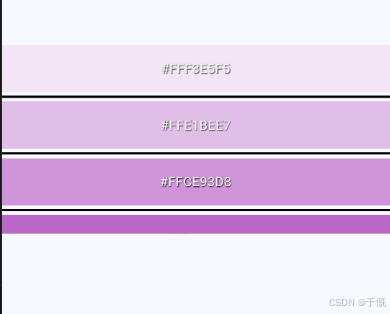
ListView.separated
import 'package:flutter/material.dart';

class ListPage extends StatelessWidget {
  ListPage({super.key});

  final data = <Color>[
    Colors.purple[50]!,
    Colors.purple[100]!,
    Colors.purple[200]!,
    Colors.purple[300]!,
    Colors.purple[400]!,
    Colors.purple[500]!,
    Colors.purple[600]!,
    Colors.purple[700]!,
    Colors.purple[800]!,
    Colors.purple[900]!,
  ];

  @override
  Widget build(BuildContext context) {
    return Scaffold(
      appBar: AppBar(title: const Text('List')),
      body: Center(
        // 垂直水平居中
        child: SizedBox(
          height: 200,
          child: ListView.separated(
            // 带分割线的列表
            itemCount: data.length,
            itemBuilder: (context, index) => _buildItem(data[index]),
            separatorBuilder: (context, index) => const Divider(
              thickness: 2,
              height: 10,
              color: Colors.black,
            ), // thickness: 分割线宽度 height: 分割线高度
          ),
        ),
      ),
    );
  }

  String colorString(Color color) =>
      "#${color.toARGB32().toRadixString(16).padLeft(8, '0').toUpperCase()}"; // 颜色转16进制

  Widget _buildItem(Color color) => Container(
    alignment: Alignment.center,
    width: 100,
    height: 50,
    color: color,
    child: Text(
      colorString(color),
      style: const TextStyle(
        color: Colors.white,
        shadows: [
          Shadow(color: Colors.black, offset: Offset(.5, .5), blurRadius: 2),
        ],
      ),
    ),
  );
}
列表-builder方式
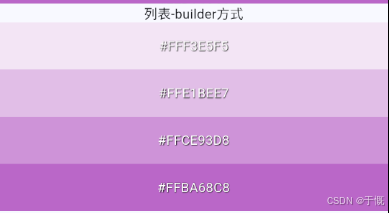
SizedBox(
  // 1. 固定列表高度为 200
  height: 200,
  child: ListView.builder(
    // 2. 必须指定列表有多少条数据
    itemCount: data.length,
    // 3. 构建每一个列表项
    itemBuilder: (context, index) => _buildItem(data[index]),
  ),
),
列表-水平滚动
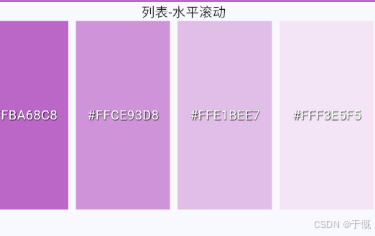
scrollDirection: Axis.horizontal, // horizontal 水平滚动 vertical 垂直滚动ListView( reverse: true, // 数据项反转 shrinkWrap: false, // 自适应内容大小 scrollDirection: Axis.horizontal, // horizontal 水平滚动 vertical 垂直滚动 children: data.map((color) { return Padding( padding: const EdgeInsets.symmetric(horizontal: 4), child: Container( alignment: Alignment.center, width: 100, height: 50, color: color, child: Text( colorString(color), style: const TextStyle( color: Colors.white, shadows: [ Shadow( color: Colors.black, offset: Offset(0.5, 0.5), blurRadius: 2, ), ], ), ), ), ); }).toList(), )
控制垂直滚动
SizedBox(
  height: 40,
  child: ListView(
    children: const [
      SizedBox(height: 20, child: Text('顶部')),
      SizedBox(height: 20, child: Text('中间')),
      SizedBox(height: 20, child: Text('底部')),
    ],
  ),
),

列表中删除一个元素
import 'package:flutter/material.dart';

class ListPage extends StatefulWidget {
  const ListPage({super.key});

  @override
  State<ListPage> createState() => _ListPageState();
}

class _ListPageState extends State<ListPage> {
  late final List<Color> _data;

  @override
  void initState() {
    super.initState();
    _data = <Color>[
      Colors.purple[50]!,
      Colors.purple[100]!,
      Colors.purple[200]!,
      Colors.purple[300]!,
      Colors.purple[400]!,
      Colors.purple[500]!,
      Colors.purple[600]!,
      Colors.purple[700]!,
      Colors.purple[800]!,
      Colors.purple[900]!,
    ];
  }

  @override
  Widget build(BuildContext context) {
    return Scaffold(
      appBar: AppBar(title: const Text('List')),
      body: Center(
        // 垂直水平居中
        child: Column(
          children: [
            SizedBox(height: 20, child: Text('列表中删除一个元素')),
            SizedBox(
              height: 80,
              child: Row(
                children: [
                  Expanded(
                    child: ListView.separated(
                      scrollDirection: Axis.horizontal,
                      itemCount: _data.length,
                      itemBuilder: (context, index) => Container(
                        alignment: Alignment.center,
                        width: 42,
                        decoration: BoxDecoration(
                          color: _data[index],
                          borderRadius: BorderRadius.circular(8),
                        ),
                        child: Text(
                          '$index',
                          style: const TextStyle(color: Colors.white),
                        ),
                      ),
                      separatorBuilder: (_, __) => const SizedBox(width: 6),
                    ),
                  ),
                  const SizedBox(width: 10),
                  ElevatedButton(
                    onPressed: _data.isEmpty
                        ? null
                        : () {
                            // 示例:删除第一个元素并刷新列表
                            setState(() {
                              _data.removeAt(0);
                            });
                          },
                    child: const Text('删除首项'),
                  ),
                ],
              ),
            ),
          ],
        ),
      ),
    );
  }

  String colorString(Color color) =>
      "#${color.toARGB32().toRadixString(16).padLeft(8, '0').toUpperCase()}"; // 颜色转16进制

  Widget _buildItem(Color color) => Container(
    alignment: Alignment.center,
    width: 100,
    height: 50,
    color: color,
    child: Text(
      colorString(color),
      style: const TextStyle(
        color: Colors.white,
        shadows: [
          Shadow(color: Colors.black, offset: Offset(.5, .5), blurRadius: 2),
        ],
      ),
    ),
  );
}
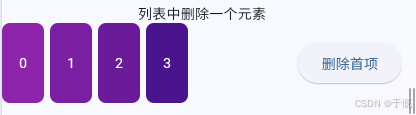
GridView
自适应行列数
import 'package:flutter/material.dart';

class GridPage extends StatelessWidget {
  GridPage({super.key});

  final data = List.generate(128, (i) => Color(0xFF00FFFF - 2 * i));

  @override
  Widget build(BuildContext context) {
    return Scaffold(
      appBar: AppBar(title: const Text('Container')),
      body: Column(
        children: [
          SizedBox(height: 20, child: Text('自适应行列数-GridView.extent')),
          SizedBox(
            height: 200,
            child: GridView.extent(
              scrollDirection: Axis.horizontal,
              maxCrossAxisExtent: 100.0, // 最大交叉轴范围(单元格)
              // mainAxisExtent: 100.0, // 主轴长度(单元格)
              mainAxisSpacing: 2, // 主轴间距
              crossAxisSpacing: 2, // 交叉轴间距
              childAspectRatio: 1, // 单元格宽高比(未设置mainAxisExtent才有效)
              children: data.map((color) => _buildItem(color)).toList(),
            ),
          ),
        ],
      ),
    );
  }

  Container _buildItem(Color color) => Container(
    alignment: Alignment.center,
    width: 100,
    height: 100,
    color: color,
    child: Text(
      "#${color.toARGB32().toRadixString(16).padLeft(8, '0').toUpperCase()}",
      style: const TextStyle(
        color: Colors.white,
        shadows: [
          Shadow(color: Colors.black, offset: Offset(.5, .5), blurRadius: 2),
        ],
      ),
    ),
  );
}
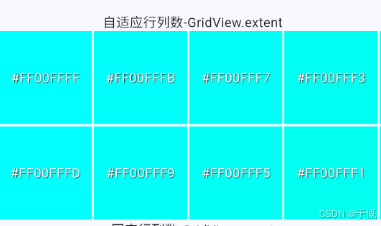
固定行/列数
import 'package:flutter/material.dart';

class GridPage extends StatelessWidget {
  GridPage({super.key});

  final data = List.generate(128, (i) => Color(0xFF00FFFF - 2 * i));

  @override
  Widget build(BuildContext context) {
    return Scaffold(
      appBar: AppBar(title: const Text('Container')),
      body: Column(
        children: [
          SizedBox(height: 20, child: Text('固定行列数-GridView.count')),
          SizedBox(
            height: 200,
            child: GridView.count(
              scrollDirection: Axis.vertical,
              crossAxisCount: 4, // 交叉轴数量
              mainAxisSpacing: 2, // 主轴间距
              crossAxisSpacing: 2, // 交叉轴间距
              childAspectRatio: 1 / 1, // 单元格宽高比(未设置mainAxisExtent才有效)
              shrinkWrap: true, // 关键:让GridView根据内容自适应高度
              children: data.map((color) => _buildItem(color)).toList(),
            ),
          ),
        ],
      ),
    );
  }

  Container _buildItem(Color color) => Container(
    alignment: Alignment.center,
    width: 100,
    height: 100,
    color: color,
    child: Text(
      "#${color.toARGB32().toRadixString(16).padLeft(8, '0').toUpperCase()}",
      style: const TextStyle(
        color: Colors.white,
        shadows: [
          Shadow(color: Colors.black, offset: Offset(.5, .5), blurRadius: 2),
        ],
      ),
    ),
  );
}
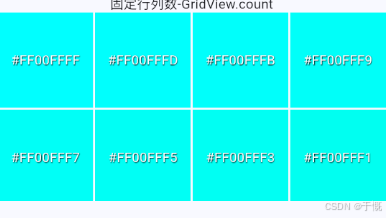
固定行和列数
SizedBox(
  height: 20,
  child: const Text('固定行/列数-GridView.builder'),
),
SizedBox(
  height: 200,
  child: GridView.builder(
    itemCount: data.length,
    scrollDirection: Axis.vertical,
    gridDelegate: const SliverGridDelegateWithFixedCrossAxisCount(
      crossAxisCount: 4, // 交叉轴展示条目数
      mainAxisSpacing: 5, // 主轴间距
      crossAxisSpacing: 5, // 交叉轴间距
      childAspectRatio: 1 / 1, // 宽高比
    ),
    itemBuilder: (_, int position) => _buildItem(data[position]),
  ),
),
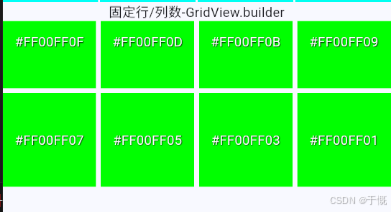
PageView
常规使用
默认是懒加载 + 页面销毁机制,只保留:当前页 + 左右各 1 个缓存页
import 'package:flutter/material.dart';

class PageviewPage extends StatefulWidget {
  const PageviewPage({super.key});

  @override
  State<PageviewPage> createState() => _PageviewPageState();
}

class _PageviewPageState extends State<PageviewPage> {
  final data = <Color>[
    Colors.green[50]!,
    Colors.green[100]!,
    Colors.green[200]!,
    Colors.green[300]!,
    Colors.green[400]!,
    Colors.green[500]!,
    Colors.green[600]!,
    Colors.green[700]!,
    Colors.green[800]!,
    Colors.green[900]!,
  ];

  late PageController _pageController;

  @override
  void initState() {
    super.initState();
    _pageController = PageController(
      // viewportFraction 决定每一页占视口宽度比例。
      // 1.0 = 每页占满屏幕宽度(自适应全宽)。
      viewportFraction: 1 / 3,
      initialPage: 2,
    );
  }

  @override
  void dispose() {
    _pageController.dispose();
    super.dispose();
  }

  @override
  Widget build(BuildContext context) {
    return Scaffold(
      body: SizedBox(
        height: 100,
        width: double.infinity,
        child: PageView(
          controller: _pageController,
          scrollDirection: Axis.horizontal,
          onPageChanged: (position) {
            print("page $position");
          },
          children: data
              .map(
                (color) => SizedBox.expand(
                  // SizedBox.expand:给自己一个“填满父约束”的固定尺寸(宽高都尽量最大)
                  child: Container(
                    alignment: Alignment.center,
                    color: color,
                    child: Text(
                      colorString(color),
                      style: const TextStyle(
                        color: Colors.white,
                        fontSize: 24,
                        shadows: [
                          Shadow(
                            color: Colors.black,
                            offset: Offset(.5, .5),
                            blurRadius: 2,
                          ),
                        ],
                      ),
                    ),
                  ),
                ),
              )
              .toList(),
        ),
      ),
    );
  }

  String colorString(Color color) =>
      "#${color.toARGB32().toRadixString(16).padLeft(8, '0').toUpperCase()}";
}
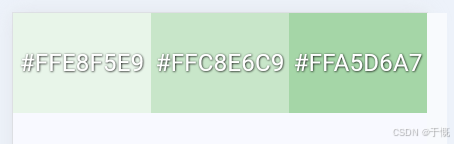
页面缓存
import 'package:flutter/material.dart';

class PageviewPage extends StatefulWidget {
  const PageviewPage({super.key});

  @override
  State<PageviewPage> createState() => _PageviewPageState();
}

class _PageviewPageState extends State<PageviewPage> {
  final data = <Color>[
    Colors.green[50]!,
    Colors.green[100]!,
    Colors.green[200]!,
    Colors.green[300]!,
    Colors.green[400]!,
    Colors.green[500]!,
    Colors.green[600]!,
    Colors.green[700]!,
    Colors.green[800]!,
    Colors.green[900]!,
  ];

  late PageController _pageController;

  @override
  void initState() {
    super.initState();
    _pageController = PageController(
      // viewportFraction 决定每一页占视口宽度比例。
      // 1.0 = 每页占满屏幕宽度(自适应全宽)。
      viewportFraction: 1 / 3,
      initialPage: 2,
    );
  }

  @override
  void dispose() {
    _pageController.dispose();
    super.dispose();
  }

  @override
  Widget build(BuildContext context) {
    return Scaffold(
      body: SizedBox(
        height: 100,
        width: double.infinity,
        child: PageView(
          controller: _pageController,
          scrollDirection: Axis.horizontal,
          onPageChanged: (position) {
            print("page $position");
          },
          children: data
              .asMap()
              .entries
              .map(
                (entry) => SizedBox.expand(
                  // SizedBox.expand:给自己一个“填满父约束”的固定尺寸(宽高都尽量最大)
                  child: DemoBox(
                    index: entry.key,
                    color: entry.value,
                    text: colorString(entry.value),
                  ),
                ),
              )
              .toList(),
        ),
      ),
    );
  }

  String colorString(Color color) =>
      "#${color.toARGB32().toRadixString(16).padLeft(8, '0').toUpperCase()}";
}

class DemoBox extends StatefulWidget {
  const DemoBox({
    super.key,
    required this.index,
    required this.color,
    required this.text,
  });
  final int index;
  final Color color;
  final String text;
  @override
  State<DemoBox> createState() => _DemoBoxState();
}

class _DemoBoxState extends State<DemoBox> {
  @override
  void initState() {
    super.initState();
    debugPrint('DemoBox initState, index=${widget.index}');
  }

  @override
  void dispose() {
    debugPrint('DemoBox dispose, index=${widget.index}');
    super.dispose();
  }

  @override
  Widget build(BuildContext context) {
    debugPrint('DemoBox build, index=${widget.index}');
    return Container(
      alignment: Alignment.center,
      color: widget.color,
      child: Text(widget.text),
    );
  }
}
如上所示,可知,不在可视区的组件默认会被销毁
allowImplicitScrolling: true,
allowImplicitScrolling置为 true 时就只会缓存前后各一页
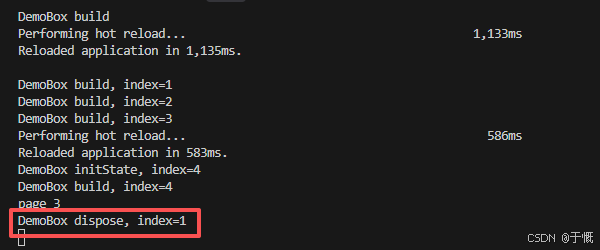
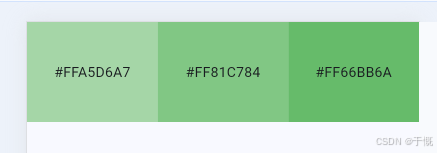
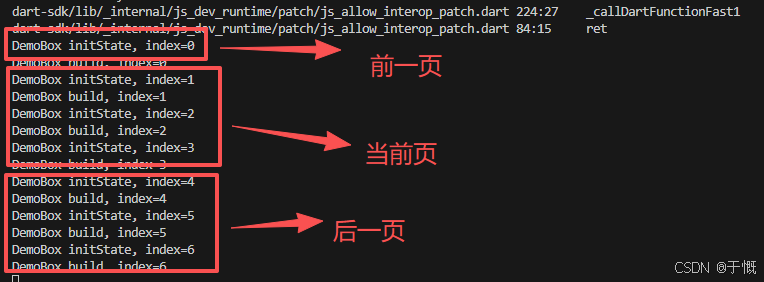
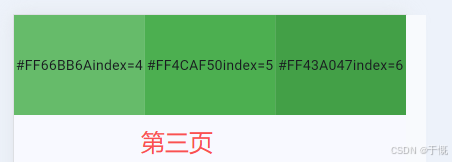
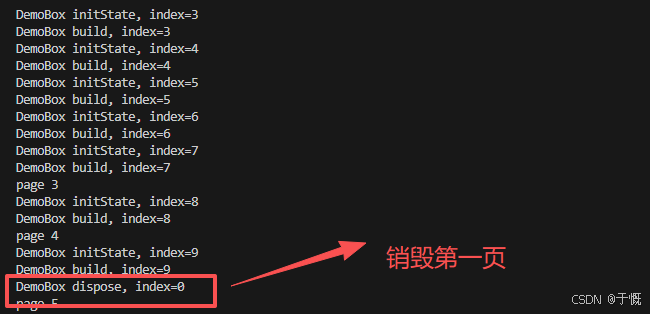
AutomaticKeepAlive
将上一节的PageView保活
class _DemoBoxState extends State<DemoBox> with AutomaticKeepAliveClientMixin {
  @override
  bool get wantKeepAlive => true; // 是否需要缓存

  @override
  void initState() {
    super.initState();
    debugPrint('DemoBox initState, index=${widget.index}');
  }

  @override
  void dispose() {
    debugPrint('DemoBox dispose, index=${widget.index}');
    super.dispose();
  }

  @override
  Widget build(BuildContext context) {
    super.build(
      context,
    ); // 必须调用, 根据当前 wantKeepAlive 的值给 AutomaticKeepAlive 发送消息
    debugPrint('DemoBox build, index=${widget.index}');
    return Container(
      alignment: Alignment.center,
      color: widget.color,
      child: Text("${widget.text}index=${widget.index}"),
    );
  }
}
没有出现销毁
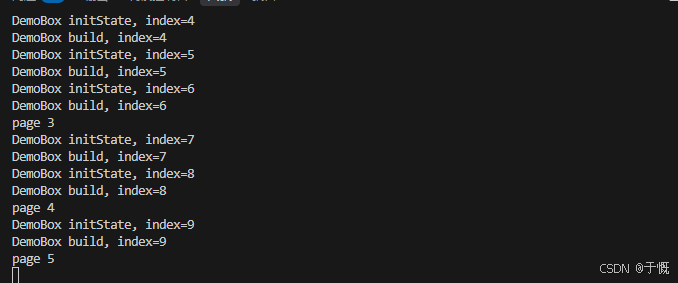
KeepAliveWrapper
3.22+已经移除,得自己补全Widget
class KeepAliveWrapper extends StatefulWidget {
  const KeepAliveWrapper({super.key, required this.child});

  final Widget child;

  @override
  State<KeepAliveWrapper> createState() => _KeepAliveWrapperState();
}

class _KeepAliveWrapperState extends State<KeepAliveWrapper>
    with AutomaticKeepAliveClientMixin {
  @override
  bool get wantKeepAlive => true;

  @override
  Widget build(BuildContext context) {
    super.build(context);
    return widget.child;
  }
}
KeepAliveWrapper( child: DemoBox( index: entry.key, color: entry.value, text: colorString(entry.value), ), ),
TabBar
import 'package:flutter/material.dart';

class TabBarPage extends StatefulWidget {
  const TabBarPage({super.key});

  @override
  State<TabBarPage> createState() => _TabBarPageState();
}

class _TabBarPageState extends State<TabBarPage>
    with SingleTickerProviderStateMixin {
  // 单个动画控制器
  late final TabController _tabController;

  @override
  void initState() {
    super.initState();
    _tabController = TabController(
      length: 3,
      vsync: this,
      initialIndex: 2, // 初始索引,从0开始
    ); // vsync: this 表示使用当前组件的动画控制器
    _tabController.addListener(() {
      // 注意:切换动画和tab稳定下来都会触发一次
      if (!_tabController.indexIsChanging) {
        print('当前选中: ${_tabController.index}');
      }
    });
  }

  @override
  void dispose() {
    _tabController.dispose();
    super.dispose();
  }

  @override
  Widget build(BuildContext context) {
    return Scaffold(
      appBar: AppBar(title: const Text('List')),
      body: Center(
        // 垂直水平居中
        child: Column(
          children: [
            SizedBox(child: Text('TabBar')),
            TabBar(
              controller: _tabController,
              labelColor: Colors.red, // 选中时的颜色
              unselectedLabelColor: Colors.yellow, // 未选中时的颜色
              indicatorColor: Colors.pink, // 指示器颜色
              indicatorWeight: 2, // 指示器宽度
              indicatorSize: TabBarIndicatorSize.tab, // 指示器大小
              indicatorPadding: EdgeInsets.all(10), // 指示器内边距
              dividerColor: Colors.green, // 分割线颜色
              dividerHeight: 1, // 分割线高度
              onFocusChange: (value, index) =>
                  print('onFocusChange: $value, $index'),
              onTap: (index) => print('onTap: $index'),
              tabs: [
                Tab(
                  // text: 'Tab1',
                  // icon: Icon(Icons.home),
                  child: SizedBox(width: 100, height: 100, child: Text('Tab1')),
                ),
                Tab(text: 'Tab2', icon: Icon(Icons.search)),
                Tab(text: 'Tab3', icon: Icon(Icons.person)),
              ],
            ),
            Row(
              children: List.generate(3, (index) {
                return Padding(
                  padding: const EdgeInsets.only(right: 8),
                  child: ElevatedButton(
                    onPressed: () {
                      // _tabController.animateTo(index);
                      // 或者
                      _tabController.index = index;
                    },
                    child: Text('${index + 1}'),
                  ),
                );
              }),
            ),
          ],
        ),
      ),
    );
  }
}
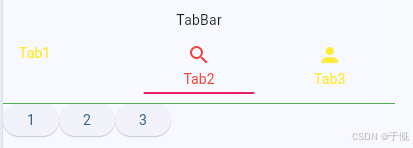
TabView
import 'package:flutter/material.dart';

class TabBarPage extends StatefulWidget {
  const TabBarPage({super.key});

  @override
  State<TabBarPage> createState() => _TabBarPageState();
}

class _TabBarPageState extends State<TabBarPage>
    with SingleTickerProviderStateMixin {
  // 单个动画控制器
  late final TabController _tabController;

  @override
  void initState() {
    super.initState();
    _tabController = TabController(
      length: 3,
      vsync: this,
      initialIndex: 2, // 初始索引,从0开始
    ); // vsync: this 表示使用当前组件的动画控制器
    _tabController.addListener(() {
      // 注意:切换动画和tab稳定下来都会触发一次
      if (!_tabController.indexIsChanging) {
        print('当前选中: ${_tabController.index}');
      }
    });
  }

  @override
  void dispose() {
    _tabController.dispose();
    super.dispose();
  }

  @override
  Widget build(BuildContext context) {
    return Scaffold(
      appBar: AppBar(title: const Text('TabBar')),
      body: Center(
        // 垂直水平居中
        child: Column(
          children: [
            SizedBox(child: Text('TabBar')),
            TabBar(
              controller: _tabController,
              labelColor: Colors.red, // 选中时的颜色
              unselectedLabelColor: Colors.yellow, // 未选中时的颜色
              indicatorColor: Colors.pink, // 指示器颜色
              indicatorWeight: 2, // 指示器宽度
              indicatorSize: TabBarIndicatorSize.tab, // 指示器大小
              indicatorPadding: EdgeInsets.all(10), // 指示器内边距
              dividerColor: Colors.green, // 分割线颜色
              dividerHeight: 1, // 分割线高度
              onFocusChange: (value, index) =>
                  print('onFocusChange: $value, $index'),
              onTap: (index) => print('onTap: $index'),
              tabs: [
                Tab(
                  // text: 'Tab1',
                  // icon: Icon(Icons.home),
                  child: SizedBox(width: 100, height: 100, child: Text('Tab1')),
                ),
                Tab(text: 'Tab2', icon: Icon(Icons.search)),
                Tab(text: 'Tab3', icon: Icon(Icons.person)),
              ],
            ),
            Row(
              children: List.generate(3, (index) {
                return Padding(
                  padding: const EdgeInsets.only(right: 8),
                  child: ElevatedButton(
                    onPressed: () {
                      // _tabController.animateTo(index);
                      // 或者
                      _tabController.index = index;
                    },
                    child: Text('${index + 1}'),
                  ),
                );
              }),
            ),
            Container(
              height: 200,
              color: Colors.blue,
              child: TabBarView(
                controller: _tabController,
                children: [Text('Tab1'), Text('Tab2'), Text('Tab3')],
              ),
            ),
          ],
        ),
      ),
    );
  }
}
例子2
class TabViewRoute extends StatefulWidget {
  const TabViewRoute({super.key});

  @override
  State<TabViewRoute> createState() => _TabViewRouteState();
}

class _TabViewRouteState extends State<TabViewRoute>
    with SingleTickerProviderStateMixin {
  late TabController _tabController;
  List tabs = ["新闻", "历史", "图片"];

  @override
  void initState() {
    super.initState();
    _tabController = TabController(length: tabs.length, vsync: this);
  }

  @override
  Widget build(BuildContext context) {
    return Scaffold(
      appBar: null,
      body: Column(
        children: [
          TabBar(
            tabs: tabs.map((e) => Tab(text: e)).toList(),
            controller: _tabController,
          ),
          Expanded(
            child: TabBarView(
              //构建
              controller: _tabController,
              children: tabs.map((e) {
                return Container(
                  alignment: Alignment.center,
                  child: Text(e, textScaler: const TextScaler.linear(1.0)),
                );
              }).toList(),
            ),
          ),
        ],
      ),
    );
  }

  @override
  void dispose() {
    // 释放资源
    _tabController.dispose();
    super.dispose();
  }
}
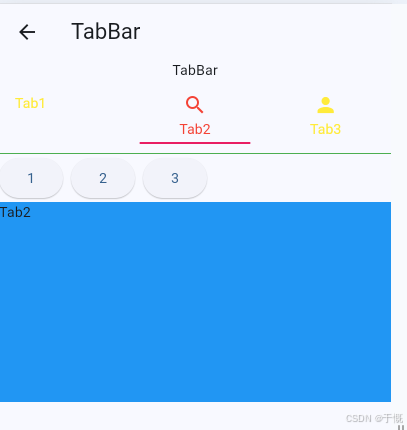
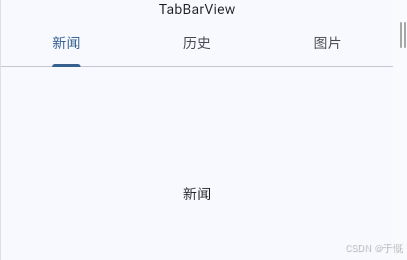
14、功能性组件
导航返回拦截
WillPopScope3.12.0被废弃,改用PopScope
PopScope(
  canPop: false,
  onPopInvokedWithResult: (didPop, result) async {
    if (didPop) return;

    final bool? confirm = await showDialog<bool>(
      context: context,
      builder: (context) {
        return AlertDialog(
          title: const Text('确认返回'),
          content: const Text('确定要离开当前页面吗?'),
          actions: [
            TextButton(
              onPressed: () => Navigator.pop(context, false),
              child: const Text('取消'),
            ),
            TextButton(
              onPressed: () => Navigator.pop(context, true),
              child: const Text('确定'),
            ),
          ],
        );
      },
    );

    if (confirm == true && context.mounted) {
      Navigator.pop(context);
    }
  },
  child: 你的页面组件,
),
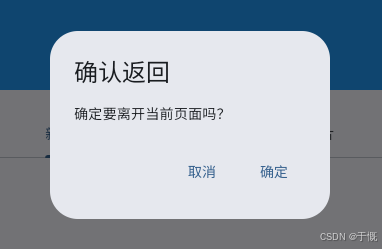
数据共享
InheritedWidget
完全就是 Flutter 版的 Vue provide /inject
主题、语言等
根 widget 中通过
InheritedWidget共享了一个数据,那么我们便可以在任意子widget 中来获取该共享的数据新建一个Provider
class ShareDataProvider extends InheritedWidget {
  // 提供了一种在 widget 树中从上到下共享数据的方式
  const ShareDataProvider({
    super.key,
    required this.data,
    required super.child,
  });

  final int data;

  // 子树中widget获取共享数据
  static ShareDataProvider of(BuildContext context) {
    final ShareDataProvider? result = context
        .dependOnInheritedWidgetOfExactType<ShareDataProvider>();
    assert(result != null, 'No ShareDataProvider found in context');
    return result!;
  }

  // 当共享数据发生变化时,通知子树中的widget重新构建
  @override
  bool updateShouldNotify(ShareDataProvider oldWidget) {
    return oldWidget.data != data;
  }
}
根组件里面这样
import 'package:flutter/material.dart';

class ShareDataPage extends StatefulWidget {
  const ShareDataPage({super.key});

  @override
  State<ShareDataPage> createState() => _ShareDataPageState();
}

class _ShareDataPageState extends State<ShareDataPage> {
  int _count = 0;

  @override
  Widget build(BuildContext context) {
    return ShareDataProvider(
      data: _count,
      child: Scaffold(
        appBar: AppBar(title: const Text('InheritedWidget 示例')),
        body: Padding(
          padding: EdgeInsets.all(16),
          child: Column(
            crossAxisAlignment: CrossAxisAlignment.start,
            children: [
              Text("当前count: $_count", style: TextStyle(fontSize: 16)),
              SizedBox(height: 16),
              CounterText(),
            ],
          ),
        ),
        floatingActionButton: FloatingActionButton(
          onPressed: () {
            setState(() {
              _count++;
            });
          },
          child: const Icon(Icons.add),
        ),
      ),
    );
  }
}
子组件里面读取值
class CounterText extends StatelessWidget {
  const CounterText({super.key});

  @override
  Widget build(BuildContext context) {
    final int count = ShareDataProvider.of(context).data;
    return Text('子组件读取到的值也是:$count', style: const TextStyle(fontSize: 18));
  }
}
缺点: 只能向下传 data(只读),子组件本身没法直接改
得往provider里面加暴露方法
父组件里面穿方法的回调,在回调里面改共享数据
子组件调用Provider里面暴露出来的方法
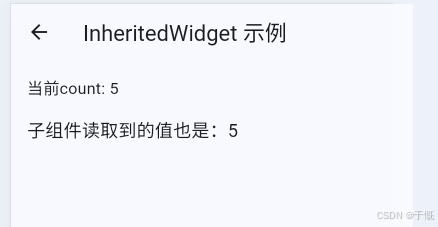
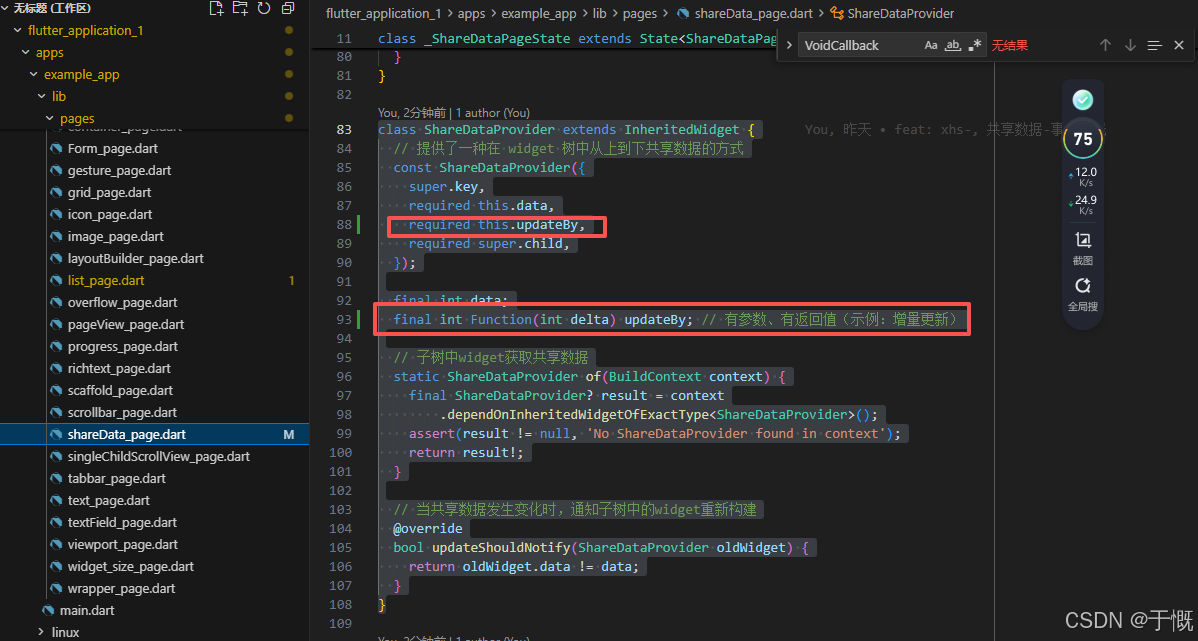
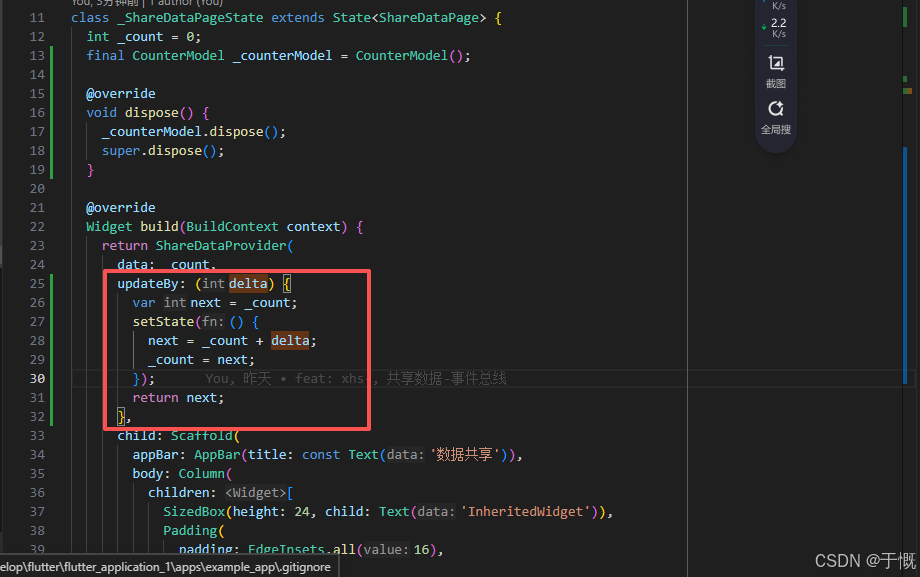
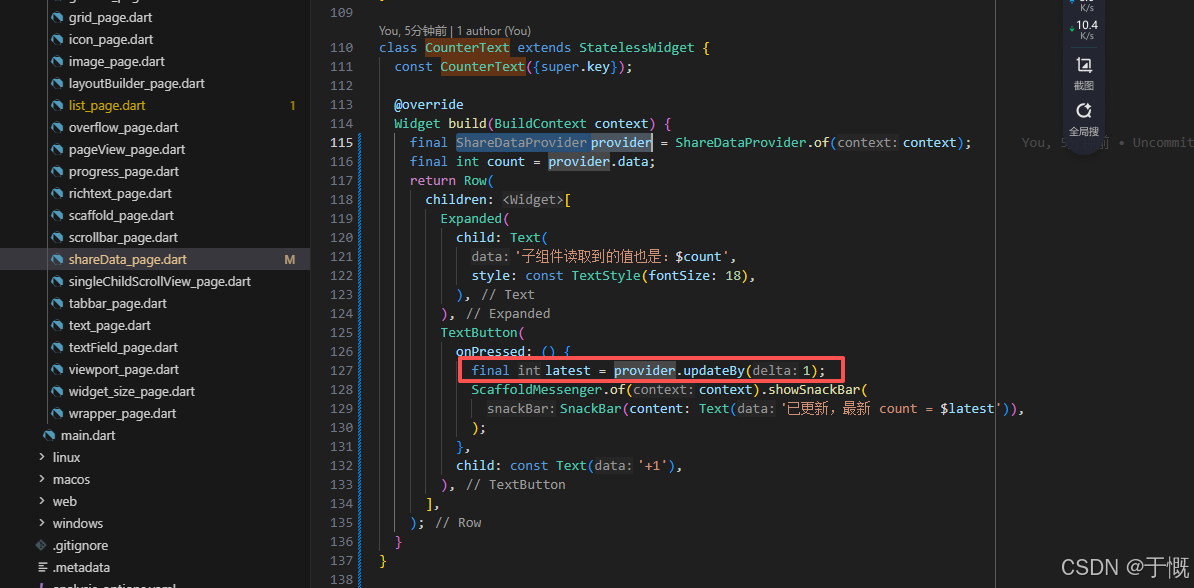
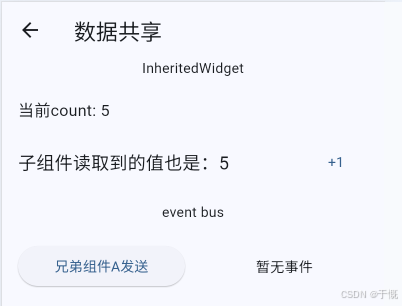
事件总线
先定义事件总线
class SimpleEventBus {
  final Map<Object, List<void Function(dynamic payload)>> _listeners =
      <Object, List<void Function(dynamic payload)>>{};

  void emit(Object event, [dynamic payload]) {
    final listeners = List<void Function(dynamic)>.from(
      _listeners[event] ?? const [],
    );
    for (final listener in listeners) {
      // 注意:dart里面遍历List用for in
      listener(payload);
    }
  }

  void on(Object event, void Function(dynamic payload) listener) {
    _listeners
        .putIfAbsent(
          event,
          () => <void Function(dynamic)>[],
        ) // 如果缺席,则创建一个空列表,里面存放回调函数
        .add(listener);
  }

  void off(Object event, void Function(dynamic payload) listener) {
    final listeners = _listeners[event];
    if (listeners == null) return;
    listeners.remove(listener);
    if (listeners.isEmpty) {
      _listeners.remove(event);
    }
  }
}

final SimpleEventBus eventBus = SimpleEventBus();
兄弟组件通信
class EventSender extends StatelessWidget {
  const EventSender({super.key});

  @override
  Widget build(BuildContext context) {
    return ElevatedButton(
      onPressed: () => eventBus.emit(
        AppEvent.message,
        '兄弟组件发来的消息: ${DateTime.now().second}',
      ),
      child: const Text('兄弟组件A发送'),
    );
  }
}

class EventReceiver extends StatefulWidget {
  const EventReceiver({super.key});

  @override
  State<EventReceiver> createState() => _EventReceiverState();
}

class _EventReceiverState extends State<EventReceiver> {
  String _message = '暂无事件';

  void _onMessage(dynamic payload) {
    setState(() {
      _message = payload?.toString() ?? '';
    });
  }

  @override
  void initState() {
    super.initState();
    eventBus.on(AppEvent.message, _onMessage);
  }

  @override
  void dispose() {
    eventBus.off(AppEvent.message, _onMessage);
    super.dispose();
  }

  @override
  Widget build(BuildContext context) {
    return Text(_message, textAlign: TextAlign.center);
  }
}

enum AppEvent { message }
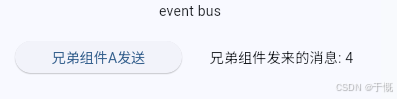
ChangeNotifier
InheritedNotifier方式
准备一个Notifier
class CounterModel extends ChangeNotifier {
  int _count = 0;
  int get count => _count;

  void increment() {
    _count++;
    notifyListeners(); // 通知所有监听者(订阅者)更新
  }

  void setCount(int value) {
    if (_count == value) return;
    _count = value;
    notifyListeners(); // 通知所有监听者(订阅者)更新
  }
}
基于Notifier准备一个Provider
class CounterModelProvider extends InheritedNotifier<CounterModel> {
  const CounterModelProvider({
    super.key,
    required CounterModel super.notifier,
    required super.child,
  });

  static CounterModel of(BuildContext context) {
    final CounterModelProvider? result = context
        .dependOnInheritedWidgetOfExactType<CounterModelProvider>();
    assert(result != null, 'No CounterModelProvider found in context');
    return result!.notifier!;
  }
}
组件里面创建实例
final CounterModel _noProviderCounterModel = CounterModel();
父组件给子组件包裹Provider
Padding(
  padding: const EdgeInsets.all(16),
  child: CounterModelProvider(
    notifier: _noProviderCounterModel,
    child: const ChangeNotifierNoProviderDemo(),
  ),
),
子组件里面展示、更新数据
class ChangeNotifierNoProviderDemo extends StatelessWidget {
  const ChangeNotifierNoProviderDemo({super.key});

  @override
  Widget build(BuildContext context) {
    final model = CounterModelProvider.of(context);
    return Column(
      crossAxisAlignment: CrossAxisAlignment.start,
      children: [
        Text('当前count: ${model.count}', style: const TextStyle(fontSize: 16)),
        const SizedBox(height: 12),
        Text('子组件读取到的值也是:${model.count}', style: const TextStyle(fontSize: 18)),
        const SizedBox(height: 12),
        Row(
          children: [
            ElevatedButton(onPressed: model.increment, child: const Text('+1')),
            const SizedBox(width: 12),
            OutlinedButton(
              onPressed: () => model.setCount(0),
              child: const Text('重置为0'),
            ),
          ],
        ),
      ],
    );
  }
}
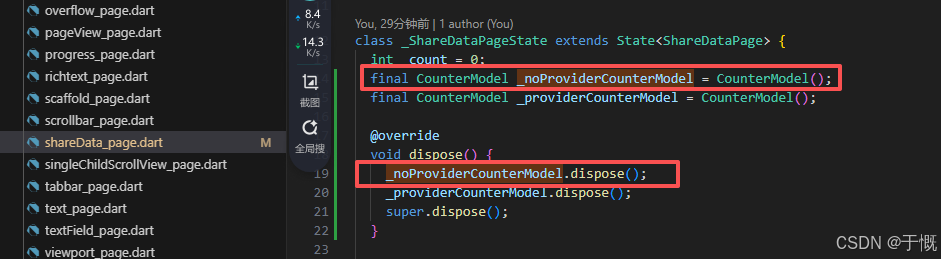
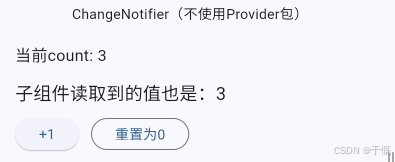
Provider库方式
引入Provider库
import 'package:provider/provider.dart';准备一个Model
class CounterModel extends ChangeNotifier {
  int _count = 0;
  int get count => _count;

  void increment() {
    _count++;
    notifyListeners(); // 通知所有监听者(订阅者)更新
  }

  void setCount(int value) {
    if (_count == value) return;
    _count = value;
    notifyListeners(); // 通知所有监听者(订阅者)更新
  }
}
实例化一个Model
final CounterModel _providerCounterModel = CounterModel();父组件里面使用
Padding(
  padding: const EdgeInsets.all(16),
  child: ChangeNotifierProvider.value(
    value: _providerCounterModel,
    child: const ChangeNotifierProviderDemo(),
  ),
),
子组件里面监听使用数据
class ChangeNotifierProviderDemo extends StatelessWidget {
  const ChangeNotifierProviderDemo({super.key});

  @override
  Widget build(BuildContext context) {
    return Column(
      crossAxisAlignment: CrossAxisAlignment.start,
      children: [
        const Text(
          '外层已通过 ChangeNotifierProvider.value(...) 提供 CounterModel 实例',
        ),
        const SizedBox(height: 8),
        const Text('1) Consumer<CounterModel> 用法:'),
        Consumer<CounterModel>(
          builder: (context, model, _) => Text(
            '当前count: ${model.count}',
            style: const TextStyle(fontSize: 16),
          ),
        ),
        const SizedBox(height: 12),
        const Text('2) context.watch<CounterModel>() 用法:'),
        Builder(
          builder: (context) {
            final count = context.watch<CounterModel>().count; // 监听count变化,重新构建
            return Text(
              'watch 读取到的值:$count',
              style: const TextStyle(fontSize: 16),
            );
          },
        ),
        const SizedBox(height: 12),
        const SizedBox(height: 12),
        const Text('3) context.read<CounterModel>() 用法(事件中读取,不监听):'),
        Row(
          children: [
            Text(
              'context.read(不变):${context.read<CounterModel>().count}',
              style: const TextStyle(fontSize: 16),
            ),
            ElevatedButton(
              onPressed: () => context.read<CounterModel>().increment(),
              child: const Text('+1'),
            ),
            const SizedBox(width: 12),
            OutlinedButton(
              onPressed: () => context.read<CounterModel>().setCount(0),
              child: const Text('重置为0'),
            ),
          ],
        ),
      ],
    );
  }
}
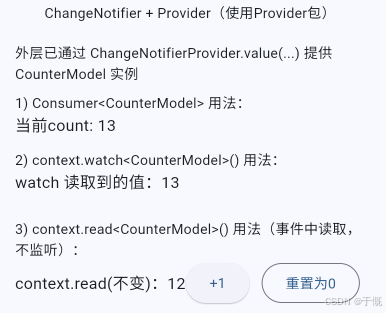
单例模式
创建一个单例模式
class SingletonCounterManager extends ChangeNotifier {
  // 将构造函数私有化
  SingletonCounterManager._();
  // 单例模式,全局唯一实例
  static final SingletonCounterManager instance = SingletonCounterManager._();

  int _count = 0;
  int get count => _count;

  void increment([int step = 1]) {
    _count += step;
    notifyListeners();
  }

  void reset() {
    if (_count == 0) return;
    _count = 0;
    notifyListeners();
  }
}
子组件操作数据
class SingletonChangeNotifierDemo extends StatelessWidget {
  const SingletonChangeNotifierDemo({super.key});

  @override
  Widget build(BuildContext context) {
    final manager = SingletonCounterManager.instance;
    return Column(
      crossAxisAlignment: CrossAxisAlignment.start,
      children: [
        AnimatedBuilder(
          animation: manager,
          builder: (context, _) => Text(
            '当前count: ${manager.count}',
            style: const TextStyle(fontSize: 16),
          ),
        ),
        const SizedBox(height: 12),
        Builder(
          builder: (BuildContext context) {
            final manager = SingletonCounterManager.instance;
            return AnimatedBuilder(
              animation: manager,
              builder: (context, _) => Text(
                '子组件读取到的值也是:${manager.count}',
                style: const TextStyle(fontSize: 18),
              ),
            );
          },
        ),
        const SizedBox(height: 12),
        Row(
          children: [
            ElevatedButton(
              onPressed: manager.increment,
              child: const Text('+1'),
            ),
            const SizedBox(width: 12),
            OutlinedButton(onPressed: manager.reset, child: const Text('重置为0')),
          ],
        ),
        SizedBox(child: Text('不使用动画')),
        SingletonCounterText(),
      ],
    );
  }
}
不使用动画时
class SingletonCounterText extends StatefulWidget {
  const SingletonCounterText({super.key});
  @override
  State<SingletonCounterText> createState() => _SingletonCounterTextState();
}

class _SingletonCounterTextState extends State<SingletonCounterText> {
  final manager = SingletonCounterManager.instance;
  @override
  void initState() {
    super.initState();
    manager.addListener(_onChanged);
  }

  void _onChanged() => setState(() {});
  @override
  void dispose() {
    manager.removeListener(_onChanged);
    super.dispose();
  }

  @override
  Widget build(BuildContext context) {
    return Text('当前count: ${manager.count}');
  }
}
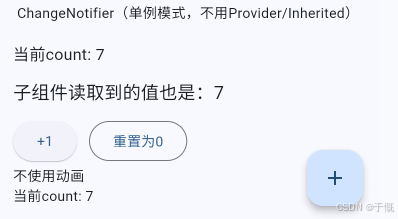
ValueNotifier
父组件里面定义一个变量
final ValueNotifier<int> _valueCounter = ValueNotifier<int>(0);

@override
void dispose() {
  _valueCounter.dispose();
  super.dispose();
}
父组件调用子组件
Padding(
  padding: const EdgeInsets.all(16),
  child: ValueNotifierDemo(counter: _valueCounter),
),
子组件里面使用
class ValueNotifierDemo extends StatelessWidget {
  const ValueNotifierDemo({super.key, required this.counter});

  final ValueNotifier<int> counter;

  @override
  Widget build(BuildContext context) {
    return Column(
      crossAxisAlignment: CrossAxisAlignment.start,
      children: [
        const Text('通过 ValueListenableBuilder 监听 value 变化:'),
        const SizedBox(height: 8),
        ValueListenableBuilder<int>(
          valueListenable: counter,
          builder: (context, value, _) {
            return Text('当前count: $value', style: const TextStyle(fontSize: 16));
          },
        ),
        Row(
          children: [
            ElevatedButton(
              onPressed: () => counter.value = counter.value + 1,
              child: const Text('+1'),
            ),
            const SizedBox(width: 12),
            OutlinedButton(
              onPressed: () => counter.value = 0,
              child: const Text('重置为0'),
            ),
          ],
        ),
      ],
    );
  }
}
监听ValueNotifier变化
late final VoidCallback _listener;

@override
void initState() {
  super.initState();
  _listener = () => debugPrint('counter changed: ${_valueCounter.value}');
  _valueCounter.addListener(_listener);
}

@override
void dispose() {
  _noProviderCounterModel.dispose();
  _providerCounterModel.dispose();
  _valueCounter.removeListener(_listener); // 这里建议加上,防止内存泄漏
  _valueCounter.dispose();
  super.dispose();
}
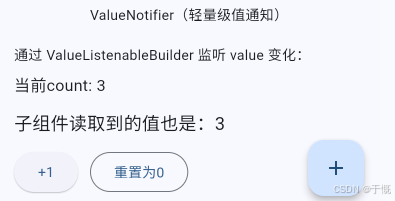
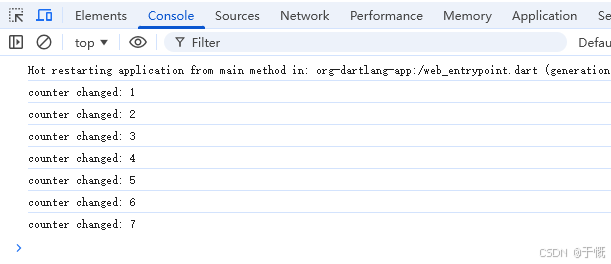
15、手势
GestureDetector
组件手势事件的检测器,可接受点击、长按、双击,按下、松开、移动等事件,并可以获取触点信息。
点击、长按、双击
import 'package:flutter/material.dart';

class GesturePage extends StatefulWidget {
  const GesturePage({super.key});

  @override
  State<GesturePage> createState() => _CustomGestureDetectorState();
}

class _CustomGestureDetectorState extends State<GesturePage> {
  String _info = ''; // 存储当前手势状态

  @override
  Widget build(BuildContext context) {
    return GestureDetector(
      // 点击事件
      onTap: () => setState(() => _info = 'onTap'),
      // 双击事件
      onDoubleTap: () => setState(() => _info = 'onDoubleTap'),
      // 长按事件
      onLongPress: () => setState(() => _info = 'onLongPress'),

      child: Container(
        alignment: Alignment.center,
        width: 300,
        height: 300 * 0.4, // 120
        color: Colors.grey.withAlpha(33),
        child: Text(
          _info.isEmpty ? '请进行手势操作' : _info,
          style: const TextStyle(fontSize: 18, color: Colors.blue),
        ),
      ),
    );
  }
}
拖拽
import 'package:flutter/material.dart';

class GesturePage extends StatefulWidget {
  const GesturePage({super.key});

  @override
  State<GesturePage> createState() => _CustomGestureDetectorState();
}

class _CustomGestureDetectorState extends State<GesturePage> {
  String _info = ''; // 存储当前手势状态
  final List<String> _leftFruits = ['苹果', '香蕉', '橙子', '葡萄', '草莓'];
  final List<String> _rightFruits = ['西瓜', '芒果', '菠萝'];

  void _moveFruit(String fruit, {required bool toLeft}) {
    setState(() {
      _leftFruits.remove(fruit);
      _rightFruits.remove(fruit);
      if (toLeft) {
        _leftFruits.add(fruit);
      } else {
        _rightFruits.add(fruit);
      }
    });
  }

  Widget _buildFruitItem(String fruit) {
    return Draggable<String>(
      data: fruit,
      feedback: Material(
        // 拖拽时显示的反馈(被拖拽的物品)
        color: Colors.transparent,
        child: _FruitChip(label: fruit, color: Colors.orange),
      ),
      childWhenDragging: Opacity(
        opacity: 0.3,
        child: _FruitChip(label: fruit, color: Colors.orange),
      ),
      child: _FruitChip(label: fruit, color: Colors.orange),
    );
  }

  Widget _buildDropZone({
    required String title,
    required List<String> fruits,
    required bool acceptToLeft,
    required Color color,
  }) {
    return Expanded(
      child: DragTarget<String>(
        onWillAcceptWithDetails: (details) => true, // 是否接受拖拽
        onAcceptWithDetails: (details) {
          // 拖拽完成
          _moveFruit(details.data, toLeft: acceptToLeft);
        },
        builder: (context, candidateData, rejectedData) {
          // context:当前构建上下文(所有 builder 都有)
          // candidateData:当前区域有可被接受的拖拽物品
          // rejectedData:正在悬停但不被接受的数据列表
          final isHovering = candidateData.isNotEmpty;
          return AnimatedContainer(
            duration: const Duration(milliseconds: 150),
            margin: const EdgeInsets.all(8),
            padding: const EdgeInsets.all(12),
            decoration: BoxDecoration(
              color: isHovering
                  ? color.withValues(alpha: 0.2)
                  : color.withValues(alpha: 0.1),
              borderRadius: BorderRadius.circular(12),
              border: Border.all(
                color: isHovering ? color : color.withValues(alpha: 0.6),
                width: isHovering ? 2 : 1,
              ),
            ),
            child: Column(
              crossAxisAlignment: CrossAxisAlignment.start,
              children: [
                Text(
                  title,
                  style: const TextStyle(
                    fontSize: 16,
                    fontWeight: FontWeight.w600,
                  ),
                ),
                const SizedBox(height: 10),
                Expanded(
                  child: SingleChildScrollView(
                    child: Wrap(
                      spacing: 8,
                      runSpacing: 8,
                      children: fruits.map(_buildFruitItem).toList(),
                    ),
                  ),
                ),
              ],
            ),
          );
        },
      ),
    );
  }

  @override
  Widget build(BuildContext context) {
    return Scaffold(
      appBar: AppBar(title: const Text('Gesture & Drag Demo')),
      body: Padding(
        padding: const EdgeInsets.all(16),
        child: Column(
          children: [
            const Text(
              '拖拽水果:左右两个区域可以互相拖放',
              style: TextStyle(fontSize: 16, fontWeight: FontWeight.w600),
            ),
            const SizedBox(height: 8),
            Expanded(
              child: Row(
                children: [
                  _buildDropZone(
                    title: '左侧水果区',
                    fruits: _leftFruits,
                    acceptToLeft: true,
                    color: Colors.green,
                  ),
                  _buildDropZone(
                    title: '右侧水果区',
                    fruits: _rightFruits,
                    acceptToLeft: false,
                    color: Colors.purple,
                  ),
                ],
              ),
            ),
          ],
        ),
      ),
    );
  }
}

class _FruitChip extends StatelessWidget {
  const _FruitChip({required this.label, required this.color});

  final String label;
  final Color color;

  @override
  Widget build(BuildContext context) {
    return Container(
      padding: const EdgeInsets.symmetric(horizontal: 12, vertical: 8),
      decoration: BoxDecoration(
        color: color.withValues(alpha: 0.15),
        borderRadius: BorderRadius.circular(20),
        border: Border.all(color: color.withValues(alpha: 0.6)),
      ),
      child: Text(label, style: const TextStyle(fontSize: 14)),
    );
  }
}
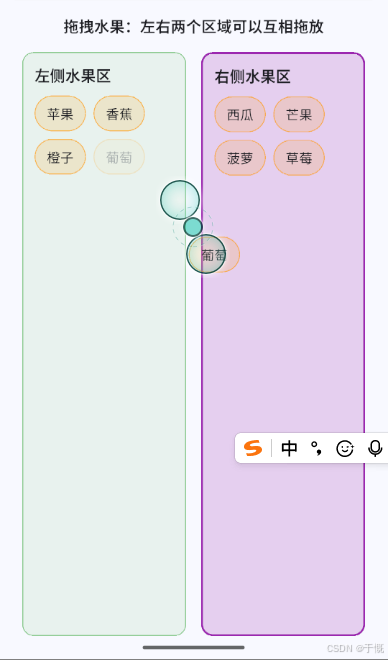
触控位置
GestureDetector(
              onPanDown: (detail) => setState(
                () => _info =
                    'onPanDown:\n相对落点:${detail.localPosition}\n绝对落点:${detail.globalPosition}',
              ),
              onPanStart: (detail) => setState(
                () => _info =
                    'onPanStart:\n相对落点:${detail.localPosition}\n绝对落点:${detail.globalPosition}',
              ),
              onPanUpdate: (detail) => setState(
                () => _info =
                    'onPanUpdate:\n相对落点:${detail.localPosition}\n绝对落点:${detail.globalPosition}',
              ),
              onPanEnd: (detail) => setState(
                () => _info =
                    'onPanEnd:\n初速度:${detail.primaryVelocity}\n最终速度:${detail.velocity}',
              ),
              onPanCancel: () => setState(() => _info = 'onPanCancel'),
              child: Container(
                alignment: Alignment.center,
                width: 300,
                height: 300 * 0.618,
                color: Colors.grey.withAlpha(33),
                child: Text(
                  _info,
                  style: const TextStyle(fontSize: 18, color: Colors.blue),
                  textAlign: TextAlign.center,
                ),
              ),
            ),
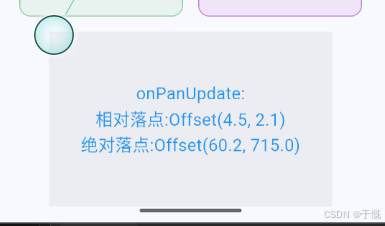
16、对话框
AlertDialog
showDialog()是Material组件库提供的一个用于弹出Material风格对话框的方法ElevatedButton( onPressed: () { showDialog( context: context, barrierDismissible: false, // 点击遮罩层不关闭对话框 builder: (context) { return AlertDialog( backgroundColor: Colors.yellow, // 背景颜色 shape: RoundedRectangleBorder( borderRadius: BorderRadius.circular(10), // 圆角 ), titleTextStyle: const TextStyle(color: Colors.blue), // 标题颜色 contentTextStyle: const TextStyle(color: Colors.red), // 内容颜色 actionsAlignment: MainAxisAlignment.end, // 按钮对齐方式 actionsPadding: const EdgeInsets.all(10), // 按钮内边距 actionsOverflowButtonSpacing: 10, // 按钮间距 title: const Text('AlertDialog 标题'), content: const Text('内容'), elevation: 10, // 阴影 shadowColor: Colors.black, // 阴影颜色 actions: [ TextButton( onPressed: () { Navigator.of(context).pop(); // 关闭对话框 }, child: const Text('取消'), ), TextButton( onPressed: () { Navigator.of(context).pop(); }, child: const Text('确定'), ), ], ); }, ); }, child: const Text('AlertDialog'), ),
限制宽高
constraints: const BoxConstraints(
  minWidth: 380,
  maxWidth: 390,
  minHeight: 180,
  maxHeight: 300,
),
insetPadding: const EdgeInsets.symmetric(
  horizontal: 0,
  vertical: 0,
),
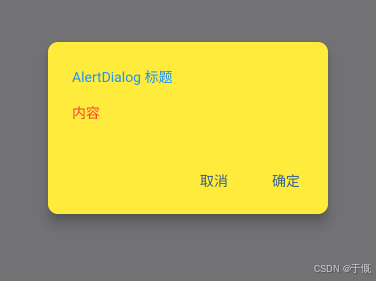
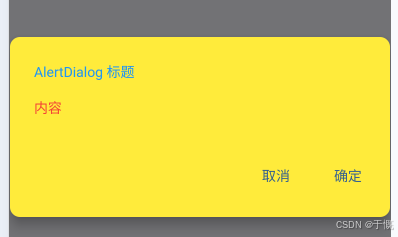
SimpleDialog
展示一个列表,用于列表选择的场景
子组件不能是延迟加载模型的组件(如
ListView、GridView、CustomScrollView等)ElevatedButton( onPressed: () { showDialog( context: context, barrierDismissible: false, // 点击遮罩层不关闭对话框 builder: (context) { return SimpleDialog( backgroundColor: Colors.yellow, // 背景颜色 shape: RoundedRectangleBorder( borderRadius: BorderRadius.circular(10), // 圆角 ), titleTextStyle: const TextStyle(color: Colors.blue), // 标题颜色 title: const Text('AlertDialog 标题'), elevation: 10, // 阴影 shadowColor: Colors.black, // 阴影颜色 children: [ SimpleDialogOption( onPressed: () { Navigator.pop(context, 1); // 返回1 }, child: const Padding( padding: EdgeInsets.symmetric(vertical: 6), child: Text('中文简体'), ), ), SimpleDialogOption( onPressed: () { Navigator.pop(context, 2); // 返回2 }, child: const Padding( padding: EdgeInsets.symmetric(vertical: 6), child: Text('美国英语'), ), ), ], ); }, ); }, child: const Text('AlertDialog'), ),ElevatedButton( onPressed: () async { int? i = await showDialog<int>( context: context, builder: (BuildContext context) { return SimpleDialog( title: const Text('请选择语言'), children: <Widget>[ SimpleDialogOption( onPressed: () { Navigator.pop(context, 1); }, child: const Padding( padding: EdgeInsets.symmetric(vertical: 6), child: Text('中文简体'), ), ), SimpleDialogOption( onPressed: () { Navigator.pop(context, 2); }, child: const Padding( padding: EdgeInsets.symmetric(vertical: 6), child: Text('美国英语'), ), ), ], ); }, ); if (i != null) { print("选择了:${i == 1 ? "中文简体" : "美国英语"}"); } }, child: const Text('AlertDialog'), ),
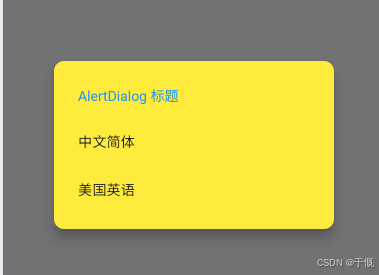
Dialog
ElevatedButton(
  onPressed: () async {
    int? index = await showDialog<int>(
      context: context,
      builder: (BuildContext context) {
        var child = Column(
          children: <Widget>[
            const ListTile(title: Text("请选择")),
            Expanded(
              child: ListView.builder(
                itemCount: 30,
                itemBuilder: (BuildContext context, int index) {
                  return ListTile(
                    title: Text("$index"),
                    onTap: () => Navigator.of(context).pop(index),
                  );
                },
              ),
            ),
          ],
        );
        return Dialog(child: child);
      },
    );

    if (index != null) {
      print("点击了:$index");
    }
  },
  child: const Text('Dialog'),
),
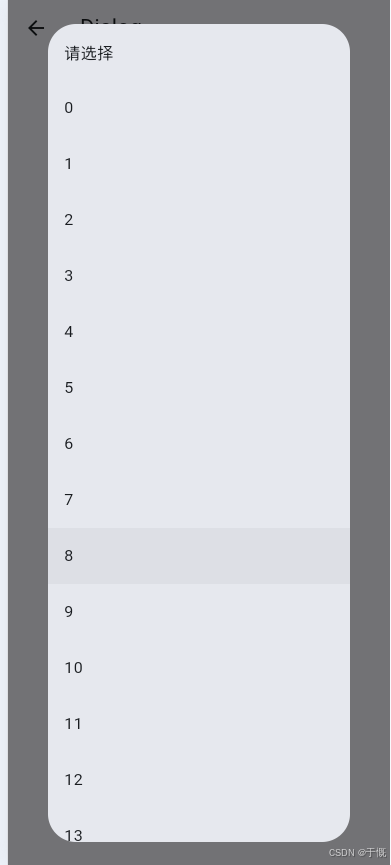
17、tooltip
Tooltip(
  richMessage: const TextSpan(
    children: [
      WidgetSpan(
        child: Icon(Icons.info, size: 16),
      ),
      TextSpan(text: ' 提示信息'),
    ],
  ),
  child: const Icon(Icons.help),
),
Tooltip(
  message: '自定义圆角、背景、文字颜色',
  waitDuration: const Duration(milliseconds: 500),
  showDuration: const Duration(seconds: 2),
  decoration: BoxDecoration(
    color: Colors.orange,
    borderRadius: BorderRadius.circular(8),
  ),
  textStyle: const TextStyle(color: Colors.white, fontSize: 14),
  child: const Icon(Icons.settings, size: 40),
),
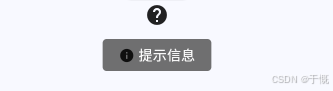
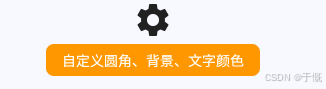
18、toast
SnackBar
底部消息条
ElevatedButton(
  onPressed: () {
    // 点击触发
    final messenger = ScaffoldMessenger.of(context);
    messenger.showSnackBar(
      SnackBar(
        content: const Text('操作成功'),
        duration: const Duration(seconds: 2),
        behavior: SnackBarBehavior.floating,
        backgroundColor: Colors.blue,
        shape: RoundedRectangleBorder(
          borderRadius: BorderRadius.circular(10),
        ),
        elevation: 10,
        action: SnackBarAction(
          label: '确定',
          onPressed: () {
            Navigator.of(context).pop();
          },
        ),
      ),
    );

    // 强制 2 秒后关闭(不受 action 影响)
    Future.delayed(const Duration(seconds: 2), () {
      messenger.hideCurrentSnackBar();
    });
  },
  child: const Text('点我弹出提示'),
),
缺点:只能固定在底部,要改变位置,可用浮动定位
ElevatedButton(
  onPressed: () {
    // 点击触发
    final messenger = ScaffoldMessenger.of(context);
    final height = MediaQuery.of(context).size.height; // 获取屏幕高度

    messenger.showSnackBar(
      SnackBar(
        content: const Text('操作成功'),
        duration: const Duration(seconds: 2),
        backgroundColor: Colors.blue,
        shape: RoundedRectangleBorder(
          borderRadius: BorderRadius.circular(10),
        ),
        elevation: 10,
        behavior: SnackBarBehavior.floating,
        margin: EdgeInsets.only(
          bottom: height - 120,
          left: 20,
          right: 20,
        ),
        action: SnackBarAction(
          label: '确定',
          onPressed: () {
            messenger.hideCurrentSnackBar();
          },
        ),
      ),
    );

    // 强制 2 秒后关闭(不受 action 影响)
    Future.delayed(const Duration(seconds: 2), () {
      messenger.hideCurrentSnackBar();
    });
  },
  child: const Text('点我弹出提示'),
),
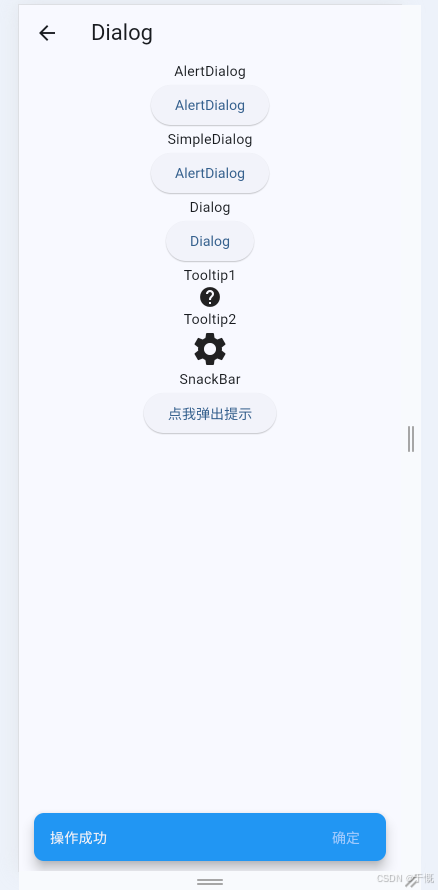
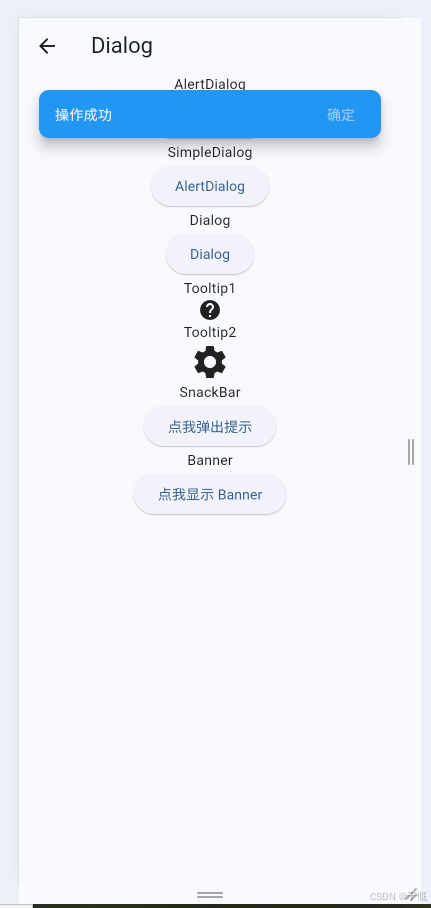
Banner
顶部常驻提示
ElevatedButton(
  onPressed: () {
    final messenger = ScaffoldMessenger.of(context);
    messenger
      ..hideCurrentSnackBar()
      ..hideCurrentMaterialBanner()
      ..showMaterialBanner(
        MaterialBanner(
          backgroundColor: Colors.amber.shade100,
          content: const Text('这是一条 Banner 消息'),
          leading: const Icon(Icons.info_outline),
          actions: [
            TextButton(
              onPressed: () {
                messenger.hideCurrentMaterialBanner();
              },
              child: const Text('关闭'),
            ),
            TextButton(
              onPressed: () {
                messenger.hideCurrentMaterialBanner();
              },
              child: const Text('知道了'),
            ),
          ],
        ),
      );
  },
  child: const Text('点我显示 Banner'),
)
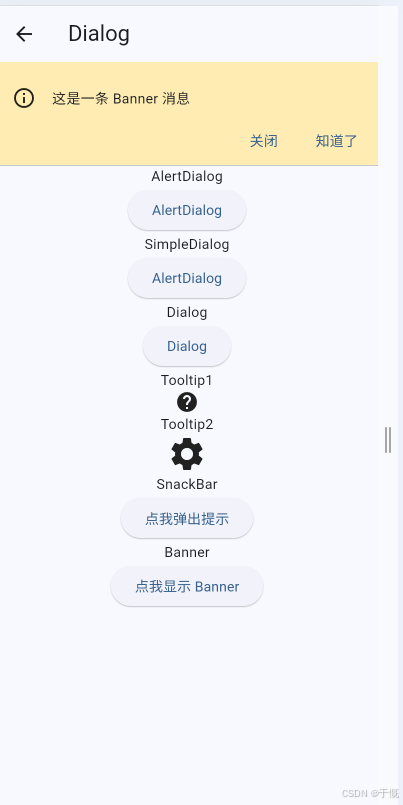
19、popup
ModalBottomSheet
底部弹窗
ElevatedButton(
  onPressed: () {
    showModalBottomSheet(
      context: context,
      backgroundColor: Colors.white,
      shape: const RoundedRectangleBorder(
        borderRadius: BorderRadius.vertical(
          top: Radius.circular(16),
        ),
      ),
      isDismissible: true,
      enableDrag: true,
      builder: (context) {
        return SafeArea(
          child: SizedBox(
            width: double.infinity,
            child: Column(
              mainAxisSize: MainAxisSize.min,
              children: [
                Container(
                  width: 40,
                  height: 4,
                  margin: const EdgeInsets.symmetric(vertical: 12),
                  decoration: BoxDecoration(
                    color: Colors.grey[300],
                    borderRadius: BorderRadius.circular(2),
                  ),
                ),
                const Text(
                  "我是底部弹出层",
                  style: TextStyle(fontSize: 18),
                ),
              ],
            ),
          ),
        );
      },
    );
  },
  child: const Text('点我显示 ModalBottomSheet'),
)
✅ showModalBottomSheet 子组件可以是 ListView
✅ 必须加:
shrinkWrap: true✅ 建议加:
isScrollControlled: true✅ 支持:
ListView/ListView.builder/SingleChildScrollView
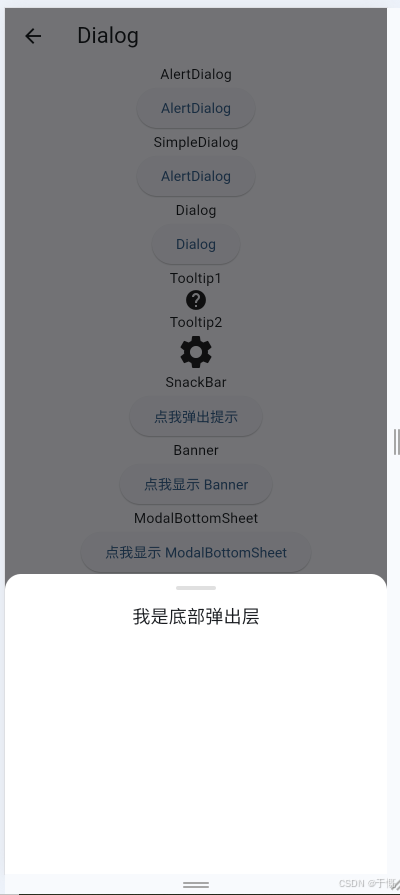
GeneralDialog
ElevatedButton(
  onPressed: () {
    showGeneralDialog(
      context: context,
      barrierDismissible: true,
      barrierLabel: "Popup",
      transitionDuration: const Duration(milliseconds: 300),
      pageBuilder: (
        BuildContext context,
        Animation<double> animation,
        Animation<double> secondaryAnimation,
      ) {
        return Column(
          mainAxisAlignment: MainAxisAlignment.end,
          children: [
            Container(
              width: double.infinity,
              decoration: const BoxDecoration(
                color: Colors.white,
                borderRadius: BorderRadius.vertical(
                  top: Radius.circular(16),
                ),
              ),
              child: const Center(
                child: Text(
                  "我是底部弹窗,没有用 Align!",
                  style: TextStyle(fontSize: 18),
                ),
              ),
            ),
          ],
        );
      },
      transitionBuilder: (context, anim, _, child) {
        return SlideTransition(
          position: Tween(
            begin: const Offset(0, 1),
            end: Offset.zero,
          ).animate(anim),
          child: FadeTransition(
            opacity: anim,
            child: child,
          ),
        );
      },
    );
  },
  child: const Text('点我显示 GeneralDialog'),
)
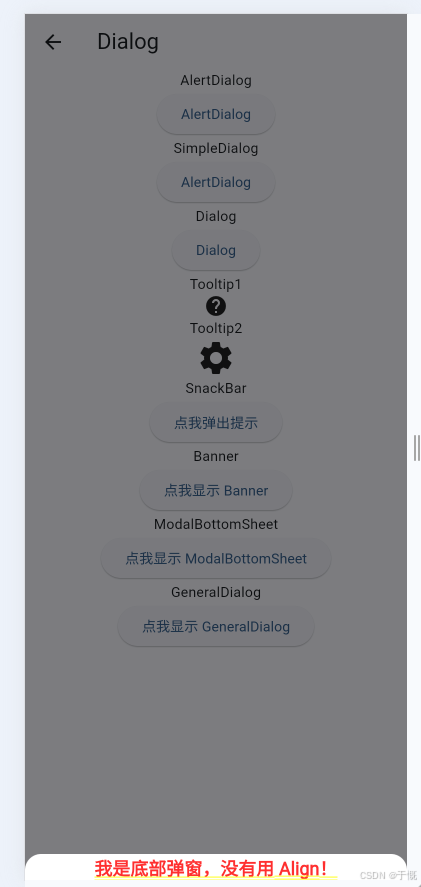
20、第三方库
path_provider
目录类型 安卓 iOS Linux macOS Windows 临时目录 getTemporaryDirectory ✅ ✅ ✅ ✅ ✅ 应用支持目录 ✅ ✅ ✅ ✅ ✅ 应用库目录 ❌ ✅ ❌ ✅ ❌ 应用文档目录 ✅ ✅ ✅ ✅ ✅ 应用缓存目录 ✅ ✅ ✅ ✅ ✅ 外部存储主目录 ✅ ❌ ❌ ❌ ❌ 外部缓存目录列表 ✅ ❌ ❌ ❌ ❌ 外部存储子目录列表 ✅ ❌ ❌ ❌ ❌ 下载目录 ✅ ✅ ✅ ✅ ✅
1. 临时目录(Temporary)
类比:一次性草稿纸
- 系统给每个 App 单独分配的临时文件夹
- 特点:App 重启、系统清理时,里面的文件随时可能被删掉
- 适合存:网络请求的临时图片、临时解压包、一次性日志
- 不适合存:用户数据、配置、重要缓存
- Flutter 获取方式:
dart
Directory tempDir = await getTemporaryDirectory();2. 应用缓存目录(Application Cache)
类比:你手机里 App 的「缓存文件夹」
- 系统给 App 分配的专用缓存空间
- 特点:不会被系统主动删,但用户可以在手机设置里「清除缓存」一键删掉
- 适合存:图片缓存、接口数据缓存、离线资源
- Flutter 获取方式:
dart
Directory cacheDir = await getApplicationCacheDirectory();3. 应用文档目录(Application Documents)
类比:你存在电脑里的「个人重要文档」
- App 的私有文档空间,和用户强相关的文件
- 特点:不会被系统 / 用户误删,iOS 会自动备份到 iCloud
- 适合存:用户笔记、下载的文件、数据库、用户生成的内容
- Flutter 获取方式:
dart
Directory docDir = await getApplicationDocumentsDirectory();4. 应用支持目录(Application Support)
类比:软件的「安装目录 / 配置文件夹」
- App 内部用的、用户不需要看到的文件
- 特点:完全私有,用户看不到,不会被误删
- 适合存:App 配置文件、用户不直接访问的数据库、日志文件
- Flutter 获取方式:
dart
Directory supportDir = await getApplicationSupportDirectory();5. 应用库目录(Application Library)
类比:iOS 系统专属的「系统级支持目录」
- 仅 iOS/macOS 支持,和应用支持目录作用几乎一样
- 安卓 / Windows 没有这个目录,直接用「应用支持目录」替代即可
- 适合存:iOS 专用的配置文件、库文件
三、安卓专属的外部存储目录(后面 3 个)
这几个目录只有安卓能用,iOS / 桌面端完全没有,核心区别是:
- 私有目录:只有你的 App 能读写,用户在文件管理器里看不到
- 外部存储:用户在手机的「文件管理」里能看到,其他 App 也能访问
1. 外部存储主目录(External Storage)
- 就是安卓手机的「内部存储根目录」,比如
/storage/emulated/0/- 适合存:用户主动下载的文件、导出的文档、需要分享的图片
- 注意:安卓 13+ 访问外部存储需要申请权限,不推荐随便用
2. 外部缓存目录列表(External Cache Directories)
- 安卓的「外部缓存目录」,相当于私有缓存目录的外部版本
- 适合存:用户不需要看到,但想放在外部存储的缓存文件
3. 外部存储子目录列表(External Storage Directories)
- 安卓系统提供的公共目录,比如 Pictures、Music、Download 这些
- 适合存:照片、音乐、视频等用户能直接访问的文件
四、下载目录(Downloads)
全平台通用的公共下载目录
- 类比:你电脑里的「下载文件夹」
- 适合存:用户主动下载的文件,用户可以直接找到打开
- Flutter 获取方式:
dart
Directory? downloadDir = await getDownloadsDirectory();
五、给你整理成「开发速查表」
Dio
import 'dart:async';

import 'package:dio/dio.dart';
import 'package:easy_localization/easy_localization.dart' as el;
import 'package:flutter/material.dart';
import 'package:get/get.dart' hide Response;
import 'package:get_storage/get_storage.dart';
import '../config/app_config.dart';
import '../controllers/user_controller.dart';
import '../utils/navigation_service.dart';
import '../utils/toast_helper.dart';

class ApiService {
  static final ApiService _instance = ApiService._internal();
  factory ApiService() => _instance;
  ApiService._internal();

  late final Dio _dio;

  Dio get dio => _dio;

  // 401 防抖标记
  bool _isLoggingOut = false;
  Timer? _logoutDebounceTimer;
  final GetStorage _box = GetStorage();

  void init() {
    _dio = Dio(
      BaseOptions(
        baseUrl: AppConfig.baseUrl,
        connectTimeout: const Duration(seconds: 30),
        receiveTimeout: const Duration(seconds: 30),
        headers: {
          'Content-Type': 'application/json',
          'Accept': 'application/json',
        },
        // 自定义状态码验证,不抛出 401 异常
        validateStatus: (status) {
          return status != null && status >= 200 && status < 500;
        },
      ),
    );

    // 添加拦截器
    _dio.interceptors.add(
      InterceptorsWrapper(
        onRequest: (options, handler) {
          // 统一从本地存储读取 token 写入请求头
          final token = (_box.read<String>('token') ?? '').trim();
          if (token.isNotEmpty) {
            options.headers['Authorization'] = token;
          }
          return handler.next(options);
        },
        onResponse: (response, handler) {
          // 处理 401 未授权,清空登录状态
          _handleUnauthorized(response.statusCode);
          // 处理错误状态码
          _handleErrorResponse(response);
          return handler.next(response);
        },
        onError: (error, handler) {
          // 处理 401 未授权,清空登录状态
          _handleUnauthorized(error.response?.statusCode);
          // 显示网络错误提示
          _showNetworkError();
          return handler.next(error);
        },
      ),
    );
  }

  /// 处理 401 未授权
  /// 防抖处理,避免多个接口同时报 401 时重复弹出提示
  void _handleUnauthorized(int? statusCode) {
    if (statusCode != 401) return;
    if (_isLoggingOut) return;

    _isLoggingOut = true;
    _showLoginExpiredDialog();

    // 3秒后重置防抖标记
    _logoutDebounceTimer?.cancel();
    _logoutDebounceTimer = Timer(const Duration(seconds: 3), () {
      _isLoggingOut = false;
    });
  }

  /// 处理错误响应
  /// 状态码 >= 400 且不是 401 时显示网络错误
  void _handleErrorResponse(Response response) {
    final statusCode = response.statusCode;
    if (statusCode == null) return;

    // 401 已在 _handleUnauthorized 中处理
    if (statusCode == 401) return;

    // 状态码 >= 400 显示网络错误
    if (statusCode >= 400) {
      _showNetworkError();
    }
  }

  /// 显示网络错误提示
  void _showNetworkError() {
    ToastHelper.show(el.tr('network.error'), isError: true);
  }

  void _showLoginExpiredDialog() {
    final context = NavigationService.navigatorKey.currentContext;
    if (context == null) return;
    showDialog<void>(
      context: context,
      barrierDismissible: false,
      builder: (ctx) => AlertDialog(
        backgroundColor: const Color(0xFF18181B),
        shape: RoundedRectangleBorder(borderRadius: BorderRadius.circular(20)),
        title: Text(
          el.tr('login.error.expiredDialogTitle'),
          style: const TextStyle(
            color: Colors.white,
            fontSize: 34 / 2,
            fontWeight: FontWeight.w700,
          ),
        ),
        content: Text(
          el.tr('login.error.expiredDialogMessage'),
          style: const TextStyle(
            color: Color(0xFF99A1AF),
            fontSize: 14,
            fontWeight: FontWeight.w500,
          ),
        ),
        actions: [
          TextButton(
            onPressed: () => Navigator.of(ctx).pop(),
            child: Text(
              el.tr('common.cancel'),
              style: const TextStyle(color: Color(0xFFFB2C36)),
            ),
          ),
          TextButton(
            onPressed: () async {
              Navigator.of(ctx).pop();
              try {
                final userController = Get.find<UserController>();
                await userController.clearSessionAndGoLogin();
              } catch (_) {
                // UserController 未初始化时忽略
              }
            },
            child: Text(
              el.tr('common.confirm'),
              style: const TextStyle(color: Color(0xFFFB2C36)),
            ),
          ),
        ],
      ),
    );
  }

  // GET 请求
  Future<Response> get(
    String path, {
    Map<String, dynamic>? queryParameters,
    Options? options,
  }) async {
    return await _dio.get(
      path,
      queryParameters: queryParameters,
      options: options,
    );
  }

  // POST 请求
  Future<Response> post(
    String path, {
    dynamic data,
    Map<String, dynamic>? queryParameters,
    Options? options,
  }) async {
    return await _dio.post(
      path,
      data: data,
      queryParameters: queryParameters,
      options: options,
    );
  }

  // PUT 请求
  Future<Response> put(
    String path, {
    dynamic data,
    Map<String, dynamic>? queryParameters,
    Options? options,
  }) async {
    return await _dio.put(
      path,
      data: data,
      queryParameters: queryParameters,
      options: options,
    );
  }

  // DELETE 请求
  Future<Response> delete(
    String path, {
    dynamic data,
    Map<String, dynamic>? queryParameters,
    Options? options,
  }) async {
    return await _dio.delete(
      path,
      data: data,
      queryParameters: queryParameters,
      options: options,
    );
  }
}
Future<dynamic> fetchHomeData() async { final response = await ApiService().post( '/home/getHomeData', data: RequestHelper.buildParams(), ); return response.data; }
go_router
// 1. 用 MaterialApp.router + GoRouter 集中声明路径,用 context.go / context.push 导航。
// 2. redirect 在匹配路由前执行;返回非 null 表示改跳到该 location(全局守卫写这里)。
// 3. refreshListenable 绑定登录态等 Listenable,变化时会重新执行 redirect。

import 'package:flutter/material.dart';
import 'package:go_router/go_router.dart';

const String _loginPath = '/login'; // 登录页路径
const String _privatePath = '/private';

/// 演示用全局登录标记(真实项目可换成 Provider / Riverpod / 持久化 Token 等)。
final ValueNotifier<bool> demoLoggedIn = ValueNotifier<bool>(false);

GoRouter createDemoRouter() {
  return GoRouter(
    initialLocation: '/',
    debugLogDiagnostics: true, // 调试模式下会打印路由导航的详细日志
    refreshListenable: demoLoggedIn, // 登录状态变化时会重新执行 redirect
    redirect: (BuildContext context, GoRouterState state) {
      // 全局守卫
      final loggedIn = demoLoggedIn.value; // 当前登录状态
      final path = state.uri.path; // 当前路径

      if (!loggedIn && path == _privatePath) {
        // 如果未登录且访问的是受保护页,则重定向到登录页
        final from = Uri.encodeComponent(state.uri.toString());
        return '$_loginPath?from=$from';
      }
      return null;
    },
    routes: <RouteBase>[
      GoRoute(
        path: '/',
        builder: (BuildContext context, GoRouterState state) {
          return Scaffold(
            appBar: AppBar(title: const Text('首页')),
            body: ListenableBuilder(
              listenable: demoLoggedIn,
              builder: (BuildContext context, Widget? child) {
                return Center(
                  child: Column(
                    mainAxisSize: MainAxisSize.min,
                    children: <Widget>[
                      Text('登录态:${demoLoggedIn.value ? "已登录" : "未登录"}'),
                      const SizedBox(height: 24),
                      FilledButton(
                        onPressed: () => context.go(_privatePath),
                        child: const Text('进入/private'),
                      ),
                      const SizedBox(height: 12),
                      OutlinedButton(
                        onPressed: () {
                          demoLoggedIn.value = !demoLoggedIn.value;
                        },
                        child: const Text('切换登录状态'),
                      ),
                    ],
                  ),
                );
              },
            ),
          );
        },
      ),
      GoRoute(
        path: _loginPath,
        builder: (BuildContext context, GoRouterState state) {
          final String? from = state.uri.queryParameters['from'];
          return Scaffold(
            appBar: AppBar(title: const Text('登录页')),
            body: Center(
              child: Column(
                mainAxisSize: MainAxisSize.min,
                children: <Widget>[
                  Text('重定向来源:${from ?? "直接打开"}'),
                  const SizedBox(height: 16),
                  FilledButton(
                    onPressed: () {
                      demoLoggedIn.value = true;
                    },
                    child: const Text('立即登录'),
                  ),
                ],
              ),
            ),
          );
        },
      ),
      GoRoute(
        path: _privatePath,
        builder: (BuildContext context, GoRouterState state) {
          return Scaffold(
            appBar: AppBar(
              title: const Text('私有页面'),
              leading: IconButton(
                icon: const Icon(Icons.arrow_back),
                onPressed: () => context.go('/'),
              ),
            ),
            body: const Center(child: Text('只有「已登录」才能到达这里')),
          );
        },
      ),
    ],
  );
}

void main() {
  final GoRouter router = createDemoRouter();
  runApp(
    MaterialApp.router(title: 'GoRouter Guard Demo', routerConfig: router),
  );
}

腾讯云面向开发者汇聚海量精品云计算使用和开发经验,营造开放的云计算技术生态圈。
更多推荐
 0
0 0
0- 0


 已为社区贡献12条内容

所有评论(0)