【uniapp】(5) 创建gitee仓库并推送源码
·
1、创建gitee仓库
- gitee官网地址: https://gitee.com/
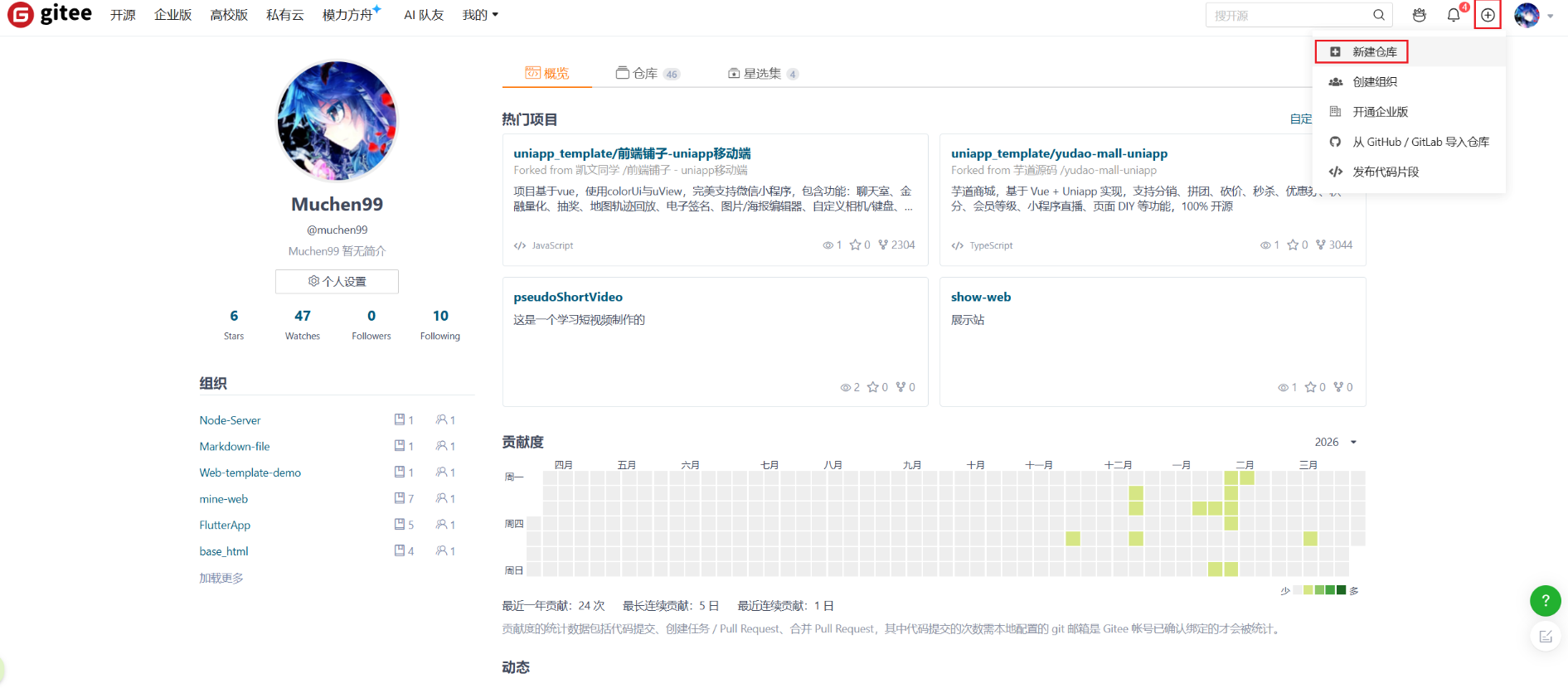
(1)新建仓库
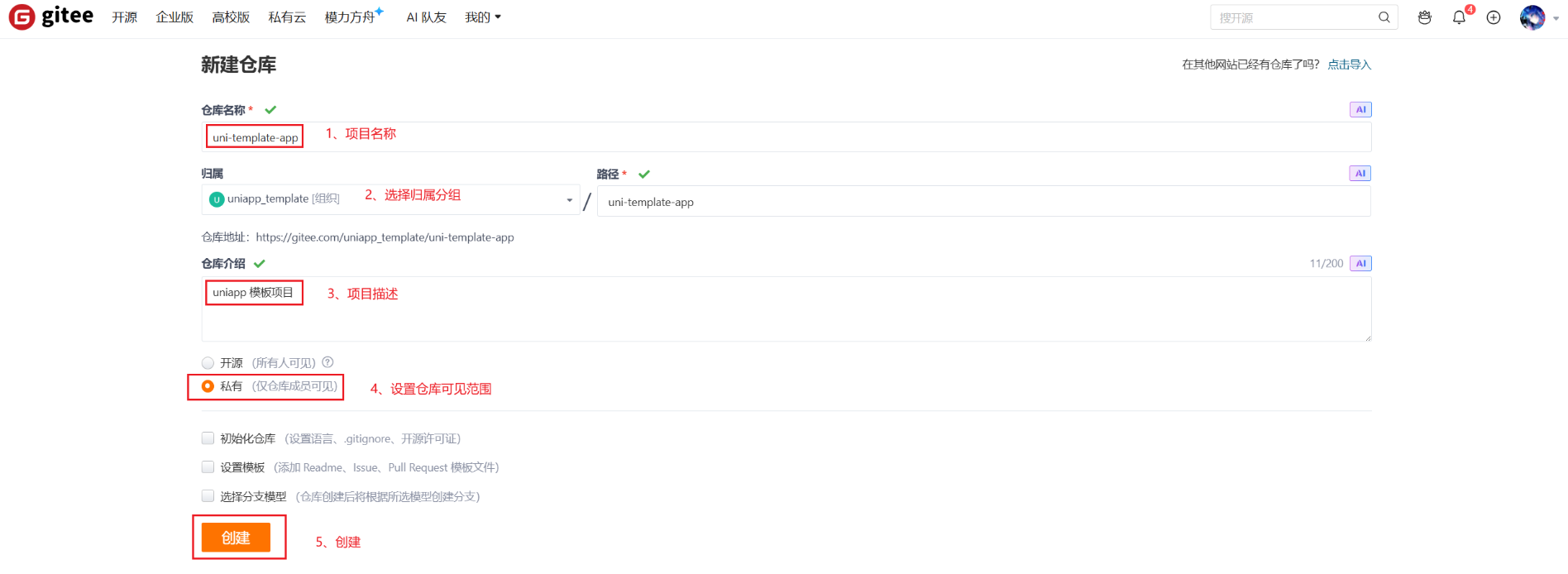
(2)添加项目名称、分组、描述和权限
(3)复制仓库https的url
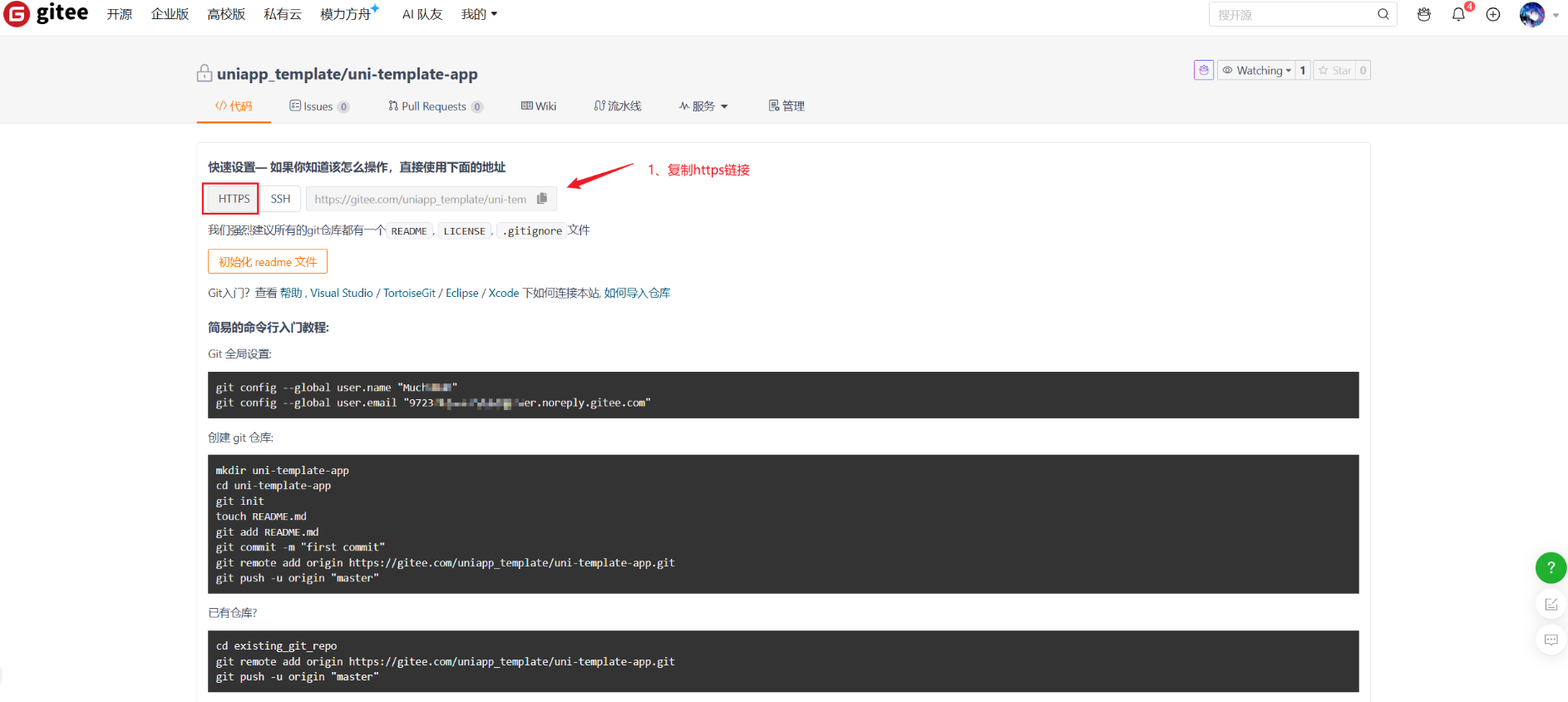
- 此刻已经成功创建了远程仓库
2、初始化项目仓库git init
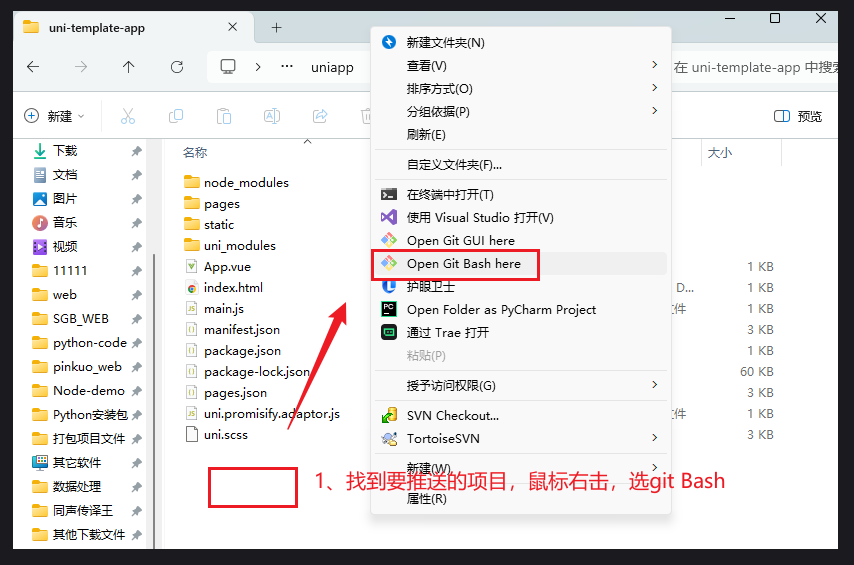
(1)项目中鼠标右击打开git bash 窗口
(2)初始化git仓库并添加远程仓库地址
git init

git remote add origin 远程仓库地址

git remote -v  查看管理的远程仓库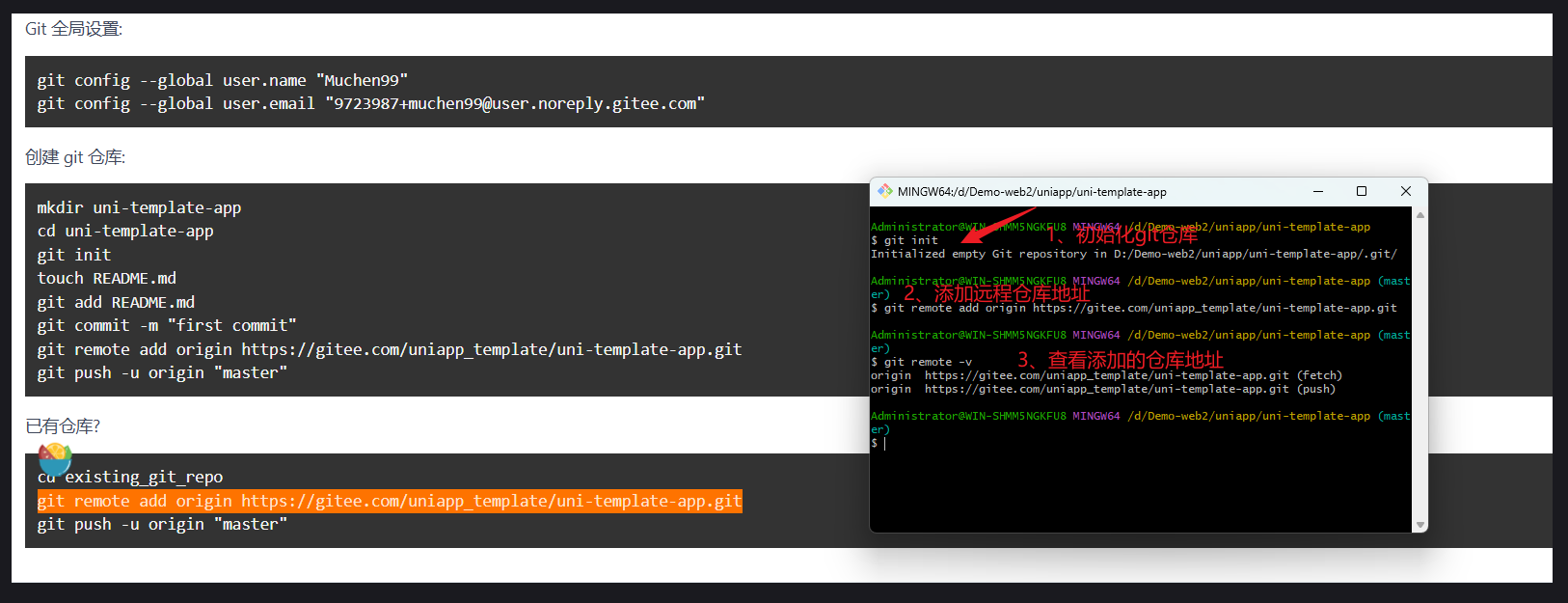
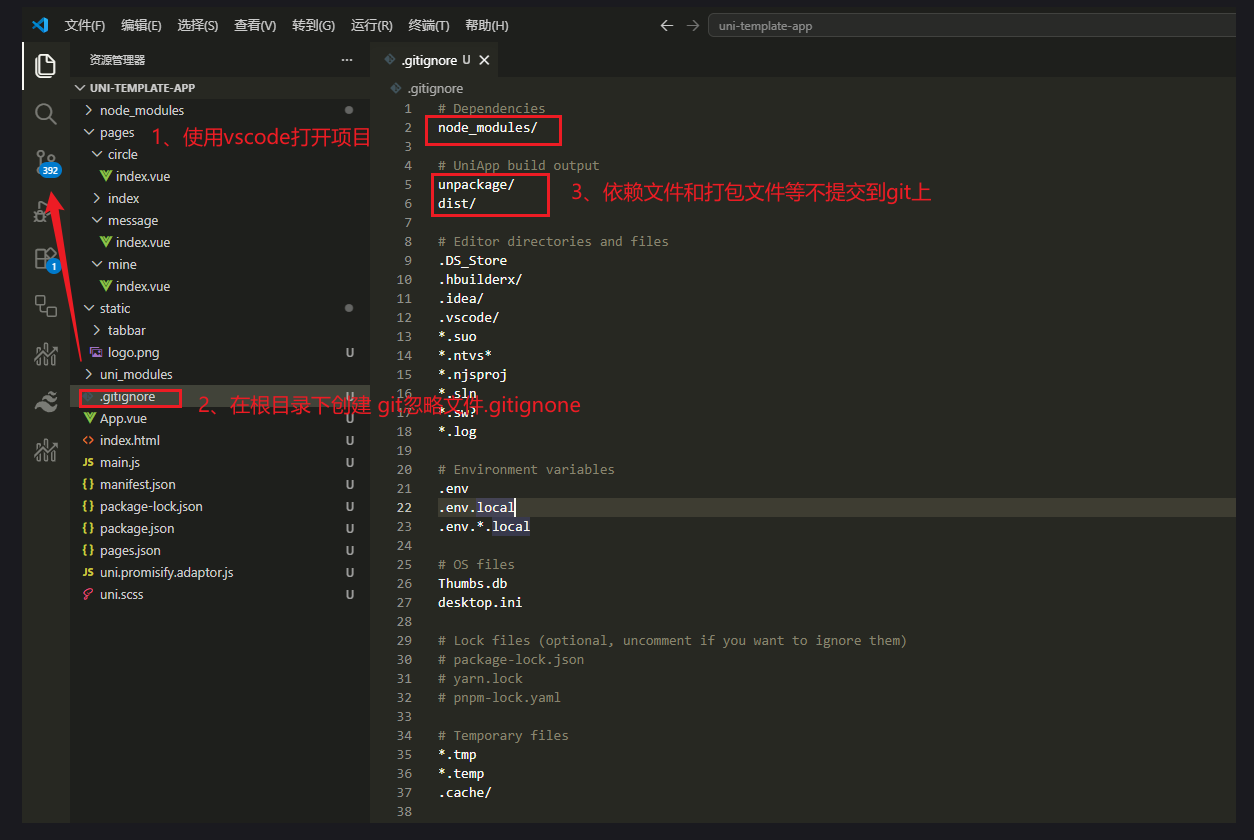
3、配置项目忽略文件.gitignore
- 使用vsCode打开项目
# Dependencies
node_modules/

# UniApp build output
unpackage/
dist/

# Editor directories and files
.DS_Store
.hbuilderx/
.idea/
.vscode/
*.suo
*.ntvs*
*.njsproj
*.sln
*.sw?
*.log

# Environment variables
.env
.env.local
.env.*.local

# OS files
Thumbs.db
desktop.ini

# Lock files (optional, uncomment if you want to ignore them)
# package-lock.json
# yarn.lock
# pnpm-lock.yaml

# Temporary files
*.tmp
*.temp
.cache/
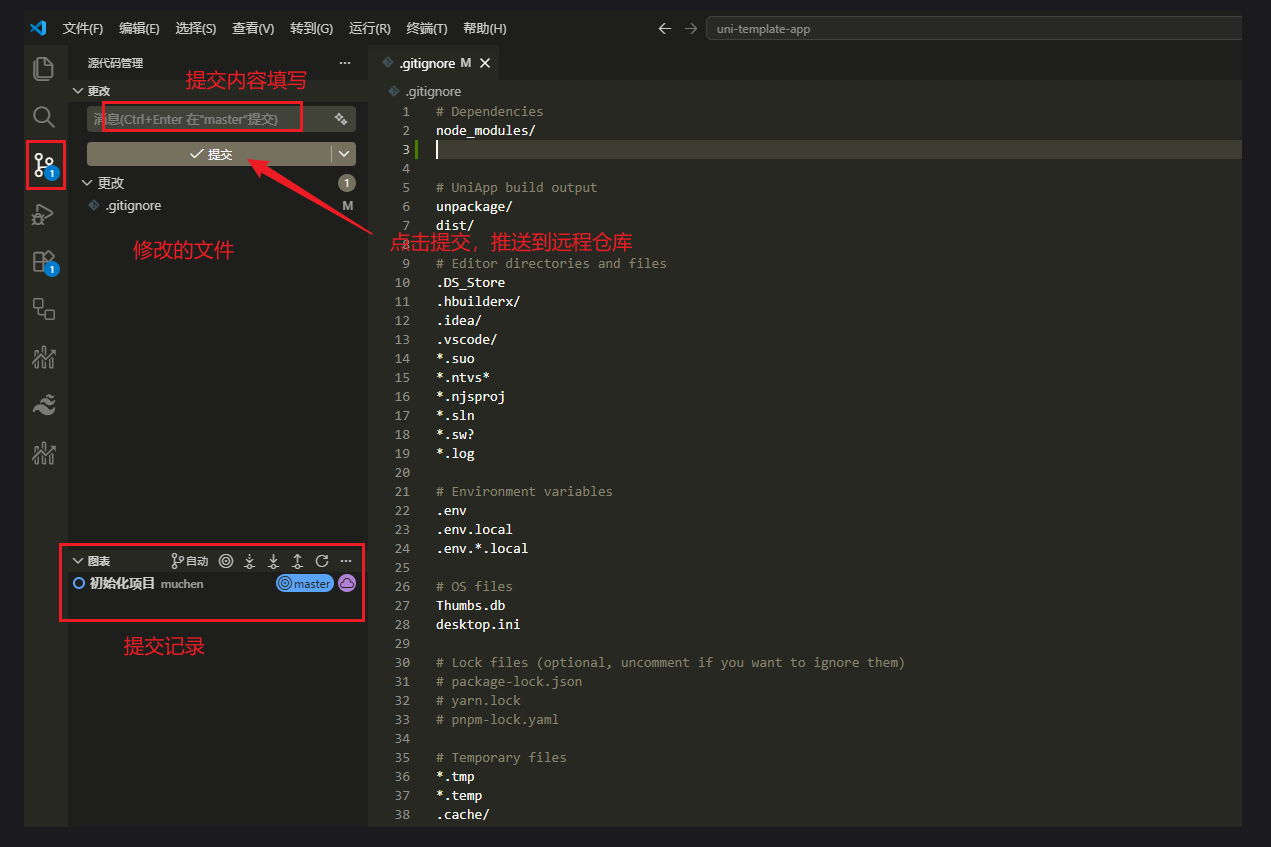
4、推送项目到gitee远程仓库
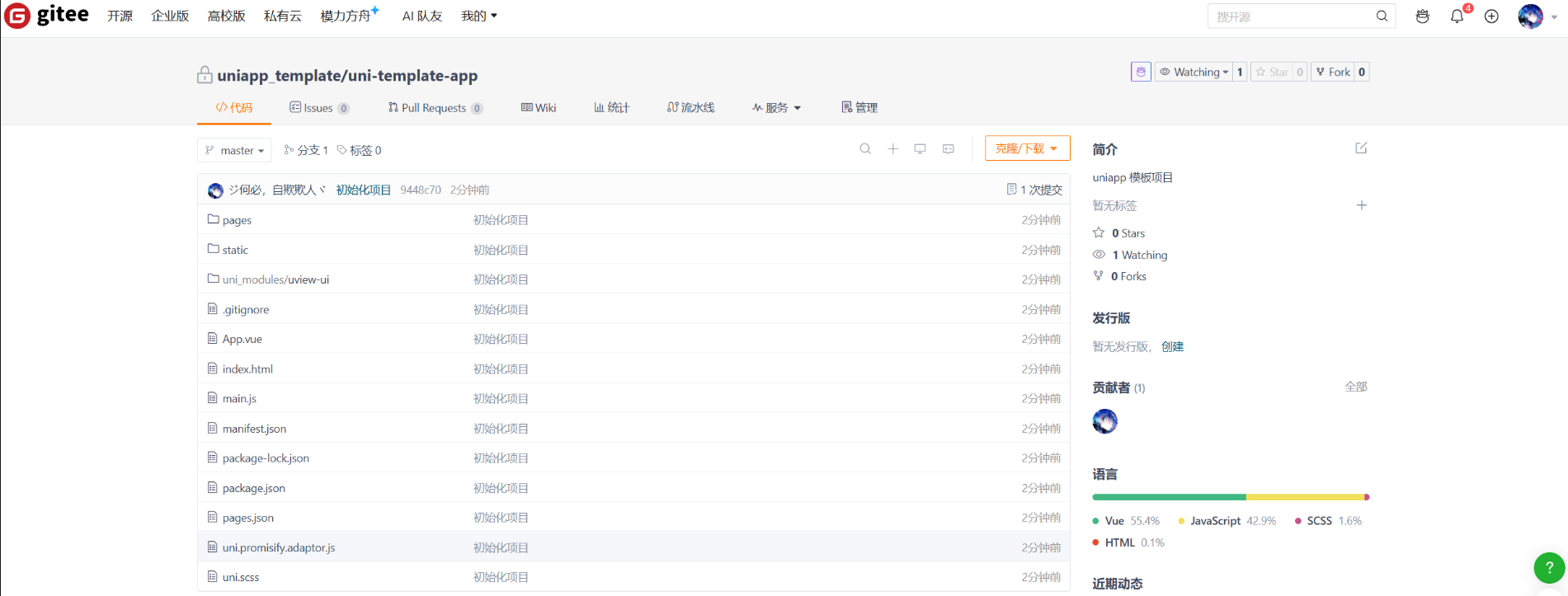
- 此时项目已经成功推送到gitee

腾讯云面向开发者汇聚海量精品云计算使用和开发经验,营造开放的云计算技术生态圈。
更多推荐
 1
1 0
0- 0


 已为社区贡献4条内容

所有评论(0)