开源鸿蒙跨平台Flutter开发:每日一句应用
开源鸿蒙跨平台应用"每日一句"摘要: 一款基于Flutter开发的鸿蒙/跨平台应用,主打每日推送哲理名言、励志语句等正能量内容。采用Material Design 3设计,包含四大功能模块: 每日推荐 - 定时推送精选句子 句子分类 - 6种分类(哲理/励志/爱情等) 收藏管理 - 本地存储喜欢的句子 推送设置 - 自定义推送时间和类型 技术栈包含Flutter 3.0+Dar
欢迎加入开源鸿蒙跨平台社区:
https://openharmonycrossplatform.csdn.net
一、项目概述
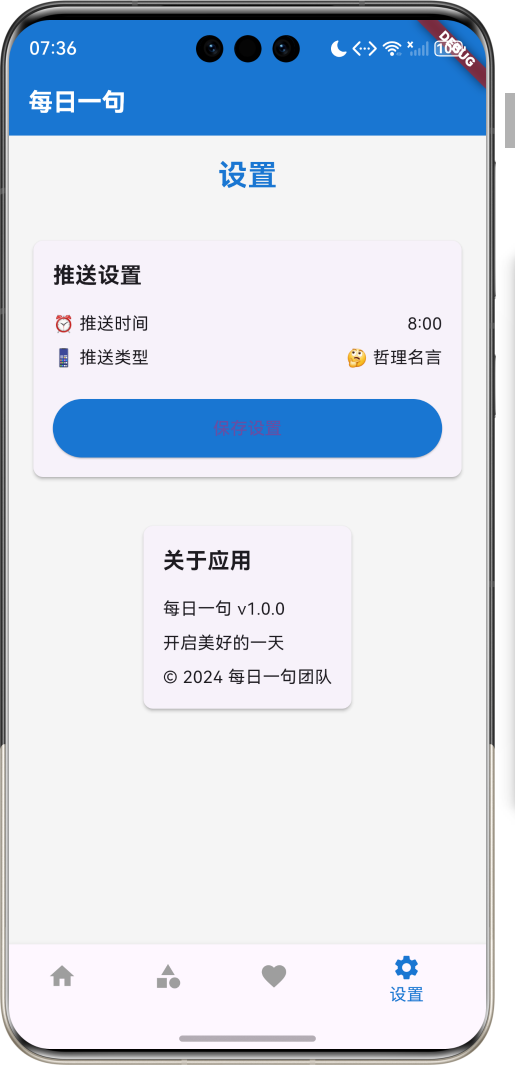
运行效果图
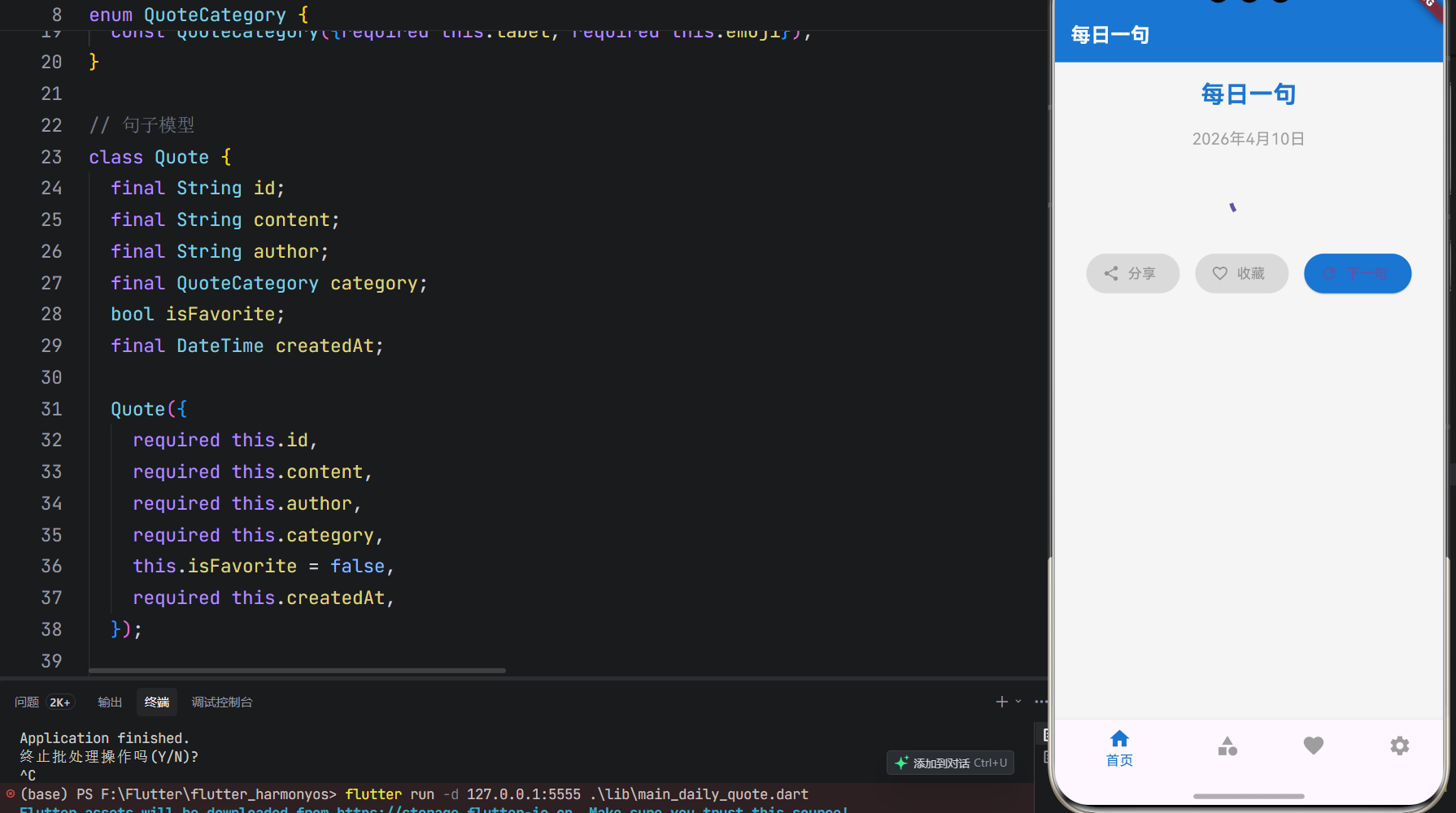
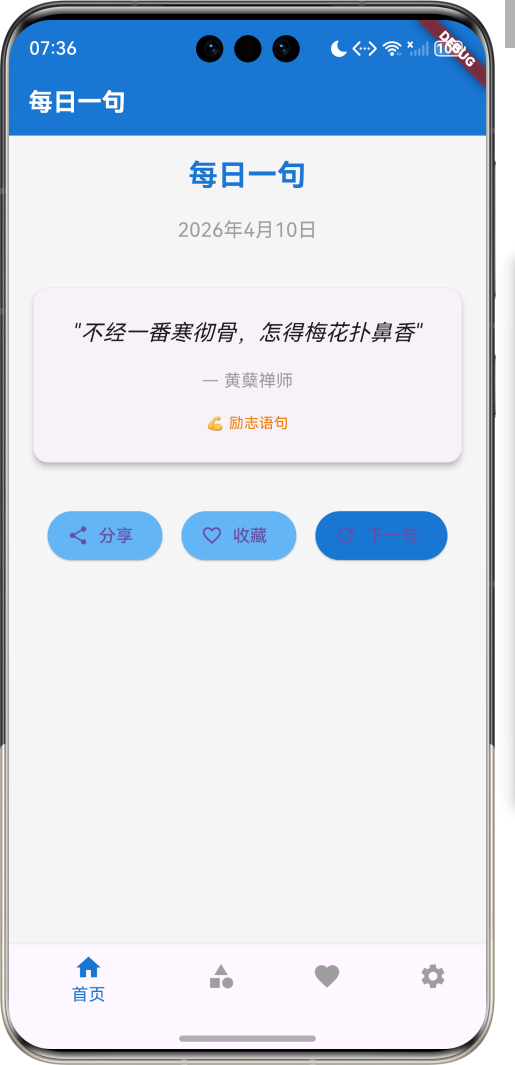
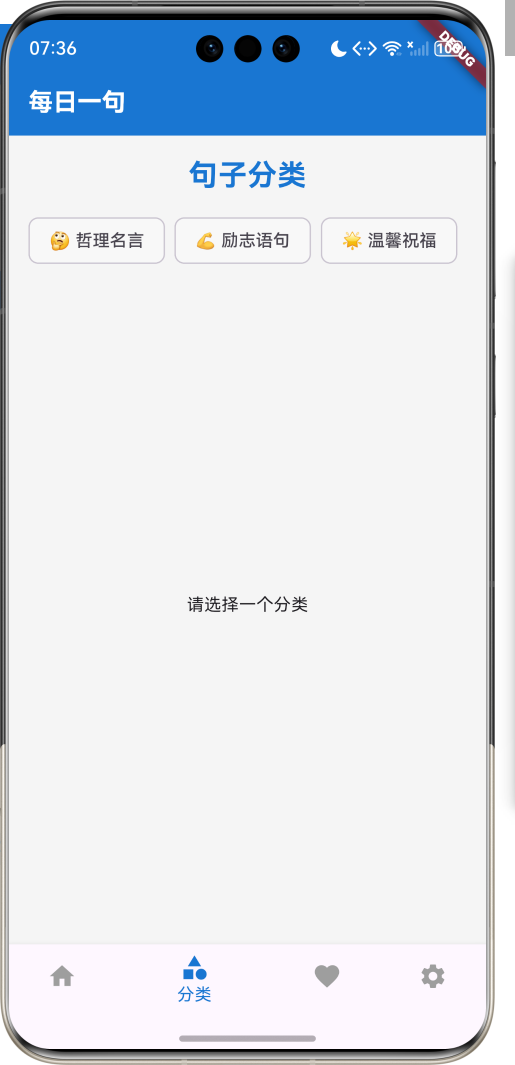
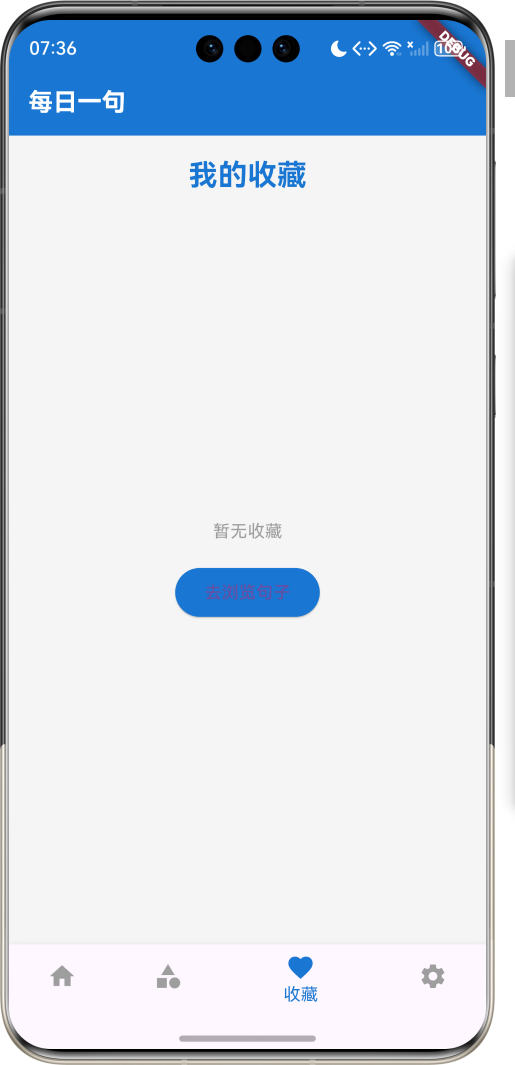
1.1 应用简介
每日一句是一款提供每日推送有哲理的话、励志名言或温馨句子的应用,帮助用户开启美好的一天。应用内置多种类型的句子,包括哲理名言、励志语句、温馨祝福等,用户可以根据自己的喜好选择句子类型,设置每日推送时间,还可以收藏喜欢的句子。
应用以温暖的蓝色为主色调,象征希望与正能量。涵盖每日推荐、句子分类、我的收藏、设置中心四大模块。用户可以浏览每日推荐的句子,查看不同分类的句子,收藏喜欢的句子,设置推送时间和类型。
1.2 核心功能
| 功能模块 | 功能描述 | 实现方式 |
|---|---|---|
| 每日推荐 | 每日推送一句名言 | 定时推送 |
| 句子分类 | 按类型分类句子 | 标签筛选 |
| 句子详情 | 查看句子详情 | 详情页面 |
| 句子收藏 | 收藏喜欢的句子 | 本地存储 |
| 推送设置 | 设置推送时间和类型 | 本地存储 |
1.3 句子类型定义
| 序号 | 类型名称 | Emoji | 描述 |
|---|---|---|---|
| 1 | 哲理名言 | 🤔 | 富有哲理的名言警句 |
| 2 | 励志语句 | 💪 | 激励人心的励志话语 |
| 3 | 温馨祝福 | 🌟 | 温暖人心的祝福语 |
| 4 | 爱情句子 | ❤️ | 关于爱情的经典语句 |
| 5 | 友情句子 | 🤝 | 关于友情的温馨句子 |
| 6 | 人生感悟 | 🌈 | 对人生的感悟和思考 |
1.4 技术栈
| 技术领域 | 技术选型 | 版本要求 |
|---|---|---|
| 开发框架 | Flutter | >= 3.0.0 |
| 编程语言 | Dart | >= 2.17.0 |
| 设计规范 | Material Design 3 | - |
| 本地存储 | shared_preferences | - |
| 通知系统 | flutter_local_notifications | - |
| 目标平台 | 鸿蒙OS / Web | API 21+ |
1.5 项目结构
lib/
└── main_daily_quote.dart
    ├── DailyQuoteApp         # 应用入口
    ├── Quote                # 句子模型
    ├── QuoteCategory        # 句子分类枚举
    ├── QuoteService         # 句子服务
    ├── NotificationService  # 通知服务
    ├── QuoteController      # 句子控制器
    ├── DailyQuoteHomePage   # 主页面
    ├── _buildHomePage       # 首页
    ├── _buildCategoryPage   # 分类页面
    ├── _buildCollectionPage # 收藏页面
    └── _buildSettingsPage   # 设置页面
二、系统架构
2.1 整体架构图
2.2 类图设计
2.3 页面导航流程
2.4 每日推送流程
三、核心模块设计
3.1 数据模型设计
3.1.1 句子模型 (Quote)
class Quote {
  final String id;
  final String content;
  final String author;
  final QuoteCategory category;
  bool isFavorite;
  final DateTime createdAt;

  Quote({
    required this.id,
    required this.content,
    required this.author,
    required this.category,
    this.isFavorite = false,
    required this.createdAt,
  });
}
3.1.2 句子分类枚举 (QuoteCategory)
enum QuoteCategory {
  philosophy(label: '哲理名言', emoji: '🤔'),
  inspiration(label: '励志语句', emoji: '💪'),
  warmth(label: '温馨祝福', emoji: '🌟'),
  love(label: '爱情句子', emoji: '❤️'),
  friendship(label: '友情句子', emoji: '🤝'),
  life(label: '人生感悟', emoji: '🌈');

  final String label;
  final String emoji;

  const QuoteCategory({required this.label, required this.emoji});
}
3.2 页面结构设计
3.2.1 主页面布局
3.2.2 首页结构
3.2.3 分类页面结构
3.2.4 收藏页面结构
3.3 句子获取逻辑
3.4 推送设置逻辑
四、UI设计规范
4.1 配色方案
应用以温暖的蓝色为主色调,象征希望与正能量:
| 颜色类型 | 色值 | 用途 |
|---|---|---|
| 主色 | #1976D2 (Blue) | 导航、主题元素 |
| 辅助色 | #64B5F6 | 按钮、强调 |
| 第三色 | #BBDEFB | 背景、卡片 |
| 背景色 | #F5F5F5 | 页面背景 |
| 卡片背景 | #FFFFFF | 信息卡片 |
4.2 分类色彩映射
| 分类 | 色值 | 视觉效果 |
|---|---|---|
| 哲理名言 | #9C27B0 | 紫色 |
| 励志语句 | #FF5722 | 橙色 |
| 温馨祝福 | #4CAF50 | 绿色 |
| 爱情句子 | #E91E63 | 粉色 |
| 友情句子 | #2196F3 | 蓝色 |
| 人生感悟 | #FFC107 | 黄色 |
4.3 字体规范
| 元素 | 字号 | 字重 | 颜色 |
|---|---|---|---|
| 页面标题 | 24px | Bold | 主色 |
| 句子内容 | 18px | Regular | #333333 |
| 作者信息 | 14px | Light | #666666 |
| 分类标签 | 12px | Regular | 对应分类色 |
| 按钮文本 | 16px | Medium | #FFFFFF |
4.4 组件规范
4.4.1 句子卡片
┌─────────────────────────────────────┐
│  "生活不是缺少美,而是缺少发现美的眼睛" │
│                                     │
│               — 罗丹                 │
│                                     │
│  🤔 哲理名言                        │
│                                     │
│  [分享] [收藏] [下一句]              │
└─────────────────────────────────────┘
4.4.2 分类标签
┌─────────────────────┐
│  🤔 哲理  💪 励志  🌟 温馨  ❤️ 爱情  🤝 友情  🌈 人生  │
└─────────────────────┘
4.4.3 设置页面
┌─────────────────────────────────────┐
│  推送设置                            │
│  ─────────────────────────────────  │
│  ⏰ 推送时间: 08:00                  │
│  📱 推送类型: 哲理名言                │
│  📢 推送开关: ⚠️                     │
│                                     │
│  [保存设置]                         │
└─────────────────────────────────────┘
五、核心功能实现
5.1 句子服务实现
class QuoteService {
  final List<Quote> _quotes = [
    Quote(
      id: '1',
      content: '生活不是缺少美,而是缺少发现美的眼睛',
      author: '罗丹',
      category: QuoteCategory.philosophy,
      createdAt: DateTime.now(),
    ),
    Quote(
      id: '2',
      content: '成功不是终点,失败不是终结,只有勇气才是永恒',
      author: '丘吉尔',
      category: QuoteCategory.inspiration,
      createdAt: DateTime.now(),
    ),
    // 更多句子...
  ];

  Future<Quote> getDailyQuote() async {
    // 模拟获取每日句子
    await Future.delayed(Duration(seconds: 1));
    final random = Random();
    return _quotes[random.nextInt(_quotes.length)];
  }

  List<Quote> getQuotesByCategory(QuoteCategory category) {
    return _quotes.where((quote) => quote.category == category).toList();
  }

  Quote getQuoteById(String id) {
    return _quotes.firstWhere((quote) => quote.id == id);
  }

  void likeQuote(String id) {
    final quote = _quotes.firstWhere((q) => q.id == id);
    quote.isFavorite = !quote.isFavorite;
  }
}
5.2 通知服务实现
class NotificationService {
  late FlutterLocalNotificationsPlugin _notifications;

  Future<void> initialize() async {
    _notifications = FlutterLocalNotificationsPlugin();
    const AndroidInitializationSettings initializationSettingsAndroid = AndroidInitializationSettings('app_icon');
    final InitializationSettings initializationSettings = InitializationSettings(
      android: initializationSettingsAndroid,
    );
    await _notifications.initialize(initializationSettings);
  }

  Future<void> scheduleDailyNotification(TimeOfDay time, QuoteCategory category) async {
    const AndroidNotificationDetails androidPlatformChannelSpecifics = AndroidNotificationDetails(
      'daily_quote_channel',
      '每日一句',
      importance: Importance.max,
      priority: Priority.high,
    );
    const NotificationDetails platformChannelSpecifics = NotificationDetails(
      android: androidPlatformChannelSpecifics,
    );

    await _notifications.zonedSchedule(
      0,
      '每日一句',
      '今天的励志名言已送达',
      _nextInstanceOfTime(time),
      platformChannelSpecifics,
      androidAllowWhileIdle: true,
      matchDateTimeComponents: DateTimeComponents.time,
    );
  }

  Future<void> cancelNotification() async {
    await _notifications.cancelAll();
  }

  TZDateTime _nextInstanceOfTime(TimeOfDay time) {
    final now = TZDateTime.now(DateTime.now().timeZoneName as dynamic);
    var scheduledDate = TZDateTime(
      DateTime.now().timeZoneName as dynamic,
      now.year,
      now.month,
      now.day,
      time.hour,
      time.minute,
    );
    if (scheduledDate.isBefore(now)) {
      scheduledDate = scheduledDate.add(const Duration(days: 1));
    }
    return scheduledDate;
  }
}
5.3 句子控制器实现
class QuoteController {
  final QuoteService _quoteService;
  final NotificationService _notificationService;
  final DataManager _dataManager;
  final List<Quote> dailyQuotes = [];
  final List<Quote> favoriteQuotes = [];
  TimeOfDay _notificationTime = TimeOfDay(hour: 8, minute: 0);
  QuoteCategory _notificationCategory = QuoteCategory.philosophy;

  QuoteController(this._quoteService, this._notificationService, this._dataManager);

  Future<void> initialize() async {
    await _notificationService.initialize();
    await loadQuotes();
    await loadSettings();
  }

  Future<void> loadQuotes() async {
    dailyQuotes.clear();
    final dailyQuote = await _quoteService.getDailyQuote();
    dailyQuotes.add(dailyQuote);

    favoriteQuotes.clear();
    final favorites = await _dataManager.loadFavoriteQuotes();
    favoriteQuotes.addAll(favorites);
  }

  Future<Quote> getDailyQuote() async {
    final quote = await _quoteService.getDailyQuote();
    dailyQuotes.insert(0, quote);
    if (dailyQuotes.length > 10) {
      dailyQuotes.removeRange(10, dailyQuotes.length);
    }
    return quote;
  }

  void toggleFavorite(Quote quote) {
    quote.isFavorite = !quote.isFavorite;
    if (quote.isFavorite) {
      favoriteQuotes.add(quote);
    } else {
      favoriteQuotes.removeWhere((q) => q.id == quote.id);
    }
    _dataManager.saveFavoriteQuotes(favoriteQuotes);
  }

  void setNotificationTime(TimeOfDay time) {
    _notificationTime = time;
    _dataManager.saveNotificationTime(time);
    _scheduleNotification();
  }

  void setNotificationCategory(QuoteCategory category) {
    _notificationCategory = category;
    _dataManager.saveNotificationCategory(category);
    _scheduleNotification();
  }

  Future<void> _scheduleNotification() async {
    await _notificationService.scheduleDailyNotification(_notificationTime, _notificationCategory);
  }

  Future<void> loadSettings() async {
    final time = await _dataManager.loadNotificationTime();
    if (time != null) {
      _notificationTime = time;
    }
    final category = await _dataManager.loadNotificationCategory();
    if (category != null) {
      _notificationCategory = category;
    }
  }
}
5.4 数据管理实现
class DataManager {
  static const String _favoriteQuotesKey = 'favorite_quotes';
  static const String _notificationTimeKey = 'notification_time';
  static const String _notificationCategoryKey = 'notification_category';

  // 模拟本地存储
  static Map<String, String> _storage = {};

  Future<List<Quote>> loadFavoriteQuotes() async {
    final jsonString = _storage[_favoriteQuotesKey];
    if (jsonString == null) return [];

    final jsonList = json.decode(jsonString) as List;
    return jsonList.map((json) => Quote.fromJson(json)).toList();
  }

  Future<void> saveFavoriteQuotes(List<Quote> quotes) async {
    final jsonList = quotes.map((quote) => quote.toJson()).toList();
    _storage[_favoriteQuotesKey] = json.encode(jsonList);
  }

  Future<TimeOfDay?> loadNotificationTime() async {
    final jsonString = _storage[_notificationTimeKey];
    if (jsonString == null) return null;

    final json = json.decode(jsonString);
    return TimeOfDay(hour: json['hour'], minute: json['minute']);
  }

  Future<void> saveNotificationTime(TimeOfDay time) async {
    final json = {'hour': time.hour, 'minute': time.minute};
    _storage[_notificationTimeKey] = json.encode(json);
  }

  Future<QuoteCategory?> loadNotificationCategory() async {
    final jsonString = _storage[_notificationCategoryKey];
    if (jsonString == null) return null;

    final categoryName = json.decode(jsonString);
    return QuoteCategory.values.firstWhere((c) => c.toString().split('.').last == categoryName);
  }

  Future<void> saveNotificationCategory(QuoteCategory category) async {
    _storage[_notificationCategoryKey] = json.encode(category.toString().split('.').last);
  }
}
六、交互设计
6.1 首页交互流程
6.2 分类页面交互流程
6.3 收藏页面交互流程
七、扩展功能规划
7.1 后续版本规划
7.2 功能扩展建议
7.2.1 云端同步
同步功能:
- 支持账号登录
- 云端备份收藏句子
- 多设备同步
- 数据恢复功能
7.2.2 自定义句子
自定义功能:
- 添加个人句子
- 编辑现有句子
- 分类管理
- 导出/导入
7.2.3 社区互动
社区功能:
- 句子分享
- 点赞评论
- 热门句子
- 贡献句子
八、注意事项
8.1 开发注意事项
-
通知权限:推送功能需要申请通知权限
-
数据存储:收藏句子需要本地存储
-
性能优化:句子加载需要优化
-
用户体验:界面需要简洁美观
-
兼容性:确保在不同设备上的显示效果一致
8.2 常见问题
| 问题 | 原因 | 解决方案 |
|---|---|---|
| 推送不生效 | 权限未开启 | 引导用户开启权限 |
| 收藏不保存 | 存储权限问题 | 检查存储权限 |
| 句子加载缓慢 | 网络连接问题 | 增加加载状态 |
| 应用崩溃 | 数据解析错误 | 增加异常处理 |
| 界面显示异常 | 设备兼容性 | 适配不同设备 |
8.3 使用技巧
📝 每日一句使用技巧 📝
每日推荐
- 每天打开应用查看每日推荐
- 点击下一句切换不同句子
- 收藏喜欢的句子
- 分享句子给朋友
分类浏览
- 选择不同分类查看句子
- 点击句子查看详情
- 收藏喜欢的句子
- 分享句子给朋友
收藏管理
- 查看所有收藏的句子
- 点击句子查看详情
- 取消不需要的收藏
- 分享收藏的句子
推送设置
- 设置每日推送时间
- 选择推送句子类型
- 开启/关闭推送
- 检查推送权限
九、运行说明
9.1 环境要求
| 环境 | 版本要求 |
|---|---|
| Flutter SDK | >= 3.0.0 |
| Dart SDK | >= 2.17.0 |
| 鸿蒙OS | API 21+ |
| Web浏览器 | Chrome 90+ |
9.2 运行命令
# 查看可用设备
flutter devices

# 运行到Web服务器
flutter run -d web-server -t lib/main_daily_quote.dart --web-port 8151

# 运行到鸿蒙设备
flutter run -d 127.0.0.1:5555 lib/main_daily_quote.dart

# 代码分析
flutter analyze lib/main_daily_quote.dart
十、总结
每日一句应用通过每日推送有哲理的话、励志名言或温馨句子,帮助用户开启美好的一天。应用内置多种类型的句子,包括哲理名言、励志语句、温馨祝福等,用户可以根据自己的喜好选择句子类型,设置每日推送时间,还可以收藏喜欢的句子。
核心功能包括每日推荐、句子分类、句子收藏、推送设置等。应用采用温暖的蓝色为主色调,象征希望与正能量,界面简洁美观,交互流畅自然。
通过本应用,希望能够为用户提供每日的精神食粮,激励用户积极面对生活,发现生活中的美好,开启每一天的好心情。
每日一句——开启美好的一天

腾讯云面向开发者汇聚海量精品云计算使用和开发经验,营造开放的云计算技术生态圈。
更多推荐
 6
6 0
0- 0


 已为社区贡献25条内容

所有评论(0)