编译的二进制Python的whl包批量下载源码
编译的二进制Python的whl包批量下载源码
总有些时候咱们得批量搞Python的whl包——比如要给内网机器搭环境,或者测试不同平台兼容性。手动一个个点下载按钮?那得点到腱鞘炎发作。今天直接上干货,用Python写个自动扒whl文件的脚本。
先搞明白PyPI的接口规律。比如numpy包的元数据地址是https://pypi.org/pypi/numpy/json,返回的JSON里有个urls数组存着各个版本文件的信息。咱们先拿requests把这个数据掏出来:
import requests

def get_package_files(pkg_name):
    url = f'https://pypi.org/pypi/{pkg_name}/json'
    resp = requests.get(url).json()
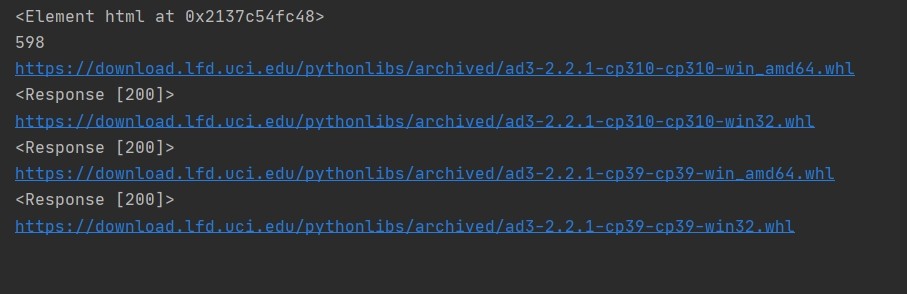
return resp['releases'].items()这时候返回的是各个版本号对应的文件列表。但问题来了——怎么从几十个文件里精准捞出需要的whl?文件名里藏着关键信息,比如numpy-1.26.0-cp311-cp311-winamd64.whl,这里cp311代表CPython3.11,winamd64是64位Windows系统。
编译的二进制Python的whl包批量下载源码
咱们需要个文件名解析器:
import re

def parse_whl_name(filename):
    pattern = r'^(.*?)-(.*?)-(.*?)-(.*?)\.whl$'
    match = re.match(pattern, filename)
    if not match:
        return None
    return {
        'abi': match.group(3),
        'platform': match.group(4)
    }
比如要锁定Linux平台+Python3.8的包,可以这样过滤:
target_abi = 'cp38'
target_platform = 'manylinux2014_x86_64'

for version, files in get_package_files('numpy'):
    for f in files:
        if not f['filename'].endswith('.whl'):
            continue
        info = parse_whl_name(f['filename'])
        if not info:
            continue
        if info['abi'].startswith(target_abi) and info['platform'] == target_platform:
            print(f"命中目标版本:{version} 文件地址:{f['url']}")
下载环节最容易超时卡住,上线程池提速:
from concurrent.futures import ThreadPoolExecutor

def download_file(url, save_path):
    with requests.get(url, stream=True) as r:
        r.raise_for_status()
        with open(save_path, 'wb') as f:
            for chunk in r.iter_content(chunk_size=8192):
                f.write(chunk)

with ThreadPoolExecutor(max_workers=4) as executor:
    futures = []
    for url in whl_urls:
        future = executor.submit(download_file, url, f'./wheels/{url.split("/")[-1]}')
        futures.append(future)

    # 等全部下载完成
    for future in concurrent.futures.as_completed(futures):
        future.result()
注意这里没做异常处理——实际用的时候得加上重试机制。比如遇到ConnectionError可以睡两秒再试,三次失败再放弃。
最后提醒一嘴:别手贱把线程数开到100,PyPI那边可能会把你IP拉黑。稳妥点控制在10个线程以内,毕竟人家给你免费提供资源呢。
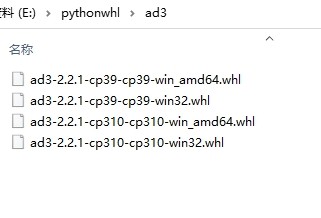
完整代码往GitHub一扔,下次要下几百个包直接命令行传参数跑起来。这效率,比手动操作快得不是一星半点。当然,如果你连脚本都不想写,直接pip download -r requirements.txt --platform xxx也行,但那可少了不少折腾的乐趣不是?

腾讯云面向开发者汇聚海量精品云计算使用和开发经验,营造开放的云计算技术生态圈。
更多推荐
 24
24 0
0- 0


 已为社区贡献9条内容

所有评论(0)